Build Your First Image-to-Video Workflow with the Kling 4.0 API
A practical first workflow for turning a still image into a video request, keeping the result connected to its source, and deciding what to change next.
A still image gives a video project a concrete starting point. The subject, composition and lighting already exist; your job is to decide what changes over time. For a first Kling 4.0 API workflow, that is a more useful question than asking for a whole advertisement in one request.
An application programming interface, or API, lets an application send a request to another service and handle its response. In an image-to-video project, your application needs to connect a source image, a motion instruction and the returned result. This guide follows that task without tying it to a particular software library. The cup scene and review notes are illustrative planning examples, not a report of a generated clip.
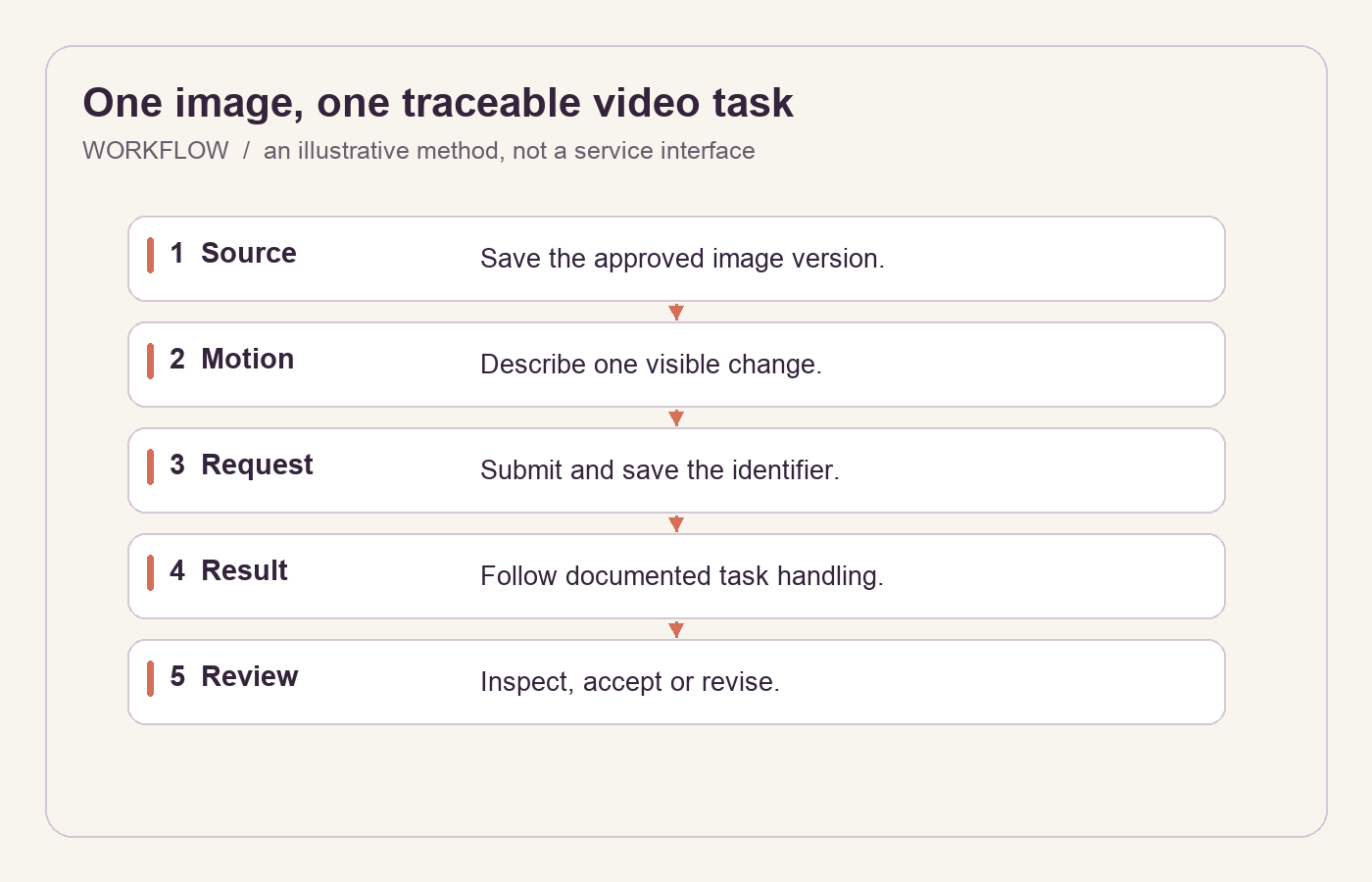
Give the first clip one job
Imagine a small café wants a moving image for a menu page. Its source is a photograph of a cream cup on a dark table. A suitable first brief is simple: a light curl of steam rises while the cup stays in place.
Write the intended use before touching the prompt. “A quiet background for a menu introduction” helps you judge whether the motion is too busy. It also gives the designer and developer a shared reason to reject an attractive but distracting result.
Choose a source image you have permission to use. Look at the actual file at a comfortable viewing size. Make sure the rim of the cup is clear, the subject has room around it, and an important detail does not disappear into the background. A prompt cannot resolve uncertainty about which object the team wants to feature.
Keep a copy of that exact source with a stable name, such as cup-menu-source-v1.png. If you crop or retouch it, save a new version rather than overwriting the one attached to an earlier request. Otherwise, a later comparison can quietly become a comparison of two different inputs.
Describe change rather than rewriting the photograph
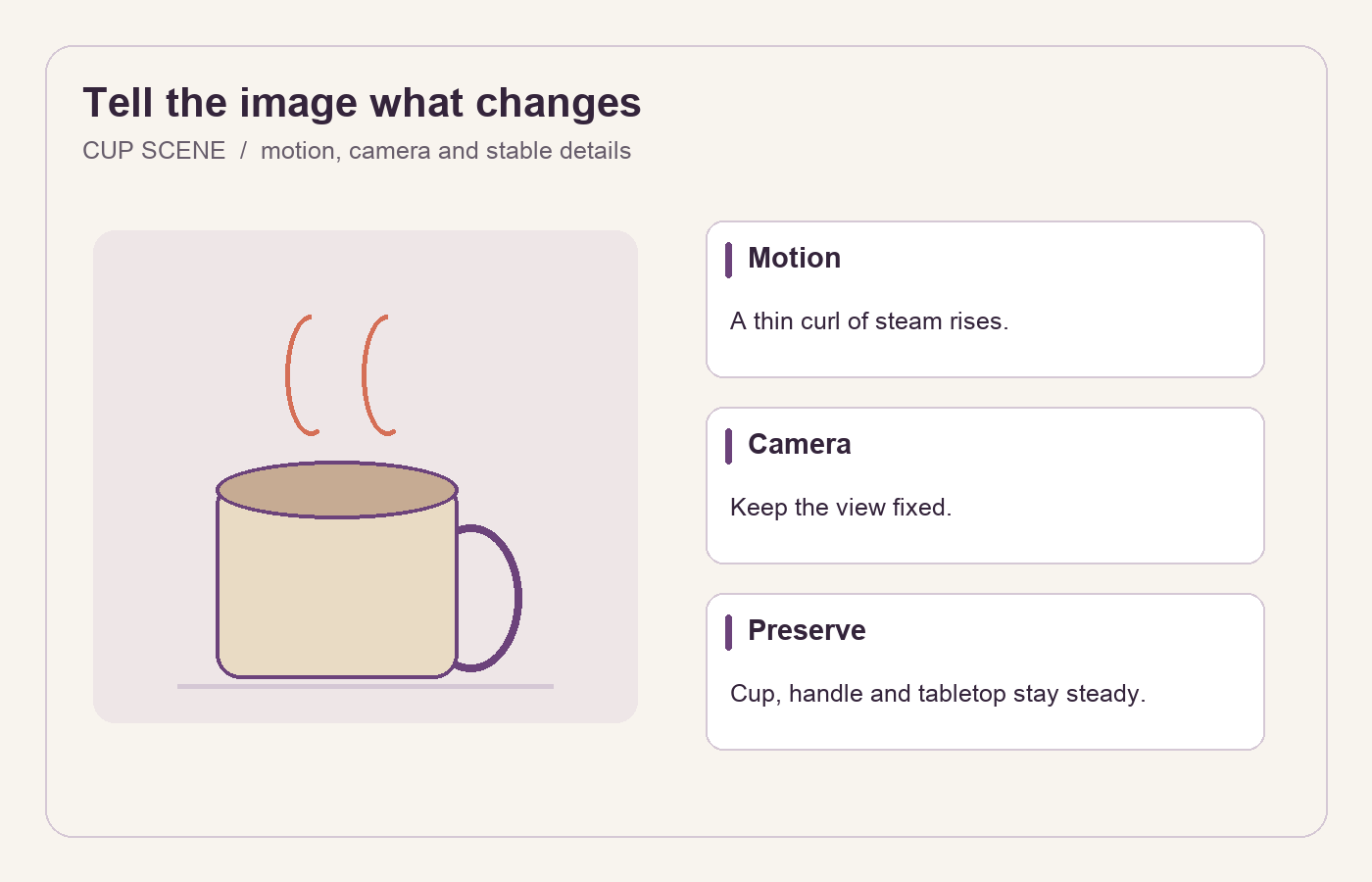
The image already supplies much of the scene. A long inventory of its contents can crowd out the action. Begin with a small movement, add the camera instruction, then identify the detail that must remain recognizable.
For this example, a plain-language prompt could be:
A thin curl of steam rises gently above the cup and disperses. The camera remains fixed. Keep the cup, its handle and the tabletop steady, with the same quiet lighting.
That is a creative brief, not a promise about what the model will produce. It gives you a useful basis for inspection: steam should move, the cup should not slide, and the view should remain calm.
Avoid adding competing camera moves to the first attempt. An orbit, a push-in and a sudden change of focus introduce different causes for a disappointing result. If you need a push-in for the final design, test it as a deliberate revision after you understand the simpler shot.
Connect the brief to a request record
Use the service's current documentation to map the source image and prompt to the supported request fields. Check the accepted input requirements, authentication method and output options there. Keep credentials on the server side of your application, outside a public page or shared creative brief.
Your own record can stay simple. Store a local task name, the source filename, the exact prompt, the selected output settings and the time of submission. When the service returns an identifier, associate it with the same record. A local name such as menu-cup-v1 is for your organization; it is not an example of an API parameter.
Send one deliberate request, then follow the documented way to obtain its status and result. A submission acknowledgment and a finished video are different events. Show the user which event has actually occurred, and keep an error or failed task attached to its record instead of silently replacing it with a new attempt.
If a network interruption leaves the outcome unclear, inspect the recorded task before sending again. The correct recovery depends on the service's documented behavior. Repeated clicks should not become your application's substitute for knowing which request it owns.
Review the returned video in its intended setting
Watch the full clip once at normal speed. Then look more closely at the cup rim, handle and contact with the table. Do not judge it solely from a thumbnail or the first frame.
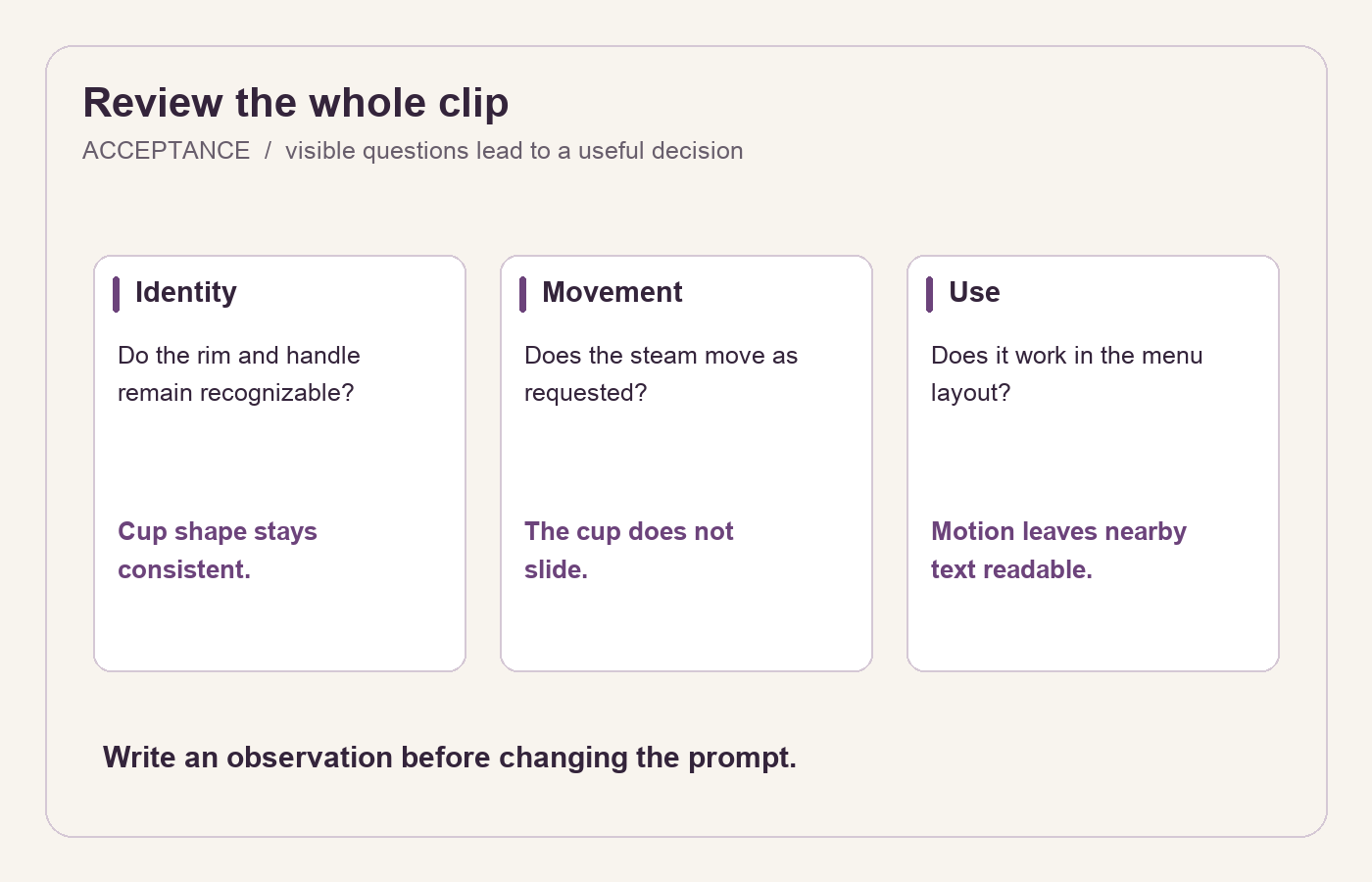
Use three concrete questions:
- Does the cup remain recognizably the same object throughout the clip?
- Does the steam provide the gentle movement requested, without unwanted object movement?
- Does the result work behind the real menu layout, including any text that sits nearby?
Record a visible observation. “The handle changes shape near the end” is actionable. “It feels wrong” leaves the next person guessing. Keep the result file beside its source and request record so that the observation has an unambiguous reference.
Make the next attempt explainable
Choose the most important mismatch and change one instruction or one input. If the cup slides, simplify the motion and restate the stable cup. If the crop is too tight, revise the source image and mark that source change explicitly. Do not label the comparison a prompt improvement when you also changed the photograph.
Set an attempt limit that fits your project budget. Save a usable result when it meets the brief, even if further variations are possible. A first workflow succeeds when you can trace a clip from image to request to a clear review decision.
For this workflow, the Flaq AI Kling 4.0 image-to-video API page is the place to check the current model information and supported options before matching your brief to the service. Keep that check beside your request setup; it does not replace reviewing the resulting video in your own design.
Disclosure: This article is provided by the Flaq AI team at FLAQ TECH PTE. LTD.
Related articles
Your First Five-Second Clip with a Free AI Video Generator No Signup Required
Plan your first five-second AI clip with one subject, one action, and a clear camera direction. Follow a text-only workflow, adapt the example prompts, and check the preview before deciding what to change.

OpenShot 4.1 adds native text and CLI automation, but the real test is the handoff between them
OpenShot 4.1 is a substantial open-source video editor release: direct text editing, automatic optimization for demanding footage, smarter exports, and a command-line workflow aimed at scripts and coding agents. The useful question is how much of that workflow is dependable today.


Snapdragon 8 Elite Gen 6 brings 30-billion-parameter AI to phones. Here is what buyers should actually wait for
Qualcomm’s new flagship chips promise faster phones and much larger on-device AI models, but the useful question is not how many parameters fit in a demo. It is whether a finished phone can sustain the gains without excess heat, battery drain, or cloud dependence.


Before You Open an AliExpress Dispute: A Practical Evidence Checklist for Wrong, Fake or Damaged Orders
Marketplace bargains are easy to evaluate before payment and much harder after a seller sends the wrong item, a counterfeit or a damaged parcel. This guide explains what to record, what to submit, and when platform rules are not the same as local consumer rights.
Comments
Sign in to comment.
No comments yet.