Pocket Pico Brings the Heathkit HK-21 Packet-Radio Workflow Back on a Raspberry Pi Pico
A new homebrew TNC uses a Raspberry Pi Pico to emulate the Heathkit HK-21, run its original firmware, and handle 1200-baud Bell 202 audio. Here is what the design gets right, where the build is fussy, and how to test it safely with a packet station.

Packet radio has never disappeared completely, but the hardware that made it approachable has become much harder to find. A new project called Pocket Pico takes a deliberately unusual route back into the mode: instead of writing a modern TNC from scratch, it uses a Raspberry Pi Pico to emulate the Z80 processor in Heathkit’s HK-21 Pocket Packet and run the original firmware.
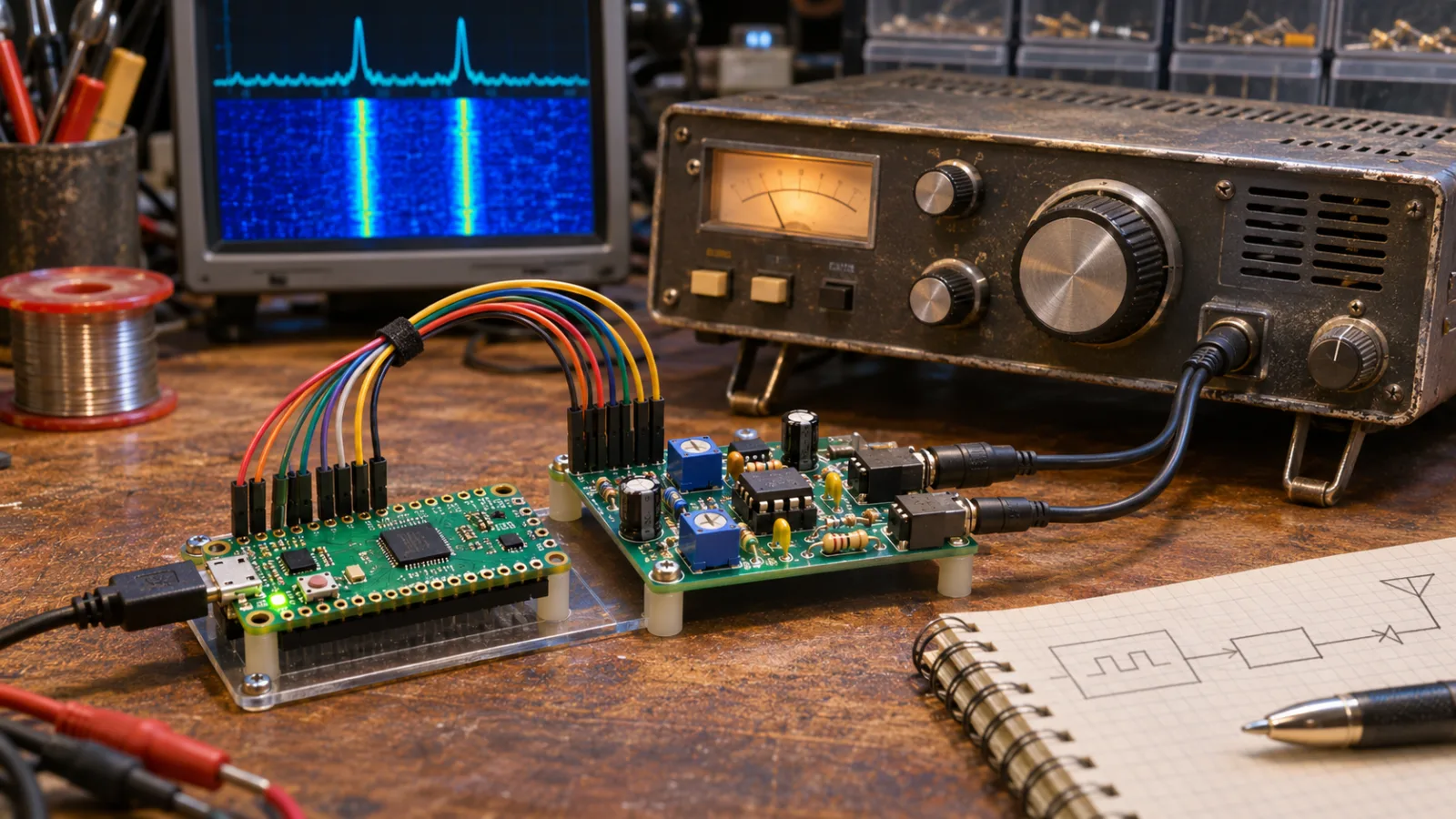
The result is not a generic “Pico modem” with a new command set. It is a compact rebuild of a particular historical packet-radio appliance, including the habits and limitations of its firmware. That makes the project interesting for two different audiences: operators who still have old packet software or HK-21 experience, and builders who want a small embedded-radio project with a real protocol stack behind it.
What the project is actually rebuilding
A terminal node controller, or TNC, sits between a computer and a radio. It turns data into a radio-compatible signal, receives the audio coming back from another station, and handles the framing and control work needed by packet protocols. For newcomers, it is the packet-radio equivalent of the modem-and-terminal layer that once connected a computer to a telephone line.
The original Heathkit HK-21 combined that job with a Z80-based controller and firmware designed for amateur packet operation. According to the project coverage from Open Electronics and Hackaday, Pocket Pico keeps the original HK-21 firmware and supplies an emulated Z80 environment on a Raspberry Pi Pico. The microcontroller therefore has to reproduce enough of the old processor’s behavior for the firmware to believe it is running on the original machine.
That choice is more than nostalgia. Reusing the original firmware preserves its command behavior and its existing packet functions. A builder does not need to design a new user interface, port every old feature, or make legacy terminal software understand a new device. The trade-off is that the project also inherits the assumptions of an older TNC, including a narrow data path and a workflow that feels very different from a software-defined, network-connected packet node.
One microcontroller handles the modem work too
The Pico is doing two jobs. It emulates the Z80 and also modulates and demodulates Bell 202 audio at 1200 baud. In a conventional station, the modem function might be provided by a dedicated chip or an external sound-card interface. Pocket Pico instead performs the audio processing in the microcontroller, reducing the number of parts needed for the modem section.
The Bell 202 approach is familiar to anyone who has used 1200-baud packet or APRS on VHF. It uses audio-frequency shift keying, commonly associated with 1200 Hz and 2200 Hz tones, and sends one symbol per baud in the traditional implementation. That is robust enough for the service it was designed for, but it is not a high-throughput link. A 1200-baud packet path is suitable for short messages, position reports, telemetry and control traffic; it is not a substitute for a modern broadband data connection.
The project’s reported feature set includes APRS, AX.25 Level 2 and a personal bulletin-board system. AX.25 supplies the link-layer framing used by much amateur packet radio, while APRS is a practical application built around packet messaging and position or telemetry reports. The bulletin-board feature gives the TNC a role beyond acting as a simple computer interface: another station can leave a message for later retrieval when the node is available.
Those features should be read as capabilities of the emulated HK-21 firmware, not as a promise that every packet network will interoperate automatically. Packet networks vary by country, local frequency plan, digipeater configuration and software conventions. A Pocket Pico can implement the protocol correctly and still need local configuration before it can use a particular node or gateway.
Why emulation is a sensible engineering choice
Porting the HK-21 behavior line by line would be a large undertaking, and a clean-sheet replacement would probably end up looking like a different product. Emulation moves the compatibility boundary. The developer has to reproduce the processor, memory map and relevant peripherals closely enough for the old binary to work, but the historical application logic remains intact.
This is a recurring pattern in electronics restoration. A modern microcontroller supplies timing, memory and signal processing that once required several chips, while the original firmware becomes a kind of executable documentation for the device. It also creates a useful test target: if a command or packet behavior differs from the HK-21, the builder can compare the two systems rather than debating what a new implementation was intended to do.
There is a practical benefit for hobbyists who already have vintage packet software. Hackaday notes that the same firmware allows the project to work with much of the older software written for the original TNC. That does not mean every serial adapter, terminal program or operating-system driver will be plug-and-play. It means the compatibility problem starts from a known historical interface rather than an invented one.
The approach also keeps the project small. The Raspberry Pi Pico family is designed for real-time microcontroller work, with GPIO and programmable timing resources that suit tasks such as audio sampling, tone generation and radio control. Pocket Pico is therefore closer to a purpose-built embedded controller than to a small Linux computer running a packet application.
The audio connection is the part to take seriously
The short parts list can make the project look easier than it is. The firmware and emulation are the intellectually distinctive pieces, but a packet station still succeeds or fails at the radio interface.
The project description specifically identifies audio-level setup as the critical construction step. If the receive audio is too low, the demodulator may not reliably recognize the tones. If it is too high or distorted, the tone relationship can be damaged before the decoder sees it. On transmit, excessive audio drive can produce a dirty signal, while insufficient drive can make the station difficult to copy.
A careful first test should therefore separate the digital controller from the transmitter. Confirm that the Pico boots consistently, that the serial or terminal interface responds, and that receive audio can be observed without keying the transmitter. Use an oscilloscope, audio interface or SDR waterfall where available to inspect the tone levels and waveform. The goal is not merely to see activity; it is to establish repeatable levels that another station can decode without overdriving the radio.
The radio’s data or accessory connector also deserves attention. Pinouts differ between transceivers, and some radios expect separate receive audio, transmit audio, push-to-talk and carrier-detect connections. A wiring mistake can damage an interface or cause an unintended transmission. Builders should verify the radio manual, use current limiting or isolation where appropriate, and test PTT with the transmitter disconnected or otherwise prevented from radiating until the control logic is understood.
An SDR is useful during alignment because it reveals problems that a local speaker may hide. A waterfall can show whether the transmitted signal contains the expected two-tone pattern, whether the audio is clipping, and whether hum or switching noise is riding on the signal. It cannot replace a proper on-air test with a compatible station, but it is a good way to catch obvious faults before asking someone else to decode the packet.
A sensible station-test sequence
The safest way to evaluate a Pocket Pico is to treat it as a layered system rather than immediately trying to join a busy packet network.
-
Test the controller offline. Confirm power stability, firmware startup, terminal responses and stored configuration. Do this with the radio disconnected from PTT or with transmission otherwise inhibited.
-
Verify receive audio first. Feed a known packet signal from a compatible source at a controlled level. Check whether the TNC detects carrier and decodes frames consistently. Change only one level or setting at a time.
-
Inspect the transmit waveform. Use a dummy load and suitable measurement equipment when testing a transmitter. A dummy load prevents unnecessary radiation while you check PTT timing, audio level and keying behavior. Observe the radio’s duty cycle and temperature during repeated tests.
-
Try a local, agreed test. Work with another licensed operator who knows the frequency, mode and expected exchange. Keep the first transmission short and identify as required by the rules that apply to your station.
-
Only then test network functions. APRS paths, digipeaters and bulletin-board access can produce confusing results if the basic audio link is not already stable. A failed path should not be diagnosed as a software problem until direct packet exchange works.
This sequence also makes troubleshooting easier. A failure before receive decoding points toward audio wiring, levels, timing or firmware configuration. A direct exchange that works but fails through a digipeater points toward path settings, local network behavior or coverage. A bulletin-board problem may be an application or configuration issue rather than a modem failure.
What Pocket Pico does not solve
The project removes several barriers, but it does not remove the reasons packet radio can be difficult. The 1200-baud channel remains slow by modern standards. VHF coverage is shaped by antenna height, terrain, local interference and the availability of compatible stations. A personal bulletin board is useful only if operators know it exists and can reach it. APRS behavior depends on sensible path configuration and local network practice.
It also does not automatically provide the conveniences of newer packet software. There is no implication in the published project description that Pocket Pico includes Wi-Fi backhaul, a web dashboard, a high-speed modem or a modern graphical configuration layer. Those omissions are not necessarily weaknesses: they keep the design focused on a small, understandable TNC. They do mean that a builder should choose the project for its compatibility and hands-on character, not because it is the fastest route to an internet-linked packet station.
The firmware question deserves similar care. The project relies on the original HK-21 firmware, and the published descriptions point builders to the project page for construction details. Anyone reproducing the design should check the author’s current instructions, firmware distribution terms and hardware revisions before copying files or ordering a board. A historical binary can be technically useful while still being subject to copyright or redistribution limits.
Who should build it
Pocket Pico makes the most sense for an operator who wants to understand the whole path from terminal command to radio waveform. It offers a contained project with meaningful layers: Z80 emulation, firmware compatibility, AX.25 packet handling, Bell 202 audio and a real transceiver interface.
It is also a good fit for a club workshop. One group can study the historical HK-21 command model, another can build the audio interface, and a third can prepare a controlled receive and dummy-load test. That division exposes the parts that are often hidden when a commercial TNC is treated as a black box.
It is less attractive if the only goal is reliable access to a busy modern packet network. In that case, an established hardware TNC, a supported sound-card modem or a maintained software stack may offer better documentation and easier integration. The Pocket Pico’s value is precisely that it preserves an older operating model in a form that can still be built, inspected and modified.
The broader lesson is useful beyond this one project. A small microcontroller does not need to replace an old radio design with an entirely new protocol to be relevant. Sometimes the better experiment is to preserve the old behavior, make the signal path measurable, and let modern hardware take over the jobs that used to require a Z80, a modem chip and a shelf full of obsolete parts.
Related articles

A Galaxy phone allegedly failed in a pocket. Here is the smartphone heat and battery safety guide that actually helps
A reported Samsung Galaxy pocket incident is a reason for calm, practical battery-safety habits—not panic or brand blame.

BOOX Picco is a $99.99 pocket e-reader. The real question is whether tiny reading beats a better-connected device
BOOX’s 58-gram Picco is designed for short reading sessions, not long novels. Its tiny screen and focused software are appealing, but the preorder decision turns on file handling, DRM, syncing and whether your phone is already the problem.


Cheap Bluetooth label makers: useful marketplace tool or sticker-roll trap?
A practical buyer guide to small thermal label printers from marketplaces: where they help, what refills and apps can ruin, and who should skip them.


The US robot ban is no longer theoretical: HoverAir and Unitree show the new robotics split
A flying pocket camera and a robot-dog distributor now show the same shift: robotics is moving from gadget hype into supply-chain regulation, national-security review and regional manufacturing choices.

Comments
Sign in to comment.
No comments yet.