Should You Buy a Color E-Reader Now That E Ink Kaleido 4 Is Here? Wait for Devices, Not the Announcement
E Ink’s Kaleido 4 promises brighter whites, stronger contrast and faster refreshes, but the first announced device is not yet a broadly available Kindle or Kobo rival. Here is who should wait and who can buy now.
E Ink has announced Kaleido 4, the next generation of its color e-paper display technology. The timing matters because color e-readers have reached the awkward point where they are useful enough to recommend, but still compromised enough that the wrong buyer can spend more money for a worse reading experience.
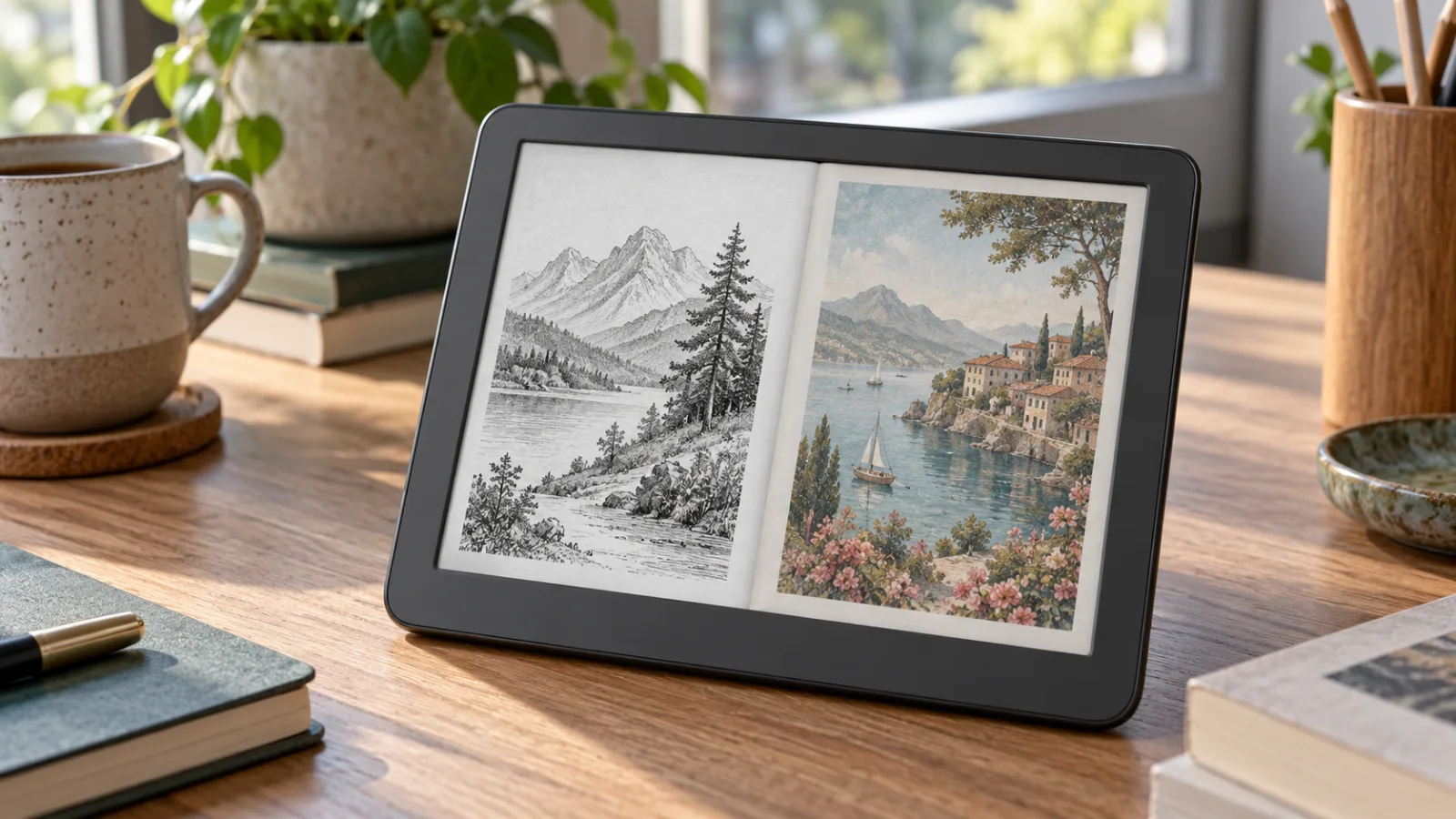
The announcement improves the most visible weaknesses of current color E Ink: a grayish background, muted colors, screen grain and sluggish refreshes. E Ink says Kaleido 4 doubles the previous generation’s color-gamut volume to more than 40,000, raises white reflectance by 15% and improves contrast by 50%. It also adds a new oxide TFT backplane and algorithms that can support video playback at up to 18 frames per second.
Those are meaningful claims. They are not yet a reason to replace a working reader. Kaleido 4 has been announced first for Hanvon’s M10C II, and there are no confirmed prices, broad international availability or product announcements from Amazon, Kobo or BOOX in the material available today. The sensible answer is therefore conditional: wait if you are specifically waiting for better color E Ink; buy a current device if you need a reader now and already understand its compromises.
What Kaleido 4 actually changes
The most important improvement is not the headline number of colors. It is the attempt to make a color-filtered display look more like a usable reading surface when the page contains ordinary black text.
Kaleido displays place a color filter array over an E Ink panel. That enables color, but the filter also absorbs light and makes the background look darker than a monochrome E Ink screen. On current Kaleido 3 readers, black-and-white text can therefore appear less crisp or less contrasty than on a similarly priced monochrome model. Color illustrations are possible, but they tend to look soft and restrained rather than like a phone or tablet display.
E Ink’s announced changes target that trade-off from several directions:
- White reflectance is claimed to be 15% higher, which should make the page look less gray in suitable lighting.
- Contrast is claimed to improve by 50%, potentially making text easier to separate from the background.
- The color-gamut volume is claimed to be more than twice that of the previous generation and above 40,000 in the company’s measurement.
- A redesigned display structure and front light are intended to reduce the visible grain that has bothered some users of color E Ink.
- The new oxide TFT backplane is intended to speed up page turns and scrolling. E Ink says the first product using it can turn pages and scroll 27% faster.
These numbers come from E Ink, not from independent testing. They describe the display platform, not necessarily the experience of every finished reader. A manufacturer can pair the panel with different firmware, front-light tuning, processors, glass, writing layers and refresh settings. A Kaleido 4 reader with poor software can still feel slow or look dim.
There is another detail worth keeping in view: E Ink has not publicly confirmed a higher color pixel density for Kaleido 4. Current Kaleido 3 products commonly advertise 300 pixels per inch for black-and-white content and 150 pixels per inch for color. The new announcement is about brightness, contrast, gamut and speed; it should not be read as proof that color text and fine comic linework will suddenly have the same resolution as monochrome text.
The first device is not the product most buyers are waiting for
Hanvon’s M10C II is the first announced end product with Kaleido 4. E Ink describes it as a smart e-paper notebook rather than simply a conventional bookstore e-reader. Its feature set includes handwriting, OCR, voice and AI-powered office tools, cloud library synchronization, third-party app scaling and a battery-free pen with 8,192 levels of pressure sensitivity.
That makes the M10C II useful as a technology showcase, but it also complicates the buying question. A large writing tablet is not automatically a good replacement for a six- or seven-inch e-reader. It may be heavier, more expensive, harder to purchase outside its home market or tied to software that does not suit your reading library. The first Kaleido 4 product demonstrates that the panel exists. It does not establish the best mainstream reader format.
TechRadar reported that the M10C II was the only announced Kaleido 4 device at the time of its coverage and described it as a China-only E Ink tablet. E Ink’s own release identifies it as the world’s first finished product using the display, but does not give a general retail price or a global launch schedule. That is the practical distinction between a component announcement and a buying recommendation.
For a future Kindle, Kobo or BOOX product, the questions that matter will be different. Buyers will need to know the actual screen size, color and grayscale resolution, front-light uniformity, refresh modes, weight, waterproofing, stylus support, operating system, library compatibility, repair options and price. None of those can be inferred safely from the Kaleido 4 name alone.
Should you buy a current color e-reader?
The answer depends less on whether you like color than on what you read.
If your library is mostly novels, essays and other text-heavy books, a monochrome reader remains the safer purchase. A current color panel adds cost and can reduce the apparent contrast of ordinary text. The color layer has no benefit when every page is black type on a white background. If you want a distraction-free reader and do not regularly read comics, illustrated nonfiction, recipes, textbooks or magazines, a good monochrome device is still the more rational choice.
If you read comics, manga, children’s books, cookbooks or technical material with diagrams, color has a clearer purpose. Even muted color can make a map, annotation, character design or ingredient photograph easier to interpret. The question is whether that improvement is worth the current premium and whether the screen’s limited saturation is acceptable. A color E Ink panel is designed for long, low-power reading, not for reproducing the visual impact of an OLED display.
If you want an Android writing tablet, the M10C II and later Kaleido 4 devices may be interesting. If you want a simple reader that starts quickly, syncs reliably and stays out of the way, wait for products from the companies whose ecosystems you already use. A better panel cannot compensate for an unfamiliar bookstore, awkward file transfer or poor note-export tools.
The current alternatives put the announcement in perspective
Current products make the limits of the technology easier to understand. TechRadar’s 2026 e-reader guide lists the Kobo Libra Colour as a seven-inch Kaleido 3 device with 300 ppi black-and-white resolution, 150 ppi color resolution, 32GB of storage, a front light and claimed battery life of up to four weeks. The guide also lists the six-inch Kobo Clara Colour with the same 150 ppi color and 300 ppi grayscale split.
The Libra Colour is a reasonable current choice for someone who wants color plus a mature reading ecosystem, physical page-turn buttons and a larger screen. The Clara Colour makes more sense when low weight, compact size and a lower entry price matter more than page area. Neither should be purchased under the assumption that its color will resemble a tablet.
A current monochrome model such as the Kobo Clara BW avoids the color filter altogether. TechRadar lists it with a Carta 1300 display and 300 ppi resolution. That kind of device is the better baseline for a reader who mainly cares about sharp text, low cost and comfortable long sessions. The comparison is important: Kaleido 4 may make color readers better, but it does not automatically make them better than monochrome readers for monochrome work.
Amazon’s color Kindle line is another reason not to buy purely on the promise of a future panel. A recent Kindle Colorsoft model uses an older Kaleido generation, according to TechRadar’s current Kindle coverage. It may still be the right choice for someone deeply invested in Kindle books and Kindle Unlimited, but the existence of Kaleido 4 makes the purchase a question of timing. A buyer who wants color but is not tied to Amazon should compare the current device’s screen and ecosystem with the likely advantages of waiting.
What the announcement does not prove
A display company’s improvement percentages are useful, but they leave several buyer questions unanswered.
First, “50% better contrast” does not mean the display will look like a monochrome Carta panel. It describes an improvement over the previous color technology under the company’s test conditions. The starting point matters. A 50% improvement can be visible while the result remains more subdued than black text on a dedicated monochrome screen.
Second, “more than 40,000” in color-gamut volume is not the same as saying that the screen will show 40,000 equally distinct, saturated colors in everyday use. Android Authority noted that the announcement did not provide enough measurement context to turn that figure into a direct consumer comparison. It is safest to interpret the claim as evidence of a broader color range, not as a promise of phone-like color.
Third, 18 frames per second is not a reason to buy an e-reader for video. E Ink’s faster refresh could make scrolling and interface movement less frustrating, especially on a notebook or Android tablet. But an e-paper display remains a poor general-purpose video screen compared with LCD or OLED. The useful part of the claim is responsiveness, not entertainment playback.
Fourth, a faster panel does not guarantee a faster reader. Page turns depend on the device’s processor, firmware, refresh policy and application. Some devices deliberately use slower refresh modes to reduce ghosting or preserve battery life. Independent testing will need to compare normal reading, menus, PDF zooming, comics and handwriting rather than repeating the panel specification.
Who should wait
Wait for Kaleido 4 products if you are about to buy your first color e-reader but do not need one immediately. The announcement changes the timing calculation: there is now a plausible next generation addressing the two complaints that appear most often in discussions of color E Ink—dark backgrounds and weak contrast. Buying a current model today could leave you paying a premium just before a more convincing generation reaches mainstream brands.
Wait if you already own a Kaleido 3 device and your main complaint is the screen itself. A new reader may not solve your problem instantly, but the next generation is aimed at the part you dislike. It is worth waiting for hands-on comparisons before moving laterally from one color reader to another.
Wait if you are considering a large writing tablet mainly for the display. The first Kaleido 4 product may be attractive, but its office features, software and size may not match your use. More devices are likely to follow, and those products will make it easier to separate the panel’s benefits from the first manufacturer’s interpretation of it.
Who should buy now
Buy now if your current reader is broken, your studies depend on diagrams or your reading routine genuinely requires color. Waiting has a cost when the device is part of daily work. A current Kobo, Kindle or Android reader can be a good purchase if you choose it for a specific library and accept that colors will be muted.
Buy a monochrome reader now if text quality is your priority. Kaleido 4 is not a reason to postpone a monochrome purchase unless you were already tempted by color. The future display standard may improve, but the basic trade-off remains: color requires a filter layer, and the filter changes the appearance of the page.
Buy a current color model now only after seeing one in person or checking a return policy. Product photos are unreliable because they are often displayed on bright screens and edited for clarity. Look at a page of ordinary text, a comic panel, a gray illustration and a color photograph. Check the reader with the front light off, at low brightness and in the lighting where you normally read. If the background already bothers you in a store, a spec-sheet improvement will not rescue the purchase.
A practical buying rule for the next year
Treat Kaleido 4 as a “wait for the device” announcement. Do not preemptively replace a working reader, and do not pay a premium for an unannounced future Kindle or Kobo. Instead, use the announcement to set a review checklist for the products that arrive:
- Compare black-and-white text with a monochrome reader at the same light level.
- Check whether color remains at 150 ppi or changes in the finished device.
- Read a comic or illustrated book in daylight and at night.
- Test page turns, scrolling and PDF zooming rather than relying on the advertised 18 fps mode.
- Confirm the bookstore, file formats, library borrowing and note-export workflow.
- Check the warranty, repair policy and return window in your region.
- Compare the total price with a monochrome reader plus a small tablet for color work.
That last comparison is often overlooked. A monochrome e-reader and an existing phone or tablet may be a better combination than an expensive color reader if color is occasional. A color e-reader becomes easier to justify when it replaces two separate habits: comfortable long-form reading and regular consultation of visual material.
Verdict
You should not buy a color e-reader today solely because E Ink announced Kaleido 4. The technology looks like a meaningful refinement, particularly because it addresses brightness, contrast and refresh rather than adding color as a marketing checkbox. But the first announced product is a specialized Hanvon tablet, not yet a widely available mainstream reader with a confirmed price and ecosystem.
Wait if you can, especially if you want your first color reader or are dissatisfied with the gray, grainy look of current models. Buy now if you have a concrete color-reading need, can evaluate the screen in person and are comfortable choosing among the current compromises. For text-only reading, buy monochrome. For comics and illustrated documents, watch the first independent Kaleido 4 comparisons. The announcement makes the next generation worth waiting for; it does not make every current color e-reader a bad purchase.
Related articles
Should You Buy the 2026 Kindle Lineup? Buy the Paperwhite for Most Readers, the Small Kindle for a Specific Need
Amazon’s 2026 Kindle redesign fixes the entry model’s awkward hardware, but it does not erase the reasons to choose a Paperwhite—or wait before buying the Colorsoft. Here is how to spend the money without paying for features you will not use.
Should You Buy the Galaxy Tab S12 Ultra? Buy the Screen, Not the Laptop-Replacement Promise
Samsung’s Galaxy Tab S12 Ultra is a superb 14.6-inch Android tablet, but its $1,399 starting price and optional $399 keyboard make the value case narrow. Here is who should buy it, who should choose the S12+, and who should wait.
Should You Buy the PocketBook Q? Wait for Real-World Tests
PocketBook’s €199 phone-shaped e-reader looks thoughtfully focused, but its narrow display, app limits and untested performance make waiting the prudent choice.
Should You Buy Apple’s OLED iPad Mini 8? The $699 Tablet Is for Portability, Not Value
Apple’s new iPad mini 8 finally brings OLED, IP67 protection, and the A20 Pro chip to its smallest tablet. The upgrade is substantial, but the $699 starting price changes who should buy it—and which storage tier makes sense.

Comments
Sign in to comment.
No comments yet.