Cheap USB-C portable monitors on AliExpress: useful second screen or dim travel gadget?
A practical buyer check for 15.6-inch marketplace screens: ports, brightness, power, stands, reviews and return risk before checkout.

A 15.6-inch portable monitor is one of those marketplace products that looks sensible at first glance: it promises a laptop-sized second screen, slips into a bag, often costs far less than a known office display, and seems to need only one USB-C cable. For a hotel desk, a dorm room, a console in the kitchen, a mini PC on a workbench or a temporary coding setup, the idea is genuinely useful. The catch is that the cheap screen is not just a screen-size purchase. It is a compatibility, brightness, stand, power and return-risk purchase. The listing can say USB-C, IPS, HDR, 144 Hz and gaming; the buyer still has to check what those words mean in that exact listing and with the exact laptop, phone or console that will drive it.
Why this category is tempting right now
Portable monitors are heavily visible on AliExpress and similar marketplaces. A live AliExpress category search for portable monitor shows the usual marketplace vocabulary: 15.6-inch, 1080P, USB-C, HDMI, IPS, touch, 144Hz and 2K, with models from no-name stores and more recognizable budget brands such as Uperfect and Arzopa appearing beside sponsored blocks. Current buyer-guide and deal coverage in August 2026 also keeps the category in view: Tom’s Hardware updated a portable-monitor roundup this month, and IGN/IGN Nordic deal coverage pointed readers toward an ASUS ZenScreen sold through Newegg via AliExpress. Those signals do not prove that a particular listing is a bargain, but they do show that the product class is active rather than a forgotten gadget bin.
The right way to read those signals is cautious. News and deal posts are useful for context, not for permanent price claims. AliExpress prices, coupons, local warehouse options and shipping promises can change between page loads, and the same product photo may appear under several store names. This article therefore does not pick a single anonymous listing and call it a winner. It uses the marketplace pattern, official benchmark specifications and common buyer complaints to build a checklist: when a cheap portable screen is worth considering and when a branded sale, a used local monitor or no purchase at all is the better decision.
First separate the product classes
Most listings that look similar are not the same risk. The basic class is the no-name or store-brand 15.6-inch 1080p IPS-style panel with USB-C and mini-HDMI. These are the screens that usually promise the lowest entry price and the largest number of adjectives. They can be perfectly adequate for documents, chat, spreadsheets, monitoring dashboards, light coding, camera menus or a console at a temporary desk. They are also the listings where buyer photos matter most, because the stand, ports, cable quality and menu can differ from the render.
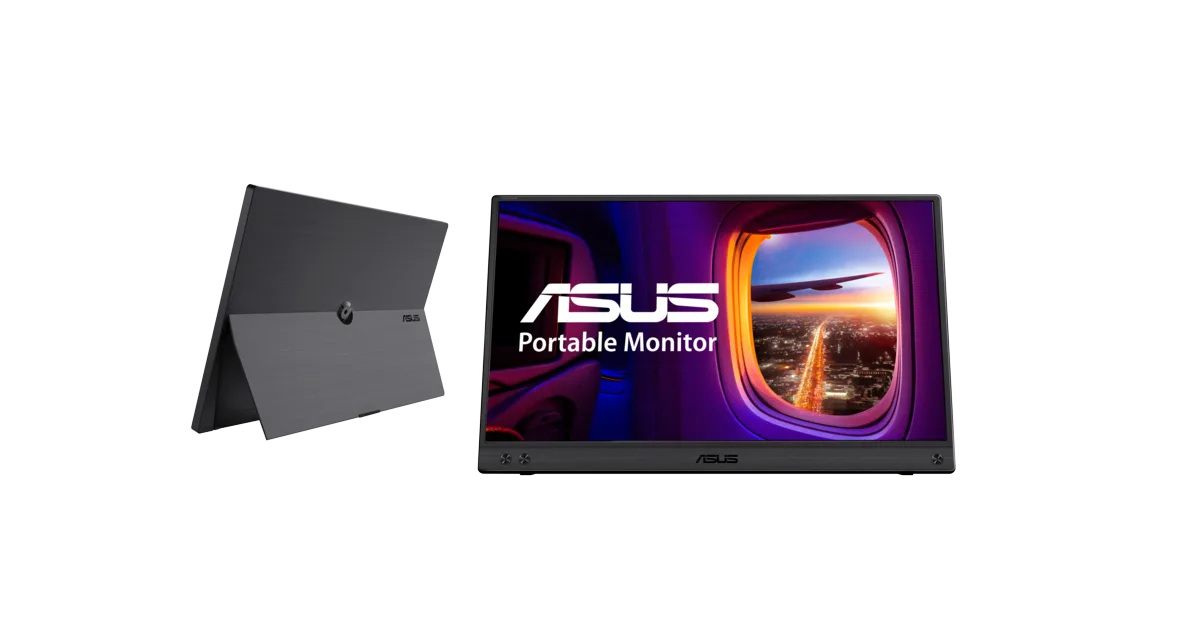
A second class is the branded sale model sold through marketplace partners or cross-border shops. ASUS ZenScreen, Lenovo, Arzopa, Uperfect and similar names are not automatically trouble-free, but they give the buyer more reference points: official manuals, spec pages, model numbers, reviews outside the marketplace and sometimes clearer warranty language. The ASUS ZenScreen MB16ACV, for example, is useful as a benchmark because the official ASUS spec page states a 15.6-inch 16:9 IPS panel, 1920×1080 resolution, typical 250 cd/m² brightness, 60 Hz refresh rate, USB-C with DisplayPort Alt Mode and USB 3.2, 5 V / 3 A input, no built-in speaker, tilt support, a tripod socket and about 0.9 kg net weight. That does not make it the model to buy from AliExpress; it simply shows what honest, ordinary specifications in this category look like.
A third class is the high-refresh or gaming-oriented portable monitor. The listing may advertise 120 Hz, 144 Hz or even higher numbers. The useful question is not whether the number appears in the headline, but whether the panel, input, cable and source device can deliver that refresh rate at the advertised resolution. HDMI versions, USB-C DisplayPort modes and bundled cables can become the limiting factor. If the buyer wants a Steam Deck, Switch, mini PC or gaming laptop screen, the safe assumption is that the high-refresh claim needs independent confirmation from detailed reviews, real menu photos and the device manual.
Touch, OLED, 2K and 4K portable monitors form another price-and-risk class. Touch may need an additional USB data path and operating-system support. OLED can be beautiful but changes the burn-in, brightness and price discussion. 2K and 4K panels demand more bandwidth and can make tiny text awkward if scaling is poor. A buyer looking only for a simple second screen should not be pulled into these variants by a discount badge unless the use case actually requires them.
The USB-C trap: the connector shape is not the promise
The most common misunderstanding is that any USB-C port can drive video because the cable fits. It cannot. USB-C is a connector shape and a set of possible capabilities, not a guarantee that the host outputs a display signal. For one-cable video, the laptop, tablet or phone normally needs DisplayPort Alternate Mode over USB-C, Thunderbolt or USB4 video capability. VESA’s own explanation of DisplayPort Alt Mode says that a USB Type-C connector and cable can deliver DisplayPort audio/video, data and power when the mode is supported. The important words are “when supported”. A charging-only or data-only USB-C port may power a device but send no picture.
This is why buyer reviews often contain versions of the same complaint: the monitor turns on but says no signal, or it works by HDMI but not by USB-C, or it needs an extra power cable although the listing looked like a one-cable setup. The monitor may not be defective. The laptop port may not support video, the cable may be a charge-only cable, the phone may not output desktop video, or the monitor may need more current than the host port wants to supply. Before ordering, check the host device manual for DisplayPort Alt Mode, Thunderbolt or USB4 display output. Marketing icons near the port can help, but the manual is safer than guessing from the connector shape.
HDMI is the practical fallback. If the portable monitor has mini-HDMI or full-size HDMI input, many laptops, mini PCs and consoles can send a standard video signal through an adapter or cable. But HDMI usually does not power the screen, so a second USB cable to a charger, laptop port or power bank is still needed. That may be fine on a desk and annoying on a train tray. It also changes the safety picture: use a charger and cable that meet the monitor’s stated requirement, not a random low-current adapter that makes the image flicker.
Brightness: 250 nits is normal, not magic
Budget portable monitors are often indoor products. The ASUS benchmark is instructive here because its official typical brightness is 250 cd/m², a number that is common in this class. That can be usable in a hotel room, dorm desk, shaded office or evening console setup. It can look weak near a sunny window and unrealistic outdoors. If a no-name listing shouts “HDR” but hides the actual brightness number, treat the HDR claim as decoration until proven otherwise. Real HDR needs more than a menu label; it needs panel capability, brightness, contrast and source support that cheap portable screens usually do not have.
Color claims deserve the same caution. A listing may say IPS, 100% sRGB, 125% sRGB or professional color. Some panels are acceptable for office work and streaming; that does not make them safe for paid photo editing, color grading or product proofing. Look for buyer photos that show white backgrounds, grey screens and viewing angles, but remember that phone cameras and compression distort color. If color accuracy matters, buy a monitor with credible independent measurements and a return path you trust.
Uniformity is another hidden trade-off. A cheap panel can have dim corners, backlight bleed, a warmer left side than right side, a stuck pixel or a pressure mark from shipping. A marketplace dispute may require clear photos or video. Before confirming receipt, test full-screen black, white, grey, red, green and blue backgrounds, and photograph defects under normal lighting. That is not paranoia; it is the practical cost of buying a fragile display from a seller you may never meet.
The stand can decide whether the monitor is usable
Product renders often show a portable monitor standing perfectly beside a laptop. The real desk may be less kind. Many budget models use a magnetic folio cover as the stand. It protects the panel lightly and props it up, but it can slide, collapse, take too much depth on a small table or hold only one angle. Some models have a built-in kickstand, which is usually more convenient, but the hinge quality and angle range still matter. The ASUS benchmark lists tilt support and a tripod socket but no height adjustment; that is a reminder that even branded portable monitors are not ergonomic replacements for a normal monitor arm.
If the screen will be used every day for long work sessions, ergonomics are the first reason to skip the bargain. A 15.6-inch panel sitting low beside a laptop can encourage a twisted neck and cramped posture. It is excellent for temporary extra space, a reference document, chat, music controls, camera preview or a dashboard. It is less convincing as a full-time second monitor unless the buyer adds a proper stand, external keyboard and mouse, which removes part of the portability advantage.
Cables, power and small accessories are not details
The listing should show exactly what is in the box: USB-C to USB-C cable, HDMI or mini-HDMI cable, USB-A to USB-C power cable, charger, folio case, stand, screen protector and manual. Cheap screens often include short cables that work on a clean desk but not in a real setup. Some bundled USB-C cables may power the monitor but not carry video; others carry video but become flaky when bent. A buyer photo of the actual cable labels and ports is more useful than a store render of a glowing desktop.
Power draw matters even when the monitor looks small. The ASUS MB16ACV spec lists 5 V / 3 A input and 6.64 W power consumption. Other models may need similar or higher current, especially brighter, larger, touch or high-refresh versions. A power bank can run some portable monitors, but only if voltage, current and cable quality match the requirement. Do not improvise with damaged cables, hot adapters or covered ventilation. If a monitor or power brick smells hot, buzzes, sparks, flickers badly or becomes unusually warm, stop using it and treat the problem as electrical, not as a normal marketplace quirk.
Review signals worth reading before buying
The best reviews are not five-star text saying “arrived quickly”. Look for buyer photos showing the actual panel powered on, the back shell, ports, menu, stand, cable bundle and packaging. Useful negative reviews mention dead pixels, loose USB-C ports, flicker, weak brightness, color tint, buzzing speakers, overheating power boards, stand collapse, scratched panels or sellers arguing about returns. A small number of defects does not prove every unit is bad, but a pattern across recent reviews should outweigh a coupon.
Also check whether reviews come from the same model and size. Marketplace pages sometimes combine several variants under one review pool: 14-inch and 15.6-inch, 1080p and 2K, touch and non-touch, 60 Hz and 144 Hz. If the review photo shows a different body or port layout from the variant you plan to order, it is weak evidence. Sort recent reviews where possible, not just the most-liked ones, because store quality and shipped panels can change.
Return wording is part of the product. A cheap display with unclear return address, expensive return shipping or vague warranty language can become more expensive than a local sale if it arrives with a defect. Do not assume that the platform will solve every dispute exactly as you hope. Photograph the package before opening, record the first power-on test, and keep all accessories until the acceptance period is over. That does not guarantee a refund, but it gives the buyer a cleaner case if something is wrong.
Where a cheap portable monitor makes sense
It makes sense for laptop users who understand their ports and need temporary workspace: a second browser window, source material beside a document, a terminal and logs, trading or home-server dashboards, class notes, chat, remote-work tools or a small console setup. It is also useful for repair benches and hobby electronics, where a mini PC, camera, single-board computer or recorder needs a screen for setup. In these jobs, a basic 1080p panel is enough if it is bright enough indoors and stable on the table.
It also makes sense when storage matters more than ergonomics. A normal 24-inch monitor is better for daily work, but it needs space. A portable screen can live in a drawer and appear only when guests, travel, renovation, shared desks or temporary projects demand it. The value is convenience, not display perfection. If the buyer expects premium contrast, strong speakers, perfect color and a rock-solid stand from the cheapest listing, disappointment is likely.
Who should skip it
Skip the bargain version if the main device has unknown USB-C video support and no convenient HDMI path. Skip it for bright outdoor use, color-critical photo and video work, high-refresh competitive gaming, all-day ergonomic office work or a child’s backpack where the panel will be crushed without a hard case. Skip anonymous listings if warranty handling matters, if you cannot tolerate dead-pixel risk, or if return shipping would erase the price advantage.
A branded sale may be the better compromise when the price gap is small. The buyer gets a known model number, clearer specifications and more outside reviews. A used local monitor may be better still for a fixed desk: larger, brighter, adjustable and easier to return. The portable marketplace screen wins only when portability and storage are the main reasons to buy.
Practical decision rule
Buy the boring verified version, not the most spectacular spec claim. The safe listing is the one where the seller states resolution, brightness in cd/m², refresh rate, input ports, power requirement, included cables, dimensions, weight and return terms; recent buyer photos confirm the same body and accessories; and your device manual confirms a real video path. If any one of those pieces is missing, the price needs to be low enough to compensate for risk, not merely decorated with a discount badge.
A cheap 15.6-inch USB-C portable monitor can be a useful second screen. It can also be a dim slab with the wrong cable, a collapsing cover stand and a return problem. The difference is usually visible before checkout if you read the listing like a troubleshooting checklist rather than like a promise.
Related articles
USB-C soldering irons from marketplaces: clever repair tool or unsafe starter kit?
A practical buyer check for Pinecil-style portable soldering irons, power supplies, tips, stands and safety before ordering a cheap kit.
Cheap portable jump starters from marketplaces: useful trunk tool or risky 4000A promise?
A practical guide to judging marketplace jump starters by clamps, capacity, protections and vehicle fit instead of the largest peak-amp claim.
Tiny electric bike pumps from AliExpress: useful ride backup or rechargeable gimmick?
A practical buyer check for 120–150 PSI mini inflators, with valve, battery, heat and backup-plan caveats before you trust one on a ride.
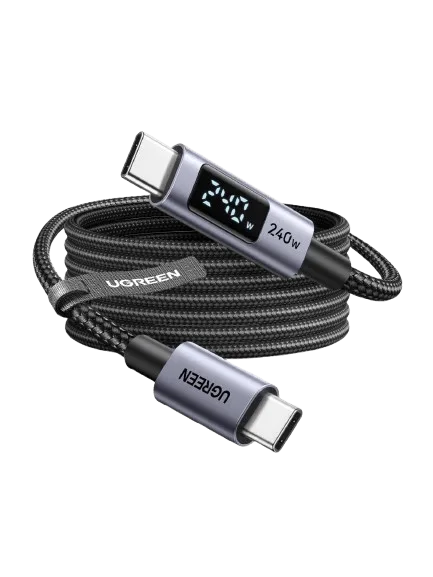
USB-C cables with a watt display: useful marketplace tool or false confidence?
A small screen can reveal charging behaviour, but it cannot certify a cable or turn a charging lead into a high-speed data cable.
Comments
Sign in to comment.
No comments yet.