Snap Specs Put a Standalone AR Computer on Your Face. What the $2,195 Glasses Actually Change
Snap’s new Specs are a serious standalone augmented-reality computer, not a cheaper pair of camera glasses. Their value depends on whether you need hands-free spatial tools often enough to justify the price, weight, battery limits, and still-forming software ecosystem.

Snap’s new Specs are one of the clearest attempts yet to turn augmented-reality glasses from a developer demonstration into a consumer computer. They put cameras, processors, wireless connectivity, speakers, a waveguide display and batteries into a glasses-shaped device that does not need a phone or a cable-tethered compute puck for its basic operation. That is the important change.
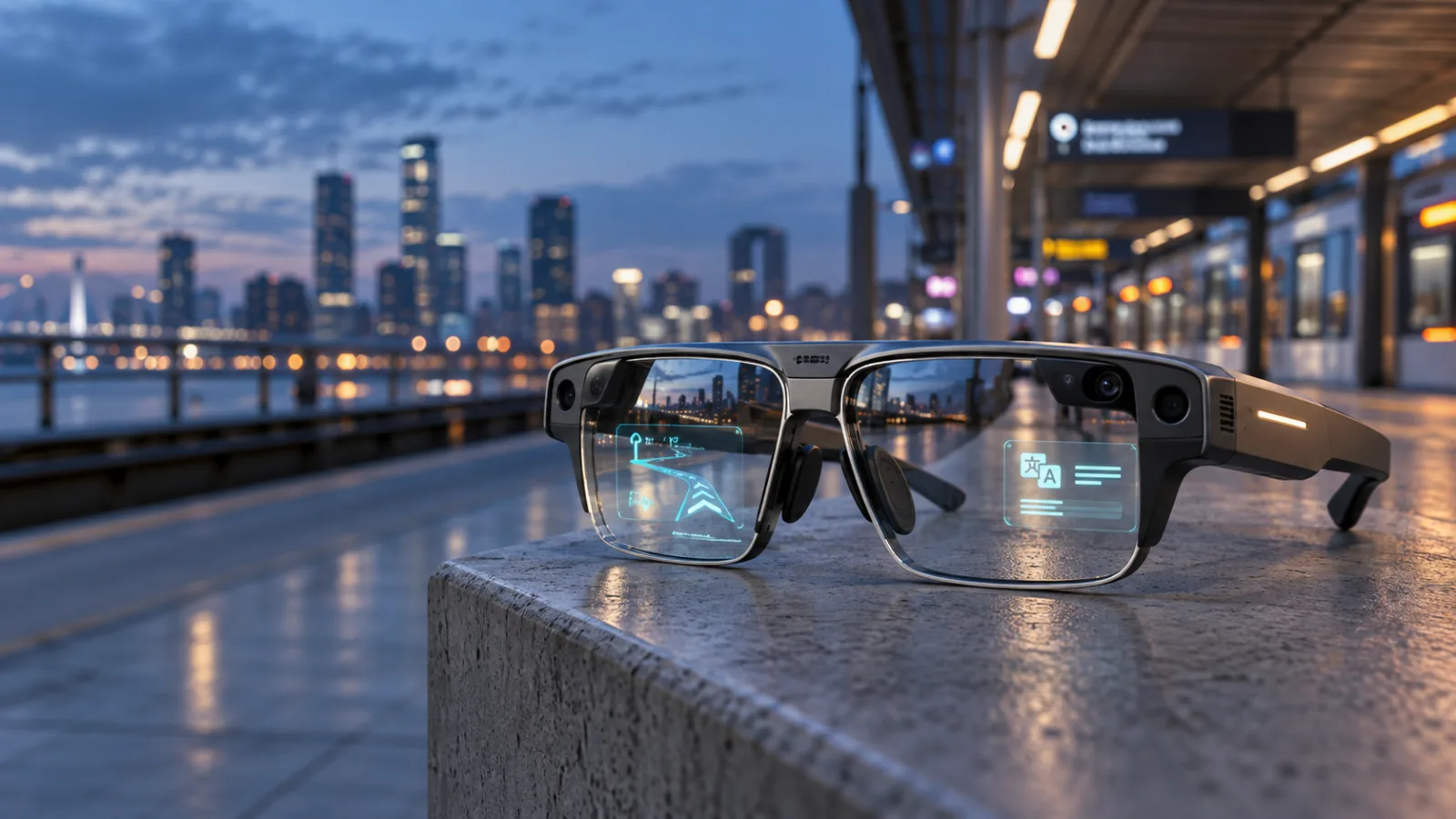
It is also the reason the buying decision is harder than the launch headline suggests. At $2,195, Specs are not competing with ordinary smart glasses in the same category. They are closer to a small, highly specialized computer that happens to be worn on your face. The display can place information in the world around you, while the cameras and microphones let the system understand what you are looking at and respond to voice and hand gestures.
That combination can be useful for navigation, translation, visual instructions, timers, media and selected spatial applications. It can also be awkward, power-hungry and socially demanding. Early hands-on coverage describes genuine progress in the display and interaction model, but it does not turn the product into a universal phone replacement. The practical question is narrower: do you have repeated situations in which seeing and controlling information without looking down would be worth more than $2,195?
What changed with Specs
Snap’s earlier Spectacles were mainly camera glasses and, in later generations, developer hardware. The 2026 Specs make a different proposition. They are designed as a standalone augmented-reality platform, with digital objects and information appearing in the wearer’s view rather than on a small screen mounted below the eye line. Snap has described the product as a wearable computer and has separated its hardware effort into Specs Inc., a subsidiary intended to give the business more focus ahead of the public launch.
The hardware is substantial because it has to solve several problems at once. Snap says the glasses use two Snapdragon processors, stereo waveguide displays with a 51-degree field of view, cameras and infrared computer-vision hardware, spatial audio, microphones, motion sensors and hand tracking. The company lists mixed-use battery life of up to four hours and up to 20 hours of total use with the charging case. The frame weighs roughly 132 to 136 grams depending on size, according to published hardware details.
Those figures need to be read as design trade-offs, not as a simple specification victory. A 51-degree field of view is much more useful for augmented content than the tiny notification displays used by some camera-first glasses. It still does not fill your vision like a VR headset, and it is not a transparent window onto a limitless digital desktop. Reviewers have noted that the field of view can feel bounded when an object or interface reaches its edges. That limitation is part of how Snap keeps the system wearable instead of turning it into a headset.
The weight is another compromise. Ordinary prescription glasses often weigh a fraction of this, while a modern VR headset distributes more hardware across a larger shell or a separate battery pack. Specs put most of the computing system in the frame. That makes the product self-contained, but it also makes fit, balance, heat and facial comfort central to the ownership experience. A short demonstration can show the display working; it cannot establish whether the frame will be comfortable for a full train journey, a work shift or a day of walking.
The useful part is not the hologram
The most interesting applications are not necessarily the flashy ones. A floating game or a branded character makes for a good demonstration, but buyers need repeatable tasks. Snap has shown navigation, real-time language assistance, object-aware help, cooking timers, measurements and visual guidance. The underlying idea is that the wearer can keep their hands and attention oriented toward the physical task while receiving just enough digital information to continue.
That model is different from opening an app on a phone. A phone asks you to stop, reach, look down and interpret a flat interface. Specs can place a direction or instruction in front of you while you remain aware of the road, a workbench, a kitchen counter or another person. Whether that feels natural depends on the quality of the tracking and the amount of information shown. Too little information makes the glasses pointless. Too much creates the same distraction problem as a phone, only closer to your eyes.
Early reviewers have been most positive about the interaction speed and the sense that the system can react to the wearer’s surroundings. Tom’s Guide described the consumer hardware as more polished than the earlier developer-oriented design and highlighted the responsiveness of the Specs Intelligence system. TechRadar’s hands-on report likewise emphasized the unusually large field of view for glasses and the potential of a standalone device. Those are meaningful observations, but they remain early impressions rather than evidence of long-term reliability.
The difference matters because spatial computing is not judged only by whether a demo works. The system must recover gracefully when the user turns their head, walks from bright sunlight into a room, encounters an object that the cameras do not recognize, loses connectivity or asks for something outside the supported app ecosystem. The best use cases may be the quiet, repetitive ones that do not look impressive in a keynote: a short reminder fixed near a work area, a translation prompt while travelling, a timer visible while cooking, or a walking direction that does not require repeatedly checking a phone.
Specs are not the same product as Ray-Ban Meta
The comparison with Ray-Ban Meta glasses is unavoidable, but it can confuse more than it clarifies. Camera-first glasses such as Ray-Ban Meta focus on audio, calls, photographs, video capture and voice-based assistant features while looking relatively close to conventional eyewear. Specs add a true in-view display and spatial computing, which is the feature that explains much of the extra cost and bulk.
If your main goal is hands-free calls, music, quick photos or asking an assistant a question, a less expensive camera-and-audio product is likely the more rational choice. Specs can do some of those things, but buying them for those functions alone means paying for a display and tracking system you may not use. The purchase starts to make sense only when the display changes the task.
The comparison with a VR headset is also incomplete. A headset can offer a larger visual canvas, stronger immersion and a broader software catalogue in some areas, but it normally isolates the wearer from the surrounding environment and is used while seated or stationary. Specs are designed for movement and awareness. They can be worn outdoors and during practical tasks, but they cannot provide the same visual scale or graphical headroom as a headset.
This leaves Specs in an uncomfortable but potentially important middle category: more capable than smart glasses, less immersive than a headset, and much more expensive than either category’s mainstream entry points. The product’s success will depend on whether consumers value that middle ground rather than treating it as an unsatisfying compromise.
The $2,195 question
Snap’s price puts a high burden on the software. A premium phone can justify its cost through a camera used every day, a screen used for hours, long-term operating-system support and access to thousands of established applications. Specs need to create a similar sense of repeated utility while adding the friction of wearing a heavy electronic frame.
The price also changes how buyers should think about failure. With a phone, a cracked screen or a weakening battery is frustrating but familiar. With glasses, the components are more tightly integrated, the fit is personal, the prescription option complicates replacement and the cameras make social use more sensitive. Before buying, a customer needs clear answers about warranty coverage, repairs, replacement frames, prescription lenses, battery service and what happens if the software platform is discontinued. A launch price alone does not answer those questions.
There is a more ordinary cost as well: the opportunity cost of the ecosystem. Early buyers may need to pay for cellular service or use region-specific availability and partnerships to get the best experience. Tom’s Guide reported that Snap is working with Verizon in the United States and EE in the United Kingdom on cellular connectivity options. That may make the glasses more independent, but it can also turn an already expensive device into a recurring-service purchase.
A buyer should separate three prices: the glasses, the connectivity needed for the intended use and the software or service subscriptions that may become important later. A product that is affordable only when all three are ignored is not affordable in practice.
Battery life is a use-case limit, not a footnote
“Up to four hours” is a company estimate for mixed use, not a promise that the glasses will last four hours while continuously running the brightest display, cameras, wireless data and AI features. Full augmented-reality use is likely to be more demanding than listening to audio or checking occasional prompts. The charging case extends total use, but it does not remove the need to recharge the glasses during the day.
That matters because the most attractive use cases often require the most hardware. A translation session needs cameras, microphones, processing and a display. A navigation session needs location and wireless connectivity. A spatial game needs high tracking activity and display output. The more Specs behave like a computer, the less useful a phone-style battery comparison becomes.
Prospective owners should imagine the worst normal day, not the best demonstration. If the glasses are intended for commuting, count the full round trip. If they are intended for travel, include navigation, translation and media. If they are intended for work, ask whether a charging break is acceptable. The case is convenient, but it is still another object to carry and manage.
Battery aging is a longer-term concern. A phone with a replaceable case can remain useful after its internal battery loses capacity. A glasses frame with tightly packed batteries and displays may be harder or more expensive to service. Snap’s warranty and repair policies deserve as much attention as the display resolution. Until independent long-term testing is available, battery longevity should be treated as an open ownership risk rather than assumed from the launch specification.
Privacy is broader than the recording light
The privacy discussion around smart glasses often focuses on whether bystanders can tell when the camera is active. That is important, but Specs raise a wider set of questions because the cameras and microphones are part of a computer-vision system. The device may need to interpret surroundings, voice commands, hand movements and contextual information. The issue is not only whether a photo is saved. It is also what data is processed locally, what is sent to Snap’s servers, how long it is retained, which features require an account and what controls are available to people who are recorded or scanned.
Snap’s published privacy materials and Specs terms should be read before purchase, especially because the company has announced policy changes around the time of the product rollout. Buyers should look for concrete answers about voice recordings, visual data, location history, model-improvement use, deletion controls and the behavior of the glasses when offline. Marketing phrases such as “AI that understands the world” are not a data-retention policy.
The social problem is just as practical. A camera that is obvious may be less intrusive than a hidden camera, but it can still make people uncomfortable in a home, office, classroom, shop or medical setting. Snap’s chief executive has argued that a distinctive design can make the technology’s presence clearer. That is a reasonable design goal, though it does not settle the etiquette question. The wearer remains responsible for asking before recording and for following local rules and venue policies.
A useful test is whether you would feel comfortable explaining the device before using its camera or visual assistant around another person. If the answer is no, the glasses will have a narrower real-world use than the feature list suggests.
Who should consider buying them
Specs are most defensible for a small group of early adopters and professional users who can name a repeated task that benefits from a heads-up display. That could include developers building spatial applications, designers testing real-world interfaces, field workers who need instructions while keeping both hands available, or travellers who regularly need translation and navigation without repeatedly handling a phone. Even then, the buyer should have a return window and a tolerance for first-generation hardware.
They may also appeal to people who already use augmented-reality applications and understand the difference between a quick novelty and a workflow. Those buyers can evaluate whether the field of view, tracking behavior, comfort and software access are good enough for their own routines. They are less likely to mistake a successful demo for a complete replacement for a phone, tablet or laptop.
Specs are a weak choice for someone who mainly wants discreet audio glasses, a better phone camera or a convenient assistant. They are also a poor first purchase for anyone who dislikes heavy eyewear, needs all-day battery life, expects a mature app catalogue or cannot accept uncertain repair and resale value. A normal pair of glasses must already be comfortable before electronics can add value.
The same caution applies to people buying for a single spectacular feature. Watching a large virtual screen for a short flight may be appealing, but a tablet is cheaper, easier to share and likely to last longer. Seeing directions overlaid on the street may be impressive, but a phone remains a more dependable fallback. A product should earn its place through frequency, not through the quality of one launch demonstration.
What to check before ordering
First, confirm availability in your country and whether the promised features work in your language and region. AI functions, cellular plans, app integrations and payment options may not launch everywhere at the same time.
Second, try the frame if possible. Weight on the bridge of the nose, pressure near the ears, heat around the temples and the visibility of the frame can matter more than a small difference in field of view. Prescription users should confirm the supported lens process and the cost of replacements.
Third, ask what happens when the glasses are offline. Navigation, translation, assistant responses and saved applications may behave differently without a network connection. A device that cannot perform the core task without cloud access is a different proposition from one that merely uses the cloud for optional features.
Fourth, read the warranty and repair terms. Pay particular attention to battery service, lens damage, camera faults, hinge or frame damage, and the treatment of prescription inserts. Do not assume that an expensive device is automatically easy to repair.
Fifth, separate tested behavior from launch claims. Snap’s advertised battery life, display capabilities and AI features describe the company’s target experience. Hands-on coverage can reveal comfort, tracking and interface behavior, but a few hours with review hardware cannot establish durability, privacy practices over time or whether third-party developers will keep supporting the platform.
Finally, plan a fallback. Keep a phone available for emergency calls, detailed reading, payments and situations in which the glasses cannot be worn. The best early use of Specs may be as a companion to a phone, not as a replacement for it.
The larger lesson
Snap Specs show that the technical barrier to standalone AR glasses is falling, but the consumer barrier is still much higher. Putting a display, cameras and processors into a glasses frame is impressive engineering. Making people wear that frame for hours, accept its social presence, trust its data practices, recharge it and pay more than two thousand dollars is a harder product-design problem.
The launch is therefore more significant as a test of behavior than as a simple new gadget release. If owners use Specs for practical tasks after the novelty fades, developers have a reason to build better spatial software and manufacturers have a clearer path to smaller, cheaper hardware. If the glasses remain mostly a demonstration platform, the market will learn that a working display is not the same as a useful personal computer.
For now, the buying advice is straightforward. Do not purchase Specs because augmented reality sounds inevitable, because a keynote makes the interface look effortless, or because the glasses might someday replace a phone. Consider them only if you can identify several specific moments every week when a hands-free, in-view computer would save time or make a task safer. At $2,195, that use case needs to be real before the box is opened.
Related articles
People are buying smart-glasses detectors. That is the real warning for face-worn AI gadgets
Antizuck is not a perfect way to find camera glasses, but its popularity shows that smart glasses now have to win the trust of bystanders, venues and buyers alike.

Should You Buy Snap SPECS Before the September 16 Launch? Wait for Comfort, Battery, and Real-World Proof
Snap SPECS are the rare AR glasses that look close to a real consumer product, but a $2,195 price and four-hour mixed-use battery make this a preorder for specialists, not a safe everyday upgrade.
Люди покупают детекторы умных очков. Это главный сигнал для AI-гаджетов на лице
Antizuck не умеет надёжно находить все очки с камерой, но его популярность показывает: smart glasses теперь должны заслужить доверие не только покупателей, но и окружающих.
У smart glasses проблема не только с приватностью. У них проблема с людьми вокруг
Meta, Snap и Google могут сделать camera glasses похожими на обычную оправу. Сложнее другое: будут ли окружающие терпеть камеру на чужом лице.
Comments
Sign in to comment.
No comments yet.