Should you pay for Prime Video Ultra?
Amazon’s $4.99 add-on removes most ads and puts 4K/UHD and Dolby Atmos behind a new tier. It is worth it for some home-theater users, not casual Prime viewers.

The annoying thing about Prime Video Ultra is not only the extra $4.99 a month. It is the feeling that a feature line moved. A customer who already pays for Prime, owns a 4K television, maybe bought a Dolby Atmos soundbar, and used to think "Prime Video" meant modern streaming now has to ask whether those pixels and that cleaner audio are still included or have become another small toll.
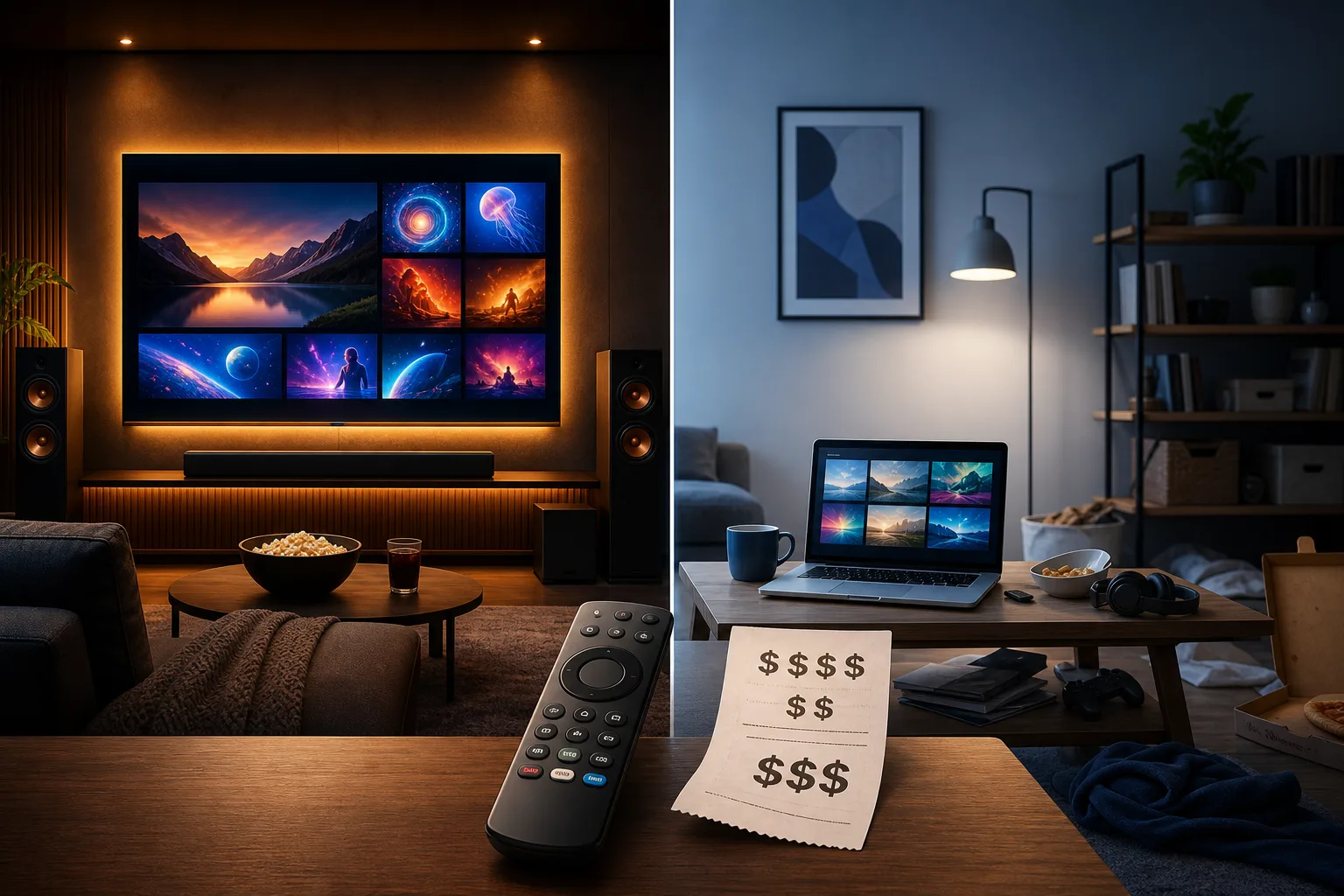
Amazon's official version is tidy. Prime Video Ultra replaces the old Prime Video Ad Free subscription in the United States. It costs $4.99 a month, requires Prime or a Prime Video subscription, and includes ad-free streaming for most Prime Video movies and shows, up to five concurrent streams, up to 100 downloads, and exclusive access to 4K/UHD streaming. Amazon also lists Dolby Atmos in Ultra. The regular Prime Video benefit still includes HD, HDR10, HDR10+, and now Dolby Vision, with four concurrent streams and 50 downloads. Prime itself stays $14.99 a month or $139 a year.
That is the product sheet. The buyer question is harsher: should you pay for it, tolerate the standard tier, or use the price increase as a reason to rethink Prime entirely?
My short answer: buy Prime Video Ultra only if Prime Video is a regular part of your home-theater life. If you watch Prime Video weekly on a real 4K HDR setup, hate interruptions, use downloads, or share the account across a household, Ultra can be a rational add-on. If Prime Video is a background perk attached to delivery, if you mostly watch on a laptop or tablet, or if you bounce between streaming services, skip it. If video was the main reason you kept Prime, this is a good moment to run the numbers.
What changed
Amazon introduced Prime Video Ultra in the U.S. as the successor to the older Ad Free add-on. The old ad-free option was $2.99 a month. Ultra is $4.99 a month. That is a $2 monthly increase, or $24 more per year if you pay month to month. In percentage terms, the add-on price rises by about 67%.
The annual Ultra option changes the math. Amazon lists an annual Prime Video Ultra plan at $45.99, a 23% discount versus paying $4.99 for 12 months. Monthly Ultra costs $59.88 a year. The annual plan saves $13.89.
The deeper change is not just the ad price. 4K/UHD and Dolby Atmos moved behind Ultra. Amazon's own table says the standard Prime Video benefit includes HD, HDR10, HDR10+, and Dolby Vision, but Ultra gets UHD/4K and Dolby Atmos. Pocket-lint, Android Authority and Deadline all framed this as the part that stings: ad-free got more expensive, and 4K became a premium feature rather than a default expectation.
There are improvements in the standard tier too. Base Prime Video gets four concurrent streams and 50 downloads, up from three and 25. Ultra gets five streams and 100 downloads. Dolby Vision is now available in the standard benefit. Those are real improvements, but they do not fully cancel the buyer irritation if the feature you cared about was 4K.
The cost in plain dollars
If you already pay for annual Prime, the cleanest extra cost is $45.99 a year for annual Ultra or $59.88 a year if you pay Ultra monthly. Prime annual plus Ultra annual is $184.99 a year.
If you pay month to month for both Prime and Ultra, the bill is $19.98 a month: $14.99 for Prime and $4.99 for Ultra. Over a year, that is $239.76. That is the expensive way to do it.
If you used to pay $2.99 a month for Ad Free, you were paying $35.88 a year. Ultra monthly at $59.88 is $24 more per year. Ultra annual at $45.99 is $10.11 more than the old monthly ad-free year. The annual plan softens the increase, but it also asks you to commit.
The amount is small enough to slip under the household radar and large enough to matter when stacked with Netflix, Max, Disney+/Hulu, Apple TV+, Peacock, Paramount+, Spotify, cloud storage, games, apps and every other quiet recurring charge. That is the real context. Prime Video Ultra is not financially dramatic by itself. It is one more line item in a subscription budget that already looks like cable rebuilt itself from smaller pieces.
What "ad-free" does and does not mean
Do not buy Ultra expecting a magical universe with no ads anywhere inside Prime Video. Amazon says live TV and events, sports, and select ad-supported content and subscriptions may still include ads with Prime Video Ultra. Add-on channels can have their own rules. Some sports and live rights are built around commercial breaks.
For scripted movies and TV shows included in Prime Video, Ultra should remove the ads that most people mean when they complain about Prime Video interruptions. For live sports and some partner content, the fine print matters.
This distinction is important because many buyers do not hate every kind of advertising equally. A pre-roll before a movie feels different from a commercial break in a live game. If your Prime Video use is mostly Thursday Night Football, NBA, NASCAR, WNBA or other live sports, Ultra may not deliver the clean-screen fantasy you have in mind. If your use is Fallout, Reacher, The Boys, films and family series, the ad-free value is more straightforward.
Who should buy Prime Video Ultra
Buy it if three things are true.
First, you watch Prime Video often. Weekly is a better threshold than "sometimes." If you open Prime Video once a month, a monthly add-on is probably a bad habit. If you watch several Prime Originals, rent less because Prime has enough included content, or use Prime Video as one of your top two services, the math improves.
Second, your setup can show the difference. Ultra makes most sense with a 4K HDR TV or projector, a streaming box or TV app that handles Prime Video properly, a good internet connection, and ideally a soundbar or AV receiver that can use Dolby Atmos when a title offers it. Amazon's help language rightly warns that 4K/UHD and Dolby Atmos depend on content, device capability and bandwidth. If you watch on a 1080p bedroom TV, a laptop, a tablet on the couch, or hotel Wi-Fi, you are buying benefits you may barely see.
Third, ads genuinely annoy you. Some people barely notice them. Some people lose the mood of a film the moment a mid-roll arrives. If ads make you avoid Prime Video even though you want the content, Ultra is buying back attention. That can be worth more than the spec sheet.
Ultra also fits households that use downloads and concurrent streams. Families who travel, parents loading shows before a trip, and homes with multiple viewers may appreciate 100 downloads and five streams. This is not glamorous, but it is practical.
Who should skip it
Skip Ultra if Prime Video is a perk, not a habit. Many Prime members keep the subscription for shipping, returns, deals, pharmacy, reading, music trials or simply because it became household infrastructure. If video is only a side benefit, paying more to polish that side benefit is probably unnecessary.
Skip it if you are not watching in 4K. A 4K paywall matters only if you have a 4K workflow from content to screen. That includes title availability, internet speed, device support, app support and display settings. A surprising number of people own 4K TVs but watch through a device, plan, Wi-Fi setup or app mode that does not reliably deliver 4K anyway. Check before paying.
Skip it if your tolerance for ads is higher than your tolerance for subscriptions. That sounds obvious, but it is the line many households need to draw. A few ads may be less annoying than another recurring charge.
Skip it if you rotate services. If you subscribe to one or two streaming services at a time, Prime Video Ultra should join the rotation only during months when Prime Video has enough content you actually plan to watch. The monthly option is useful precisely because you can turn it off.
The 4K question is partly emotional
The 4K paywall is why this change feels worse than a simple price increase. Many customers read 4K as part of modern streaming, not as a luxury add-on. If they bought a 4K TV and a streaming box, they expect the service to meet the hardware. Moving UHD behind a paid tier feels like the service is charging rent on equipment the customer already bought.
Amazon can argue that premium streaming features cost money and that the base plan still includes HD, HDR10, HDR10+, Dolby Vision, more downloads and more streams than before. That is true. But buyers do not experience value as a feature table. They experience it as a boundary: yesterday this felt included, today it feels separated.
That boundary is why Android Authority's reader poll was so lopsided. Its 242 votes are not representative of all Prime customers, but the mood is useful. Nearly half of respondents said they had not paid for ad-free and were not going to start; about a quarter said they would cancel Prime altogether. That is a tech-audience reaction, not market research, but it captures the backlash: people are not only calculating dollars. They are reacting to the idea of another paywall inside a paid service.
Alternatives to paying Ultra
The first alternative is boring: keep standard Prime Video. You still get the Prime Video catalog, HD, HDR formats listed by Amazon, Dolby Vision, four streams and 50 downloads. If you only watch occasionally, this is the default answer.
The second is rotation. Pay for Ultra only in months when you have a clear watchlist. Turn it off afterward. This is the healthiest streaming habit for many households because it forces intention. Do not pay for an empty promise that you might watch something later.
The third is renting or buying specific titles. If you mostly want one or two movies in high quality, a rental, digital purchase or physical disc may be cleaner than another annual add-on. For favorite films, 4K Blu-ray still beats streaming for bitrate and permanence, assuming you have the player and care enough.
The fourth is using library and free ad-supported services where they fit. They will not replace Prime Originals, but they can reduce the feeling that every evening needs another paid tier.
The fifth is owning and organizing your own media with Plex or Jellyfin. This is not for everyone. It takes storage, ripping or purchased files, setup time and some tolerance for maintenance. But for people tired of streaming catalogs changing and quality moving behind tiers, owned media becomes more attractive.
A quick decision tree
Do you watch Prime Video at least weekly? If no, skip Ultra.
Do you watch on a 4K HDR TV or projector with a device and internet connection that can actually deliver UHD? If no, skip Ultra unless ads alone are worth $4.99 a month to you.
Do you care about Dolby Atmos and have audio gear that can use it? If yes, Ultra becomes more attractive, but only for titles that support it.
Do ads make you avoid Prime Video? If yes, Ultra may be worth a monthly test. If ads merely irritate you, keep the standard tier and spend the money elsewhere.
Do you use downloads or need multiple simultaneous streams? If yes, the extra limits add value. If not, ignore that part of the pitch.
Is Prime Video the main reason you pay for Prime? If yes, compare the full annual cost, not just the add-on. Prime annual plus Ultra annual is $184.99. Monthly Prime plus monthly Ultra is $239.76 a year. If delivery and other Prime benefits are not valuable to you, standalone streaming rotation may be smarter.
Verdict
Prime Video Ultra is a buy for heavy Prime Video viewers with a real 4K/Atmos setup who hate ads and use Prime Video often enough that the extra $45.99 to $59.88 a year changes the experience every week. It is also reasonable for families that use downloads and streams heavily.
It is a skip for casual viewers, laptop watchers, 1080p households, people who use Prime mostly for shopping, and anyone already annoyed by subscription creep. The standard tier is good enough for occasional watching, even if the loss of 4K feels stingy.
It is a cancellation trigger if Prime Video was your main reason for keeping Prime and you do not use the other benefits. In that case, do not ask whether Ultra is worth $4.99. Ask whether Prime plus Ultra is worth up to $239.76 a year if paid monthly. That is a different question.
The cleanest move is to treat Ultra like a switch, not a marriage. Turn it on for a month with a watchlist and your best screen. If you notice the missing ads, 4K and Atmos every week, keep it or buy the annual plan. If you forget you subscribed, cancel it before it becomes one more tiny leak in the budget.
Related articles
Should You Buy Plex Pass After the $749.99 Lifetime Price Hike?
Plex still solves real home-media problems, but the new Lifetime price turns a casual upgrade into a decade-long bet. Here is when it is worth paying, and when Jellyfin, Emby or no server is smarter.
Should You Buy a Smart TV in 2026 — or a Dumb Screen With a Box?
A practical buyer’s guide to smart TVs, privacy, ads, external streamers, monitors and the trade-offs behind today’s cheap big screens.

Should you renew PlayStation Plus or try to cancel first?
Some PS Plus users are seeing retention discounts when they try to leave. That does not make the subscription a bargain for everyone.

Should you still pay for GitHub Copilot after the billing shock?
Copilot remains useful, but usage-based billing turns the buying decision into a question of workflows, model choice and budget caps.
Comments
Sign in to comment.
No comments yet.