Cheap Mini Projectors on AliExpress: How to Check Brightness, Native Resolution and Streaming Support
Low-cost mini projectors can be useful in a dark room, but “4K supported” and huge lumen numbers often describe very different things from what buyers expect. Here is how to read the listing before paying for a portable cinema gadget.

A mini projector is one of the easiest marketplace gadgets to sell with an attractive picture and a specification sheet that sounds more impressive than the hardware. A small black box promises a 100-inch image, “4K support”, Android, automatic keystone correction and thousands of lumens. The product photos suggest a portable cinema for the price of a takeaway meal.
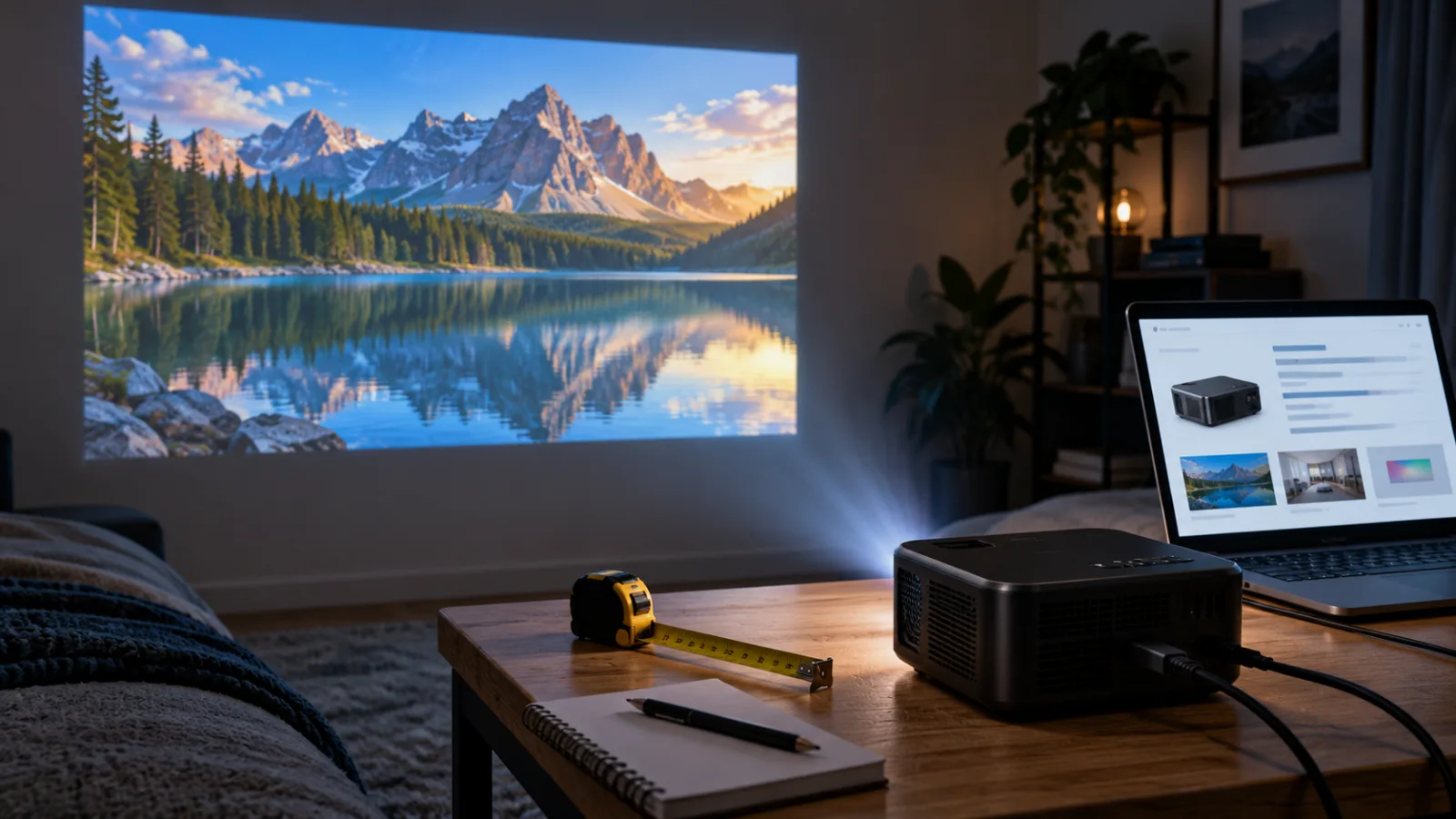
Some of these projectors are useful. In a dark bedroom, a compact unit with a real 720p or 1080p panel can make an enjoyable second screen for occasional films, children’s animation or a game console. The problem is that the most important question is rarely “How many features are listed?” It is “What image and streaming experience will this exact unit deliver in the room where I plan to use it?”
Mini projectors are currently prominent in marketplace trend pages and product rankings. One AliExpress-focused ranking updated in October 2026 lists the HY300 family and similar low-cost models among the highest-order mini projectors, with listings commonly advertised around the $50–$130 range depending on the claimed resolution and brightness. A separate price-tracking page shows multiple portable projector listings around the low-cost end of the market. Those figures are snapshots, not reliable promises of a final checkout price, but they explain why this category is attracting buyers now.
The useful way to approach the category is to separate four things that sellers often blend together: the display chip’s native resolution, the brightness measurement, the smart software, and the physical setup. A projector can be good at one and weak at the others.
Start with native resolution, not “supports 4K”
“Supports 4K” normally means the projector can accept a 4K video signal and scale it down. It does not mean that the projector has a 3840×2160 imaging panel. The same wording can appear on a projector whose native output is 1280×720, or even lower on the cheapest models.
The distinction matters because scaling does not create missing pixels. Text, subtitles, interface icons and fine details remain limited by the panel that actually forms the image. A 720p projector may look perfectly acceptable for a large, soft-edged cartoon viewed from across a dark room. It will be much less convincing for a laptop desktop, spreadsheet, small subtitles or a detailed game.
Read the listing for the phrase “native resolution” or “physical resolution”. Treat “4K supported”, “8K decoding” and “Full HD compatible” as input claims until the seller gives a native figure. If the specification table lists one resolution in the headline and another in a small technical field, the native figure is the one that should guide the purchase.
A practical minimum for a general-purpose movie projector is native 1080p, but that does not make every 1080p listing a good buy. A seller may use “1080p” to describe supported input while the panel is 720p. The listing should clearly state native 1920×1080, not merely mention Full HD in a feature collage. If the seller avoids the word “native”, assume the resolution is uncertain.
Native resolution also affects the sensible image size. Projecting a low-resolution image very large makes pixel structure and compression artifacts easier to see. A small 720p picture in a dark room can be pleasant; a claimed 120-inch “cinema” image may look washed out and soft even before brightness becomes the main problem.
The lumen number is only useful when its measurement is clear
Brightness is where many budget listings become difficult to compare. A product page may show “12,000 lumens”, “15,000 lumens” or a number described as LED lumens without identifying a recognized measurement method. That number may refer to the light source, a marketing conversion, or a seller-defined figure rather than the brightness measured from the projected image.
Epson’s projector guidance explains the difference between a standardized screen measurement and a light-source claim. ANSI lumens and ISO/IEC 21118 measurements assess light output across points on the projected image. A light-source-lumen number is taken before the optical losses involved in forming the image, so it is not directly comparable to ANSI or ISO/IEC figures.
The practical check is simple: look for ANSI lumens or ISO/IEC lumens, and look for a manufacturer, model number and specification page that use the term consistently. A bare “lumens” figure with no test standard should not be compared with the 200 or 300 ANSI lumens published for a recognized portable projector. It is a different type of claim.
Epson also notes that color brightness can differ from white brightness on some projection systems. For a movie or game, color output matters because a picture made of colored areas can look dull even when a white test screen appears bright. A listing that gives one very large brightness number but says nothing about the measurement method gives you little confidence about real-world performance.
Do not assume that the largest number is automatically best. Brightness must overcome the light in the room and becomes more difficult as the image gets larger. Epson’s buying guidance places portable projectors in the broad 500–1,500-lumen range for controlled indoor lighting, while brighter rooms require more output. Those figures are general guidance for properly measured projectors, not a conversion table for marketplace claims.
For a cheap mini projector, the more realistic use case is a dark or nearly dark room, a moderate image size and a light-colored wall or screen. If you want to watch during the day with open curtains, the limitation is not likely to be solved by selecting the listing with the most dramatic number. A television or a substantially brighter projector is usually the better tool.
“4K”, HDR and smart features can be separate claims
A listing can combine “4K”, “HDR”, “Android 14”, “Wi-Fi 6” and “Bluetooth 5.0” in one title. These labels describe different parts of the product and should not be treated as evidence that the entire viewing experience is premium.
A projector may decode a 4K file while displaying it at 720p. It may accept HDR metadata but lack the brightness and contrast needed to show a convincing HDR picture. It may run an Android-based interface without having the official certification required by a streaming service. Bluetooth may work for a speaker while the projector still has a weak internal speaker, unstable wireless mirroring or an inconvenient delay for games.
The safest way to read the software section is to ask what is installed, what is certified and what can be connected by cable. “Android” is not the same as Google TV, and an app icon shown in a product image is not proof that the app will continue to work after an update. Ask for the exact model number and search the manufacturer’s own support documentation before assuming that Netflix or another paid service will run natively.
Netflix’s help centre says that its projector app works only on projector brands that have partnered with Netflix for compatibility. Its guidance lists supported brands and recommends connecting an unsupported projector to a Netflix-supported device such as a computer, streaming stick or mobile device using a suitable cable. That is an important distinction for inexpensive Android projectors: the operating system may open a web page or install an app while the official service remains unavailable, limited in resolution or awkward to control.
A dedicated HDMI streaming stick can solve part of this problem, but it changes the total cost and does not fix weak brightness, poor focus or low native resolution. It also requires the projector to accept the relevant signal and, for protected video, to handle the necessary copy-protection path. Optoma’s support documentation explains that HDCP compatibility matters when a media player sends protected video over HDMI, and that the source, cable path and display must support the required version.
For that reason, a projector with no confirmed streaming certification should be considered a display with an HDMI input, not an all-in-one smart TV. That may still be exactly what you need if you plan to connect a laptop, console or streaming stick.
Focus and keystone correction are not the same as a better lens
Budget projectors often advertise automatic focus and automatic keystone correction. These features can make setup easier, but they solve different problems.
Focus adjusts the lens so the image is sharp. Keystone correction digitally reshapes an image when the projector is pointed at an angle. Heavy keystone correction can reduce the usable image area and soften the picture because the projector is scaling and discarding part of the panel. A projector placed squarely opposite the wall, at the correct height, usually produces a cleaner image than the same projector pointed sharply upward and corrected in software.
A rotating or gimbal-style body can be convenient for a bedroom or temporary setup, but it does not remove the need for a flat surface and sensible throw distance. Check whether the listing describes optical lens shift or only digital keystone. Optical adjustment moves the image without the same kind of digital cropping; it is uncommon at the cheapest end of the market.
Look carefully at the seller’s photos of menus and subtitles. If the center is sharp but the corners are visibly blurred, that may be a limitation of the lens rather than a defective sample. A small projector can have a narrow usable focus range, particularly when the projected image is large. Reviews that show real text at the edges are more useful than a product photo of a colorful movie scene.
Noise, heat and audio are part of the purchase
A compact projector puts a light source, power electronics and cooling fan into a small enclosure. The fan has to move heat somewhere, and a low price does not guarantee quiet operation. A specification may state a decibel figure, but many listings omit the test conditions or provide a number that is difficult to compare.
Read photo reviews for comments about fan noise during quiet scenes, heat around the exhaust and whether the unit becomes louder after prolonged use. Do not block the intake or exhaust when placing the projector on a shelf, bed or enclosed cabinet. A device that becomes uncomfortable to touch, shuts down or smells strongly of overheated plastic is not behaving normally and should be disconnected.
Built-in speakers are usually suitable for casual viewing rather than a full-room film. Check for a 3.5 mm output, Bluetooth audio and HDMI audio behavior if you plan to use external speakers. Bluetooth introduces the possibility of lip-sync delay, especially with inexpensive hardware. Wired audio is less glamorous but often more predictable.
Portable also does not necessarily mean battery-powered. Many “portable” mini projectors require a wall adapter. If the listing shows a projector outdoors, verify whether the battery is built in, how long it is claimed to last at a stated brightness mode and whether the claim refers to playback or standby. A small body can be easy to carry while still needing a mains socket at the destination.
What to check on the listing before ordering
A buyer does not need laboratory equipment to eliminate many bad listings. The aim is to identify missing information before price and discount graphics take over the decision.
First, capture the exact model name and seller-provided specification page. Marketplace titles are often reused across visually similar products, so save the model code, not just a phrase such as “HY300 projector”. Compare the code with the manual, manufacturer page and photographs of the rear ports.
Second, check the native resolution. A trustworthy listing separates native resolution from supported input. If the only resolution information appears in a banner saying “4K supported”, treat the native panel as unverified.
Third, check the brightness standard. Prefer ANSI or ISO/IEC figures tied to a named model. If the page gives only a large unqualified lumen number, assume the projector is intended for darkness and do not compare that number with a certified specification.
Fourth, inspect the operating system and streaming support. Look for an exact certification statement, not just “Netflix included” in a rendered image. If you are comfortable using an external source, confirm that the projector has HDMI, supports the desired input resolution and has a return route that does not depend on a disputed software claim.
Fifth, read the recent photo reviews. Search within them for “native”, “Netflix”, “noise”, “focus”, “corner”, “keystone”, “HDMI”, “remote” and “power”. Review counts can be inflated or accumulated across variations, so the useful evidence is a clear photo or a specific comment about the exact variant.
Sixth, calculate the real setup cost. Add a streaming stick if needed, an HDMI cable or adapter, an external speaker, a replacement remote if the included one is poor, and a screen if the wall is unsuitable. The lowest listing price may no longer be the lowest-cost way to get a watchable picture.
Seventh, check the electrical information for your region. Confirm the input voltage, plug type and whether the power adapter is included. Do not assume a cheap adapter has the same safety documentation as a locally sold projector. For a device that runs hot for hours, the adapter and ventilation deserve more attention than a decorative “cinema” label.
A quick comparison of the main buying choices
A low-cost 720p projector makes sense when the priority is a large, forgiving picture in a dark room and the content source is already available through HDMI. It is the compromise option: inexpensive and fun, but not a replacement for a television or a high-quality home-cinema projector.
A native 1080p mini projector is the more sensible choice for films with subtitles, console menus and laptop use. It still needs credible brightness information and a good lens, and “native 1080p” alone does not guarantee a bright or quiet machine. But the extra pixel density is useful every time text or fine detail appears.
A branded portable projector costs more but usually makes the software, support, input compatibility and brightness claims easier to verify. Netflix’s supported-brand guidance does not mean every model from a listed brand has identical capabilities, so the model still needs checking. The benefit is a clearer support path and a lower chance that the smart interface becomes the main problem.
A television is usually the better alternative if you watch in daylight, care about consistent brightness, want dependable streaming apps or do not need a very large image. It is less portable, but it avoids many of the compromises that make the cheapest projector listings look better than they perform.
Who should consider a marketplace mini projector?
Consider one if you have a dark room, a realistic screen size, a nearby power outlet and an existing HDMI source. It can be a pleasant occasional-use device for movies, a temporary bedroom screen, travel to places with controlled lighting or simple console play. It is also a reasonable experiment if you are willing to treat the smart features as optional.
Skip it if you expect television-like brightness, reliable daytime viewing, native 4K, quiet operation, perfect corner focus or guaranteed Netflix access from an unbranded Android interface. It is also a poor choice when the projector will be used close to children’s sleeping areas, in a sealed cabinet or with an unknown power adapter.
The best marketplace deal in this category is rarely the listing with the biggest lumen number or the longest feature title. It is the one whose native resolution, measured brightness, input support and streaming path are clear enough that you can describe the compromise before ordering. If the seller cannot make those basics clear, the discount is paying you to perform the missing quality control yourself.
Related articles
Cheap USB-C portable monitors on AliExpress: useful second screen or dim travel gadget?
A practical buyer check for 15.6-inch marketplace screens: ports, brightness, power, stands, reviews and return risk before checkout.
USB-C soldering irons from marketplaces: clever repair tool or unsafe starter kit?
A practical buyer check for Pinecil-style portable soldering irons, power supplies, tips, stands and safety before ordering a cheap kit.
Cheap N100 and N150 mini PCs: when the marketplace bargain is real
A practical buyer check for tiny N100/N150 marketplace PCs: RAM, SSD, cooling, 2.5GbE, BIOS, power adapters and return risk.
Tiny electric bike pumps from AliExpress: useful ride backup or rechargeable gimmick?
A practical buyer check for 120–150 PSI mini inflators, with valve, battery, heat and backup-plan caveats before you trust one on a ride.
Comments
Sign in to comment.
No comments yet.