Leaked AWS keys are still working because rotation is the missing control
Truffle Security rechecked thousands of AWS keys that had already appeared in public artifacts. The worrying lesson is not that secrets leak; it is that many remain valid for years, including root and AdministratorAccess keys that should have been treated as emergencies.

A leaked cloud key is not a past event. It is an active login until someone proves otherwise, rotates it, deletes it, and checks what it could already reach. That is the useful lesson from Truffle Security’s August 2026 research into public AWS credentials: the most dangerous part was not the first exposure, but the long afterlife of keys that organizations appeared to know, or should have known, were no longer private.
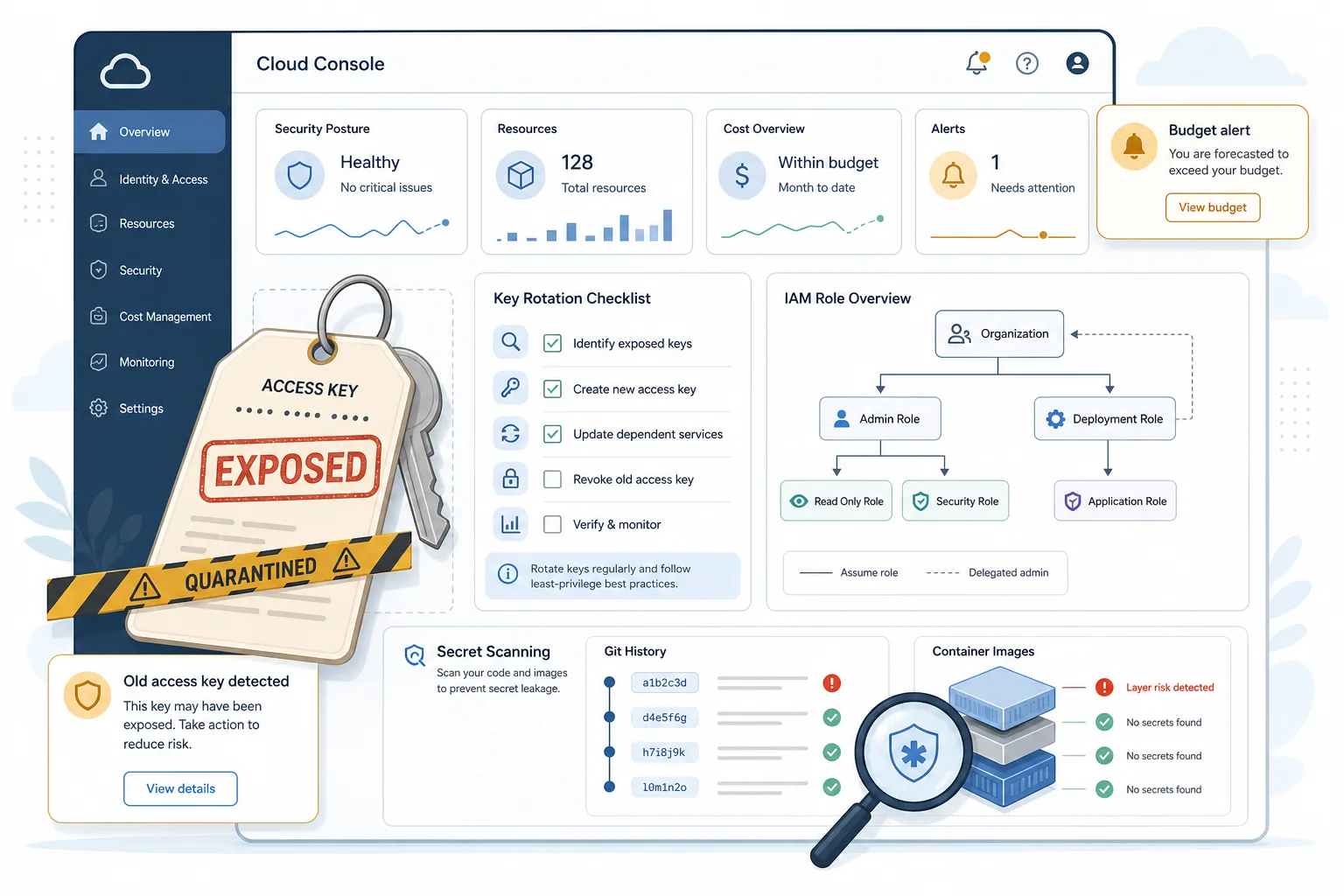
Truffle Security said it collected 431,875 verified AWS secret findings, deduplicated them into 64,024 unique access keys across 50,654 accounts, and then rechecked 10,616 complete AWS key pairs that had surfaced publicly between August 2022 and August 2026. The result was blunt: 88% still authenticated. Of the 9,308 active keys, researchers classified 817 as business-linked, and 768 of those live business-linked credentials gave full control of a company AWS account. That group included 526 root keys and 242 IAM users with AdministratorAccess.
BleepingComputer, The Register, TNW and other security publications quickly picked up the story. Corey Quinn’s column in The Register sharpened the operational debate by examining AWSCompromisedKeyQuarantineV3, the managed policy AWS can attach when credentials are compromised or exposed publicly. AWS describes the policy as a way to limit potential fraud-related damage without impacting existing resources. Quinn’s point was that quarantine is not remediation: it can reduce some obvious abuse while leaving enough residual capability to do serious damage.
This is a good Cybersecurity Without Panic story because the fix is not exotic. No one needs to imagine a cinematic cloud disaster to take it seriously. The practical message is boring and strong: root access keys should almost never exist; long-lived IAM access keys need ownership, age limits and rotation; public exposure should be treated as permanent publication; and a quarantine policy should start an incident process, not end one.
What Truffle Security actually found
The important number is not only 431,875 findings. Large scanners often count repeated secrets in forks, mirrors, logs, images and copied datasets. The more useful number is the deduplicated credential set and the subset that still worked. Truffle Security reported 64,024 unique AWS access keys across 50,654 accounts. It then reverified 10,616 leaked complete key pairs on August 10, 2026 and found that 9,308 still authenticated.
The business-impact subset is smaller but more alarming. Truffle Security said it identified 817 active business-linked keys. Of those, 768 had full administrative control, either because they were root keys or because the IAM user had AdministratorAccess. It also reported 130 live root keys on organization management accounts. A root key on an organization management account is not just another developer secret; it can become the master key for a cloud estate.
The age of the keys matters. The median live leaked key age was reported as 1,831 days. In plain language, many credentials had been public for years and still worked. Truffle Security also said only 13.7% of keys, where it could enumerate access keys, had any newer key alongside the leaked one. That suggests many teams did not rotate and move on; they simply left the old credential in service.
Hugging Face appeared in the research as the largest single source of exposed keys, with thousands of unique live keys found across public datasets. This should not be misread as a new Hugging Face breach. The better interpretation is that modern public ML datasets, model repositories, notebooks and training corpora inherit the old software problem: people upload code, logs and artifacts that sometimes contain credentials, and those artifacts get copied widely.
Why root keys are different
An IAM user access key can be dangerous. A root access key is worse. The root user represents the AWS account itself, and AWS’s own guidance tells customers to protect root credentials, avoid routine root use and prefer IAM Identity Center, roles and temporary credentials for everyday work. Root access keys should be exceptional, not normal infrastructure.
The reason is scope. A normal IAM identity can be constrained by permissions, service control policies, conditions and boundaries. Root sits above much of that structure. If a root key leaks, the issue is not one workload; it is account-level trust, billing control, recovery paths and sometimes the organization management account. That is why 526 live corporate root keys in the Truffle Security sample are not just a hygiene problem. They are governance failures.
Root keys also outlive ownership. Startups change engineers, contractors leave, personal accounts become company accounts, and old automation remains quietly attached to the one credential that worked in 2021. Nobody wants to touch it because deleting it may break production. That is exactly why the key is dangerous: a credential no one owns is still a credential attackers can use.
A practical cloud program should be able to answer three questions at any time: do any root access keys exist, who approved them, and when will they be removed? If the answer is “we do not know,” the organization does not have root-key control.
Why deleting a file is not enough
The oldest secret-scanning lesson remains the most missed one: once a credential reaches a public artifact, assume it is copied. Removing it from the newest Git commit does not remove it from Git history. Deleting a repository does not remove forks, mirrors, package caches, container layers, CI logs, notebooks, search indexes, or datasets that already ingested it.
That is why a leaked AWS key should be treated more like a published password than a typo. The only safe response is to rotate or delete the credential, investigate where it was used, and verify that no dependent workload still needs it. If the key was root or AdministratorAccess, the incident should include account-level review, billing checks, CloudTrail review, secret inventory, and a search for privilege escalation or persistence.
Developers often learn the wrong lesson from secret-scanning alerts. They think: “I removed the line.” Security teams need to teach a different one: “The line revealed a credential that now needs replacement.” The difference is operational, not semantic.
Docker images and ML datasets make this harder. A credential can sit in an old image layer even when the visible final file looks clean. It can appear in a notebook output cell, a debugging log, a model-card asset, a downloaded benchmark corpus, or a ZIP file that no longer looks like source code. Modern secret management has to scan more than repositories.
What AWS quarantine does and does not mean
AWSCompromisedKeyQuarantineV3 is an AWS managed policy. The official documentation describes it as a policy used when IAM user credentials are compromised or exposed publicly, with the goal of denying certain actions to limit potential fraud-related damage while not impacting existing resources. It is harm reduction.
That distinction matters. A quarantined key is still a sign that the credential is bad. It is not a certificate that the account is safe. A policy designed not to break existing resources necessarily leaves room for existing resources, existing roles, and some service interactions to keep functioning. That may be operationally kind, but it is not the same as removing attacker access.
Corey Quinn’s critique in The Register was that AWS’s approach can leave meaningful residual risk. He discussed areas such as database operations, systems-management sessions, role assumptions, audit-log disruption, messaging abuse, secret reads, backups and infrastructure changes. This article does not need to reproduce an attacker playbook to make the defensive point: quarantine is a temporary guardrail, not incident closure.
There is a real trade-off. If AWS automatically killed every publicly observed key, it might break customer workloads, including production systems that depend on old credentials. If it leaves a key authenticating, the customer may avoid an outage while retaining exposure. That tension does not absolve the customer. It means organizations need their own tested playbook so key removal is fast enough not to depend on provider guesswork.
What to check today
Start with root. In every AWS account, verify whether root access keys exist. If they do, identify why, who owns the exception, when the key was last used, and how quickly it can be removed. For most organizations, the target state should be no root access keys. Protect the root user with strong MFA and reserve it for the small set of tasks that truly require it.
Inventory IAM access keys. Sort by age, last-used date, owner, workload and permission level. Keys with AdministratorAccess, broad wildcard permissions, no owner, no recent use, or no rotation date should be treated as high priority. A key older than the people responsible for it is not a stable dependency; it is unmanaged access.
Look for AWSCompromisedKeyQuarantine policy attachments. If AWS attached quarantine to a key, treat that as an incident signal. Find where the key lives, rotate it, delete the exposed credential, check CloudTrail, inspect billing and budget anomalies, and review whether the principal had paths to assume roles or reach sensitive data.
Search beyond source repositories. Scan Git history, forks, public package registries, container images, build logs, CI variables, notebooks, pasted support bundles, public datasets and model repositories. The Truffle Security research is a reminder that secrets increasingly live in ML and data artifacts, not only in code.
Replace static credentials where possible. For CI/CD, use OIDC federation and short-lived role assumption rather than long-lived AWS access keys in pipeline variables. For humans, use IAM Identity Center or federated access. For workloads, use instance, task, pod or service roles with scoped permissions. Static keys are sometimes unavoidable for legacy systems, but they should be exceptions with expiration, monitoring and owners.
How to rotate without breaking production
The common reason leaked keys survive is fear of outage. That fear is rational. A hard delete without knowing the owner can break a build system, billing exporter, backup job, data pipeline or old service no one remembers. The answer is not to leave the key forever; it is to rotate with evidence.
First, identify the principal and last-used services. CloudTrail, IAM last-accessed data, application logs and cost anomalies can help map what the key does. Then contact the owner, create a replacement path with narrower permissions, and deploy the replacement with monitoring. Only then delete the old key. If deletion must be delayed, create a time-boxed exception with an expiry date, a named owner and compensating controls.
For high-risk keys, especially root or AdministratorAccess keys, the bar should be higher. Assume the key may have been used by someone else. Review recent API activity, secret access, role assumptions, security-group changes, bucket policies, backup operations, IAM changes and unusual spend. Enable or verify budget alerts and cost anomaly detection. Cybernews highlighted that many readable accounts in the research lacked budget alerts, which is a basic way to detect abuse before the invoice becomes the first alarm.
The point is to make rotation routine before an emergency. Teams that practice credential replacement can respond to a leak in hours. Teams that cannot identify owners will negotiate with a compromised key for weeks.
What providers and tool makers should improve
This is still shared responsibility. Customers should not keep leaked keys alive. But the ecosystem can make the right action easier. Cloud providers can make quarantine status more visible, offer safer “disable with emergency rollback” workflows, improve organization-wide reporting for exposed credentials, and make root/static keys harder to create accidentally.
Secret-scanning tools can improve ownership mapping. A scanner that says “key leaked” is useful. A scanner that says “this key belongs to production billing exporter, last used yesterday, has AdministratorAccess, appears in this Docker layer and this Git commit, and has no replacement” is much more useful. The work is not only detection; it is reducing time to rotation.
Platform teams can help by giving developers approved credential patterns. If the secure path is harder than copying a static key into a CI variable, static keys will keep winning. Good defaults include OIDC templates for common CI systems, pre-approved role patterns, short-lived local development credentials, pre-commit scanning, and blocking rules that fail builds before secrets enter history.
Finance and compliance teams also have a role. Budget alerts, anomaly detection, account ownership, exception registers and evidence of key rotation are not paperwork. They are the controls that keep a leaked credential from becoming a surprise bill, a ransomware-style storage incident or an audit failure.
Where not to overreact
The research does not mean every AWS account is compromised. It does not mean AWS quarantine is useless. It does not mean teams should delete random keys without understanding workloads. Panic creates outages; denial creates breaches.
The calm response is proportional. Treat every public credential as compromised. Remove root keys. Replace long-lived IAM keys with roles and federation. Scan the places where modern artifacts really live. Watch for quarantine attachments. Practice rotation. Keep billing alarms on. Give developers a secure path that is not slower than the unsafe one.
The uncomfortable lesson is that cloud access often fails quietly. A key leaks, a scanner flags it, a provider limits some actions, a team removes a line from a repository, and everyone moves on. But the credential keeps authenticating. Years later, it is still there.
That is the part to fix. Not with drama, but with ownership, inventory, short-lived credentials and the discipline to treat a leaked key as active access until it is gone.
Related articles
Atlassian Rovo shows why AI assistants need egress rules, not just search toggles
A new report on Rovo is not a reason to panic about every Jira tenant. It is a clear reminder that AI assistants with private data and outbound tools need hard boundaries.

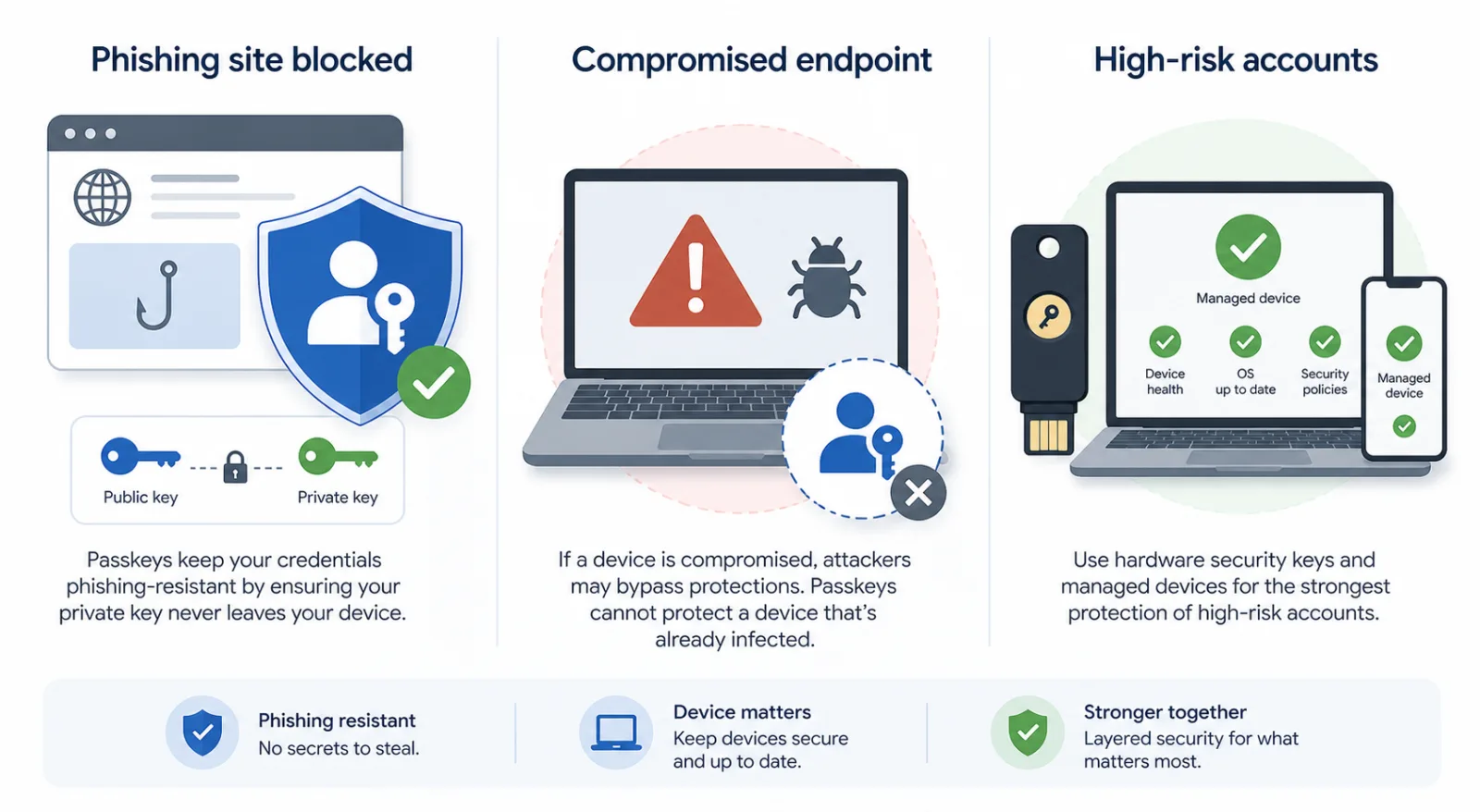
Passkeys are not magic: what Pass-ta-key really changes
A calm guide to the attacks passkeys stop, the endpoint risks they do not, and the checks that make WebAuthn safer.
A rumour of a bug is becoming enough to start the exploit clock
AI agents do not make every vulnerability catastrophic, but they make public hints more valuable. Open-source security response now needs faster fixes, quieter pre-release clues and better defensive automation.


Cloud bills are production systems now
AWS’s impossible Cost Explorer estimates were not real charges, but they exposed a serious operational problem: cost alerts now belong in incident response.

Comments
Sign in to comment.
No comments yet.