Your smart TV app may have been someone else’s proxy node
LG says it will suspend webOS apps that keep residential proxy functionality. The bigger lesson is that a smart TV is an always-on computer in your home network.

The most unsettling gadget story this week is not about a new television. It is about the one already sitting in the living room, running a clock app, a fish-tank screensaver, a casual game or some tiny utility nobody remembers installing. According to research from Spur Intelligence and a follow-up from KrebsOnSecurity, a large share of smart TV apps on LG webOS and Samsung Tizen included residential proxy SDKs, meaning the television could become a node that routes someone else's internet traffic through the home connection.
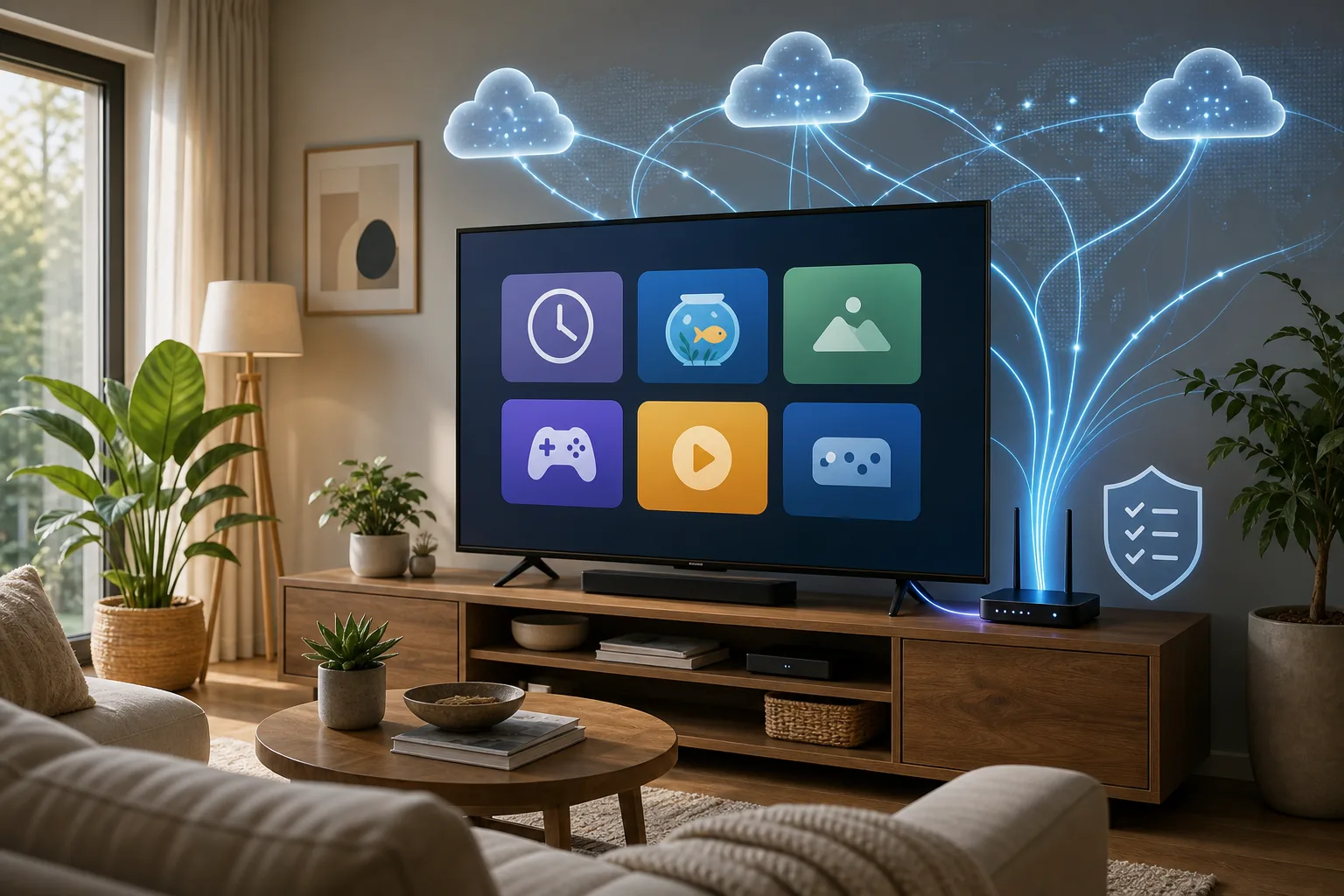
LG's response is the immediate news. LG Electronics USA told Brian Krebs that a residential proxy network is not an intended use for LG smart TVs and that the company is working with developers to remove the option from webOS apps. Apps that fail to remove it will be suspended, according to LG Senior Vice President John Taylor. That is a welcome line in the sand. It is also an awkward admission: the line should probably have existed before a television app store let this business model spread.
This is not the usual smart TV privacy complaint. Those complaints still matter: ads, viewing analytics, automatic content recognition, sponsored rows, voice assistants, account lock-in. But a proxy SDK is different. It does not merely observe the user. It can turn the user's device and residential IP address into infrastructure for third parties. The app on screen looks like a harmless bit of living-room software. Underneath, the TV's network position becomes the product.
The practical lesson is not "throw away every smart TV." That is satisfying forum energy, not realistic advice. The useful lesson is sharper: a smart TV is an always-on computer in the same house as your router, NAS, cameras, printers, laptops and smart home hubs. It deserves the same suspicion you would bring to a cheap Android tablet from an unknown brand. Maybe more, because a TV feels like furniture and furniture does not ask for network privileges.
What LG said it will do
KrebsOnSecurity reported on July 21 that LG plans to suspend smart TV apps that turn webOS televisions into always-on residential proxy nodes if developers do not remove that functionality. John Taylor of LG Electronics USA said the company is working with developers to remove the residential proxy option from apps on the webOS platform and that apps that fail to comply will be suspended. He also said LG will keep residential proxy networks out of its smart TV apps going forward and strengthen evaluation of developer-submitted apps, including those that incorporate residential proxy SDKs.
That is the good part. A platform owner is acknowledging that this kind of monetization does not belong in television apps. For gadget owners, the fact that LG moved after public reporting matters because platform rules are often the only practical defense. Most people cannot reverse-engineer a TV app package. They cannot inspect SDK artifacts. They cannot tell from a screensaver whether a proxy process keeps running after the app closes.
The limitation is also clear. At the time of the reporting, the key policy statement came through LG's response to Krebs, not through a fully documented public developer rule that every TV owner can point to. The story is fresh, and LG's cleanup may be underway, but users should treat it as a platform promise that still needs follow-through.
Samsung is part of the research, but not the same announcement. Spur and Help Net Security reported residential proxy SDKs in Samsung Tizen apps too, with a lower but still large share. The immediate policy movement described by Krebs is LG's. That distinction matters. Do not assume every TV platform has already fixed the same problem.
What Spur found
Spur Intelligence said it scanned 6,038 app packages across LG webOS and Samsung Tizen, unpacking applications and looking for confirmed proxy SDK artifacts rather than relying on store descriptions. The headline number is hard to ignore: 2,058 apps across the two platforms contained residential proxy software, or 34.1% of the sample. Help Net Security reported 42.5% for LG webOS and 26.9% for Samsung Tizen. Krebs summarized the LG figure as more than 42% and Samsung as more than a quarter.
The categories make the story feel worse. These were not only VPN tools or obvious network utilities. Spur described simple games, screensavers, clocks, fish-tank and puppy-style ambient apps, file utilities and other low-stakes living-room software. That is exactly the kind of software people install casually because it feels disposable.
The monetization logic is simple. Ads ruin the calm experience of a clock or aquarium app. A proxy SDK can make money in the background while the visible app stays quiet. Some prompts reportedly framed the choice as a trade-off: accept the proxy participation for an ad-free experience, or keep ads. Spur highlighted prompts saying the proxy can continue running after the app is closed unless the user deletes the app or opts out.
Proxy companies argue that there is consent, know-your-customer screening, traffic filtering and abuse prevention. That may separate some legitimate commercial proxy use from outright botnet behavior. But it does not solve the consumer gadget problem. A one-time prompt navigated with a remote control is a thin foundation for informed consent when the user may not understand what a residential proxy is, where the traffic goes, what logs exist, how long the process runs, or how to revoke permission later.
Residential proxy, in plain language
A residential proxy lets a third party send web requests that appear to come from a normal home internet connection. Businesses use residential proxies for web scraping, ad verification, price monitoring, anti-fraud testing and region-specific checks. Less legitimate users also like them because residential IP addresses can look less suspicious than data-center IP addresses.
If your TV becomes a proxy node, outside traffic can leave the internet through your home IP address. That does not automatically mean someone can read your files or open your camera. The scary version should not be exaggerated. But it does mean your connection, your bandwidth and your IP reputation are being used for someone else's traffic. It also means a device inside your home network is running code whose purpose is not watching video, showing a clock or playing a game.
The local-network question is the one that makes security people nervous. Responsible proxy providers say they block private IP ranges and prevent customers from reaching devices on the proxy user's local network. Spur's reporting discusses blocklists for ranges such as 10.0.0.0/8 and 192.168.0.0/16 in at least some implementations. That is good if it is present and enforced. But a TV owner cannot easily audit it. If filtering fails, or if a malicious SDK behaves differently, a device already inside the LAN is close to routers, NAS boxes, printers, cameras, home automation bridges and developer machines.
Most households still use flat networks. The TV, phone, laptop, printer and router admin page sit together. That is convenient until a low-trust entertainment device starts doing high-trust network work.
Why TVs are unusually good proxy hosts
A phone proxy is noticeable. It drains battery, burns mobile data, gets warm, shows background activity, and annoys the user. A TV is different. It is plugged in. It sits near the router. It may stay connected for years. It has no battery anxiety. It has no app switcher that the owner checks. It may run after the screen appears off, depending on platform and app behavior. It is used by guests, children and family members who are not the network administrator.
That makes smart TVs attractive to developers looking for passive monetization. It also makes them weak points in gadget hygiene. People replace phones every few years and scrutinize app permissions. They keep televisions for longer and rarely open the app list after setup day. The result is a device that is both persistent and ignored.
This is why the story matters even if you never installed a fish-tank app. It changes how you should think about every "free" app on a living-room gadget. Free can mean ads. It can mean data collection. In this case it can mean lending out the network path that makes your home look like your home on the public internet.
Consent is the weak link
The software-freedom argument is not absurd. If a technically competent adult wants to run a residential proxy from a device they own, on a network they pay for, with full understanding of the trade-offs, that is different from hidden abuse. People run Tor relays, seed torrents, host servers and participate in bandwidth-sharing projects. Ownership should mean some freedom to run software.
The smart TV situation is not that clean. The person who clicks "agree" with the remote may be a child, a guest, a tenant, a family member trying to start a game, or a user who thinks they are accepting ordinary app terms. The person liable for the network may not be the person who accepted. The prompt may be shown once. The app may keep operating after it is closed. The TV may not provide a clear dashboard listing which apps monetize the connection, how much traffic they used, what destinations were contacted and how to revoke the choice.
Informed consent requires comprehension and control. A buried living-room prompt gives a proxy provider paperwork. It does not necessarily give the household a real decision.
That is why platform-level rules matter. Amazon's app policies and Roku's reported blocking of similar SDKs are relevant because they remove the burden from ordinary users. A television app store is not a general-purpose Linux repository for hobbyists. It is a consumer platform installed in homes where people expect basic guardrails.
What risks are real
Start with the obvious: bandwidth. A proxy can consume network capacity, especially on slower connections or data-capped plans. Even if traffic is modest, the user did not install a clock app to become a transit provider.
Second: IP reputation. If third-party traffic through your residential IP is used for scraping, account creation, fraud testing or abusive behavior, your address may look suspicious to websites or services. That can lead to captchas, blocks or account friction. It may be hard to prove the TV caused it.
Third: local network exposure. This should be framed carefully. A well-behaved proxy SDK may block private ranges. But the risk model changes when a device inside the LAN is deliberately routing traffic for outsiders. A household with a NAS, printer admin panel, old IP camera or router interface on the same flat network should not rely on a proxy vendor's promise as the only boundary.
Fourth: accountability. If an ISP, website, workplace or law-enforcement request sees traffic from your home IP, the explanation "a TV app did it" is not comforting. It may be true, but it is not a defense most consumers want to test.
What should not be claimed: that every flagged app stole files, watched cameras, scanned local machines or committed crimes. The known issue is proxy functionality embedded in TV apps. That is serious enough without making it cinematic.
Why LG's response matters
LG's planned suspension policy is a meaningful signal for gadget platforms. It says residential proxy networks are not a normal use for smart TVs. That may pressure other TV ecosystems to clarify their own rules. It also gives users a reason to expect app-store curation to include network behavior, not just crashes, payments and obvious malware.
But users should not treat the announcement as a complete fix. App stores have long tails. Some apps may update slowly. Some may disappear. Some may return with changed monetization. Other platforms may lag. And smart TVs already in homes may have old apps installed.
The wider industry lesson is that app review needs to understand SDK economics. A tiny app can be a wrapper around the real business model. The screen may show solitaire; the package may contain a network monetization engine. Review that only checks whether the game launches is not enough.
For gadget coverage, this is the interesting part. The boundary between consumer electronics and infrastructure keeps blurring. A TV is a display, ad terminal, data collector, app platform, voice endpoint and now, in some cases, a potential proxy host. Buyers need to evaluate the platform, not only the panel.
What to do if you own a smart TV
First, audit installed apps. Remove anything you do not use, especially ambient screensavers, casual games, clocks, file utilities, IPTV tools and random free apps installed once and forgotten. The safest unused app is the one that is not installed.
Second, treat consent prompts about "sharing resources," "using your IP," "web indexing," "proxy," "network sharing," or an ad-free trade in exchange for background participation as a hard no unless you deeply understand the arrangement. If the app offers "no ads" in exchange for your connection, the product is probably not the game.
Third, update the TV firmware and app store. If LG follows through, app removals and policy enforcement may arrive through platform updates, store changes or app updates. Updates are not a guarantee, but skipping them makes cleanup harder.
Fourth, put the TV on a guest network or IoT VLAN if your router supports it. The goal is simple: the TV should reach the internet but not your NAS, laptops, cameras, printer admin page or router management interface. Many home routers have a guest Wi-Fi mode with client isolation. Better routers support VLANs or firewall rules. Use them if you can.
Fifth, review router logs or device traffic if your router makes that practical. Most consumer routers are weak at this, but some show per-device data use. Unexpected traffic from a TV when nobody is watching can be a clue. Do not expect perfect visibility; use it as a signal.
Sixth, consider an external streaming box if your TV platform feels untrustworthy. Apple TV, Roku, Fire TV and Google TV devices have their own privacy and ad trade-offs, but separating the display from the app platform gives you more replacement flexibility. The TV can become mostly a screen, while the streaming box is the replaceable computer.
Seventh, for small offices, Airbnbs and hospitality setups, never put guest TVs on the same network as business devices. A TV in a public or semi-public room should be treated like an untrusted kiosk.
What to ask when buying a TV now
The panel still matters: brightness, contrast, motion, HDR, inputs, gaming latency. But the app platform matters too. Ask how long the TV gets software updates. Ask whether you can use it comfortably without signing into every smart feature. Ask whether you can disable unwanted apps. Ask whether the platform has a history of aggressive ads, forced promotions or weak app policies.
If you care about privacy and control, a great panel with a bad software platform may still be a good buy if you can keep it offline and use an external box. A mediocre panel with a messy app ecosystem is harder to justify. The old dream of a "dumb TV" is really a desire for separation: let the screen be a screen, and let the connected computer be something you can replace.
This does not mean every buyer needs a networking hobby. It means the default smart TV setup is too trusting. The TV should not sit on the same network as everything valuable simply because the installer wanted Netflix to load quickly.
The bottom line
LG's promised cleanup is welcome. It should reduce a specific abuse in webOS apps if enforced. It also makes the larger point impossible to ignore: living-room gadgets are computers, and app stores for those gadgets need adult supervision.
The sensible response is neither panic nor apathy. Do not assume the TV is spying on every packet in your house. Do not assume a free screensaver is harmless because it has dolphins on it. Remove apps you do not use. Refuse network-sharing bargains you do not understand. Isolate the TV when possible. Keep firmware current. Think twice before installing novelty apps on the largest always-on computer in the room.
A smart TV can still be a good gadget. But after the proxy SDK story, it should no longer get the trust we give to furniture.
Related articles
A Smart Camera Is a Trust Device: What the TP-Link Kasa Flaws Change
TP-Link patched Kasa EC70/EC71 information leaks, but the larger lesson is how to update, isolate, and choose smart cameras that live inside private spaces.
Digital-only consoles are turning gadget ownership into a trust problem
Sony's disc and digital-library stories are not just PlayStation news. They show why buyers need to judge modern devices by accounts, stores and licence rules, not only by hardware specs.

Will your smart home survive when the app disappears?
Wemo’s cloud shutdown is a practical warning for anyone buying smart plugs, bulbs, switches or appliances: the safest smart home is the one whose basic controls do not depend on one vendor server.

Should You Buy a Smart TV in 2026 — or a Dumb Screen With a Box?
A practical buyer’s guide to smart TVs, privacy, ads, external streamers, monitors and the trade-offs behind today’s cheap big screens.
Comments
Sign in to comment.
No comments yet.