Kids’ GPS smartwatch before a first phone: a parent checklist before buying
A practical, non-guilt guide to deciding whether a connected watch really helps with school, walks, clubs or camp before a child gets a phone.

A kids’ GPS smartwatch can look like the tidy middle ground between “no device yet” and “full phone now.” It promises a way to call a child after practice, confirm that a bus got them home, or give a young camper an emergency button without handing over social apps, a browser and a pocket-sized entertainment machine. That promise is real enough to deserve attention, but it is also narrow. A watch solves some logistics problems and creates new ones: charging, app accounts, school rules, location-data choices, monthly service fees and family expectations about when a child is allowed to be reachable.
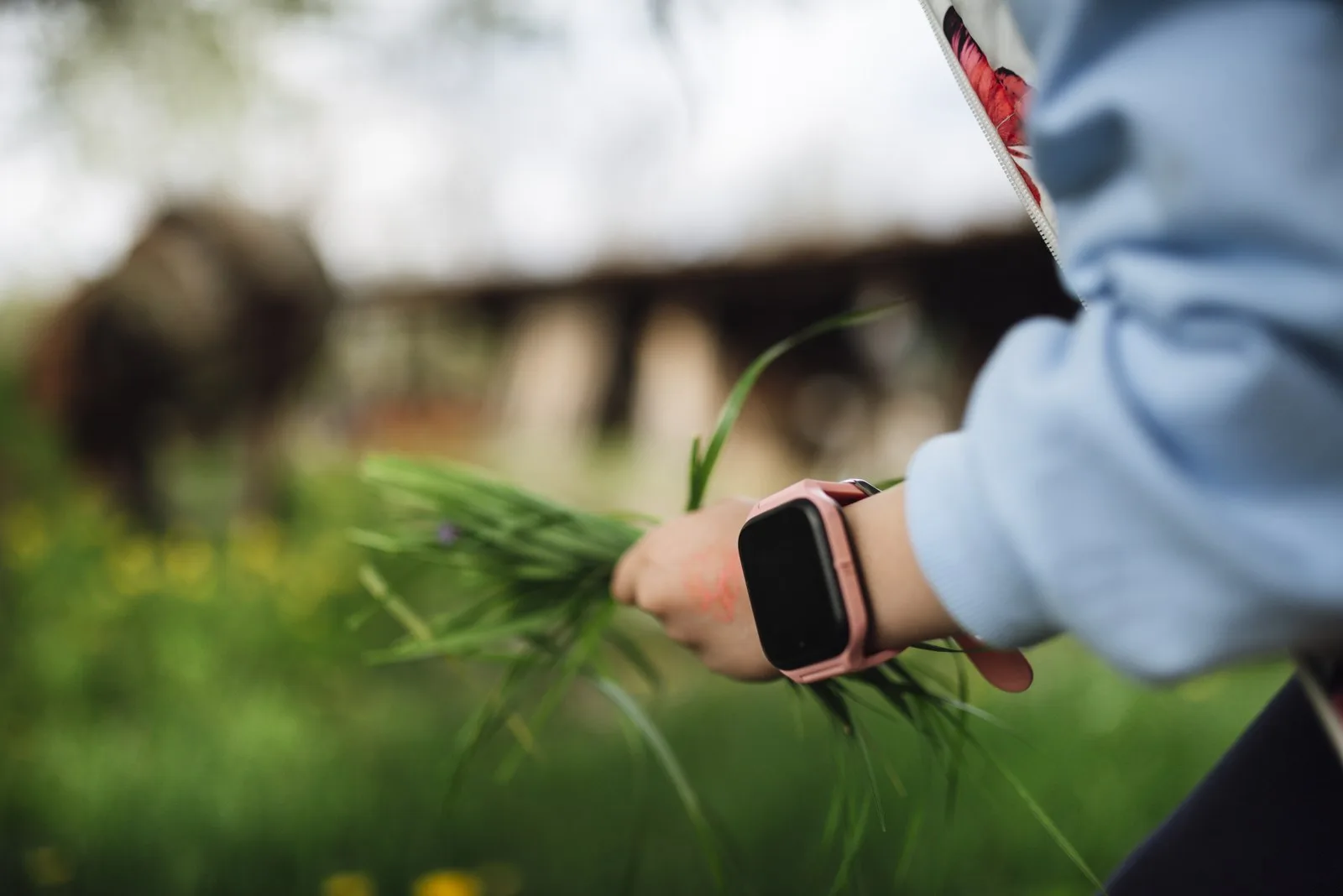
Photo: Shixart1985 / Wikimedia Commons, CC BY 2.0. The image shows a smartwatch in a child-safe outdoor context without using a recognizable child face.
The better buying question is not whether good parents track or refuse to track their children. Families differ. A six-year-old walking only with adults, a nine-year-old going from school to a club, and a twelve-year-old who is nearly ready for a phone do not need the same setup. A smartwatch is most useful when it matches a concrete routine: pickup coordination, a short walk home, separated-household handoffs, a camp check-in rule, or a medical or accessibility reason to reach a caregiver quickly. If the goal is only “less screen time,” the watch may be simpler than a smartphone, but it is not automatically simple.
What this product category actually includes
Most kids’ connected watches combine several features that are easy to blur together in advertising. The practical core is usually a parent app, an LTE or cellular plan, approved contacts, voice calls, short messages or voice notes, GPS location tools, a geofence or safe-zone alert, and some kind of SOS or emergency shortcut. Many models add school mode, alarms, step counts, rewards, music, camera tools or simple games. Some are built as child-first devices with their own subscription, while others are adult smartwatches configured through family setup features.
That bundle matters because each feature has a different family cost. A call button can reduce pickup confusion. Location sharing can reassure an adult but also exposes sensitive movement data. Messaging can help with a changed practice time but can become a stream of classroom interruptions. Games and rewards may make the device fun enough that the child keeps it on, yet those same extras can turn a “phone delay” product into another attention negotiation.
Current product coverage shows why the category is active. Garmin’s Bounce 2 launch messaging, for example, explicitly frames a kids’ LTE smartwatch as a way to delay a smartphone while still allowing family communication and kid-focused watch functions. Buyer guides from product-review outlets keep comparing models because parents are clearly shopping for this middle step. Those sources are useful market signals, not proof that any watch is safer, healthier or right for every child.
Start with the child’s route, not the device
Before comparing models, write down the actual problem in one sentence. “I want my child to text me from the school bus” is different from “I need to find my child on mountain-bike trails,” and both are different from “I want to postpone a phone for another year.” The first problem may need reliable calling and school-mode controls. The second may require coverage, map accuracy and an emergency plan that does not depend only on consumer GPS. The third may be better solved by a basic phone, an e-reader at home, a shared family phone for outings, or no connected device yet.
For roughly ages five to seven, a watch is usually parent-managed equipment rather than an independence tool. The child may not reliably charge it, remember it, keep it comfortable on the wrist, or understand why contacts are restricted. At this stage the watch is mainly about adult coordination and a fallback contact route. Supervision, trusted adults, route practice and school or camp procedures still do the real safety work.
For roughly ages eight to ten, a watch can become more useful in ordinary logistics. This is the age range where some children start walking short routes, attending clubs, changing classrooms, joining camp groups or waiting briefly for pickup. The watch may support a simple rule: call when practice ends, use school mode during lessons, answer only approved adults, and ask a nearby trusted adult first in a real emergency. The device can reinforce routines if the family actually reviews those routines.
For roughly ages eleven to twelve and older, the watch may be a short bridge rather than a long-term answer. Friends may coordinate by group chat, schools may have stricter wearable rules, and the child may need more text context than a watch interface comfortably provides. Some preteens will outgrow a child watch quickly or feel singled out by it. Others may appreciate a limited device because it avoids a full phone. The key is to treat the watch as a temporary communication design, not as a universal stage of growing up.
Safety help, with clear limits
The strongest reason to buy a kids’ smartwatch is often reassurance. A child can call from a delayed bus stop, a caregiver can say “I am outside the east entrance,” or a watch can show that a child reached a familiar location. Those are useful conveniences. They are not the same as guaranteed safety.
GPS can be wrong indoors, slow to update, blocked by poor coverage, confused in dense urban areas, or unavailable when the battery is dead. A safe-zone alert can arrive late. A child can remove the watch, forget it in a backpack, swap it with a friend, or ignore a vibration during sport. An SOS button can help only if the child knows when to press it, the account and network are working, and the adult response plan is clear.
That is why the watch should sit inside ordinary safety preparation. A child still needs to know their full name, a caregiver’s phone number if age-appropriate, what adults at school or camp can help, which route is allowed, where to wait if plans change, and when to call emergency services or ask an adult to do so. For younger children, small parts, bands, chargers and magnetic accessories should also be checked around siblings who may mouth objects.
A supportive rule is: buy the watch for communication, not for replacing judgment. It can shorten the time between “something changed” and “a parent knows,” but it cannot supervise a playground, evaluate a stranger, enforce a crossing rule or make a child ready for independence by itself.
Privacy is part of the product, not fine print
A location watch is also a data product. It may collect location history, contact lists, device identifiers, voice messages, account details and app usage. The parent app may allow multiple caregivers. The service may depend on a cellular partner or cloud platform. The U.S. Federal Trade Commission’s COPPA rule is a useful baseline to know because it covers operators of child-directed online services and services that knowingly collect personal information from children under 13. But COPPA is not a shopping seal. It does not mean every specific device, app configuration or data practice is automatically acceptable for your family.
Before buying, check what data is collected, whether location history is stored, who receives it, whether the company sells or shares data for advertising, how long data remains after cancellation, and whether a parent can review or delete a child’s information. Also check account security. A weak parent password on a location app is a family safety problem. Two-factor authentication, device alerts, approved contacts and easy caregiver-permission review matter more than a glossy feature list.
There is also a family privacy question. Some parents want continuous location sharing; others prefer on-demand check-ins. Some children are too young to understand tracking, while older children may need an honest conversation about what adults can see and why. The goal is not to make a child anxious or to stage a courtroom debate about trust. The practical goal is to set a rule everyone can live with: when the watch is worn, who may view location, when messages are allowed, and how the child can ask for more privacy as routines mature.
Screen-time and distraction: smaller screen does not mean no boundary
The American Academy of Pediatrics’ media guidance is useful here because it emphasizes family media planning and context rather than a single magic number for every child. A watch has a smaller screen than a phone, but it can still bring notifications, games, music, camera play, fitness rewards and constant checking. If the family is buying a watch to avoid a phone, the entertainment settings deserve as much attention as the location settings.
School mode should be one of the first checks. Can the parent set do-not-disturb hours? Can calls from emergency contacts still go through? Are games, camera and messages blocked during class? Does the school allow the watch at all? Some schools treat smartwatches like phones because they can record, distract, send messages or bypass classroom rules. A device that is banned or kept in a backpack may not solve the problem that justified the purchase.
At home, decide whether the watch sleeps outside the bedroom, whether friends can be contacts, whether step rewards are fun or stressful, and whether a camera belongs on a young child’s wrist. None of those choices has to be dramatic. The supportive approach is to make the device boring during school and bedtime, useful during transitions, and optional when it is not serving the agreed routine.
Cost and ownership: the hidden checklist
Many families compare only the hardware price. That misses the real cost. A connected kids’ watch usually needs a monthly service plan, activation fee or manufacturer subscription. It may need replacement bands, a proprietary charger, screen protectors, insurance, repairs or an upgraded plan for better location frequency. A lost watch hurts differently from a lost basic phone because the family may also be locked into a service term or account workflow.
Ask what happens if you cancel service. Does the watch still show time? Can it work on Wi-Fi? Can contacts, photos or messages be exported? Can the account be deleted cleanly? Can the child graduate to a phone without losing important contacts or family rules? If the answer is unclear, the watch may be more of a closed subscription than a simple bridge.
Also budget adult time. Someone must set contacts, update firmware, charge the device, replace the band, check privacy settings, manage school mode, troubleshoot location errors and decide what to do when the child messages too often. If the family is already overloaded, a basic call-only phone used for specific outings may be less elegant but easier to maintain.
A practical comparison table
| Option | Best fit | Communication | Location/privacy | Distraction | Cost and upkeep |
|---|---|---|---|---|---|
| Kids’ GPS smartwatch | School pickup, short walks, clubs, camp check-ins, phone delay | Easy calls or short messages to approved contacts | Helpful but sensitive; check storage, account security and who can view location | Lower than a phone if games/camera/messages are controlled | Hardware plus plan, charger, app management |
| Basic phone | Older child who needs clearer texting or wider calling | Better typing and calling | Less built-in tracking unless added separately | Can still distract, but may be simpler than a smart device | Device plus carrier plan; durable models exist |
| Shared family phone | Occasional outings, travel, after-school events | Strong for temporary use | Adult-controlled; not always with the child | Limited because it is not personally owned | Low if family already has one |
| E-reader or tablet at home | Reading, homework, entertainment without mobile tracking | Weak for independence | Usually no live route tracking | Can distract at home; easier to park outside bedroom | Hardware; subscriptions optional |
| No connected device yet | Highly supervised routines or child not ready to manage gear | Relies on adults and fixed plans | Least digital data exposure | No device distraction | Requires clear pickup plans and trusted-adult procedures |
The table is not a ranking. It is a reminder that a watch is one design among several. If the watch is being asked to solve communication, safety, independence, entertainment and school compliance all at once, the family may need a narrower plan.
Before buying: the parent checklist
- Name the exact routine. Is this for walking home, bus pickup, sports practice, camp, separated households, medical needs, or simply delaying a phone?
- Confirm school, club and camp rules. Are smartwatches allowed, silenced, stored, or treated like phones?
- Check contact controls. Can only approved adults call? Can friends be blocked or added later with permission?
- Test school mode before the first day. Make sure games, camera, music and casual messaging are off when they should be.
- Review location settings. Is tracking continuous or on demand? Who can see it? Is history stored? Can it be deleted?
- Secure the parent account. Use a strong password, two-factor authentication if available, and separate caregiver permissions.
- Read cancellation and data terms. Know what works without the subscription and how to delete the account.
- Inspect the hardware. Check band comfort, water resistance, charger safety, small parts and whether younger siblings can access accessories.
- Practice the emergency script. The child should know when to call a parent, when to ask a teacher or coach, and when emergency services are needed.
- Set a review date. After one month, decide whether the watch actually reduced stress or merely added notifications.
A balanced decision
A kids’ GPS smartwatch can be a useful bridge before a first phone when the family has a specific communication routine and is ready to manage the settings. It can make pickups smoother, give a child a simple way to reach approved adults, and postpone some smartphone pressures. It is not automatically safer, cheaper, calmer or more educational than the alternatives.
The best outcome is modest: the device becomes a practical tool, not a family referendum. If it solves the route or pickup problem, respects school rules, limits entertainment, protects account privacy and remains manageable after the first excited week, it may earn its place. If it mainly creates monitoring arguments, surprise fees, classroom messages or privacy discomfort, waiting is also a perfectly reasonable parenting choice.
Related articles
Kids’ headphones for school and travel: volume limits are only the first check
A practical, no-guilt checklist for choosing children’s headphones by age, fit, volume, breaks and real family routines.

Back-to-school tablet for a child: the setup checklist before you buy
A calm, practical way to choose and prepare a child’s tablet, e-reader or shared device before school apps, travel and bedtime routines turn it into a daily argument.


What GPS Tracker Should You Choose for a Child? Smartwatch or Personal Tracker?
Choosing a GPS tracker for a child? We compare kids’ smartwatches and personal trackers based on how they actually work day to day: GPS accuracy, battery life, school use, and route tracking.
What Is a GPS Tracker and How Does It Work?
Learn how GPS trackers work, what components they use, and how tracking data reaches your screen. Discover different types of GPS trackers, common use cases, SIM card requirements, and how modern tracking platforms support 800+ devices worldwide.
Comments
Sign in to comment.
No comments yet.