Should you buy Ring in 2026? Only after pricing the subscription, not just the camera
Ring cameras and alarms can be convenient, but the real purchase is a multi-year cloud security service with plans, add-ons and monitoring rules.

A Ring camera looks like a simple hardware purchase: a doorbell, an indoor camera, a floodlight camera, maybe an alarm base station. The price on the box is only the first number. In 2026 the real buying decision is whether you want Ring as a long-running home-security service: cloud video history, smart alerts, monitoring, AI features, add-ons and plan rules that can change while the device stays on your wall.
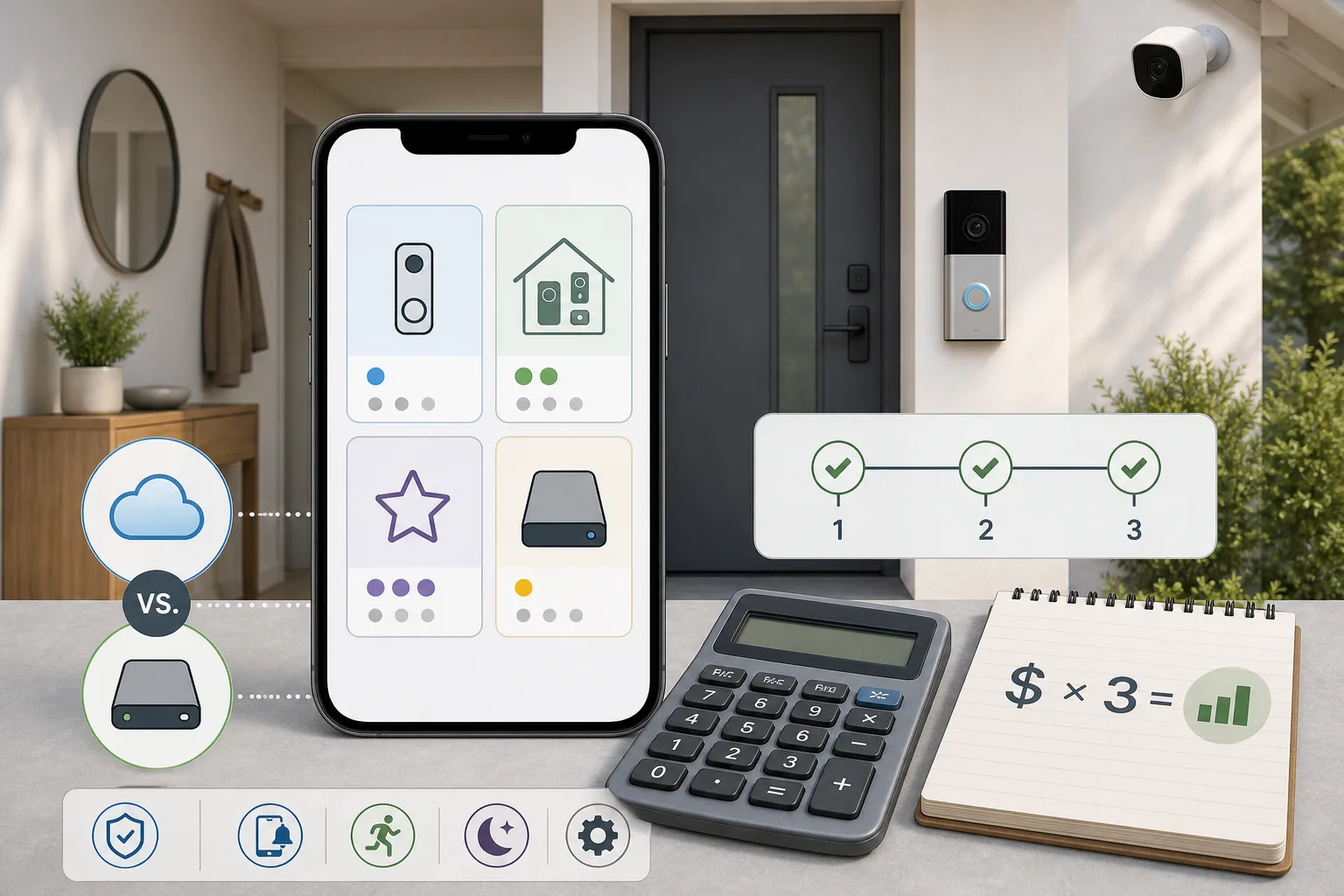
That does not make Ring a bad purchase. It does mean you should not compare it with a local-storage camera by hardware price alone. A cheap doorbell that needs a plan for the feature you actually want can cost more over three to five years than a more expensive camera system with local recording. A cloud camera that is effortless for one household can be the wrong product for another household that wants to own video locally or avoid monthly bills.
What changed in 2026
Ring’s official support pages say the company renamed Ring Home plans as Ring Protect plans in 2026 and automatically moved subscriptions to new plan names while keeping existing features. The migration table matters for buyers because it shows how much of the product is defined after purchase by the plan layer. Home Basic became Ring Solo. Home Standard without Professional Protection became Ring Multi. Home Standard with 24/7 Professional Monitoring became Ring Pro. AI Pro became Ring Pro, AI Solo became Pro Intelligence, and some older combinations moved into Premium Legacy.
A name change is not automatically a price hike or a feature cut. Still, it is a reminder that smart-home security is now sold as hardware plus an evolving service menu. Ring’s current plan pages separate one-device coverage, whole-home coverage, professional monitoring, intelligent features, live video monitoring and add-ons such as 24/7 Continuous Recording or Smoke & CO Monitoring. A shopper who only asks “How much is the camera?” is asking the wrong question.
The January 2026 billing controversy made the issue more visible. PiunikaWeb reported user complaints after the plan migration, including unexpected charges labeled Ring AI Pro Plan and confusion around prorated charges. Those are user reports, not a court finding or proof that every account was affected. But for a security product, trust in billing and plan communication is part of the product. A household alarm subscription is not the place where people want surprises.
What you get without a plan
The exact no-subscription experience depends on device, region and current Ring terms, so check the specific model before buying. In general, Ring devices can still provide live view, motion notifications and two-way talk without a paid plan. That may be enough if the doorbell is mainly an intercom or a live check-in device.
The missing part is usually the reason many people bought a camera in the first place: useful history. Without a plan, you normally should not expect saved video event history, downloads of recordings, richer smart alerts, extended live view, advanced device modes or AI analysis. If someone rings the bell while you are away and you need to review what happened later, the value is in the stored event, not only the live notification.
That is why “works without subscription” can be technically true and still misleading for a buyer. A camera can work as a live sensor while failing the household’s real requirement: keeping a searchable record of package deliveries, visitors, driveway activity or alarm events.
How the current Ring choice is structured
Ring Solo is the one-device path. It can make sense for one doorbell or one camera when you want video history and basic cloud convenience without covering the whole house. The danger is future growth. If you add a second camera, the math changes.
Ring Multi is the whole-location path for multiple devices at one home. It is the plan to compare if you expect a doorbell plus indoor, outdoor or floodlight cameras. This is also where buyers should think in years, not months. A monthly amount that looks small becomes a meaningful three-year cost when multiplied across the life of the equipment.
Ring Pro is no longer just a camera plan in the casual sense. It is closer to a security-service tier, with professional monitoring and intelligent features where supported. Ring’s own pages note regional limits: 24/7 Professional Monitoring is available only in the United States and Canada, excluding Quebec. International shoppers should not assume that a U.S. review, price table or alarm feature applies to them.
Then come the add-ons. Ring’s plan page lists options such as Pro Intelligence for one camera, 24/7 Continuous Recording per camera, Smoke & CO Monitoring and Virtual Security Guard. These can be useful, but they also change the product category. You are no longer buying a doorbell; you are assembling a monitored cloud security system with recurring line items.
Where buyers miscalculate
The first mistake is counting only today’s devices. Many people begin with one doorbell and later add a floodlight, indoor camera, garage camera or alarm sensors. The right plan for one device may be the wrong plan for the system you will own next year.
The second mistake is confusing alerts with evidence. A motion notification is not the same as a saved clip that can be reviewed, shared or downloaded. If your use case is package theft, car activity, a neighbor dispute or an alarm event, the archive is not optional.
The third mistake is ignoring regional availability. Professional monitoring, cellular backup, backup internet, emergency dispatch and Smoke & CO monitoring do not have the same meaning everywhere. A plan comparison copied from a U.S. site can be useless for a buyer in Europe, Canada outside supported provinces, or another region.
The fourth mistake is treating AI features as free progress. Video descriptions, familiar faces, video search and automated visitor warnings may be valuable for busy households, but they also raise cost, privacy and trust questions. If you do not want cloud AI reading your home-security footage, do not buy a system whose future value is increasingly marketed through cloud intelligence.
When Ring is worth buying
Ring is strongest for people who want easy installation, a polished app, cloud recording and a known home-security brand without building their own recorder. If you are already in the Alexa or Ring ecosystem, the convenience can be real. For a single front door in a rented or busy household, paying for one-device video history may be a reasonable trade-off.
It also fits households that want professional monitoring in a supported region and prefer a consumer subscription over a traditional alarm-company contract. For many people, a DIY local NVR is not realistic. They do not want PoE cabling, router rules, storage management or a weekend of configuration. Ring sells convenience, and convenience has value.
Ring can also be rational when several family members use the app daily. A doorbell camera that reduces missed deliveries, lets parents check who is at the door, and gives a simple event timeline may earn its monthly fee if the household actually uses it.
When Ring is the wrong buy
Do not buy Ring by default if your main goal is local ownership of video. Ring is built around cloud services. If you want footage stored on your own recorder and retained under your rules, start your research with Reolink PoE/NVR, UniFi Protect, HomeKit Secure Video options, Aqara where appropriate, or a Home Assistant/Frigate setup.
Do not buy Ring if monthly bills make you angry. A subscription you resent every month is not a good bargain even if the device was cheap. This is especially true for multi-camera homes where the difference between one-device, whole-home, professional monitoring and add-ons can become a household line item.
Be cautious if privacy is your primary criterion. Ring offers privacy controls and has policies around data and law-enforcement requests, but the basic model is still cloud video plus account-based services. Local systems have their own risks and complexity, but they give a different kind of control.
Also be cautious if you need a security system that remains useful during internet outages. Some Ring configurations can include cellular backup or backup internet on supported plans, but a cloud-first camera strategy is not the same as a local recorder that continues recording on-site.
Alternatives to compare
Eufy is attractive to buyers who want less subscription dependence and local storage, though buyers should still review its privacy history, current encryption claims and cloud options. The right question is not whether Eufy has no trade-offs; it is whether its trade-offs fit you better than Ring’s cloud subscription.
Reolink is often a stronger fit for local video archives, especially with PoE cameras and an NVR. It requires more planning and usually more up-front hardware, but the cost curve can be better for several cameras over years.
Aqara and HomeKit Secure Video can suit Apple-centered homes, with iCloud storage rules and device limits to check. Google Nest and Arlo are familiar alternatives but often have their own subscription plans, so they are not automatic escapes from recurring fees. UniFi Protect is powerful for people comfortable with networking gear, but the initial cost and setup are higher. DIY Home Assistant plus Frigate offers maximum control and maximum responsibility.
A practical buying matrix
Buy Ring Solo if you want one doorbell or one camera, you need event history, you accept cloud storage, and the three-year subscription cost still feels reasonable. Do not buy it just because the device is discounted.
Consider Ring Multi if you are sure you will run several Ring devices at one location and want one app experience. Before buying the third device, compare the five-year cost against a local NVR system.
Consider Ring Pro only if professional monitoring or advanced features are available in your region and actually matter to you. If you only need video clips, Pro may be overbuying.
Choose local storage first if your priorities are privacy, long retention, many cameras, no monthly bill, or integration with Home Assistant. Choose a cloud competitor only after comparing its subscription plan, because Nest Aware or Arlo Secure can recreate the same cost problem under another brand.
Checklist before checkout
Count the devices you expect to own in one year, not just today. Decide whether live view is enough or whether you need saved event history. Check the exact plan features for your country and province. Add the subscription cost for three and five years. List any per-camera add-ons you would actually enable. Confirm how long video is stored and whether you can export it easily.
For Ring Alarm, separate self-monitoring from professional monitoring, emergency dispatch, cellular backup and backup internet. For cameras, separate motion alerts from person, package or vehicle alerts. For AI features, decide whether convenience is worth both the price and the cloud analysis.
Finally, ask what happens if you cancel. A good purchase remains acceptable after the trial ends. If the answer is “the device still works, but not for the reason I bought it,” choose a different system.
Verdict
Ring is worth buying when you want a simple cloud security system, accept recurring fees, value a polished app, and will use the paid features enough to justify them. It is weakest for buyers who want a cheap camera with no monthly obligation, local control of recordings, or a security setup that is independent of one vendor’s plan changes.
The honest comparison is not Ring camera versus another camera. It is Ring hardware plus Ring Protect over three to five years versus a local-storage or competing-cloud system over the same period. If that calculation still favors Ring, buy it. If the subscription is the part you hope to ignore, do not buy the device until you have priced the service.
Related articles
Should You Buy During Amazon Prime Big Deal Days 2026? Check the Price History Before the Countdown Wins
Amazon’s October 6–7 sale can produce worthwhile discounts, but the Prime badge is not a buying recommendation. Here is how to decide whether an advertised deal beats the product’s normal price, a rival retailer, and the cost of waiting for November.

Pixel Watch 5 buyer’s guide: smarter health and GPS, same charging question
Pixel Watch 5 is Google’s most capable Android watch yet, but the buying decision depends on battery tolerance, health-data trust, GPS needs and whether a cheaper alternative fits better.
Should you buy a smart ring in 2026, or wait for the patent dust to settle?
Smart rings are useful quiet sleep trackers, but Oura’s subscription, Samsung’s ecosystem, RingConn’s licence and Ultrahuman’s U.S. ban make the real buying decision about cost and support.

Official phone cases are now gadgets, and they deserve gadget-level skepticism
Pixel case and Pixelsnap complaints show why a $50 official case is no longer a harmless checkout add-on. Treat phone accessories like devices, not decorations.

Comments
Sign in to comment.
No comments yet.