Should You Buy the Valve Steam Frame? Only If Wireless PC VR Is Already Your Main Use Case
Valve’s new headset is not a cheap way into VR. It is a premium Steam-first device with excellent streaming promise, a young standalone library, short battery limits, and a reservation system that rewards patience.

Valve’s Steam Frame is the rare new gadget that sounds both obvious and strange. Obvious, because Valve has spent years building the pieces around it: SteamOS, Proton, Steam Deck, SteamVR, the Steam store, and a large PC gaming audience that already thinks in libraries rather than console generations. Strange, because the VR market has spent much of the last decade teaching buyers to be cautious. Headsets often look compelling at launch, then become expensive shelves when comfort, battery life, software support, or room setup gets in the way.
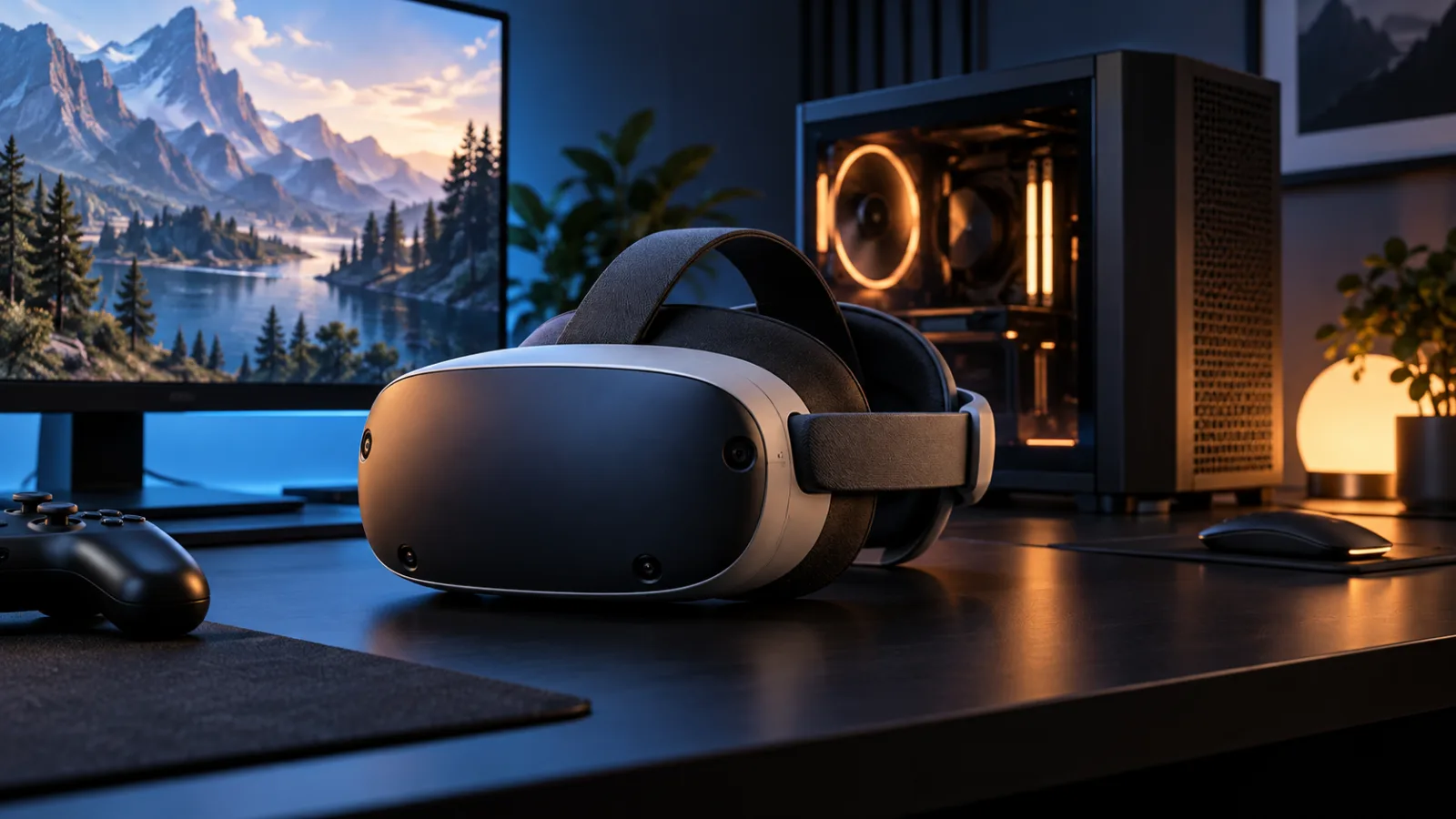
The buying answer is therefore narrow. You should consider the Steam Frame if you already own a capable gaming PC, have a Steam library you actually use, want wireless PC VR more than you want the cheapest standalone headset, and are comfortable paying first-generation pricing for a platform that still has compatibility rough edges. You should wait if you are VR-curious, price-sensitive, mostly interested in standalone fitness and social apps, need strong color passthrough out of the box, wear glasses and do not know your fit yet, or expect a headset to replace a console without tinkering.
That is not a dismissal. Early reviews describe the Frame as unusually comfortable, impressively light for its class, and better at wireless PC streaming than skeptics might expect. But at $1,059 for the 256GB kit and $1,299 for 1TB, it has to be judged as a serious gaming purchase, not an impulse accessory. The right comparison is not only “Is this better than a Quest 3?” It is also “Would this money do more as a GPU upgrade, a monitor, a handheld PC, a console, or simply waiting six months for the software list and accessory ecosystem to settle?”
What changed this week
Valve opened the Steam Frame reservation program on September 14, 2026, with registration closing on September 17 at 10 a.m. Pacific. According to Valve’s limited drop terms, selected buyers begin receiving purchase opportunities from September 18, with each purchase link expiring after 72 hours. In other words, as of today, September 18, this has moved from rumor and preview territory into the first real buying window.
The official Steam page lists the headset as a standalone SteamOS VR device that can also stream from a PC. Coverage from The Verge, Road to VR, UploadVR, Ars Technica, PC Gamer, Tom’s Hardware, Game Developer, and GeekWire broadly agrees on the core facts: the base kit starts at $1,059, the 1TB version costs $1,299, the package includes controllers and a copy of Half-Life: Alyx, and Valve is using a randomized reservation queue rather than a normal first-come checkout.
The timing matters because many buyers now have to decide quickly if an email arrives. The worse move is treating the 72-hour window as a command. A purchase invitation is not a verdict from the universe. It is a chance to buy a very expensive headset before the wider market has finished testing it in ordinary homes.
The short verdict
Buy the Steam Frame now only if three things are true. First, you have a gaming PC strong enough to make wireless PC VR worthwhile. Second, you already know you enjoy VR enough to wear a headset regularly. Third, you value Steam integration, wireless streaming, and Valve’s repair/modding-friendly instincts more than the lower price and mature app ecosystem of a Meta Quest.
Wait if you are new to VR. The Steam Frame may be the more interesting machine, but it is not the sensible low-risk starter headset at this price. A cheaper standalone headset can teach you whether you like VR at all. That lesson is worth learning before spending more than a thousand dollars.
Skip it, at least for now, if your use case depends on color mixed reality, long unplugged sessions, couch use with your head against a chair, or a guaranteed library of polished standalone VR titles. The Frame’s best argument is not that it does everything. Its best argument is that it may become the cleanest way to put your Steam library on your face, especially when the heavy work is done by a nearby PC.
What you are actually buying
The Steam Frame is not a direct successor to the old Valve Index in the simple “newer headset, better headset” sense. The Index was a tethered PC VR system built around external tracking stations. The Frame is a self-contained headset with inside-out tracking, its own processor, its own battery, SteamOS on board, and a dedicated wireless path back to a PC.
The headline hardware package is straightforward. The headset uses pancake lenses and LCD panels at 2160 by 2160 pixels per eye, with refresh rates listed from 72Hz up to 144Hz, though several reports note that the top mode is not the everyday baseline. The onboard chip is Qualcomm’s Snapdragon 8 Gen 3 paired with 16GB of memory. The headset tracks itself and its controllers with onboard cameras, includes eye tracking for foveated rendering, and has a microSD slot, which makes the expensive jump from 256GB to 1TB harder to justify for many buyers.
The basic kit includes the headset, controllers, a wireless adapter for PC streaming, and Half-Life: Alyx. It does not include everything every buyer may assume. UploadVR and other launch coverage noted that Valve sells a separate power supply, and Valve also offers an ergonomic accessory kit. Road to VR listed regional pricing, including $1,059 in the U.S., €1,049 in Europe, £889 in the U.K., and equivalent pricing for Canada, Australia, and Poland. Local taxes and shipping still matter, especially in the U.S. where the sticker price is not the final checkout price.
The practical meaning is this: the base model is probably the one to consider. The 1TB model adds $240 over the U.S. 256GB version, and the presence of microSD storage weakens the case for paying that premium unless you are determined to keep a large local library on the headset and dislike removable storage management. For most buyers, the better budget line is the 256GB Frame plus any accessory that genuinely fixes comfort or charging in your setup.
The best reason to buy: wireless PC VR without the old ritual
The Steam Frame’s strongest pitch is not standalone performance. It is wireless PC gaming through Steam. That includes VR titles, but also the broader idea of using a headset as a private display for traditional games.
This is where Valve has a real advantage. Steam already knows your library, saves, friends, controller layouts, refund history, and shopping habits. SteamOS already has a life beyond one device because the Steam Deck proved that many PC games can be presented in a console-like interface without fully becoming console games. The Frame attempts to pull that same trick into VR and head-mounted play.
Early reviews suggest the streaming setup is the part Valve may have gotten most right. Ars Technica’s review was mixed overall but found the dedicated wireless streaming better than expected once working, with low-latency performance in its testing. Tom’s Hardware called the wireless approach a major strength and emphasized access to the Steam catalog in streaming mode. PC Gamer also praised the wireless experience, while still flagging price and battery as obvious limits.
That is a meaningful distinction. Many VR headsets can connect to a PC. Fewer make that feel like the core design rather than a bolt-on. If your real dream is to play Half-Life: Alyx, racing sims, flight sims, VR mods, and high-end PC titles without running a cable across the room, the Frame is speaking directly to you.
Still, do not ignore the hidden requirement: a good PC and a good home setup. A $1,059 headset does not make your GPU faster. It does not fix a congested wireless environment. It does not turn a small, cluttered room into a comfortable play space. If you buy the Frame because reviewers enjoyed wireless PC VR in controlled conditions, but your own PC is aging or your router situation is poor, you may be buying the wrong half of the system first.
The comfort argument is real, but fit is personal
Comfort is one of the few VR specs that matters more than it sounds. A headset can have excellent displays and still fail if you stop wearing it after 25 minutes. The Steam Frame appears to make a serious comfort push. Ars Technica measured the complete setup around 440 grams and described the rear battery design as important because it shifts weight away from the front of the face. PC Gamer and Tom’s Hardware also praised the lighter, more balanced feel compared with older PC VR hardware.
That matters for a buyer who already knows they like VR but hates the pressure and front-heavy feel of many headsets. A lighter visor and rear battery can make the difference between “I should use this more” and actually using it.
There are caveats. Ars Technica noted pressure and heat around the face during active play, and warned that the rear battery can get in the way when leaning back against a headrest. It also raised a glasses-fit concern. That last point is important enough to pause on: if you wear glasses, you should not buy blind unless you are comfortable ordering prescription inserts or waiting for more fit reports from people with similar frames.
VR comfort is not universal. Head shape, IPD range, glasses, hair, sweat, seated posture, motion sensitivity, and preferred games all change the answer. A headset that disappears for one reviewer can feel distracting to another person. The Steam Frame may be better than many alternatives, but comfort is still a “try if possible” category.
The standalone story is promising, not settled
Valve wants the Steam Frame to run games locally, not only act as a wireless display. That is the ambitious part. The headset uses SteamOS on Arm, with compatibility layers doing a lot of work: Proton for Windows compatibility, FEX for x86 translation on Arm, and Lepton for Android games. UploadVR highlighted this as a way for developers to bring Android builds into Steam distribution, while The Verge reported that Valve ported Half-Life: Alyx to Arm for the device.
That is technically impressive. It is also exactly where buyers should be most careful. Compatibility layers can be magical when they work and maddening when a specific game does not. Steam Deck buyers learned this with the Verified program: labels help, but individual games, launchers, anti-cheat systems, settings, and updates still matter. VR adds another layer because frame pacing, tracking, and comfort failures are not small annoyances. They can end a session.
Ars Technica reported trouble with some native SteamVR games during its test period, including failed launches, graphical problems, and crashes. PC Gamer’s review was more positive overall but still framed the headset as stronger when paired with a PC than when judged purely as a standalone gaming device. Tom’s Hardware similarly described standalone play as competent while keeping wireless streaming at the center of the product’s appeal.
That should shape your purchase. If you are buying the Steam Frame as a standalone console, wait for the game list to mature and for more third-party testing. If you are buying it as a Steam-first wireless PC VR headset that can also run some things locally, the risk is easier to accept.
Battery life is not a footnote
Battery life is where expensive headsets often become ordinary devices with ordinary limits. Ars Technica reported roughly an hour and a half in demanding performance-oriented use, with better endurance in a lower-power mode that sacrifices visual quality and smoothness. PC Gamer’s review also placed battery life in the roughly one-to-two-hour range depending on use.
For some buyers, that is enough. Many VR sessions are short because the medium is physically demanding. A focused one-hour session of a rhythm game, shooter, sim lap, or room-scale title may be plenty.
For others, it is a deal-breaker. If you imagine long movie sessions, multi-hour social VR, extended sim play, or using the headset as a general private display for an evening, battery management becomes part of the product. You may need to plug in, buy accessories, manage charging between sessions, or accept lower settings.
This is also why the separate power supply detail is annoying. Many buyers already have USB-C chargers, and PC Gamer noted that a suitable 45W USB-C charger can work. Still, at this price, every missing convenience stands out. The official “total cost” is not just the kit. It is the kit, tax, shipping, possible charger, possible ergonomic kit, possible prescription inserts, possible storage card, and possibly a PC upgrade if your current machine is not ready.
The price changes the moral of the product
At $599, the Steam Frame would be easy to recommend to many Steam-heavy gamers. At $799, it would still be expensive but easier to justify as a premium headset with Valve’s software strengths. At $1,059, the burden of proof moves.
The price puts it far above mainstream standalone headsets. Game Developer noted the comparison with Meta Quest pricing, reporting that a 512GB Quest model was available at $349. Even allowing for different hardware goals and business models, that gap is too large to wave away. A buyer could purchase a cheaper headset and still have hundreds of dollars left for games, accessories, or PC upgrades.
Valve is not Meta, and that matters. Valve generally does not need to sell hardware at aggressive subsidy levels to control a social platform or advertising channel. That can be good for buyers who dislike subsidized ecosystems and account lock-in. It can also mean the hardware simply costs more. Game Developer tied the price partly to memory market pressure and Valve’s apparent reluctance to subsidize the device heavily.
The right way to think about price is not “Is Valve charging too much?” It is “What job would this device do better than all the other things I could buy?” If the answer is “wireless access to my PC Steam library in VR and head-mounted play,” the price may be painful but coherent. If the answer is “I want to try VR,” it is probably not coherent.
The reservation system should not rush you
Valve’s limited drop program has a practical goal: reduce scalping and avoid the worst launch-day chaos. The official terms say registration required a qualifying Steam account, one entry per household, and random selection after the registration period. First purchase opportunities begin September 18, and selected buyers have a limited time to act.
That design is fairer than a refresh war, but it creates a psychological trap. A purchase email can feel scarce, and scarce things feel more valuable than they are. Do not let the queue make the decision for you.
If you receive an invitation, ask five questions before paying. Do I have a PC that can drive the experiences I care about? Do I already know I tolerate and enjoy VR? Am I buying the 256GB model unless I have a clear reason not to? Have I priced the accessories I may need? Am I comfortable being an early owner while compatibility reports are still forming?
If any answer is weak, waiting is not failure. For new hardware, the second wave often gets better information: more compatibility labels, better accessories, early firmware updates, clearer repair stories, and a used market.
Steam Frame versus Meta Quest
For most buyers, the Meta Quest line remains the practical alternative because it is cheaper, widely supported, and already has a large standalone app library. If you want fitness apps, social VR, mixed reality experiments, family-friendly use, and a lower-risk entry point, a Quest is still the default recommendation.
The Steam Frame is different. It is for people who want the center of gravity to be Steam, not Meta’s store. It is for people who care about PC streaming, SteamOS, compatibility layers, mod-adjacent PC culture, and Valve’s history of making hardware that becomes more useful through software updates and community behavior.
That does not automatically make it better. A more open-feeling device can still be less convenient. A Steam-first device can still have a smaller polished standalone library. A premium headset can still have worse mixed-reality features than someone expects if they have watched years of passthrough demos. UploadVR reported that color passthrough comes through a separate Arcturus Vision camera accessory rather than being a built-in baseline feature. That is a real distinction from mixed-reality-first headsets.
The simplest comparison is this: buy Quest if you want the safest mainstream VR purchase; consider Steam Frame if you want the most Steam-native wireless PC VR purchase and accept the cost.
Steam Frame versus Valve Index
Index owners have a harder decision. The Index is old by consumer tech standards, but it still has strengths: strong tracking with base stations, familiar PC VR behavior, and a mature setup for people who already built a room around it. The Steam Frame offers freedom from cables and base stations, a much lighter modern design, standalone capabilities, and a route into Valve’s newer SteamOS hardware world.
The upgrade makes sense if the cable is the thing that keeps you from using VR. It also makes sense if your base station setup is annoying, your play space has changed, or you want a device that can move between rooms more easily.
It makes less sense if you mainly play seated sims with an existing wired setup you trust. In that case, the Frame’s wireless freedom may matter less than tracking confidence, battery independence, and your current accessories. A sim player who is happy with wires might be better served by waiting for deeper specialist reviews from racing and flight communities.
Steam Frame versus buying nothing
This is the comparison buyers rarely make clearly enough. VR hardware often fails not because it is bad, but because it asks for a habit you do not have. You need space. You need charged controllers. You need physical energy. You may need to move furniture. You need games that feel worth the friction. You need your household to tolerate a person waving controllers around or disappearing behind a headset.
If your current VR headset sits unused, the Steam Frame will not automatically fix that. It may reduce some friction, especially around wireless streaming and comfort, but it will not make you a VR person by force.
A good purchase test is brutally simple: name the first five things you will do with it in the first month. Not categories. Actual titles or uses. If that list is vague, wait. If it includes games you already own, a PC you already have, and sessions you can picture doing this weekend, the case gets stronger.
Who should buy now
Buy now if you are a PC VR enthusiast who has been waiting for a cleaner wireless Steam setup. You probably already know your IPD, your motion tolerance, your room constraints, and which games justify the headset. For you, the Frame is expensive, but it solves a known problem rather than inventing a fantasy use case.
Buy now if you own a strong gaming PC and want a headset that treats Steam as the home base. The Frame’s advantage is strongest when the PC does the heavy rendering and the headset becomes a comfortable, low-friction window into that library.
Buy now if you are comfortable being early in Valve’s newest hardware loop. Steam Deck owners know the pattern: the launch product matters, but the months after launch matter too. Updates, compatibility labels, accessory makers, and user discoveries can change the experience. That is exciting for some buyers and exhausting for others.
Who should wait
Wait if you are new to VR. A cheaper headset is a better first lesson. You can learn whether you enjoy room-scale play, whether motion affects you, whether you keep using a headset after the first week, and which genres actually stick.
Wait if you mostly want standalone VR. The Frame’s local game story is interesting, but it is not yet the safest reason to spend this much. Let the verified library, compatibility reports, and developer support become clearer.
Wait if you need color passthrough or mixed reality to be central. The separate camera accessory may develop into a clever modular advantage, but modular potential is not the same as having the feature built into the purchase you are making today.
Wait if you wear glasses and cannot test fit. Prescription inserts may solve the problem, but you should price and confirm that route before buying. A headset that presses on your frames is not a small flaw. It is a reason you stop using it.
Wait if the price forces compromise elsewhere. If buying the Frame delays a needed GPU upgrade, monitor replacement, or cheaper device you would use more, the headset loses on opportunity cost.
Which model should you buy?
For most people who should buy at all, the 256GB model is the sensible choice. The 1TB model costs significantly more, and the microSD slot gives you another storage path. The higher-capacity version is easier to justify if you are determined to run many local games, dislike removable storage, and already know you will keep the headset loaded with a large library.
Do not buy the 1TB model out of fear. Storage anxiety is common, but paying $240 extra for internal capacity only makes sense if storage is likely to be your actual bottleneck. For a buyer focused on wireless PC streaming, internal storage is less central.
The accessory question is more personal. If early owner reports continue to say the ergonomic kit improves comfort, it may be money better spent than the 1TB upgrade. If you lack an appropriate USB-C charger, include that in the real budget. If you need prescription inserts, treat them as part of the purchase, not an afterthought.
The risks that matter
The biggest risk is software momentum. Valve has a powerful platform, but VR needs sustained developer attention. A headset can be technically excellent and still feel quiet if the library does not grow in the specific experiences people want.
The second risk is compatibility friction. SteamOS, Proton, FEX, Lepton, Arm translation, VR runtimes, and game-specific quirks are a lot of moving parts. Valve has shown unusual competence here, but a buyer should expect some unevenness.
The third risk is battery reality. One-to-two-hour practical sessions may be fine, but they limit the device’s role. A short-battery headset can be excellent for intense VR gaming and mediocre as a general entertainment screen.
The fourth risk is price normalization. Launch scarcity can hide whether a product is priced for enthusiasts only or whether future revisions, bundles, or discounts will broaden the market. If you do not need to be early, waiting can convert uncertainty into data.
The bottom line
The Steam Frame is not the VR headset most people should buy first. It is too expensive, too early in its standalone life, and too dependent on a buyer already understanding what they want from VR.
But it may be exactly the headset some Steam users have been waiting for. If your dream product is a comfortable wireless bridge into a strong PC and a real Steam library, the Frame finally gives that idea a serious shape. Its price is hard to like, but the concept is coherent: less cable ritual, more Steam continuity, and enough standalone ambition to make the platform worth watching.
The disciplined recommendation is simple. Enthusiasts with a capable PC can buy the 256GB model if they receive an invitation and have already priced the full setup. Everyone else should wait for broader owner reports, firmware updates, accessory reviews, and a clearer standalone catalog. In VR, patience is not just a way to save money. It is how you avoid buying a future habit you do not actually have.
Related articles
Should You Buy the Acer Predator Atlas 8? The $1,300 Handheld Has a Performance-First Problem
Acer’s first officially sold US gaming handheld launches with Intel’s Arc G3 Extreme, an 8-inch 120Hz screen, and an 80Wh battery. The real question is whether its premium performance outweighs Windows handheld compromises and a narrow launch configuration.
Should You Buy the Apple TV 4K (2026)? The $299 Upgrade Only Makes Sense for a Specific Home Theater
Apple’s first new streaming box in four years adds built-in microphones, a faster chip, Siri AI, and four-HomePod surround sound. The hardware is useful, but the $299 price makes this a targeted purchase rather than an automatic upgrade.

Should You Buy Apple’s First Foldable iPhone? Wait for the Hinge, Repair Terms, and Real-World Reviews
Apple’s September 9 event may introduce its first foldable iPhone. The sensible buying question is not whether the screen folds, but whether the premium buys a reliable daily tool with clear repair coverage.
Should You Buy Amazon’s New Fire TV Stick 4K? The Remote Is the Upgrade, but Vega OS Changes the Deal
Amazon’s new $59.99 Fire TV Stick 4K is quicker, easier to power, and bundled with a redesigned remote. The real buying question is whether you want those conveniences badly enough to give up the flexibility of older Fire TV models.
Comments
Sign in to comment.
No comments yet.