Apple Home Camera AI Summaries Now Have Camera Limits: What to Check Before You Build Around Them
Apple’s new Home camera intelligence is useful, but its limits are tied to iCloud+ and the number of cameras Apple lets you select. Here is how the feature works, what it does not replace, and how to plan a reliable setup.
Apple’s newest Home camera features are easy to mistake for a camera upgrade. They are not. The camera still provides the video, HomeKit Secure Video still handles recording, and an Apple home hub still has to participate. The new layer is intelligence that can group related alerts, describe what happened in a run of clips, search recordings for events such as a package delivery, and surface noteworthy moments.
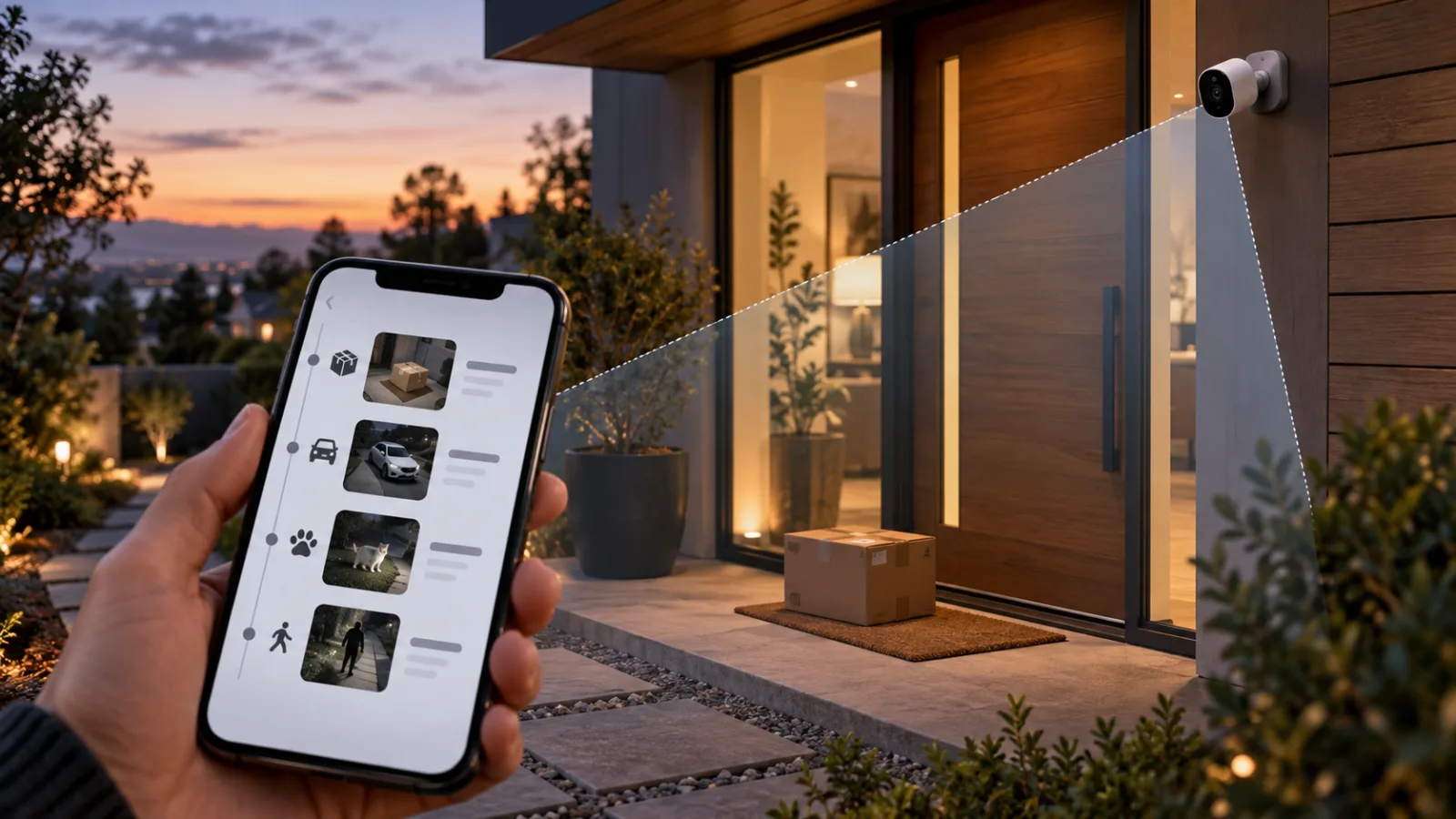
That sounds like a software convenience, but Apple has attached it to two constraints that matter in a real house: the camera must already fit Apple’s Home and HomeKit Secure Video requirements, and the number of cameras eligible for AI video summaries depends on the iCloud+ plan. Apple’s support documentation updated on September 9, 2026, lists a smaller summary allowance than many people will assume from the headline feature.
For a household with one camera, this may be a minor detail. For a home with a driveway, front door, back garden, nursery, and indoor common area, it changes the buying decision. The sensible question is no longer simply whether a camera says “Works with Apple Home.” It is whether the entire recording and analysis arrangement will still make sense when the home grows.
What Apple actually added
Apple announced the Home changes as part of its 2026 Apple Intelligence rollout. The Home app can combine related accessory notifications into one activity, rather than sending a series of disconnected alerts as a person, vehicle, or other event develops. For compatible HomeKit Secure Video cameras, Apple also describes generated video descriptions, clip search, and a Noteworthy view that brings potentially important recordings closer to the top of the app.
In practical terms, this is an indexing and explanation layer over recorded camera activity. A conventional notification might say that motion was detected. An intelligent summary is intended to explain a sequence: someone approached, left a parcel, and walked away, for example. Searching can reduce the time spent scrubbing through clips when you are trying to find a delivery or a particular person’s arrival.
The distinction matters because AI summaries do not make a camera better at seeing. They do not increase its resolution, improve its night vision, repair a weak Wi-Fi connection, or guarantee that an event was recorded. If the camera misses the approach because of glare, the lens is pointed at the wrong part of the path, or the home hub is unavailable, there may be nothing useful for the summary system to describe.
Apple says the camera video is privately analyzed by the home hub for ordinary HomeKit Secure Video detection, and its support documentation describes the stored footage as end-to-end encrypted. The new features bring server-based Apple Intelligence into the product story, however, so buyers should read the feature requirements and plan limitations separately from the privacy promise attached to HomeKit Secure Video itself.
The camera limits are the part buyers can miss
Apple’s current support page for Apple Intelligence usage limits says that Home app video summaries are available for a limited number of cameras depending on the iCloud+ plan. The listed allowance is up to one camera on the 2 TB plan, up to two cameras on the 6 TB plan, and up to five cameras on the 12 TB plan.
That is different from the number of cameras that can use HomeKit Secure Video for recording. Apple’s iCloud guide lists one camera for the 50 GB plan, up to five cameras for the 200 GB plan, and unlimited cameras on the 2 TB plan and above. In other words, an iCloud+ subscription can support recording from more cameras than it supports for AI video summaries.
This creates an awkward but important split:
- A camera may be eligible for HomeKit Secure Video recording without being eligible for Apple Intelligence video summaries.
- Moving to a larger storage plan can increase the number of cameras with summaries, but the feature is still capped by the plan’s published allowance.
- The storage capacity of a plan and its AI feature capacity are separate decisions, even though both are presented through iCloud+.
Apple’s documentation is the source to trust here because plan entitlements can change and can vary by region. Do not infer the summary limit from an old HomeKit Secure Video table, an Apple One bundle, or a product review written during a beta period. Check the current Apple support page immediately before committing to multiple cameras.
The limit is also about selected cameras, not necessarily every camera in the home. That gives a small household some flexibility. You might choose the front door and driveway for summaries while leaving a side entrance or a garage on ordinary recording. But it also means that the feature will force a priority decision if the home has more locations than the plan allows.
What you need besides an iCloud+ plan
An iCloud+ subscription is not a universal compatibility pass. The camera still has to be supported by Apple Home, and HomeKit Secure Video has its own requirements for setup, recording, storage, and home hubs. Apple’s documentation says that users can view HomeKit Secure Video footage in the Home app and access the last 10 days of activity, with the number of cameras depending on the storage plan.
You also need a suitable home hub. Apple’s Home documentation identifies devices such as HomePod, HomePod mini, and Apple TV as the infrastructure used to support a home. The exact requirements for Apple Intelligence features can be stricter than the requirements for viewing a live stream, so a phone alone should not be treated as the complete system. If the home is built around an iPad or an older Apple TV, verify that it can serve the role Apple currently requires before buying cameras for the new feature.
The camera’s label needs careful reading too. “Apple Home compatible,” “HomeKit compatible,” and “HomeKit Secure Video compatible” are not interchangeable marketing phrases. A camera may expose a live stream to the Home app but not provide Apple’s encrypted recording service. Another may support HomeKit Secure Video but lack the hardware, firmware, or regional support needed for the newer intelligence features.
Apple’s own Home accessories directory and the individual camera maker’s current specifications are better evidence than a retailer’s title. Retail listings often preserve old compatibility claims after a firmware change, and some products support Apple Home only through a bridge or a limited integration. A bridge can be useful, but it may not provide the same camera capabilities as a native HomeKit Secure Video device.
The practical privacy trade-off
Apple’s camera proposition remains attractive to people who want recordings protected with end-to-end encryption and managed inside a familiar ecosystem. The company says HomeKit Secure Video analysis for people, pets, and cars is performed by the home hub, and recordings do not count against iCloud storage. Those properties address some of the concerns that come with cameras sending every clip to a vendor’s cloud.
AI video descriptions and search introduce a different question: what processing is required, where does it happen, and what account entitlement controls it? Apple’s public announcement says that compatible Home cameras gain Apple Intelligence support, while its support documentation links the feature to iCloud+ usage limits. That is enough to establish a product dependency, but it is not a reason to assume that every part of the new analysis is performed locally.
The useful privacy habit is to separate three layers when evaluating a camera system:
- The camera’s live stream and device firmware.
- The recording and event-detection path used by HomeKit Secure Video.
- The additional intelligence features that describe, group, or search recorded material.
Each layer can have different requirements and failure modes. A local home hub may continue to handle basic detection while a cloud-dependent intelligence feature is unavailable. A camera may remain visible in Apple Home while its recording subscription expires. A family member may have permission to view live video without permission to manage recordings. These are operational details, not edge cases, because a security camera is used when people are away from the home and least able to troubleshoot it.
There is also a social privacy issue. Generated descriptions can make a large archive easier to search, which is convenient but potentially more revealing to anyone who gains access to the account or shared home. A person looking for a package clip may discover a searchable record of arrivals, visitors, or household routines. Use strong account security, review who has access to the Home, and avoid placing cameras where recording is inappropriate simply because an AI feature makes the footage easier to classify.
How to decide which cameras get summaries
If you already have several cameras, start with the events you genuinely need to interpret quickly. The front door is often a better candidate than a room where motion alerts are mostly caused by family members. A driveway camera may be more useful than a side passage if vehicles and deliveries are the main concern. An indoor camera in a private space deserves a higher privacy threshold than an exterior camera pointed at a boundary.
A simple selection method is to make a table with four columns: location, event that matters, consequence of missing it, and whether a written summary would save time. The cameras with the highest consequence and clearest benefit should receive the limited summary slots. This is a more durable decision than choosing cameras by their resolution or by whichever product advertises the most AI labels.
For many homes, the best first allocation will be one exterior entrance camera. It gives the feature a focused job: explain deliveries, visitors, and departures. If that works reliably, add a second location such as the driveway or a rear entrance. Do not enable summaries everywhere at once unless you have a reason to process and review that much information. More cameras can mean more false positives, more notifications, and a more crowded account rather than a calmer home.
If your priority is evidence rather than convenience, ordinary recording may be more important than AI summaries. A camera aimed at a detached garage or a long driveway may need continuous event coverage and dependable night performance. In that case, spend first on positioning, lighting, weather resistance, network reach, and a backup way to view footage. A summary that sounds polished is not a substitute for an event that was captured clearly.
What the feature does not replace
Apple’s AI layer does not replace a doorbell chime, a local monitor, or a physical lock. Nor does it replace a basic alert that tells you when a camera has gone offline. A house should still provide a direct way to operate important devices when the phone is unavailable, the account is locked, or the internet connection fails.
It also does not replace a security plan. Decide how long footage should be retained, who can view it, how guests and workers are informed, and what happens when a camera needs to be reset. Put cameras where they have a defensible purpose. Set activity zones so that public paths and neighboring homes are not unnecessarily included. Keep firmware and Apple devices current, but schedule updates so that a household member can confirm that recording and notifications still work afterward.
For a family, test the system with ordinary household behavior. Have one person approach the door with a parcel, stand in the camera’s blind spot, walk past at night, and trigger an expected false alarm such as a pet or a swaying branch. Check whether the recording exists, whether the alert arrives, whether the description is understandable, and whether the selected home hub remains online. An AI feature should be evaluated as part of that chain, not in a demonstration where every device is already in ideal condition.
When Apple Home is a good fit
Apple Home is a reasonable choice when the household already uses Apple devices, wants HomeKit Secure Video, and is comfortable treating iCloud+ as part of the camera system. The new intelligence features can make a small number of cameras easier to review, especially for people who receive many activity alerts and only occasionally need to find a specific clip. The experience is also coherent when everyone who needs access already uses the Apple ecosystem.
It is a less obvious fit when the household has many camera locations, wants a large number of AI summaries, or prefers to keep all analysis and recordings local. In those cases, the plan limit becomes a structural constraint rather than a minor subscription detail. A person buying cameras for a new house should map the locations first, then compare Apple’s current limits with local-first systems and with other platforms’ camera policies.
Apple Home is also not automatically the simplest option for mixed hardware. Matter is improving interoperability for many categories, but cameras and advanced video features have historically been more complicated than lights, plugs, and sensors. A Matter logo on a product box does not by itself promise access to Apple’s full camera intelligence feature set. Compatibility has to be checked at the feature level.
A buying checklist for September 2026
Before purchasing a camera for Apple’s new Home features, verify the following:
- The camera is currently listed as compatible with Apple Home and, if required, HomeKit Secure Video—not only with a generic Apple Home app.
- Your home has a supported and reliable hub, and you know which device is acting as the primary hub.
- The iCloud+ plan supports the number of cameras you want to record and separately supports the number you want to select for AI video summaries.
- The camera’s position, field of view, night performance, and network connection are adequate before you judge its detection quality.
- You understand whether live viewing, recording, event detection, generated descriptions, and clip search have different requirements.
- Everyone with access to the Home understands what is recorded and which permissions they have.
- There is a manual or local fallback for the important physical action, such as unlocking a door or checking a critical entrance.
Do not buy a larger iCloud+ plan solely because a retailer promises unlimited “AI camera coverage.” Apple’s current support information does not describe unlimited video-summary selection. Likewise, do not buy a camera because it can produce attractive descriptions in a review if it cannot provide the recording path you need. The camera, hub, Apple account, plan, and network are one system.
The useful conclusion
Apple’s Home intelligence features are most convincing when they save time on a small, deliberately chosen camera setup. They are less convincing as a reason to put an Apple-compatible camera in every room. The new feature can explain and organize footage, but it does not remove the ordinary costs of cameras: installation, Wi-Fi coverage, maintenance, account security, privacy decisions, and dependable recording.
The immediate advice is straightforward. If you have one or two important camera locations and already use Apple devices, confirm the current iCloud+ entitlements and test one camera before expanding. If you need summaries from more locations than Apple’s published limit allows, treat that as a platform constraint and compare alternatives before buying hardware. The most reliable smart-home purchase is the one whose limits are known before the camera goes on the wall.
Related articles
Apple’s Reported October Home Hub Push: What to Buy Now and What to Wait For
Apple is reportedly preparing a home hub, a new HomePod mini, and an Apple TV for October 13. The useful question is not whether the launch sounds exciting, but which parts of an Apple smart home depend on it.
SmartThings Now Adds Local Control: What Still Works When the Internet Drops
Samsung’s October SmartThings update makes local control easier to find, but it does not make every device or routine offline-capable. Here is how to identify the parts of a SmartThings home that can keep working and the parts that still depend on the cloud.
Smart home subscriptions are becoming the real price of cheap cameras
Budget hardware is getting easier to buy, but video search, AI summaries and smarter assistants increasingly sit behind monthly plans.
IFA 2026’s Local AI Home Hubs: What They Replace, What They Don’t, and Who Should Wait
IFA 2026 has made local AI the smart-home pitch of the moment. Here is how to separate a useful local camera and automation hub from an expensive pre-order, and how to test whether it fits the home you already have.

Comments
Sign in to comment.
Maybe 10 years ago Apple home and Apple Secure Video was a good idea. Its definitely not today. So many camera systems store videos locally and many have AI features built-in. It you have 3 cameras and you want to be joking. If that isn't bad enough, videos only record at a lower resolution, and at least my cameras only seem to record 10 - 15 seconds max per event. At one time I had 4 cameras on it, big mistake. The secure video feature is horrible. And Homekit is so far behind, its not funny. Get Home Assistant and run that. So much better.
Sorry, ment to say with three "Summary" cameras, it requires the 12 Tb iCloud+ plan at $70/month, or $840/year. They HAVE to be kidding.