Home Assistant Adds Batteryless Zigbee Switches: Check These Limits Before You Buy
Home Assistant 2026.11 adds Zigbee Green Power support, opening the door to batteryless Friends of Hue switches. The feature is promising, but coordinator type, router coverage, pairing, and fallback control still determine whether it works well in a real home.
Home Assistant 2026.11 adds support for Zigbee Green Power devices, including a class of wall switches that can operate without batteries or mains wiring. The appeal is obvious: no battery replacements, no wall-charging routine, and no need to open a wall box just to add a control point for smart lights.
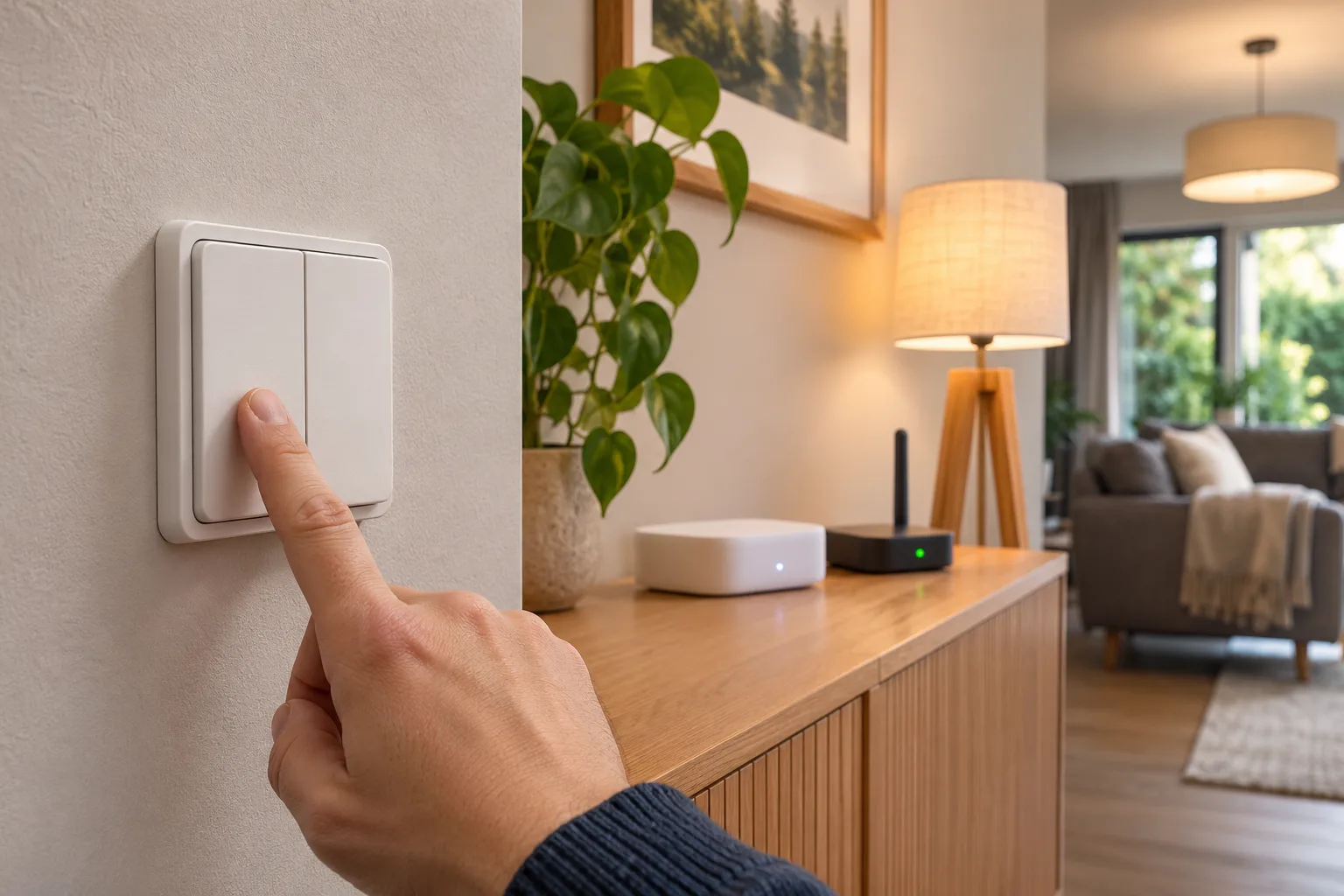
The important detail is that a Green Power switch is not simply a normal Zigbee switch with a different power source. It has a different communication model, a very small energy budget, and stricter requirements around pairing and radio coverage. Home Assistant’s new support makes these devices more practical, but it does not turn every Zigbee coordinator or every Friends of Hue product into a plug-and-play replacement for a wired switch.
The right way to evaluate one is as a wireless control surface for smart devices, not as an electrical switch. That distinction determines where it is safe to install, what happens when the network is unavailable, and whether the product fits your existing Zigbee setup.
What Zigbee Green Power actually changes
Most Zigbee sensors and switches have a battery or a permanent power source. A battery-powered device can wake up, join a network, maintain network information, and communicate using the normal Zigbee model. A wired device has even more freedom because it can keep its radio powered continuously.
A Zigbee Green Power Device, or GPD, is designed to work with much less available energy. The Zigbee Green Power specification describes short device messages that can be received by a nearby Zigbee node and forwarded through the network. In a mechanical switch, the energy can come from the act of pressing the button. The switch does not need to keep a conventional radio connection alive between presses.
That is why many batteryless wall switches feel different from ordinary Zigbee remotes. They generally do not behave like sleepy battery sensors that periodically wake up and report their status. They send an event when you press them. The system then has to interpret that event and pass it to the device or automation that should respond.
This design removes battery maintenance, but it also removes some of the assumptions people bring from ordinary Zigbee devices. A Green Power switch may not have a conventional parent router. It may not be reconfigured in the same way. It may always appear available because it only transmits when used. Those are characteristics of the technology, not necessarily signs that the device is malfunctioning.
What Home Assistant 2026.11 adds
Home Assistant’s official Zigbee Home Automation documentation says Green Power support arrived in version 2026.11.0. The release supports devices such as the Philips Hue Tap and some Friends of Hue switches, while documenting a different joining and routing process from ordinary Zigbee devices.
The update matters because it brings a group of previously awkward devices into the built-in ZHA workflow. Before this release, a buyer could find a batteryless switch that worked well in a manufacturer’s ecosystem but had no straightforward route into a Home Assistant installation. Now the integration can receive Green Power messages and expose the device for use in automations.
That still does not mean that every Green Power product is supported equally. The Home Assistant documentation distinguishes between coordinator radio types. Some coordinators can receive Green Power messages directly. Others require one or more Zigbee router devices to act as Green Power proxies and pass those messages to the coordinator.
Home Assistant currently identifies Ziggurat, Silicon Labs, and deCONZ radio types as capable of direct Green Power reception. With other radio types, including TI-based ZNP, ZiGate, and XBee setups, Green Power devices need suitable router devices nearby. The practical result is simple: the same wall switch can work reliably in one installation and fail to pair or respond consistently in another.
Before buying, open Home Assistant and check Settings > Connectivity > Zigbee > Network information. Record the radio type and the Zigbee channel. The channel matters because many Green Power devices have limited ability to scan for a network. Some must be told which channel to use during commissioning.
The first buying question is not the brand
A product page may emphasize a refined wall plate, a battery-free design, or compatibility with Philips Hue. Those details are useful, but they should come after four technical questions:
- Does the switch use Zigbee Green Power rather than a proprietary batteryless protocol?
- Is it supported by the exact Home Assistant integration you plan to use?
- Can your coordinator receive Green Power directly, or will you need compatible routers nearby?
- Does the device control a smart light or automation, rather than interrupting power to a light that needs to remain connected?
“Works with Hue” is not the same statement as “works directly with Home Assistant ZHA.” Many Friends of Hue products were designed around a Hue Bridge and a particular commissioning process. Home Assistant’s 2026.11 support improves the situation, but it does not erase product-specific behavior.
The safest shopping approach is to search for the exact model number in the current Home Assistant device documentation or in reliable user reports, then confirm the device’s radio standard in its manual. Do not infer support from a photograph, a marketplace keyword, or a seller’s generic claim that the switch is “Zigbee compatible.” Green Power is a specific part of the Zigbee ecosystem, and normal Zigbee support alone is not enough.
Coordinator and router placement decide reliability
Green Power switches send short, low-energy messages. They are not a good place to discover weaknesses in a Zigbee network. If a switch is installed behind a thick wall, at the edge of the mesh, or in a room with little mains-powered Zigbee equipment, the result may be intermittent even when ordinary battery sensors appear to work.
A conventional Zigbee mesh relies heavily on powered routers such as smart plugs, in-wall modules, bulbs, and dedicated repeaters. Green Power devices use those routers differently: the routers may receive and forward the switch’s brief message as Green Power proxies. The device is therefore not attached to a single parent in the same way as a conventional end device.
Home Assistant notes that each router can support only a limited number of Green Power devices, with the limit depending on the manufacturer. The documented range can be from roughly five devices to more than forty. Philips Hue lights and other Hue router devices are described as having a high limit, but buyers should not assume that every powered Zigbee product has the same capacity.
For a single switch in a small apartment, this may not be a serious constraint. For a large installation with many batteryless wall controls, it becomes part of the design. Put several powered Zigbee routers between the coordinator and the rooms where the switches will be installed. Keep the first test switch close to a known-good router or coordinator, then move it to its intended position after confirming that the event arrives consistently.
This is also why a batteryless switch can expose a problem that was invisible before. A battery sensor may retry, wait for a better route, or report occasionally when conditions improve. A mechanical Green Power message is brief. If the network does not hear it, the user experiences a missed press.
Pairing is more manual than with ordinary Zigbee devices
The commissioning process is one of the main practical differences. Home Assistant’s documentation warns that many Green Power devices do not have enough energy to search widely for the Zigbee network. Instead, the user may need to select the network channel manually on the device, usually through a button combination described by the manufacturer.
A reliable setup sequence is:
- Check the Zigbee channel in Home Assistant’s network information page.
- Confirm that the switch supports that channel.
- Put Home Assistant into the appropriate add-device flow.
- Follow the manufacturer’s exact button sequence for channel selection and pairing.
- Pair the switch near the coordinator or a suitable Green Power proxy.
- Press every button or rocker several times and confirm that each event appears.
- Only then mount the switch in its final location.
Do not change the Zigbee channel casually just to accommodate one product. A channel change affects the rest of the Zigbee network, and other devices may have their own supported-channel limits. If the switch does not support your current channel, compare the cost of changing the network with the cost of choosing a different switch.
The pairing instructions may also refer to a device-specific source ID or a Green Power proxy. Those terms are not interchangeable with the network address and parent-router language used for ordinary Zigbee devices. If a product manual assumes a Hue Bridge, it may describe a process that does not map directly to ZHA. In that case, the Home Assistant integration documentation and current device reports are more useful than a generic installation video.
What the device will look like in Home Assistant
Green Power devices can appear unusual in the Home Assistant interface. The ZHA documentation says they show a source ID instead of a normal network address and cannot be managed with all the same tools as conventional Zigbee devices. You may not be able to reconfigure, bind, or inspect their clusters in the usual way.
They may also always appear available. That can sound alarming if you are used to judging a battery sensor by its last-seen state, but a Green Power device does not maintain a normal connection that Home Assistant can poll. Its meaningful test is whether a press produces the expected event and whether the intended automation reacts.
For that reason, create a simple test automation before building a complicated lighting scene. For example, assign one button to turn on a nearby lamp and another to turn it off. Press the button repeatedly from the final mounting position. Watch for missed events over several minutes, then test again after restarting the Zigbee integration or temporarily disconnecting and restoring the network equipment.
Avoid judging the device solely by the number of entities shown in the interface. A Green Power switch may expose fewer diagnostic controls than a mains-powered controller while still being perfectly usable as an event source.
Batteryless does not mean cloud-free by itself
The switch-to-Home-Assistant path can be local, but the overall system may still include a cloud service. A Friends of Hue product commissioned through a Hue Bridge may be associated with the manufacturer’s app and account. A product that is paired directly to ZHA may avoid that dependency for daily operation, but the exact privacy and support model depends on the device and the rest of the installation.
Read the product manual for account requirements, app permissions, firmware updates, and data handling. Some vendors explicitly state that usage data passes through their bridge or cloud services during normal operation. Others may allow local Zigbee control but require a mobile app for setup or updates.
Home Assistant’s local control does not automatically rewrite a vendor’s privacy policy. It can reduce the number of services involved in an automation, but it cannot guarantee that a product has no cloud relationship at all.
The most private arrangement is usually a direct local pairing to a coordinator you control, provided the exact product is supported and firmware updates can be handled without permanently returning to the vendor ecosystem. That trade-off should be made consciously. A switch with excellent local behavior but no practical update path may not be better for every household than a well-supported product that uses a bridge for maintenance.
The electrical safety boundary is clear
A batteryless Zigbee wall switch is normally a wireless transmitter. It is not an excuse to open a mains box, remove a conventional switch, or connect wires without the required qualifications.
If the product is designed to mount over an existing wall surface with screws or adhesive, installation may be a low-risk mechanical job. If it is an in-wall module, a relay, or any device that controls mains conductors, stop and follow the manufacturer’s electrical instructions and local rules. Use a qualified electrician when the work involves live wiring, uncertain conductors, neutral requirements, junction boxes, or fire-rated construction.
Do not install a wireless control in a way that leaves occupants unable to operate essential lighting. A smart automation is not an acceptable replacement for required safety controls, emergency lighting, smoke alarms, heating protections, or other systems where a missed radio message could create a hazard.
Also remember the smart-bulb problem. If a wall control cuts power to a smart bulb, the bulb disappears from the network and cannot receive commands. A wireless batteryless control should usually send an event to the automation system while leaving the smart bulb continuously powered. If you need physical mains switching, choose a properly installed module or wired device designed for that purpose.
A useful test plan before mounting several switches
Do not buy a full-house set on the assumption that one successful pairing proves the design. Start with one device and test the actual room, wall material, coordinator, and automation.
Use a short trial with these checks:
- Pair the switch on the current Zigbee channel.
- Confirm every button event is received.
- Test from the final mounting height and orientation.
- Test with the nearest door closed and with typical household activity nearby.
- Restart Home Assistant and verify that the switch still generates events afterward.
- Temporarily stop the internet connection and confirm that local lighting automations still work if that is part of your goal.
- Test the controlled light manually from another method, such as the Home Assistant dashboard or a second physical control.
- Leave the setup running for several days before expanding it.
The internet test is especially useful because it separates two different promises. “Batteryless” describes the switch’s power source. It says nothing about whether the automation uses a local coordinator, a cloud bridge, or a remote API. A switch can be batteryless and still depend on the internet through the system controlling it.
For critical rooms, use more than one control path. A hallway light might have a batteryless wall switch, a motion sensor, and a conventional fallback. A bedroom should not depend on a single wall control that has not been tested from bed. Smart-home convenience is strongest when the automation reduces friction without becoming the only way to operate the room.
Who should buy one now
Batteryless Green Power switches make the most sense in a few specific situations. They are attractive for renters who want to add a control point without modifying electrical wiring, for homeowners adding a second control location, and for rooms where battery replacement is annoying or easy to forget. They can also be useful in homes with polished Hue or other Zigbee lighting installations where the switch can be placed exactly where people expect it.
They are less compelling when the home has no Zigbee network, no suitable coordinator, and no powered routers near the planned locations. In that case, the switch is not a simple accessory; it is the first requirement in a wider radio system. A battery-powered remote may be easier to deploy, even if it needs maintenance.
They are also a poor fit for buyers who expect a normal device page with full diagnostics, firmware controls, and continuous availability reporting. Green Power’s design is intentionally minimal. The feature is a strength when the only requirement is “press this and trigger an action,” but it is a limitation when you need rich state reporting or guaranteed feedback.
The practical verdict
Home Assistant 2026.11 makes batteryless Zigbee switches worth reconsidering. Native Green Power support removes a real compatibility barrier and gives ZHA users a local route to products that previously belonged mostly to specialized lighting ecosystems.
The feature is not a universal replacement for ordinary Zigbee remotes or wired switches. Coordinator radio type, network channel, router coverage, proxy capacity, and product-specific commissioning still matter. The switch also remains an event transmitter rather than a powered, continuously connected device, so its diagnostics and behavior will look different in Home Assistant.
Buy one device, verify the exact model, pair it on the existing channel, test it where it will live, and keep a second control path for anything important. If that trial is reliable, batteryless Green Power can solve a real household problem with very little maintenance. If it fails, the reason is likely to be visible in the network design or pairing requirements—and that is much easier to fix before ten switches are attached to the walls.
Related articles
Home Assistant 2026.11 Changes How Devices Are Named: What to Audit After Updating
Home Assistant 2026.11 keeps entity IDs and automations intact while changing displayed names, child-device structure, custom-card behavior, and template guidance. This practical audit explains what households should check before assuming everything migrated cleanly.
Make an old air conditioner smarter without risking the apartment
A renter-friendly AC automation can be useful, but the safe path depends on the unit: IR, thermostat terminals, a rated controller, or no automation at all.

Home Assistant 2026.10 Adds Easier AI Connections: The Security Checks to Make First
Home Assistant 2026.10 makes its MCP connection easier to discover and configure. That convenience also raises a practical question: which parts of your home should an AI client be allowed to see or control?
Home Assistant 2026.9’s Matter Map Is Most Useful Before You Buy Another Thread Device
Home Assistant 2026.9 adds a Matter network map that can expose weak links, missing border-router paths, and Wi-Fi assumptions. Here is what it can tell you, what it cannot, and how to use it before expanding a Thread setup.
Comments
Sign in to comment.
No comments yet.