SonicWall SMA1000 Bugs Are Being Exploited: Patch the Appliance, Then Check What It Exposed
Two newly disclosed SonicWall SMA1000 vulnerabilities are already in CISA’s exploited-vulnerability catalog. The urgent task is not only installing the vendor fix, but deciding whether an internet-facing remote-access appliance should be treated as a possible incident.

Two SonicWall SMA1000 vulnerabilities disclosed at the start of September have moved quickly from security bulletin to incident-response priority. SonicWall says both flaws are being exploited in the wild. CISA has added them to its Known Exploited Vulnerabilities catalog, and security researchers have described a path in which the two weaknesses can be combined to turn an externally reachable appliance into a foothold inside an organization.
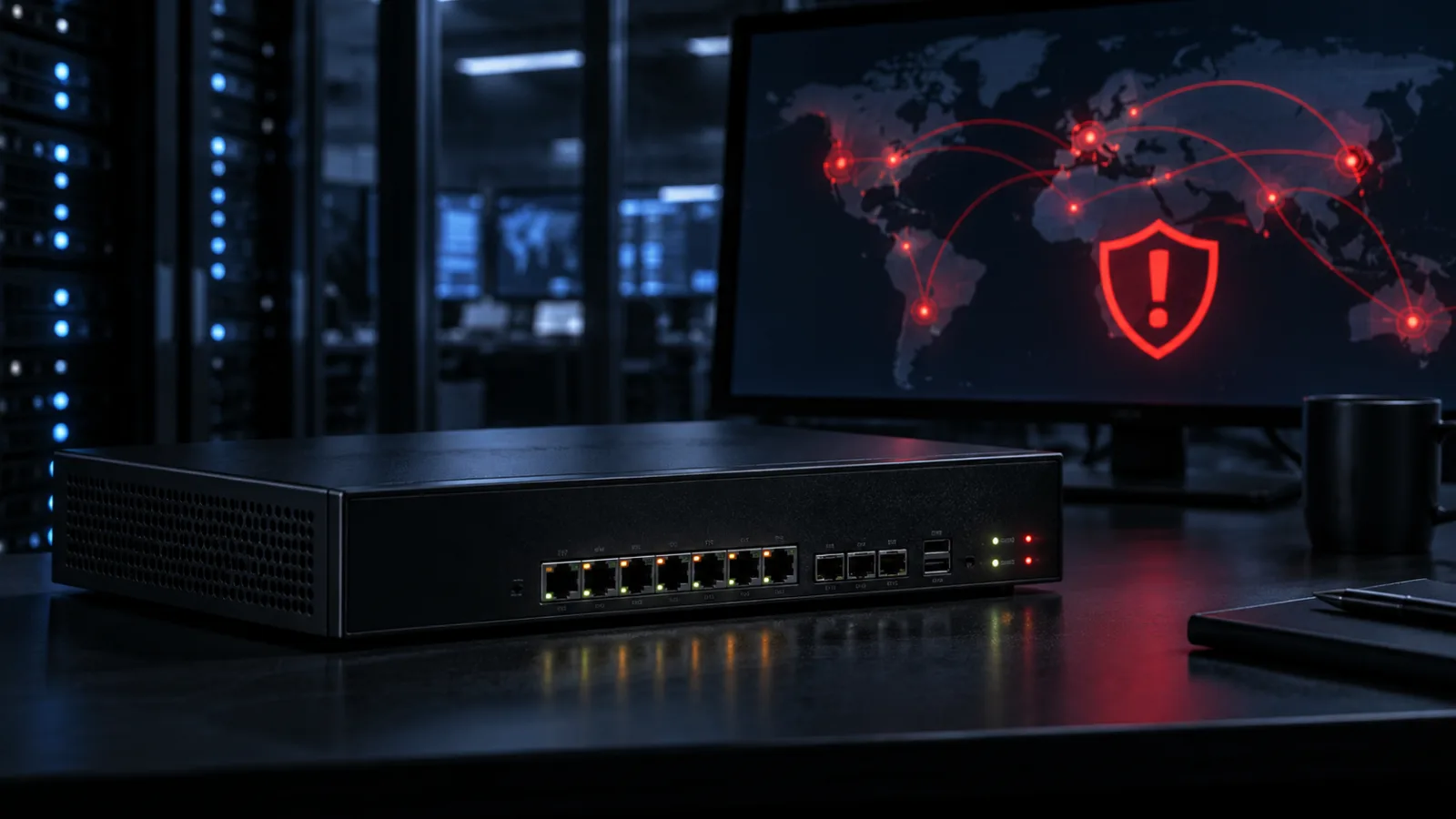
That does not mean every SMA1000 is compromised, or that every customer needs to take its remote-access service offline indefinitely. It does mean that a routine ‘apply the update at the next maintenance window’ response is too weak for an internet-facing remote-access appliance. Operators should identify affected systems, restrict exposure while preparing the fix, install the vendor-provided update, preserve relevant evidence, and make a deliberate decision about credentials and sessions.
The useful distinction is between vulnerability response and incident response. The first asks whether the device can be attacked and how to remediate it. The second asks whether somebody already used the device, what the attacker could reach, and which trust relationships now need to be reset. With these SMA1000 flaws, organizations may need to do both.
What was disclosed
SonicWall’s advisory SNWLID-2026-0016 covers two vulnerabilities affecting the SMA1000 family, including the SMA 6210, SMA 7210 and SMA 8200v models. The relevant components are the Appliance WorkPlace interface and the Appliance Management Console. The distinction matters because these are not generic browser bugs that affect an employee’s workstation. They sit in a product designed to publish and manage remote access, which places the appliance at a particularly sensitive boundary between the public internet, authenticated users and internal services.
CVE-2026-83548 is a server-side request forgery vulnerability in the Appliance WorkPlace interface. Its maximum CVSS 3.1 score is 10.0. In plain language, a request that should have been handled as an ordinary user-facing web request can be abused to make the appliance reach locations or services that were intended to be available only from the appliance itself.
SSRF is dangerous in an edge appliance because the server’s network position and trust relationships are part of the security model. A request sent by an outside user may cause the appliance to make a second request from an internal vantage point. Depending on the product’s local services and configuration, that can expose administrative functionality, internal metadata or other resources that were never meant to be directly reachable from the internet. The exact reachable targets differ by deployment; the important point is that the appliance becomes a proxy across a trust boundary.
CVE-2026-83549 is an operating-system command-injection vulnerability in the Appliance Management Console. Its CVSS 3.1 score is 7.8. SonicWall’s published description treats it as a post-authentication issue involving an administrator-level remote attacker. That qualification is significant when assessing the individual flaw: a person would normally need the relevant authenticated administrative access before reaching the command-injection condition.
The risk changes when the two conditions are considered together. Rapid7 reported that the SSRF issue could potentially be used to reach functionality associated with the management console and then leverage the command-injection weakness. That creates a possible route from unauthenticated access at the externally exposed WorkPlace interface to command execution on the appliance. The safe defensive summary is therefore not ‘one critical bug and one high bug,’ but ‘a pair of bugs in adjacent trust zones that may form an unauthenticated compromise chain.’
This explanation intentionally stops short of reproducing exploit requests or payloads. Administrators do not need those details to make the correct decision. They need to know whether the appliance is affected, whether it was reachable, whether it has been updated, and whether the surrounding identity and network systems show signs of unusual use.
Why the status changed the priority
A high CVSS score is not by itself proof that an attack is happening. CVSS describes technical characteristics such as attack complexity, privileges and potential impact. It does not tell an organization how likely exploitation is in its own environment. The exploitation status is what changes the operational clock here.
SonicWall has confirmed exploitation in the wild, according to Rapid7’s summary of the advisory and related reporting. Both CVE-2026-83548 and CVE-2026-83549 were subsequently listed in CISA’s KEV catalog. CISA describes KEV as an authoritative catalog of vulnerabilities known to have been exploited in the wild and recommends using it as an input to vulnerability-management prioritization. For U.S. federal civilian agencies, catalog entries also carry binding remediation timelines. For other organizations, the catalog is still a useful signal that the issue belongs in an emergency or near-emergency workflow rather than an ordinary backlog.
Rapid7 also reported that, at the time of its analysis, there was no public proof-of-concept, public indicator set or attribution for the activity. That is not reassuring in the way it might sound. The absence of a public proof of concept means defenders should not wait for a neat, copy-and-paste exploit to appear before acting. It also means that public reporting may not yet provide a complete picture of attack volume or attacker behavior.
The current facts support a measured conclusion: exploitation is confirmed, the appliance class is sensitive, and the available public technical detail is incomplete. That combination argues for fast remediation and careful investigation, not for claims that every customer was breached.
Who needs to act first
Start with every team that owns or supports an SMA1000 appliance, including managed-service providers and network integrators. The responsible person may sit in network operations, identity, infrastructure or a security operations center rather than in the product team. An asset inventory that lists only firewalls and VPN concentrators can miss a separate remote-access appliance.
Priority should go to deployments with any of these characteristics:
- The SMA1000’s WorkPlace or related remote-access interface was reachable from the public internet.
- The appliance was used to provide access to corporate applications, administrative systems, file services or development environments.
- The device is connected to internal directory services, LDAP, Active Directory, management APIs or privileged network segments.
- The organization cannot quickly confirm its software or platform-hotfix level.
- Logging is incomplete, has short retention, or is forwarded only to the appliance itself.
- The appliance was recently migrated, reconfigured, restored from backup or placed behind a new reverse proxy.
A device that is not exposed externally can still deserve prompt treatment, but exposure and trust relationships help determine the order. Do not assume that a device is safe merely because administrators normally reach its console from an internal address. A public WorkPlace interface and a separately restricted management console are different controls; the chain described by researchers is precisely a reminder that one interface can affect the security of another.
If an organization has no SMA1000 deployment, these CVEs are not a reason to patch unrelated SonicWall firewalls. The product and component match should be explicit. Avoid broad emergency changes based on a brand name alone.
The first operational pass
The first pass should be short, coordinated and reversible. Assign one person to own the change and another to preserve evidence. If the appliance supports multiple customer or business-unit tenants, include all of them in the review.
1. Confirm the asset and exposure
Record the model, serial number, software release, platform hotfix and the interfaces that were enabled during the relevant period. Check external DNS, firewall rules, load balancers, NAT policies, cloud security groups and vulnerability-scanning results. An appliance can be publicly reachable even when its hostname is not obvious: old DNS records, alternate portals and direct IP access can all matter.
Do not use a scanner or testing script copied from a forum as the first response. A product-specific inventory query, vendor documentation or an existing authenticated management process is safer and more useful. The goal is to establish scope without adding traffic or altering evidence.
2. Reduce unnecessary exposure
If the remote-access service can be temporarily restricted without creating a greater operational risk, limit access to known source networks, a controlled access gateway or a maintenance allowlist while the update is prepared. Disable unused interfaces and administrative paths. Make sure upstream controls do not silently re-expose the service through a second address.
A network restriction is a containment measure, not a fix. It lowers the number of places from which exploitation can be attempted, but it does not remove malicious changes already made to a device. Document the time the restriction was applied and retain the relevant firewall or load-balancer logs.
3. Apply SonicWall’s remediation
Obtain the fixed release and installation instructions from SonicWall’s PSIRT advisory and the normal SonicWall support channel. Verify the package and the target model before installation. Follow the vendor’s supported upgrade sequence, including any reboot, backup or high-availability requirements. If the appliance is part of a cluster, define which member is updated first and how failover will be validated.
Do not treat a configuration backup as a clean image. A backup can preserve useful settings, but restoring it onto a compromised device may also preserve unwanted changes. Keep a known-good baseline, record the current configuration, and involve incident response before rebuilding or restoring when there are signs of tampering.
After the update, confirm the installed version from the appliance itself and from the management record. Check that the expected WorkPlace and administrative functions are available, that access restrictions remain in place, and that monitoring has resumed. A ticket that says ‘upgrade completed’ is not proof that the right device was upgraded.
When patching is not enough
Treat the appliance as a possible incident when the service was exposed during the exploitation window and you cannot establish from reliable logs that it was untouched. The threshold does not require certainty. It requires a documented risk decision.
The investigation should focus on the appliance’s role and its connections rather than on trying to identify a threat actor from limited public information. Preserve, where available:
- Web access logs for WorkPlace and related public interfaces.
- Management-console authentication and administrative-action logs.
- System, audit, process and service logs from the appliance.
- Reverse-proxy, firewall, load-balancer and network-flow records.
- Directory, LDAP, identity-provider and VPN authentication events.
- Endpoint alerts on systems that were reachable through the appliance.
- Configuration and policy changes, especially new users, routes, certificates, scheduled tasks or remote destinations.
Capture the relevant time range before logs rotate. Export records to a separate, access-controlled location and record the time zone. If the appliance is virtualized, coordinate snapshots and forensic collection with a specialist; an improvised snapshot or reboot can alter volatile evidence and complicate later analysis.
The most useful questions are concrete:
- Did the WorkPlace interface receive unusual requests, errors or destination patterns?
- Were there administrative logins from new locations, at unusual times or using accounts that normally perform no appliance administration?
- Did configuration, routing, authentication or certificate settings change unexpectedly?
- Did the appliance initiate connections to internal systems it does not normally contact?
- Did users receive unexpected remote-access prompts, session resets or authentication failures?
- Did systems behind the appliance show new logins, new administrative activity or unusual data access?
A missing log entry is not evidence that nothing happened. It may mean that the relevant logging was disabled, bypassed, overwritten or never configured. State that limitation clearly in the investigation record.
Credentials, sessions and trust relationships
The correct credential response depends on what the appliance could access and what the evidence shows. A blanket password reset for every employee may create disruption while missing the high-value accounts that matter. A narrowly targeted reset may be insufficient if administrative credentials, directory bind accounts or session material were exposed.
Build a credential map before changing everything at once. Include appliance administrators, local appliance users, directory or LDAP service accounts, certificates and private keys used for authentication, API tokens, privileged remote-access accounts and accounts that can move from the appliance into internal systems. Mark which secrets were stored on the appliance, accepted by it, or available through a connected service.
If compromise is suspected, rotate the highest-risk secrets through a controlled sequence. Revoke active sessions and tokens where the product and identity provider support it. Invalidate remembered devices or persistent cookies associated with affected access paths. Reset or re-enroll stronger authentication factors when there is evidence that the factor material itself may have been exposed. Changing a password without revoking active sessions can leave an attacker’s existing access intact.
The sequence matters operationally. Keep a break-glass administrative path available, test the new credentials, and coordinate with identity owners before disabling the only service account that permits remote access. Record old and new credential states without placing secret values in tickets or chat.
The point is not to assume that these particular vulnerabilities automatically reveal every password or MFA factor. Public reporting does not establish that outcome. The point is to avoid a false boundary in which an edge appliance is patched while credentials and sessions that passed through it remain trusted without review.
What the vulnerability teaches about remote access
The SMA1000 case illustrates why remote-access systems deserve a different remediation standard from ordinary internal applications. A remote-access appliance is simultaneously a web service, an identity enforcement point, a network client and a bridge to internal resources. A flaw in one of those roles can change the meaning of controls in the others.
SSRF is especially uncomfortable in this setting because it turns the server’s own reachability into an attacker-controlled capability. Network segmentation can help, but only if the appliance’s egress is constrained. If an edge device can make arbitrary outbound connections to internal management services, metadata endpoints or directory infrastructure, the segmentation policy may exist on paper while the appliance provides a permitted route around it.
That leads to a durable control question: what destinations does the appliance actually need to reach? Build an allowlist where the product supports it. Block unnecessary outbound connections at the network layer. Monitor egress from remote-access appliances instead of watching only inbound login attempts. A control that prevents an appliance from contacting unrelated internal services reduces the blast radius of both known and future server-side request forgery bugs.
The management console deserves its own boundary. Administrative interfaces should not be published simply because the user-facing remote-access service is published. Restrict management access to dedicated administrator networks or a hardened access path, use separate administrator identities, and alert on administrative authentication from the public interface or from unexpected segments. These measures do not replace the vendor update, but they reduce the number of ways a chained weakness can become a broader compromise.
How to communicate the risk without panic
For executives and service owners, the message can be precise: two SMA1000 vulnerabilities are being exploited, the affected appliance may sit on a critical remote-access boundary, and the organization is taking a defined set of actions to establish exposure, patch the system and validate connected identities. Avoid saying ‘the company has been hacked’ before the investigation supports that conclusion. Avoid saying ‘there is no risk’ merely because a patch was installed.
For users, explain any temporary remote-access restriction, expected maintenance window and approved support channel. Attackers often benefit from confusion during emergency changes. Do not ask employees to install a new client, send codes or approve unexpected prompts because a message claims to be part of the SMA1000 response. Keep incident communications on channels that do not depend on the potentially affected appliance.
For suppliers and managed-service providers, request an inventory-backed answer rather than a generic assurance. Ask which model and release were deployed, when the appliance was exposed, when the update was applied, what logs are retained, and whether any related accounts or sessions were reviewed. The answers should identify assets and times, not only repeat the advisory’s severity rating.
A practical decision tree
If the appliance is not an SMA1000 or the relevant components are not present, document that result and continue normal vulnerability management. If it is an SMA1000 but was never reachable from an untrusted network, schedule the vendor update promptly and verify internal access controls. If it was internet-facing, move the update ahead of routine work and review exposure logs.
If it was internet-facing and logs show suspicious requests, unexpected administration, unexplained egress or changes on the appliance, enter incident-response handling. Restrict access, preserve evidence, patch or rebuild according to the response plan, and review credentials and sessions that crossed the device. If logs are unavailable or inconclusive, record the uncertainty and use the device’s trust relationships to determine whether a precautionary credential and session response is justified.
If a service interruption would endanger safety or essential operations, involve the business owner and incident commander immediately. Compensating controls may include upstream access restrictions, an alternate remote-access path, temporary removal of high-risk internal routes and closer monitoring. Do not let the need for availability become an undocumented exception to a known-exploited vulnerability.
The larger lesson
The speed of this disclosure is familiar: advisory, exploitation confirmation, KEV entry and community discussion arrive close together. The answer is not to chase every alarming post. It is to have a workflow that becomes faster when the evidence improves.
For remote-access appliances, that workflow should connect asset management, vulnerability intelligence, network controls, identity operations and incident response. A patching team needs to know which device is exposed. A security operations team needs the logs before they expire. Identity owners need to know which accounts and sessions depended on the device. Network teams need to know whether the appliance can reach more than its documented purpose.
CVE-2026-83548 and CVE-2026-83549 are urgent because they combine a vulnerable public-facing interface, a management function and confirmed exploitation. They are also a useful test of operational maturity. The organization that can answer ‘which appliance, exposed when, fixed how, evidence where, identities reviewed by whom?’ will be in a much stronger position than one that simply announces a successful patch.
The calm response is therefore demanding but straightforward: verify the product, reduce exposure, apply SonicWall’s fix, preserve evidence, investigate proportionately, and reset trust where the facts warrant it. That is enough to act decisively without inventing a breach that has not been established or minimizing one that has.
Sources and reporting used
- SonicWall PSIRT advisory SNWLID-2026-0016 — vendor disclosure, affected SMA1000 components, severity and remediation.
- CISA Known Exploited Vulnerabilities Catalog — exploitation-status context and prioritization guidance.
- Rapid7: Critical SonicWall SMA1000 Vulnerabilities CVE-2026-83548 and CVE-2026-83549 Exploited in the Wild — independent technical and exploitation-status analysis.
- NVD record for CVE-2026-83548 — CVE record and vulnerability metadata.
- NVD record for CVE-2026-83549 — CVE record and vulnerability metadata.
- Cyber Security Agency of Singapore alert on active exploitation in SonicWall SMA1000 — government advisory context and severity confirmation.
- GovCERT Hong Kong security alert A26-09-09 — independent alert listing published 7 September 2026.
Comments
Sign in to comment.
No comments yet.