Amazon’s 2026 Echo Dot Is Also an eero Extender: The Wi‑Fi Trade-Off Buyers Need to Check
The new $99.99 Echo Dot adds a smart-home hub and eero Wi‑Fi extension to a familiar speaker. That makes it more useful in an Amazon home, but only if your network, placement, privacy settings, and Alexa+ plans fit the device.

Amazon’s new Echo Dot looks like a small speaker, but its most consequential change is not the claimed bass increase. The 2026 model is also a smart-home hub and an eero Wi‑Fi extender, turning a low-cost Alexa device into a small piece of home-network infrastructure.
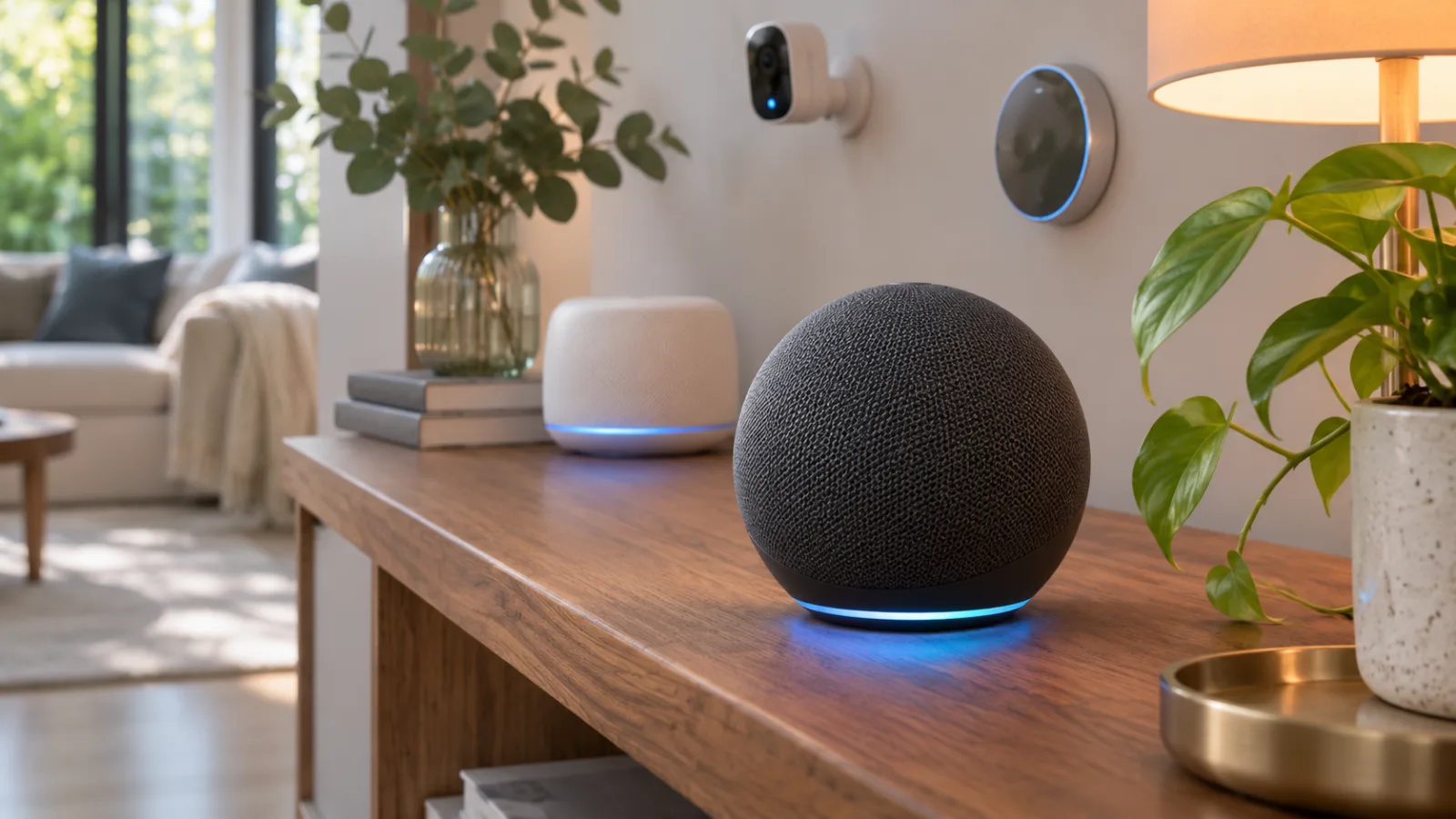
That changes the buying question. The old question was whether a compact Echo was worth buying for voice control, timers, music, and routines. The new question is whether putting a microphone, a cloud-connected assistant, a smart-home controller, and a limited Wi‑Fi node in the same room solves a real problem in your home.
The answer can be yes. A household with an eero network and a distant smart-home corner may get more value from one $99.99 device than from a separate speaker. But the Echo Dot is not a general-purpose replacement for a mesh node, and its network function does not make Alexa+ free for everyone. Buyers should treat it as a combined convenience device with clear compatibility and privacy boundaries, not as a cheap substitute for every part of a home network.
What Amazon actually changed
Amazon announced the new Echo lineup on October 28, 2026. The new Echo Dot ships for $99.99, with Kids versions listed at $109.99 and a year of Amazon Kids+ included. The exterior remains close to the previous spherical design, so the product is easy to mistake for a routine refresh.
Inside, Amazon says the Dot uses its AZ3 silicon, a new AI accelerator, four microphones, and an Omnisense sensor. The company claims up to 50% more bass than the prior generation and says the processor is intended to make Alexa+ conversations more responsive. Those are launch claims, not independent measurements. They may matter if you use the Dot mainly as a speaker, but they should not be confused with a tested improvement in every room or with a guarantee that Alexa will answer more accurately.
The more practical additions are connectivity features. Amazon describes the new Echo Dot as having a built-in smart-home hub, with support for standards and protocols including Matter, Thread, and Zigbee. It also includes eero Built-in, allowing the device to extend an existing eero network.
Amazon and eero say the Echo Dot can add up to 1,000 square feet of coverage and support speeds up to 100 Mbps when used as an eero extender. Those figures describe the capability under the company’s stated conditions. They are not a promise that every home will see 1,000 square feet of useful coverage or that a phone in the next room will receive a full 100 Mbps. Walls, interference, placement, broadband speed, client devices, and the rest of the mesh all matter.
That distinction is central to the product. The Dot can help with a weak corner, but it is still designed first as a small speaker and Alexa endpoint. It does not suddenly become a wired access point, a high-throughput Wi‑Fi 6E router, or a complete replacement for an eero node built for sustained traffic.
The eero feature is useful only in the right network
The new Dot’s Wi‑Fi role sounds simple: place it where coverage is weak and let it join the eero system. In practice, the network has to be compatible and the placement has to be sensible.
First, this feature is for an existing eero network. It does not turn the Echo Dot into an independent mesh system for someone using a different router brand. A household with Google Nest Wi‑Fi, TP-Link Deco, Asus, Linksys, or a provider-supplied router should not buy the Dot expecting the same extender function to work. The speaker can still connect to those networks as a normal Wi‑Fi device, but the eero Built-in benefit depends on eero’s platform and account setup.
Second, an extender cannot repair a bad signal by being placed in the dead zone itself. It needs a usable connection back to the existing network. If the Dot is pushed into a basement room where the eero signal is already too weak, it may deliver disappointing results. The useful location is usually between the existing eero node and the problem area, with a clear enough path to maintain a reliable backhaul.
Third, the 100 Mbps ceiling matters. For a smart speaker, smart plugs, lights, sensors, and ordinary browsing, that may be entirely adequate. It is a different proposition for a room where someone expects fast game downloads, high-bitrate streaming, video calls, or multiple heavy users. A dedicated mesh point can provide more headroom and may offer better antenna placement, wired backhaul options, or more detailed traffic controls.
The best use case is therefore modest: a small extension for a room that needs reliable everyday connectivity, especially when the household already owns eero and wants an Echo there anyway. The weakest use case is buying the Dot solely to solve a serious Wi‑Fi problem. In that situation, diagnose the network first and compare the cost of a dedicated node.
A speaker that also becomes part of the smart-home control plane
The built-in hub may be more valuable than the extender for some households. Matter and Thread are intended to make compatible smart-home devices less dependent on a single manufacturer’s proprietary system, while Zigbee remains common in lights, sensors, plugs, and older smart-home products.
A hub inside the speaker reduces the number of boxes in a room. It may also simplify setup for someone who wants to add a door sensor, motion sensor, light, or thermostat without buying a separate bridge. The convenience is real, but it comes with a platform decision: the Echo Dot becomes a more important part of how that home discovers, controls, and automates devices.
That can be a good fit for an Alexa-centered home. If most routines already run in the Alexa app, adding a hub to the speaker may make the system easier to maintain. A family can put the Dot in a hallway or living room and use it for voice control while nearby Thread or Zigbee devices communicate through the hub.
It is less compelling for a household deliberately building around local control, multiple ecosystems, or a dedicated smart-home server. Standards improve interoperability, but they do not make every platform behave identically. Matter support does not guarantee that every device exposes every feature in every app. Thread also requires a compatible border-router arrangement, and a buyer should check the exact device and region requirements before assuming that a particular sensor will work exactly as advertised.
The broader lesson is that consolidation saves space but concentrates dependence. If the Dot fails, is deregistered, loses account access, or changes behavior after a software update, the impact may extend beyond music and voice commands. A separate hub or a local controller can be less tidy while keeping the system easier to separate and replace.
Alexa+ is part of the value calculation, but not the whole product
Amazon is positioning the new hardware around the latest Alexa experience. Its Alexa+ help material says Prime customers receive Alexa+ at no additional charge, while non-Prime customers can use a paid Standard plan. Amazon also says a limited free experience is available through Alexa.com and the mobile app, but not the same full device experience on Echo and Fire TV hardware.
That means the Dot’s advertised intelligence can have different practical value depending on the buyer’s account. A Prime member may see Alexa+ as an included benefit. A non-Prime buyer should not assume that paying $99.99 for the speaker permanently unlocks every AI function Amazon demonstrates. The regular Alexa functions and the Alexa+ features are related but should be evaluated separately.
It is also worth separating faster processing from better answers. Amazon’s AZ3 chip may help with responsiveness, wake-word handling, or selected on-device work. It does not remove the need for cloud services, account permissions, supported languages, regional availability, or compatible integrations. A faster response is not the same thing as a reliable answer, and a conversational assistant still needs review before it is trusted with shopping, home access, reminders, or actions that affect other people.
For a buyer who wants a basic timer, music speaker, and smart-home controller, Alexa+ may be incidental. For a buyer choosing the Dot because of advanced conversational features, the subscription terms and supported-device details deserve as much attention as the speaker hardware.
Privacy changes when the device becomes more capable
Every Echo is a microphone-equipped network device. The new Dot adds more reasons to place it in important rooms and gives it a larger role in home automation. That makes privacy settings and household expectations more important than they were when the device was treated as a simple speaker.
Amazon provides privacy controls for Alexa recordings, transcripts, permissions, and advertising preferences. Buyers should review those controls during setup rather than accepting every default and forgetting about them. Check whether voice recordings are retained, who can review or access activity, which skills have permissions, and whether shopping, calling, drop-in, or household profiles are enabled.
The microphone-off control remains a practical physical safeguard when conversation should not be captured by an always-ready assistant. It is not a replacement for account security, because a compromised account can create a different class of problem. Use a strong unique Amazon password, enable multi-factor authentication, review signed-in devices, and be cautious about giving voice control to locks, garage doors, alarms, or purchases.
The network function creates another boundary. An Echo Dot extending an eero network is not the same as placing an untrusted device on a completely separate guest network. Buyers who want stronger separation for cameras, work computers, or home servers should inspect the segmentation options available in their eero setup and confirm which devices can communicate with which others. The Dot’s convenience should not be allowed to dictate the security architecture of the entire home.
There is also a human privacy question. People in a home may accept an Alexa speaker in a common room but not in a bedroom, office, or guest room. That matters more as the product becomes useful for presence sensing, routines, and proactive assistance. A technically correct privacy policy does not settle whether every person sharing the space has agreed to the device’s placement.
What the $99.99 price is really buying
At $99.99, the Echo Dot is no longer just an inexpensive way to try Alexa. The price pays for a speaker, microphones, a newer processor, sensors, a smart-home hub, and eero extension capability. That bundle can be strong value if a buyer will use several of those functions.
The value is weaker when the household needs only one of them. If the goal is better Wi‑Fi, compare the Dot with a dedicated eero node and look at its speed, coverage, placement flexibility, and backhaul options. If the goal is a smart-home hub, compare the cost and ecosystem limits of a dedicated Matter or Thread controller. If the goal is music, listen to the Dot before assuming Amazon’s bass percentage will translate into a meaningful improvement in your room.
The claimed 50% bass increase also needs context. A percentage supplied by a manufacturer may describe a particular measurement and does not tell you whether vocals are clearer, bass is less distorted, or the speaker sounds better at the volume you use. The Dot remains a small speaker. It can be useful for background listening, speech, alarms, and casual music, but it is not automatically a replacement for a larger speaker or a stereo setup.
The product is easiest to justify when the buyer already has eero, already uses Alexa, and has a room that needs both a speaker and a small coverage boost. The buyer is paying for consolidation and convenience rather than maximum performance in any single category.
Who should buy it now
The new Echo Dot makes sense for an eero household that wants to add Alexa in a room near, but not inside, a weak-coverage area. It is also a reasonable choice for someone starting a modest Alexa smart home and wanting Matter, Thread, or Zigbee support without placing another hub on a shelf.
It is particularly practical for a kitchen, hallway, office, or bedroom-adjacent space where voice control, timers, sensors, and ordinary Wi‑Fi all matter. The device can reduce clutter and provide a single setup path for several everyday functions.
A Prime member who already wants Alexa+ has a clearer value proposition because Amazon includes the service with Prime. Even then, the buyer should confirm regional availability and the specific features supported by the account and device.
Who should wait or choose something else
Wait if your main problem is a large or difficult Wi‑Fi dead zone. Start with a placement survey and compare a dedicated mesh node. A $99.99 speaker that can extend eero coverage is not necessarily the cheapest or most reliable network repair.
Choose another smart-home architecture if local control, vendor independence, or easy replacement is more important than having one compact Amazon device do several jobs. Standards such as Matter help, but they do not eliminate the practical differences between platforms.
Be cautious if you are buying for a household that does not want a microphone in a central room, or if the device will be placed where guests, children, or workers may reasonably expect more privacy. The mute button and app settings help, but they do not remove the need for agreement about placement.
Finally, do not pay for Alexa+ assumptions. Check whether your country, language, subscription, account type, and intended commands are supported. The hardware can still work as an Echo without every AI feature, but that is a different buying decision from purchasing it as an Alexa+ appliance.
The practical setup checklist
Before ordering, check four things: whether you already run an eero network, where the Dot would sit relative to the nearest eero node, which smart-home standards your devices use, and whether your household accepts the privacy trade-off.
After delivery, update the device and eero system, place the Dot where it has a strong connection rather than at the edge of coverage, and run a speed test from the room that needs help. Treat the 1,000-square-foot figure as a maximum claim, not a room-by-room guarantee. If the result is unstable, move the Dot closer to the primary eero node or use a dedicated mesh point.
Then review Alexa privacy, voice-recording retention, household profiles, skill permissions, shopping and calling controls, and any routines that can unlock or control physical devices. Add smart-home products one at a time and confirm how they behave when the internet is unavailable. A setup that works only while every cloud service is healthy should not be described as resilient.
Amazon’s 2026 Echo Dot is more interesting because it is no longer only a speaker. That is also why it deserves a more careful purchase decision. The strongest reason to buy it is the combination of an Alexa endpoint, a small smart-home hub, and a modest eero extension in the same room. The weakest reason is the hope that one inexpensive gadget will replace a proper network upgrade, a dedicated home controller, and a privacy review all at once.
Related articles
Amazon’s Echo Studio with Home Camera: What the New Speaker Changes for Privacy and Value
Amazon’s new $249.99 Echo Studio adds a camera to a premium speaker. The practical question is not whether Alexa can see more, but whether the camera, subscription limits, and cheaper alternatives justify putting it in your room.

Amazon’s New Echo Dot Is a Smart-Home Hub and Eero Extender—Audit the Trade-Offs Before You Buy
Amazon’s 2026 Echo Dot combines Alexa, Zigbee, Matter, Thread, and eero Wi-Fi extension in a $99.99 speaker. The useful question is not whether it replaces a hub, but which parts of your existing setup it can safely simplify.
Apple HomeView is a $299 smart-home hub. The real question is whether your home fits Apple’s rules
Apple’s first smart display combines a 7-inch screen, Siri AI, FaceTime, home controls and personalized profiles. Its value depends less on the hardware than on language support, Apple devices, home hubs, subscriptions and the accessories you already own.
Sub-GHz Thread Is Coming, but Your Smart Home Should Not Wait for It
Thread Group has started work on a Sub-GHz version of Thread. That matters for range, but it is not a buying signal for today’s door sensors, locks or outdoor devices yet.

Comments
Sign in to comment.
No comments yet.