Choosing an e-ink tablet as a sunlight SSH terminal for AI-agent work
A practical buyer guide for running the real work on a server while using an e-ink or reflective tablet outdoors as a cool, readable SSH terminal.
There is a very specific kind of summer work that makes normal tablets feel silly. You are outside, the sun is brutal, the phone is already dimming itself, the iPad is warm enough to make you nervous, and all you really need is a terminal connected to a server. Not a workstation. Not a video-editing slab. A quiet screen, a keyboard, SSH, tmux, and an AI agent running somewhere far away in a cool rack.
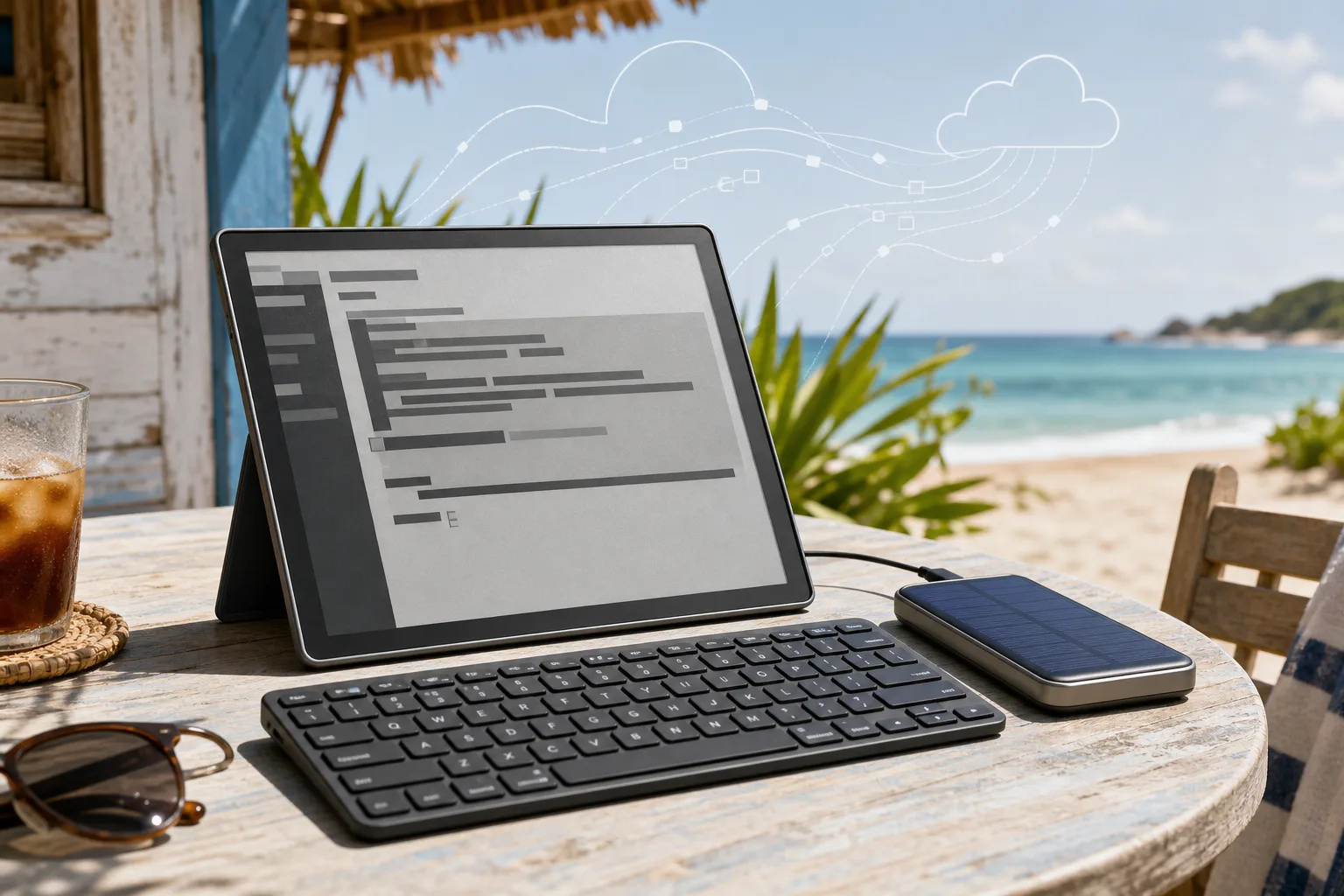
That is the promise of an e-ink terminal setup. The local device does almost nothing. The server runs Hermes, Claude Code, Codex, OpenCode, a shell session, logs, builds, tests, and whatever agent loop you trust. The tablet only has to show text, accept keyboard input, keep a Wi-Fi or phone-hotspot connection, and survive sun that would make a glossy OLED miserable.
It sounds niche. It is niche. But it is also one of the few gadget niches where the appeal is not fake. A beach, a balcony, a dacha table, a train platform, a courtyard in July: these are terrible places for ordinary screens and surprisingly good places for reflective displays. E-ink gets more readable in bright light. LCD and OLED usually do the opposite. The whole idea is upside down in a useful way.
Still, the buying decision is not simple. Most e-readers are locked-down book devices. Many note-taking tablets are wonderful for handwriting and bad for terminals. Some Android e-ink tablets can run Termux, JuiceSSH, ConnectBot, browsers, Tailscale, Syncthing, Telegram, and documentation apps, but they bring the usual Android mess: background limits, keyboard quirks, app scaling, firmware surprises, and e-ink refresh artifacts. Then there are reflective LCD devices like the Daylight Computer DC-1 that are not e-ink at all, but may be better for a live terminal.
The practical thesis is this: if your AI-agent workflow already lives on a server, an outdoor terminal can be lighter, cooler, calmer, and more battery-friendly than a laptop or iPad. But you should buy for SSH first and reading second, not the other way around. The wrong e-reader will be a beautiful dead end.
The job to be done
The device has to do a few boring things well. Boring matters here.
First, it needs a usable terminal. On Android that usually means Termux, JuiceSSH, ConnectBot, Blink-like clients if available, or a browser-based terminal such as code-server, Wetty, ttyd, VS Code tunnels, GitHub Codespaces, or a web UI for your agent. Termux is especially useful because it gives you a real Android terminal environment with packages, ssh, mosh-style workflows if you configure them, git, rsync, and scripting. The Termux project describes itself as an Android terminal emulator and Linux environment with packages through APT. That is exactly the kind of thing e-ink buyers should care about.
Second, it needs keyboard sanity. A Bluetooth keyboard must pair reliably, key repeat must feel acceptable, Ctrl and Esc must work, and the terminal app must not swallow common shortcuts. If you live in tmux, vim, neovim, Emacs, lazygit, or a full-screen agent CLI, this matters more than screen resolution. A gorgeous 300 ppi panel is no comfort if Alt sends garbage or the keyboard sleeps every five minutes.
Third, it needs enough refresh speed. Classic e-ink is fine for reading logs, writing prompts, and editing text. It is bad at animations and can feel laggy when a terminal scrolls hard. Modern BOOX devices with BSR refresh modes are much better than old Kindles, but they still are not LCDs. You can work around this by using tmux panes sparingly, turning off unnecessary animations, preferring static diffs over live progress bars, and letting the server do the heavy lifting. If your agent UI constantly streams colorful token-by-token output, e-ink will test your patience.
Fourth, it needs outdoor ergonomics. A matte screen, no glossy cover, decent contrast in sunlight, stable stand, and a keyboard that does not skate across a wooden table. Front lights matter less in bright sun but matter in shade, at dusk, or in a dark room after the beach fantasy collapses into normal life. Color e-ink is nice for diffs and UI labels, but current Kaleido screens trade color for darker backgrounds and lower apparent contrast. For black terminal text on a pale background, monochrome can be better.
Fifth, it needs a connection plan. Wi-Fi at a dacha may be weak. Phone hotspots drain phones. Some e-ink devices have no cellular option. If the whole workflow depends on SSH to your server, you need stable network more than local CPU. Tailscale or WireGuard helps if you do not want to expose SSH directly. Mosh can help with roaming and flaky links, though Android/e-ink support depends on your client setup. A server-side tmux session is non-negotiable: if the tablet disconnects, the work should keep going.
Why ordinary tablets fail outside
Modern phones and tablets are dazzling indoors. Outside, they start negotiating with physics. Brightness ramps up, batteries drain, heat builds, glass reflects the sky, and thermal throttling arrives just when you sit down to work. Some devices dim themselves to survive. Some become unreadable unless you hide under a towel like a lunatic.
For coding or agent work, that is especially annoying because the content is mostly text. You are not grading HDR video. You are reading logs, prompts, diffs, TODOs, shell output, and small chunks of documentation. A sunlight-readable black-and-white display is enough. Sometimes it is better than enough because it stops inviting you to do everything else.
There is also a mental benefit. An e-ink terminal is boring in the best possible way. No hot glass slab. No endless notifications if you keep the device clean. No temptation to inspect a timeline because the screen is bad at timelines. It feels closer to a field notebook connected to a server than a tablet pretending to be a laptop.
But the limitations are real. E-ink has ghosting. Cursor motion can smear. Color is muted. Browser UIs may look cramped. Some apps assume fast animation and do stupid things. If your AI-agent workflow needs frequent screenshots, video calls, design review, or heavy web browsing, do not romanticize this. Bring a laptop or use a shaded LCD tablet.
The shortlist
For this job, the market splits into four groups.
The first group is Android e-ink tablets. This is where most serious SSH-terminal candidates live. BOOX dominates because its devices run open Android, often include Google Play or a way to enable it, support Bluetooth keyboards, and expose refresh controls per app. Bigme also makes Android e-ink tablets, often with color panels and ambitious hardware. These are the machines to consider if you want Termux and normal Android apps.
The second group is distraction-free note tablets: reMarkable, Supernote, Kindle Scribe, Kobo Elipsa. They are excellent for reading or handwriting, but poor choices for SSH unless you enjoy hacks, workarounds, or browser limitations. reMarkable Paper Pro is beautiful hardware. Supernote Manta has a loyal writing crowd. Kindle Scribe and Kobo Elipsa are good reading and note devices. None of them is the straightforward outdoor terminal I would buy for an AI-agent workflow.
The third group is reflective LCD. Daylight Computer DC-1 is the obvious example: a 60 Hz paper-like display, Android apps, and much smoother interaction than e-ink. It is not e-ink, and that matters for battery and visual character, but for a terminal it may be closer to the dream than many true e-ink tablets. If you need fast scrolling, web apps, and less ghosting, it belongs on the list.
The fourth group is e-ink monitors. Dasung and other makers sell e-ink displays that connect to a laptop, mini PC, or phone. They can be excellent for a fixed desk or shaded veranda, but they are clumsier for a beach/dacha terminal because you still need a host computer. If your goal is minimal gear, a monitor is not the first choice.
BOOX Go 10.3: the clean monochrome pick
The BOOX Go 10.3 is probably the most sensible starting point for this project. It is a 10.3-inch monochrome e-paper Android tablet, very thin, with a high-resolution 300 ppi screen. It is not trying to be a camera tablet or a color magazine machine. That restraint helps.
For terminal work, monochrome is a feature. Text is crisp. Contrast is better than most color e-ink panels. Diffs are still readable if you choose shapes, prefixes, and restrained colors in the terminal theme. A 10.3-inch panel is big enough for a full-screen SSH session with a readable font and a Bluetooth keyboard. It is also small enough to carry without feeling absurd.
The catch: the Go 10.3 has no front light. In bright sun, that is fine. In shade, dusk, train cabins, hotel rooms, and winter mornings, it is less fine. If you imagine this as a pure outdoor daylight machine, the lack of front light is acceptable. If this is meant to be your all-day mobile terminal, I would hesitate.
The other catch is refresh. It is good for writing, reading, and moderate terminal use. It is not a fast tablet. You will want to tune your workflow: dark text on a light background, minimal animations, tmux, less scrolling, and editor themes designed for e-ink. If you use a streaming agent that prints constantly, slow it down or let it work in the background and read checkpoints.
Verdict: buy the Go 10.3 if you want a clean, sharp, outdoor-first SSH terminal and can live without a front light. It is the closest thing to a paper terminal that does not immediately turn into a science project.
BOOX Note Air4 C: the color compromise
The BOOX Note Air4 C adds color e-ink, Android 13, stronger general tablet features, and front lighting. BOOX positions it as a 10.3-inch color ePaper notebook. For an SSH terminal, color can be useful: git diffs, syntax highlighting, status indicators, browser UIs, dashboards, diagrams, and documentation all become easier to parse.
But color e-ink is a compromise. Kaleido color layers make the screen darker than monochrome Carta panels, and colors are muted. In full sunlight it can still be readable, but for black text the monochrome Go 10.3 or Note Max looks cleaner. The Note Air4 C is more versatile indoors because it has front light. It is also better if your workflow includes PDFs, web dashboards, or diagrams where color matters.
The practical question is whether color helps your terminal enough to justify the contrast penalty. For most SSH work, I would rather have crisp monochrome text. For an agent operator who reads GitHub pages, issue trackers, diagrams, and web UIs outdoors, color becomes more persuasive.
Verdict: buy the Note Air4 C if you want one e-ink tablet for terminal plus documents, web references, diagrams, and notes. Skip it if your real use is 90 percent shell text.
BOOX Tab Ultra C Pro: powerful, but maybe too much
The BOOX Tab Ultra C Pro is the more tablet-like BOOX option: color e-ink, BSR refresh, stronger processor, more memory, storage, camera, and support for a magnetic keyboard with trackpad. It is the model that sounds most like an e-ink laptop replacement.
For SSH, the keyboard case is tempting. A single folding package is cleaner than a loose tablet stand and Bluetooth keyboard. The faster refresh also helps terminal scrolling and web apps. If you plan to use browser-based agent UIs, code-server, GitHub, Linear, Telegram, and documentation on the same device, the Tab Ultra C Pro makes sense.
But it is heavier, more expensive, and less pure. The camera is irrelevant. The color panel has the same contrast trade-off. The laptop-like design is convenient on a table but not always pleasant in a beach chair or on your knees. And once the setup becomes a laptop replacement, you should ask whether a small fanless laptop with a matte display might be less annoying.
Verdict: consider it if you want the most capable BOOX terminal-tablet and value the keyboard case. Do not buy it just because it is the flagship. For a text-first solar terminal, simpler may be better.
BOOX Note Max: the big-screen serious option
The BOOX Note Max is interesting because it goes large: 13.3 inches, monochrome, Android, high resolution, and enough room for a serious terminal layout. If you want an A4-sized e-paper workspace for docs, PDFs, split panes, and long SSH sessions, this is the grown-up option.
The obvious benefit is space. A terminal at a comfortable font size no longer feels cramped. You can keep tmux panes, logs, and an editor visible without squinting. For remote AI-agent supervision, that matters. Reading long diffs on a 10.3-inch screen is possible. Reading them on 13.3 inches is simply calmer.
The trade-off is portability. A 13.3-inch e-ink tablet with a keyboard and stand is not a pocketable beach gadget. It is a dacha table, balcony, train table, or outdoor desk machine. It also costs enough that you should know you want this workflow before buying.
Verdict: best for the person who wants a serious outdoor writing/terminal station, not a casual reader. If your server-agent sessions often involve long logs, docs, and side-by-side text, this may be the best BOOX choice.
BOOX Palma 2: pocketable, but too small for real work
The BOOX Palma 2 is charming: a phone-sized e-paper Android device with a 6.13-inch Carta screen, Google Play, compact body, and the ability to run Android apps. It looks like the perfect tiny SSH companion until you actually imagine typing for two hours.
As an emergency terminal, it is great. Pair a folding keyboard, open Termux or an SSH client, restart a service, check an agent run, approve a small change, read logs. For serious work, the screen is too narrow. Soft wrapping gets ugly. Full-screen terminal apps feel constrained. A browser-based coding UI is painful.
Verdict: buy it as a pocket rescue console, not as the main summer workstation. It pairs well with a server-agent setup if your goal is to intervene occasionally, not write and review all day.
Daylight Computer DC-1: not e-ink, but hard to ignore
The Daylight Computer DC-1 complicates the whole buyer guide. It uses a reflective, paper-like 60 Hz display and runs Android apps. It is not a traditional e-ink tablet. That means it should feel much faster for typing, scrolling, browser terminals, and agent UIs. The company markets it around outdoor readability and blue-light-free use rather than the slow page-turn rhythm of e-ink.
For a sunlight SSH terminal, that speed matters. A terminal is not a book page. It scrolls. Cursors move. Text streams. Web apps redraw. E-ink can handle this with compromises. A fast reflective display may handle it more naturally.
The risks are different. The DC-1 is a newer, more unusual product from a younger company. Long-term support, replacement parts, display durability, and real-world battery life matter. It also does not have the deep track record BOOX has among e-ink Android tinkerers. Early adopters may love it. Conservative buyers may want to wait for more long-term reports.
Verdict: the most intriguing option if you want fast outdoor terminal work and are comfortable buying into a newer platform. If I wanted one device specifically for browser-based agent dashboards in sun, I would look very closely at it. If I wanted the proven e-ink route, I would still start with BOOX.
reMarkable Paper Pro, Supernote Manta, Kindle Scribe, Kobo Elipsa: wonderful wrong tools
These devices deserve respect, but not for this job.
reMarkable Paper Pro is a beautiful paper tablet. It is built for notes, reading, markup, and focus. Supernote Manta is beloved for writing, replaceable parts, and a calmer note-taking workflow. Kindle Scribe and Kobo Elipsa are strong reading-and-annotation devices tied to their ecosystems.
The problem is not screen quality. The problem is control. For an SSH terminal, you need normal apps or a reliable browser terminal. You need keyboard shortcuts. You need a way to install the tools you use. You need fewer walls. These devices are intentionally not general Android tablets.
Could a determined person hack something together? Sometimes. Should a buyer choose one for this purpose? No. If the main job is talking to an AI agent on a server, buying a locked note device is like buying a beautiful fountain pen and then trying to use it as a network cable.
Verdict: buy them for writing and reading. Do not buy them as your primary SSH terminal.
Bigme and other Android e-ink tablets
Bigme makes a range of Android e-ink and color e-ink devices, including models with keyboards and ambitious specs. On paper, they often look competitive with BOOX. In practice, I would treat them as second-line choices for this particular workflow unless you have a specific model you can test or return easily.
The issue is not that Bigme cannot work. Android e-ink plus Bluetooth keyboard plus SSH is a known pattern. The issue is software polish, update confidence, keyboard behavior, and refresh tuning. BOOX is imperfect, but it has a larger user base for Android e-ink workflows and more shared knowledge around app optimization.
Verdict: consider Bigme if price, availability, or a particular model is compelling. For a first sunlight terminal, BOOX is the safer recommendation.
What size should you buy?
For real SSH work, 10.3 inches is the practical minimum. Smaller devices are fine for emergencies. Larger devices are better for long sessions.
A 7- or 8-inch e-reader can show a terminal, but it forces compromises: larger fonts mean fewer columns, smaller fonts mean eye strain, and wrapped logs become a mess. A 10.3-inch tablet gives you room for 80-column text, a readable prompt, and a sane editor. A 13.3-inch tablet lets you work more like you would on paper or a small monitor.
If you want to sit outside for twenty minutes and check an agent run, a Palma-sized device can work. If you want to write prompts, review diffs, edit files, and manage a server for half a day, buy 10.3 inches or larger.
Monochrome or color?
For this use case, monochrome wins more often than people expect.
Terminals are mostly text. Black text on a pale background is where monochrome e-ink is strongest. It has better contrast, cleaner edges, and usually less visual mud. You can still represent diffs without color by using prefixes, spacing, and simple themes. Many serious terminal users already survive in monochrome when they need to.
Color helps when your workflow leaves the terminal: GitHub labels, issue trackers, diagrams, web dashboards, annotated PDFs, charts, and docs. If the tablet is also your outdoor reading and research machine, color is worth considering. Just do not assume color e-ink looks like an iPad. It does not. It looks like colored newspaper.
My bias: choose monochrome for a dedicated SSH terminal. Choose color for a mixed terminal/research tablet.
The keyboard matters more than the stylus
For this project, the stylus is optional. The keyboard is not.
A good portable keyboard should have real Ctrl and Esc keys, stable Bluetooth, comfortable spacing, and enough weight not to slide around. Mechanical travel is nice but not required. A trackpad is useful only if your workflow includes browser UIs. For pure terminal work, a stand plus a normal Bluetooth keyboard can be better than a cramped proprietary keyboard case.
Test the exact shortcuts you use: Ctrl-C, Ctrl-D, Ctrl-R, Ctrl-A, Ctrl-E, Ctrl-L, Esc, Alt, arrow keys, Page Up, Page Down, and whatever tmux prefix you prefer. If you use Vim, test Normal mode until it feels boring. Boring is the goal.
Also think about layout. On some Android devices, external keyboard layouts can be annoying, especially for symbols used in shell work: pipe, tilde, backtick, slash, brackets. A terminal is punctuation-heavy. If those keys are awkward, the whole setup fails.
Software setup that makes sense
The cleanest setup is server-first.
Run your AI agent on the server, not on the tablet. Keep long-running work inside tmux or a similar session. Use SSH keys, not passwords. Put the server behind Tailscale, WireGuard, or another private network if possible. Keep a fallback web terminal for emergencies. Make the e-ink device a thin client.
On Android e-ink, Termux is the most flexible route if it works well on your device. Install openssh, git if needed, mosh if your setup supports it, and a font you can read outdoors. JuiceSSH and ConnectBot are simpler for pure SSH. A browser-based terminal can be better if keyboard handling is good and your server exposes it safely behind VPN.
Tune the terminal for e-ink. Use a light theme. Avoid blinking cursors if they smear. Reduce colorful prompts. Disable animations in TUIs. Prefer compact status lines. In tmux, keep panes simple and avoid constantly updating widgets. If an agent streams output noisily, let it log to a file and tail only when needed.
The server should do the heavy work. Builds, tests, repo search, code generation, transcription, image generation, package installs: all of that belongs off-device. The tablet should stay cool because it is mostly drawing text.
Heat, battery, and power
E-ink does not magically make electronics immune to heat, but it helps because the display does not need a bright backlight fighting the sun. An outdoor e-ink terminal should draw far less power than a laptop or high-brightness tablet doing the same text work.
Battery life will depend on Wi-Fi, refresh mode, front light, Bluetooth keyboard, and how much the screen redraws. Fast refresh modes use more power. A front light in shade uses power. A weak hotspot makes radios work harder. Still, for text-heavy SSH, the setup can be impressively frugal.
A small power bank is enough. A folding solar panel can help at a dacha or beach, but do not build the whole plan around perfect solar charging. Think of solar as a slow top-up, not a guaranteed power source. The best energy saving is architectural: run the agent on a server and keep the client dumb.
Privacy and security
A sunlight terminal is still a terminal. Treat it like one.
Do not store plain SSH passwords. Use keys with passphrases. Use device lock. Keep the tablet updated. If possible, connect through a VPN instead of exposing SSH to the internet. Use a separate low-privilege server user for agent work. Make sure sudo requires thought. If you use browser terminals, protect them with strong authentication and private networking.
There is also physical privacy. E-ink is readable from angles. On a beach or train, someone nearby can read your screen more easily than you think. Do not review secrets, customer data, tokens, or private logs in public. This sounds obvious until the sun is perfect and you forget where you are.
Concrete recommendations
Best overall for a dedicated sunlight SSH terminal: BOOX Go 10.3. It is sharp, monochrome, Android-based, portable, and focused. The lack of front light is the main drawback. If your work happens mostly in daylight, that is acceptable. If you also work at night, consider another BOOX.
Best bigger serious setup: BOOX Note Max. The 13.3-inch screen is the difference between "this works" and "I can actually spend hours here." It is less casual, more expensive, and less beach-bag friendly, but for long terminal sessions it is the one I would want on a table.
Best mixed terminal and research tablet: BOOX Note Air4 C. Choose it if color, front light, PDFs, diagrams, and web references matter. Accept that pure black text will not look as clean as monochrome.
Best fast experimental option: Daylight Computer DC-1. It may be better than e-ink for live terminal and web-agent interfaces because of the 60 Hz reflective display. The risk is platform maturity. Buy it if you are comfortable being closer to the edge.
Best pocket emergency console: BOOX Palma 2. Great for checking a server, approving a run, or doing a quick fix. Too small for all-day work.
Do not buy for this purpose: Kindle Scribe, Kobo Elipsa, reMarkable Paper Pro, Supernote Manta. They are good devices for their own jobs, but not the right tool for a general SSH terminal.
Consider but verify before buying: Bigme Android e-ink tablets and Dasung-style e-ink monitors. They can fit certain setups, but I would want a return window and a keyboard test before trusting them.
What I would buy
If I had to spend my own money for this exact scenario, I would choose between two devices.
For a portable beach/dacha terminal: BOOX Go 10.3, Bluetooth keyboard, slim stand, Tailscale, Termux or JuiceSSH, tmux on the server, monochrome terminal theme, and a small power bank. Simple, readable, not too heavy.
For a serious outdoor desk: BOOX Note Max with a proper keyboard and stand. Bigger, calmer, better for long logs and side-by-side text. Less romantic, more useful.
If I needed browser dashboards and fast scrolling more than e-ink purity, I would test the Daylight DC-1 before committing. It might be the right answer for people whose "terminal" is really a web-based agent cockpit.
What not to do
Do not buy a locked e-reader and hope it becomes a Linux terminal. Do not buy a color e-ink tablet only because color sounds modern. Do not assume a keyboard case is better than a real Bluetooth keyboard. Do not run the AI agent locally on the tablet. Do not expose SSH directly to the internet because the client device feels low-risk. Do not skip tmux.
Most of all, do not buy the gadget before testing the workflow on whatever you already own. Try a server tmux session from your phone with a Bluetooth keyboard. Try a web terminal over Tailscale. Try writing prompts without a mouse. If the workflow itself feels wrong, e-ink will not save it.
The verdict
An e-ink SSH terminal for AI-agent work is not a laptop replacement. It is a deliberate narrow tool: sunlight-readable, low-distraction, server-first, text-first. That narrowness is why it can be good.
Buy one if your agent workflow already lives on a server, you mostly supervise text, you spend real time outdoors, and normal tablets annoy you in sun and heat. Start with BOOX Go 10.3 for portability or BOOX Note Max for comfort. Look at Daylight DC-1 if refresh speed matters more than e-ink battery aesthetics.
Skip the idea if you need rich web apps, video, design review, heavy local compute, or a device that behaves exactly like an iPad. E-ink is not magic. It is paper-like compromise. For the right kind of summer work, though, that compromise feels almost luxurious: a quiet terminal, a keyboard, a server doing the hard part, and a screen that gets better when the sun comes out.
Related articles
Kindle’s firmware fight is really about who controls your e-reader
Fresh complaints about Kindle firmware, DRM and Libby loans are not just a hobbyist fight. They show why buying an e-reader now means choosing an ecosystem’s rules, not only a screen.
The USB-C travel charging kit that actually makes sense in 2026
A practical guide to choosing one charger, the right cables, a safe power bank and a plug adapter without packing a drawer full of electronics.
Digital-only consoles are turning gadget ownership into a trust problem
Sony's disc and digital-library stories are not just PlayStation news. They show why buyers need to judge modern devices by accounts, stores and licence rules, not only by hardware specs.
iOS 27’s Siri AI rollout is a compatibility test, not an automatic upgrade reason
iOS 27 is available, but its headline Siri AI features depend on your iPhone, language, Apple Account region, beta access and local regulation. Here is what actually changes for owners and buyers.
Comments
Sign in to comment.
No comments yet.