APRS and SSTV from a balloon: a receive-station checklist before the next club launch
A recent Kopernik Observatory balloon request is a useful reminder: clean VHF audio, correct mode settings, UTC logs and receive-first discipline matter more than expensive gear.
Kopernik Observatory’s August 2026 high-altitude balloon request was a small news item with a large practical lesson for radio amateurs. ARRL reported that the Vestal, New York, public observatory and STEM education center asked operators across western New York and the northeastern United States to listen for an August 19 flight. The announced target was 1400 UTC, with APRS tracking under K2ZRO-11 and slow-scan television on 145.600 MHz in Martin 1 mode. The expected flight was about two and a half hours and above 100,000 feet, and the organizers wanted downloaded pictures and signal reports from stations that could hear the payload. That date has passed, so the useful question is not whether to chase that particular launch. The question is how to prepare for the next school, club or outreach balloon so that your receiving station produces evidence the launch team can actually use.
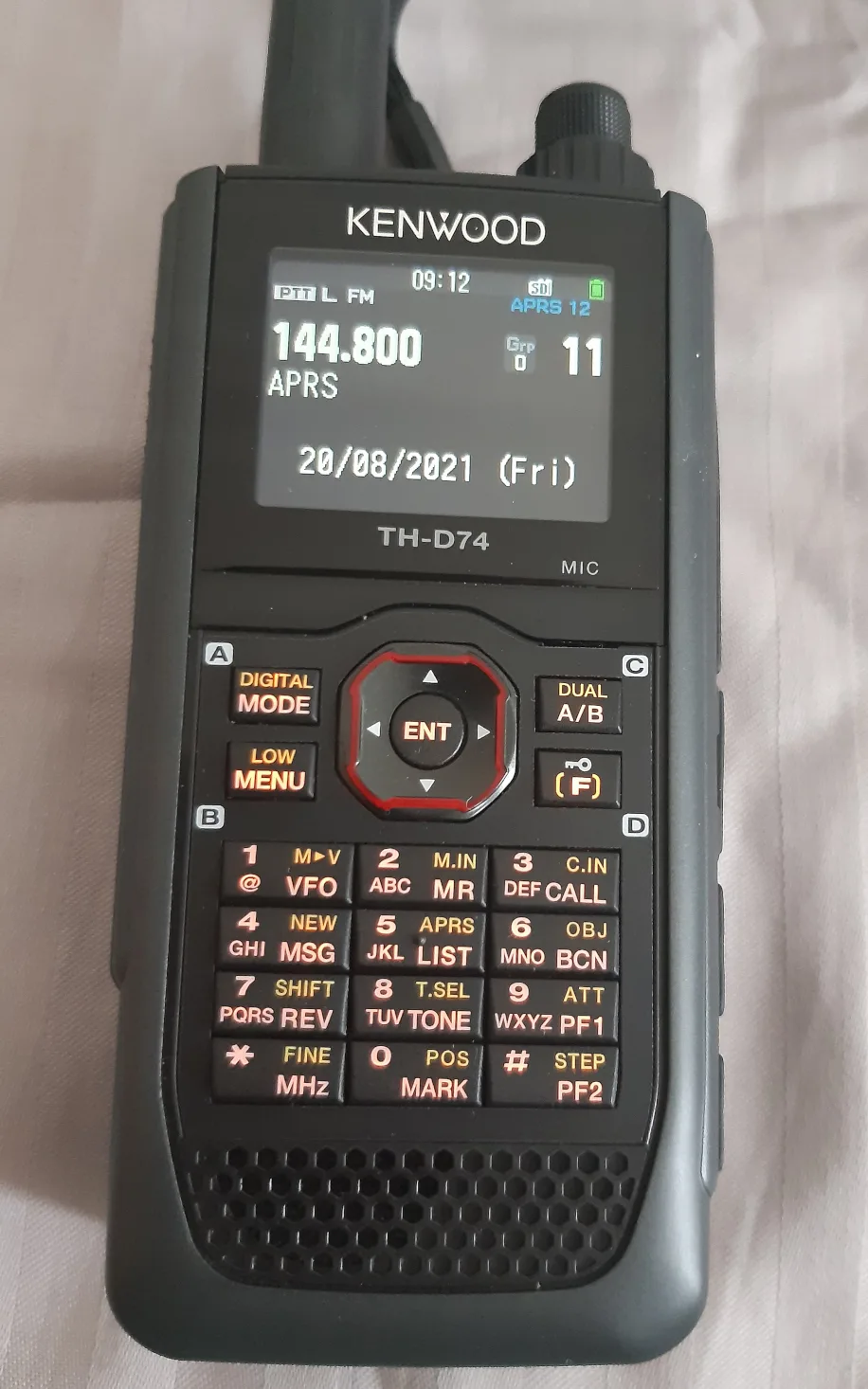
APRS is the amateur packet system commonly used for position and status reports, and SSTV sends still images as audio tones that software or a radio interface can decode. Both are old familiar tools, but a balloon changes the geometry. A small transmitter that would be ordinary at ground level can be heard over a very wide footprint when it is tens of thousands of feet above terrain. That wide footprint is also why discipline matters. A sloppy report, a wrong SSTV mode, an overdriven audio path or an unnecessary transmission on the event frequency can turn a public outreach moment into noise.
The Kopernik notice also illustrates a frequent trap in balloon coverage. The values in one announcement are not universal defaults. K2ZRO-11, 145.600 MHz and Martin 1 belonged to that event. The next flight may use a different callsign, SSID, packet path, frequency, SSTV mode, telemetry scheme or report address. Treat every launch notice as an operating order, not as a rumor to be generalized. If you are outside the coordinating team, the safest useful role is usually receive-only monitoring, careful logging and a concise report.
Start with the announcement, not the radio
Before opening software, copy the event details into one note. Record the date, launch window, UTC time, local time conversion, flight area, expected duration, payload callsign and SSID, frequency, mode, report contact, and any request for audio recordings, decoded images, grid squares, screenshots or signal-quality notes. Many mistakes begin with time. A 10 AM Eastern launch in a US article is 1400 UTC in August, but a listener in another region should not rely on memory or a phone widget. Put UTC in the log template and add local time only as a convenience.
Look for the source hierarchy. An organizer page, a club post, a school or observatory announcement, ARRL news, a repeater group bulletin and a direct email from the launch team do not carry the same weight. Social threads on r/amateurradio and other forums are useful signals that people are building balloon payloads, asking about cameras, APRS paths and receive coverage, but they are not the factual base for the launch parameters unless they point back to the organizer. If sources disagree, do not invent a compromise; cite the conservative source and say what still needs confirmation.
Check whether the announcement asks for receiving only. If it asks for signal reports, pictures or APRS observations, that does not automatically invite every station to transmit, beacon, digipeat or run an igate. Amateur-radio rules, band plans and third-party traffic limits differ by country, and balloon projects may also be constrained by school, aviation or organizer procedures. A listener with an SDR, scanner or handheld can help without putting a single RF watt into the air.
Choose a receiver that you can control calmly
A handheld with APRS display can be enough for position awareness. A mobile or base radio with a discriminator or clean audio output may be better for SSTV. A simple RTL-SDR class receiver and laptop can work very well if it is frequency-corrected, not overloaded and connected to a sensible antenna. The right choice is the one you can set up before launch, leave stable during the pass and document afterward. Do not spend the first thirty minutes of a two-and-a-half-hour flight installing drivers.
For APRS, decide whether you will only observe on a radio screen, decode locally with a software TNC, log packets, or feed a receive-only igate. The last option is not a casual checkbox. Bad igate configuration can inject duplicates, malformed packets or misleading paths into the public APRS-IS view. If you do not already understand your software’s passcode, callsign use, duplicate behavior, RF-to-Internet direction and local policy, keep the session local and send the organizer a clean log instead.
For SSTV, think of the receiver as an audio instrument. The decoder needs stable tones, not a beautiful waterfall. Turn off voice enhancements, noise reduction and automatic level tricks that may flatter speech but distort SSTV. Set squelch low or off if the software handles noise gracefully. Keep the receiver audio below clipping, and make a short test recording from another source before the balloon window if possible. Selecting Martin 1 when the organizer says Martin 1 matters; the wrong mode can make a strong signal look like a bad payload.
Antenna placement usually beats radio price
A balloon at 100,000 feet has a large radio horizon, but trees, buildings, terrain, indoor noise and poor feed lines still matter. A modest 2 m vertical near a window or outdoors can beat an expensive handheld in a basement. A mag-mount on a metal baking sheet or car roof is a quick field solution. A small ground-plane, roll-up J-pole or light Yagi can help if it is installed safely and pointed or placed before the flight becomes hectic.
Do not turn a receive project into unsafe antenna work. Stay away from power lines, roofs you are not equipped to access, storms, unstable masts and improvised supports that can fall into people or traffic. The launch team needs reports, not an injury. For many listeners, the best improvement is simply moving the antenna into the clear, checking the coax, and reducing local USB or switching-supply noise around the SDR.
Front-end overload is the hidden enemy near strong local transmitters. If the waterfall is full of broad noise or the APRS packets look crushed, reduce SDR gain, add filtering if available, or move away from noisy equipment. A strong balloon signal can still decode poorly if the receiver is saturated. Conversely, do not assume a weak-looking waterfall means failure; clean narrow audio at the correct level can produce a usable SSTV image even when the picture is noisy.
Prepare APRS logging before the payload appears
Write the target callsign and SSID exactly. For the Kopernik example, ARRL listed K2ZRO-11; another balloon might use a club call, a tactical object name, or a different SSID. In APRS, the SSID and path are part of the evidence. A report that says “I saw it on the map” is less useful than a log line with time, packet content, heard-direct or via path, receiver location and any decode gaps.
If you use software, set the computer clock before launch. A packet log with drifting local time is hard to reconcile with other stations. Save raw received packets when possible, not only screenshots. If screenshots are requested, crop them to the relevant packet or track and remove unnecessary private information. Do not claim you heard the payload directly if the packet came from an Internet feed or another station’s igate. Mark whether the data was RF direct, local decode, APRS-IS observation or a mixed view.
A receive-only station should be careful with maps. Public APRS map services may show other operators, homes or mobile stations. Reuse rights for screenshots also vary. For a public article or club slide, use organizer-provided graphics, your own sanitized diagram, or a photo of your station rather than copying a live map with private tracks. For a private report to the launch team, follow their requested format and share only the location precision you are comfortable disclosing.
Prepare SSTV decoding as a chain, not a mystery
An SSTV image is only as good as the weakest link: RF signal, antenna, receiver tuning, audio output, cable, sound interface, operating-system input level, decoder mode and file saving. Build that chain before the flight. On a laptop, disable notification sounds through the same input path, confirm the recording device, set the sample level, and make a short test file. On a phone or tablet decoder, keep the microphone path quiet and stable, but remember that speaker-to-microphone coupling is more fragile than a cable or interface.
Save both the decoded image and the original audio segment if storage allows. The image is easy for the organizer to view, while the audio can help diagnose slant, synchronization, level clipping, fading or interference. Note the mode, time, frequency, receiver and antenna in the filename or log. A file named “balloon-good-one.jpg” may be memorable today and useless next month.
Doppler on 2 m FM APRS or SSTV is usually manageable compared with narrow satellite work, but it is not a reason to stop paying attention. If the signal is near the edge of a filter, if the receiver is off frequency, or if an SDR PPM correction is wrong, the decode can suffer. Tune carefully, watch the audio spectrum if your software provides it, and avoid retuning wildly during an image unless the signal is clearly lost.
What makes a useful report
A good report is boring in the best sense. It gives the organizer what was asked for and nothing dramatic. Include the callsign or SSID heard, date and UTC time, local time if helpful, frequency, mode, receiver or SDR model, antenna type and approximate height, station location or grid at the precision you choose, whether reception was direct or via a network view, signal observations, dropouts, decoded images or packet logs, and any equipment problem that may explain a bad result.
Avoid inflated claims. A receive-only listener did not control the flight, coordinate the payload or validate every telemetry field. If your station captured one partial image, say so. If you saw packets only through APRS-IS, say that. If an SDR recording was made indoors on a short antenna, include that context. Launch teams can combine many imperfect observations; they cannot use reports that hide the conditions.
Keep attachments reasonable. If the organizer asked for downloadable images and signal reports, send the decoded images, concise logs and perhaps a link to larger audio files instead of many giant attachments. Do not spam the contact address with repeated corrections unless the team asks for more detail. The point is evidence, not performance.
A small DIY station that works
A practical balloon receive kit can be simple: 2 m antenna, short coax, handheld or SDR, spare battery, laptop or phone, audio cable or USB sound interface, headphones, notepad, clock synced to UTC, and a folder already named for the event. For field use, add a power bank, strain relief for cables, tape, a small tripod or mast used at safe height, and a checklist printed or saved offline.
For an SDR, set gain conservatively, confirm PPM correction, choose a sample rate the computer can record without gaps, and decide where IQ or audio recordings will go. Test the filesystem path before launch. For a handheld, check speaker or data output level, battery save settings, lock switch, squelch behavior and whether the display shows the APRS fields you need. For a base radio, confirm that accessory-port audio is not muted by a menu you forgot about.
Antenna experiments are welcome when safe. A quarter-wave ground-plane for 2 m, a roll-up J-pole, a slim vertical in the clear, or a small Yagi can all teach more than buying another black box. The important habit is to change one thing at a time and log it. If you swap antennas midway through the flight, write down the time; otherwise the launch team may misread equipment changes as flight changes.
Keep the legal boundary visible
Receiving amateur signals is generally far less legally complicated than transmitting, but the exact rules depend on jurisdiction and on what you do with the information afterward. Transmitting APRS beacons, acting as a digipeater, sending third-party traffic, or operating outside local band plans is not something to improvise because a balloon is overhead. Follow your license, your country’s rules, the published band plan and the organizer’s instructions. If you are not licensed for the relevant operation, listen and log.
Do not interfere with the flight frequency. Do not test a transmitter on the announced SSTV or packet channel during the window unless the organizer explicitly coordinates that role. Do not chase the payload into restricted property or unsafe roads. Do not publish private location data from other stations just because it appeared on a map. Good radio practice is part of the outreach demonstration.
The Kopernik request was valuable because it connected a public STEM flight with ordinary amateur operators. The best response is ordinary competence: correct time, correct frequency, correct mode, clean audio, antenna in the clear, a receive-first attitude and a report that another person can verify. That is a skill worth rehearsing before the next balloon announcement appears.
Source and context notes
ARRL was the primary event source for the Kopernik Observatory facts: August 18 publication date, August 19 launch target, K2ZRO-11 APRS tracking, 145.600 MHz Martin 1 SSTV, expected duration around two and a half hours, altitude above 100,000 feet, and the request for pictures and reports. APRS.org and the APRS 1.0.1 protocol reference provide technical background for APRS as amateur packet reporting rather than just a web map. Current r/amateurradio balloon and APRS discussions were used only as evidence that builders and listeners are actively asking about payloads, cameras, tracking and receive coverage; the factual launch details come from the organizer-facing news source, not from social posts.
Related articles

After the Fed’s Rate Hike: A Household Interest-Rate Audit for Borrowing, Saving and Cash
The Federal Reserve raised its target range to 3.75%–4%. That does not change every account at once, but it is a useful prompt to inspect variable-rate debt, savings yields, automatic transfers, fees and lock-ins before moving money.

Comments
Sign in to comment.
No comments yet.