Should you keep Peacock after the 2026 price hike?
Peacock’s new prices make the old “just keep it” habit harder to defend. Keep it for regular sports and NBC/Bravo viewing; cancel or subscribe seasonally if you only open it for one show.

Peacock’s August 2026 price increase turns a small monthly habit into a real buying decision. New customers and returning subscribers now see Select at $8.99 a month, Premium at $12.99 and Premium Plus at $19.99. Annual prices moved to $89.99, $129.99 and $199.99. Existing subscribers face the new charge on the next billing date on or after September 17, while promotional users keep the promo until it expires. That gives current users a short window to ask the only question that matters: which months of the year do you actually need Peacock?
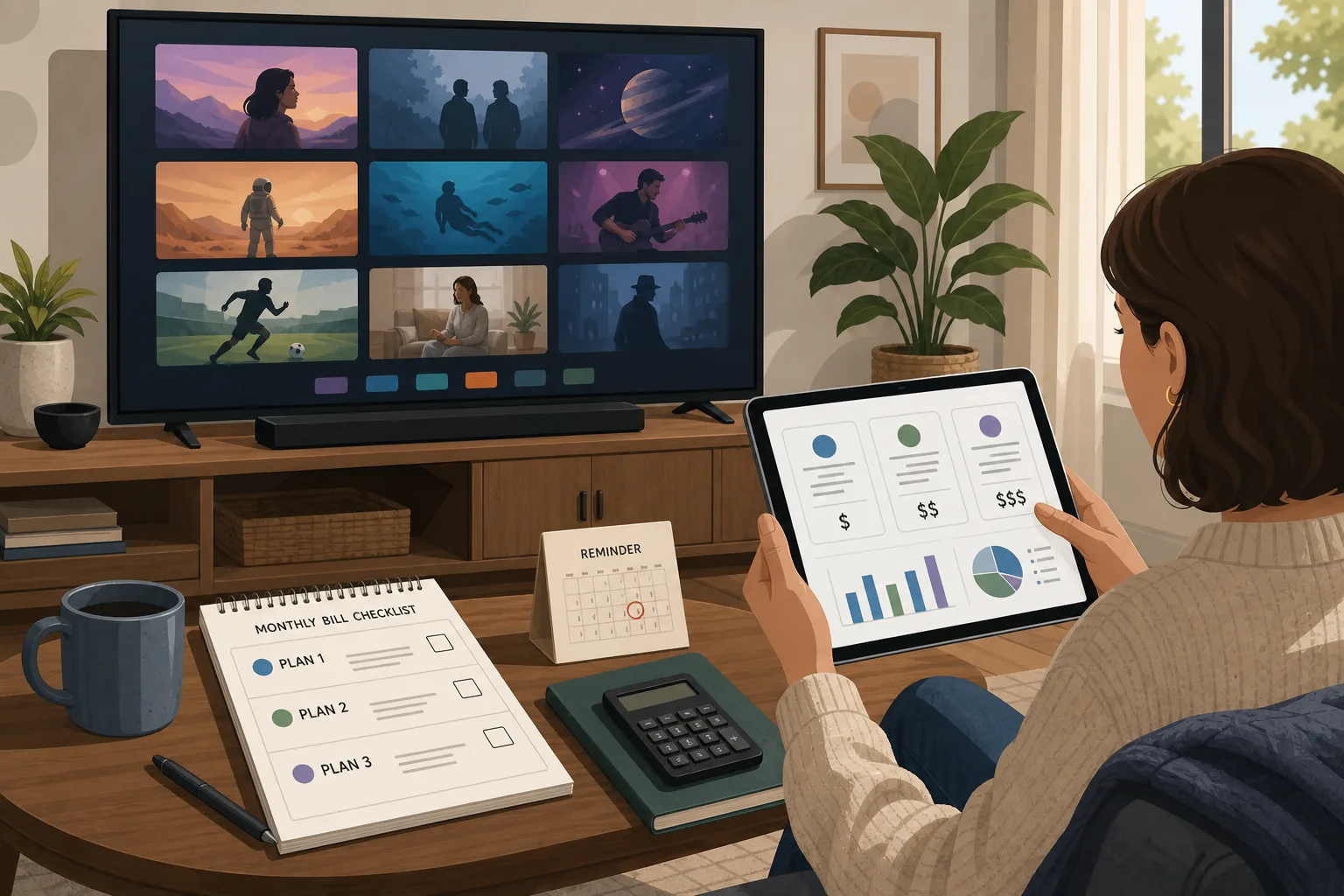
The short verdict is not “cancel Peacock” and not “keep Peacock.” Keep Premium if Peacock is where you regularly watch Premier League, WWE, NBC and Bravo shows, current-season reality TV, Universal films or a household routine that really happens every week. Skip Select unless you specifically want its limited NBC/Bravo library and understand that it leaves out movies, sports and Peacock originals. Treat Premium Plus as a temporary tool unless local NBC, downloads and reduced advertising are genuinely worth $19.99 a month to you. For many households, the best answer is seasonal: subscribe for one sports run, one tournament, one show season or one month of backlogged viewing, then cancel.
What changed
Peacock’s official help page says the new pricing took effect August 18, 2026 for new and returning subscribers. Reporting from CNET, TechCrunch, Deadline, Tom’s Guide, Variety, Cord Cutters News and CableTV.com all points to the same practical change: every plan became more expensive. Select rose from $7.99 to $8.99 a month and from $79.99 to $89.99 a year. Premium rose from $10.99 to $12.99 a month and from $109.99 to $129.99 a year. Premium Plus rose from $16.99 to $19.99 a month and from $169.99 to $199.99 a year.
The annual plans still discount the monthly price, but only if you use the service most of the year. Paying $129.99 for Premium saves money compared with twelve months at $12.99, yet it is a bad bargain if you only watch Peacock during football season, a reality-show run or a handful of Universal movie releases. The right comparison is not annual versus monthly on paper. It is annual price versus the number of months you would willingly buy if cancellation were frictionless.
The change also lands in a larger consumer mood. TechCrunch and Variety reported that Peacock had recently reached its first profitable quarter and about 48 million subscribers, while multiple outlets noted that this is another increase in a series of annual hikes. CableTV.com’s price history shows how much the old mental anchor has broken: Peacock Premium was a $4.99 product in the early 2020s, then moved through $5.99, $7.99 and $10.99 before the latest $12.99 price. Streaming is no longer the cheap cable replacement many people imagined.
The plans, in buyer language
Select is the danger plan. It is cheaper, but it is not the full Peacock that many people think they are buying. Deadline and Tom’s Guide describe it as a limited tier built around current and past NBC and Bravo shows and other library content, without movies, sports or Peacock originals. That can make sense for a very specific viewer. It is poor value for somebody who expects the service’s headline events, films and original shows.
Premium is the main Peacock plan. It is the one to evaluate if you care about live sports, a fuller catalog, current NBC/Bravo habits and Peacock’s broader library. The problem is that Premium still includes ads. At $12.99 a month, that matters. You are not paying a bargain price for an ad-supported tier anymore. You are paying a midrange streaming price and accepting commercial breaks because the content itself is valuable to you.
Premium Plus is the comfort plan. It reduces advertising for much of the on-demand catalog, adds downloads for some titles and includes the local NBC channel where available. But it does not mean every viewing moment becomes ad-free; live events and some programming still carry ads or rights-based limits. At $19.99 a month, Premium Plus should be bought for specific needs, not as a default upgrade. If you only hate ads mildly, Premium Plus may be the wrong place to spend streaming money.
Keep Peacock if it solves a recurring problem
Peacock is easiest to justify for sports households. If Premier League, WWE, Notre Dame football, Olympic-cycle events or other NBCUniversal sports are part of your regular calendar, the subscription can be cheaper than chasing individual alternatives. The key word is regular. If you watch every weekend, Premium may be a practical sports bill. If you watch one final, one derby or one event every few months, a one-month subscription is smarter.
It can also make sense for Bravo and NBC loyalists. Viewers who follow current reality shows, late-night clips, network series or specific franchises may get weekly use. In that case the subscription is not competing with an abstract Netflix library; it is competing with the habit you actually have. A service you open four nights a week is different from a service you keep because it might have something.
Universal movie viewers should be more careful. Peacock gets valuable films, but movie windows rotate. If your main reason is a new release or a few catalog titles, subscribe when the titles are available, watch them, and leave. A movie-based annual subscription only works if Peacock consistently matches your household’s viewing across the year.
Cancel or downgrade if you are paying from inertia
The easiest cancellation target is Select bought under the mistaken belief that it is “cheap Peacock.” At $8.99, a limited catalog without sports, movies and originals is not a casual no-brainer. If you mostly want background entertainment, free ad-supported services, library apps or another subscription you already pay for may cover the same role.
Cancel Premium if your watch history is empty. Do not rely on memory; open the app or your household’s viewing history and list what you actually watched in the last 60 days. If the answer is one half-finished show and a sports event you forgot about, the service is not earning $12.99 a month. Set a reminder for the next event you care about and resubscribe then.
Cancel Premium Plus if you cannot name the feature you use. “No ads” sounds attractive, but the upgrade now costs $7 more than Premium every month. That is $84 a year if you stay subscribed continuously. If you do not use downloads, do not need local NBC and do not watch enough on-demand Peacock to make ad reduction valuable, the upgrade is mostly comfort spending.
Monthly, annual or seasonal
The annual plan is a good deal only for heavy users. A household that watches Peacock ten or twelve months a year can save compared with monthly billing. A household that needs it for four months should not prepay. The annual discount is designed to reduce cancellation, and that is exactly why you should calculate your real months before taking it.
A seasonal strategy fits Peacock better than many services because its strongest reasons to subscribe are event-based: sports seasons, specific reality runs, a new Universal movie, a show catch-up window or a household guest period. Put the start and cancellation dates on a calendar before subscribing. If you know you only need one month, cancel immediately after signup so the subscription ends at the close of the billing cycle.
Promos and bundles can change the math. If you have a temporary discount, keep it only until it renews at full price. If a future bundle with another service you already use appears, compare the bundle against your real viewing, not against the headline savings. A bundle that keeps three half-used services alive is not a bargain.
Alternatives to compare
Do not compare Peacock to “streaming” in general. Compare it to the next best way to watch the specific content you want. If your household mostly watches prestige drama, Apple TV or HBO Max may be more efficient in some months. If you want CBS, Nickelodeon or certain sports, Paramount+ may be the relevant comparison. If your family already uses Disney+ and Hulu, that bundle may absorb more viewing time. If you only need background channels, free ad-supported TV may be enough.
Netflix with ads, Prime Video, Disney+/Hulu, Paramount+, Apple TV and other services each have their own price changes and drawbacks. The point is not to crown a universal winner. It is to stop paying for overlapping services that serve the same casual-viewing role. Peacock should survive your budget audit only if its unique content is actually being used.
A five-minute renewal audit
Before the September billing change reaches your account, do this. Write down your current plan and renewal date. Check whether you are on a promo. Open your watch history and name the three Peacock titles, sports events or channels you used most in the last two months. Mark which of those require Peacock and which can be delayed, rented or watched elsewhere. Decide whether you need the service for the next 30 days, not for an imagined future.
Then choose one of four actions. Keep Premium if it is a weekly service. Downgrade from Premium Plus if ad reduction and local NBC are not worth the gap. Cancel Select if you expected full Peacock. Switch to seasonal use if the value comes from one sport, one show or one movie window. The wrong answer is to do nothing because the charge is small enough to ignore.
Final verdict
Buy or keep Peacock Premium if you are a real Peacock household: sports most weeks, Bravo or NBC shows in rotation, or multiple people using the catalog. Consider Premium Plus only if local NBC, downloads and reduced ads are must-have features. Avoid Select unless its limited library is exactly what you want. For casual viewers, Peacock is now a service to rent by the month, not a subscription to keep by habit.
The price hike does not make Peacock worthless. It makes the decision more honest. At $12.99 or $19.99 a month, the service has to earn its place every billing cycle.
Related articles
Should you keep YouTube Premium after the latest price hike?
The new bill is a reason to calculate, not just complain. YouTube Premium still makes sense for some households, but Premium Lite, a family plan, a separate music service or cancellation can be smarter depending on what you actually use.
Should you pay for Prime Video Ultra?
Amazon’s $4.99 add-on removes most ads and puts 4K/UHD and Dolby Atmos behind a new tier. It is worth it for some home-theater users, not casual Prime viewers.

Should you use Apple Upgrade or buy your next iPhone? Read the lease first
Apple’s new Klarna-backed program lowers the monthly number, but it changes the ownership question. It works for frequent upgraders, not long-term owners.
Should you buy a portable air conditioner in 2026?
A practical verdict on when a portable AC is a smart heat-wave backup and when it is just a loud compromise.

Comments
Sign in to comment.
No comments yet.