Google Assistant Ends on Smart Speakers in August 2027: Audit Voice Routines Before Gemini for Home Takes Over
Google has set an August 2, 2027 deadline for replacing Assistant on speakers and displays. The useful preparation is not a rushed upgrade: inventory voice routines, check device support, review privacy settings, and keep manual controls ready.
What the August 2, 2027 deadline actually changes
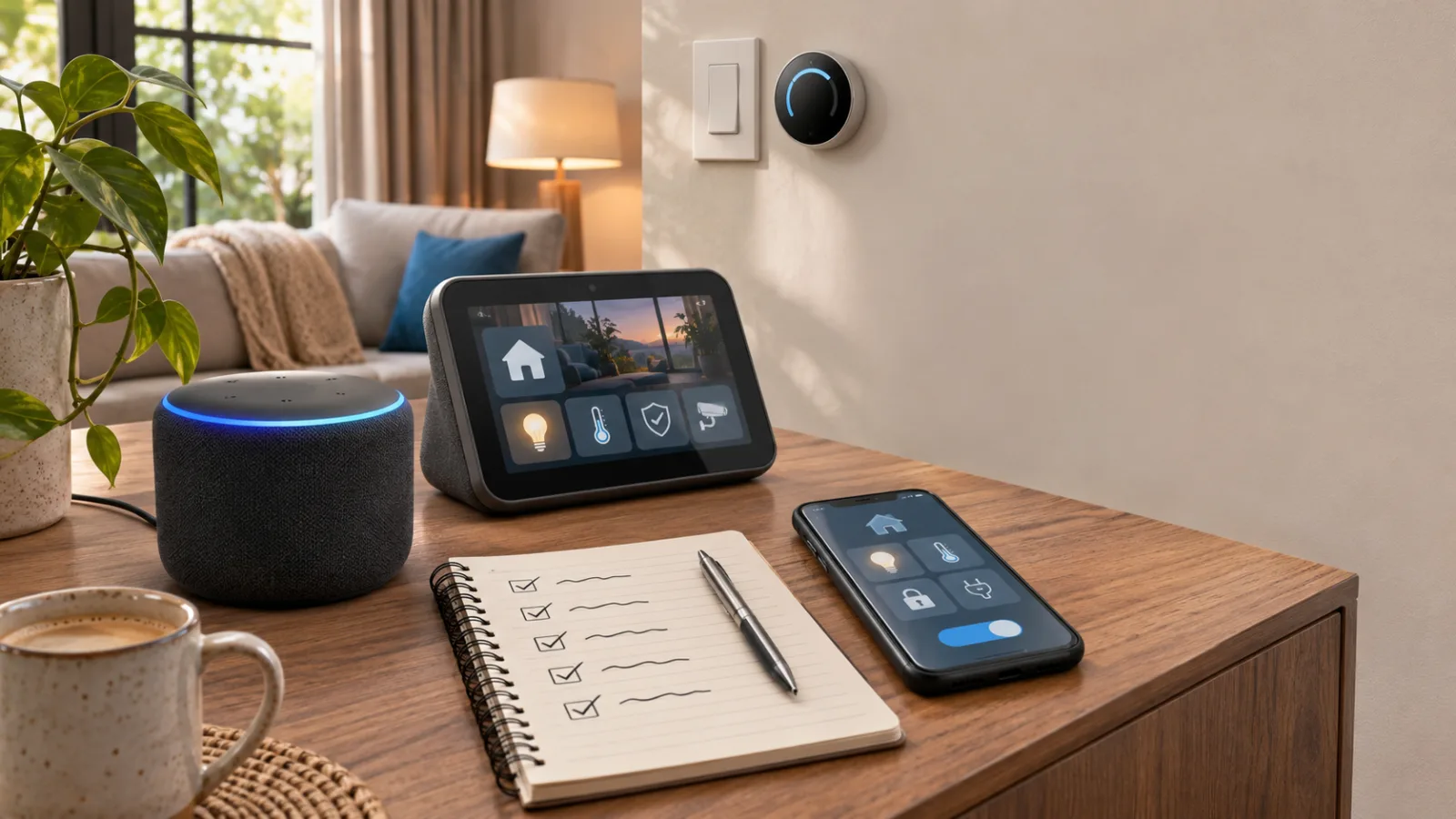
Google’s announcement is a change to the software layer of the smart home, not a notice that existing speakers and displays must be replaced. The company says Google Assistant will be permanently discontinued on speakers and smart displays beginning August 2, 2027. The rollout may take several weeks to reach all users, so the date marks the start of a transition rather than a promise that every household will see the change at the same moment.
That distinction matters because the hardware can remain in place while the assistant changes. Google says existing Google Assistant-enabled speakers and smart displays will continue to be supported through Gemini for Home. The likely practical effect is a new voice experience on familiar products: the device may still sit in the same room and perform many of the same jobs, but the assistant responsible for understanding requests and carrying them out will be different.
The right preparation is therefore an audit of household workflows, followed by compatibility and control checks. A working speaker is not the same thing as a working routine. A device can remain supported while a particular command, sequence, room target, confirmation, or multi-step action behaves differently after the transition. That is why replacing equipment ahead of time would be an unsupported conclusion, while assuming that every command will work exactly as before would also be poor planning.
The date applies to the assistant experience
Voice control is easiest to overlook when it has become part of a household’s background. People may use a short phrase to turn off lights, adjust a thermostat, start media, set an alarm, add an item to a shared list, or trigger several actions together. Once those requests are routine, their exact names and intended results are rarely written down. If the assistant changes and one step stops working, the problem may be difficult to diagnose because there is no record of what the old routine was meant to do.
Before the deadline, make a simple inventory. Note each speaker or display, its room, the routines associated with it, and the important voice requests used by household members. Mark anything involving locks, access, safety, alarms, schedules, or a sequence of several actions as critical. The purpose is not to predict every future Gemini for Home behavior; it is to create a baseline against which the new experience can be tested.
This also helps separate a hardware problem from a workflow problem. If a speaker continues to power on and respond but a routine skips one action, the product may still be supported even though the household’s process has changed. Conversely, if the essential requests continue to address the right devices and complete the intended steps, the transition may require little more than learning a new interaction style. Testing the actions that matter is more useful than judging the change by whether the product looks unchanged.
Do not confuse the two 2027 deadlines
The August 2 date is separate from Google’s planned January 25, 2027 retirement of the Nest app. The Nest app change moves device management to the Google Home app, while the August change retires Google Assistant on speakers and smart displays in favor of Gemini for Home. They are related parts of Google’s broader smart-home transition, but they affect different layers of the system.
Treating them as a single deadline could cause a household to miss an earlier app or account task while concentrating only on voice commands. A short preparation record should therefore include both: the devices and controls that may be affected by the Nest app retirement, and the routines that depend on Google Assistant. Keeping those checklists distinct makes it clearer which problem is being tested and where a manual control or app-based fallback is needed.
The key message from Google’s support information is narrow but important: Assistant-enabled speakers and displays are expected to remain supported through Gemini for Home, yet the company’s support promise should not be read as a guarantee of identical behavior for every established routine. Document the old setup before changing it, then use that record to verify the new one. The next questions are which household commands matter most, whether the relevant devices and features are eligible, and what controls remain available if voice is not dependable.
Inventory the commands your household really depends on
Before changing anything, make a household inventory of the voice commands people actually use. Record the exact phrase, the intended result, the room or device involved, and who depends on it. Include direct requests for lights, locks, thermostats, alarms, media, reminders, and shared shopping lists. Add named routines that combine several actions: a short phrase such as “bedtime” may conceal the most important part of the household’s setup.
Ask each person what they would say when arriving home, leaving, going to bed, waking up, or dealing with a problem. This catches commands that are easy to overlook because they are not used every day. A routine may also be the only familiar way for a child, guest, older relative, or person with limited mobility to operate a device. Preserve the wording people really use, rather than replacing it with a neat label such as “evening routine.” The phrase itself will be useful when checking whether Gemini for Home understands the same intent.
A simple audit table is enough:
| Voice request or routine | Devices and room | Expected result | Risk if it fails | Manual fallback |
|---|---|---|---|---|
| “Turn off the downstairs lights” | Lights in the named room | Only the intended lights switch off | Low to medium | Wall switch or Google Home app |
| Thermostat request | Thermostat and zone | Temperature changes as requested | Medium | Thermostat controls or app |
| Lock or access request | Named lock or entry | The lock changes state with the expected confirmation | High | Physical key or lock controls |
| Bedtime or leaving routine | Several devices | Actions run in the intended order | Medium to high | Individual app controls |
| Shopping-list or reminder request | Shared list or account | The item reaches the right destination | Low to medium | Phone app or written note |
Treat the table as a test plan, not as evidence that every command will behave identically after the transition. For each entry, check the device target, room name, confirmation, and final state. “Turn on the lamp” is not equivalent to “turn on the bedroom lamp” when several lamps are available. A routine that used to rely on a precise name may need a more explicit phrase if the new assistant resolves a conversational request differently.
Test multi-step behavior as a sequence. Google says Gemini for Home is designed to handle more natural and complex requests, including multiple smart-home actions in one request. Its examples include changing several lights, setting a temperature, creating calendar events, adding items to a shopping list, and setting timers. That is useful context, but it is not a guarantee that a household’s existing routine will preserve the same order, targeting, or confirmation. If a routine turns off lights, adjusts heating, locks a door, and starts media, verify the complete chain rather than testing each action separately.
Prioritize the inventory by consequence. Mark anything involving locks, alarms, heating, access, or another safety-sensitive function. Then mark routines that affect several people, shared rooms, or guests. Convenience commands come after those. This produces a realistic test set: first establish which operations must remain predictable, then decide whether the conversational improvements are worth relying on for less important tasks.
The distinction matters because Google’s transition guidance says existing Assistant-enabled speakers and smart displays will continue to be supported through Gemini for Home, but it does not say that every familiar interaction will be identical. The question for a household is not merely whether a device can answer after the upgrade. It is whether its established language still produces the intended result. A routine can appear to work while selecting a similarly named device, omitting one step, using a different confirmation, or behaving differently for another account or speaker. Community discussion is anecdotal rather than a product specification, but reports of uneven behavior are another reason to test important routines directly.
Run the checks with the people who will use the home, from the rooms where the commands are normally spoken. Record the exact phrase, the speaker or display used, the response, and any correction needed. If a command works only after rephrasing, keep the successful wording in the shared household note. If it fails intermittently, treat it as unreliable for a critical task until a second method is ready.
Finally, separate “works today” from “safe to depend on.” A missed light command may be an inconvenience; a failed lock, alarm, thermostat, or access routine needs a clear alternative. Keep the old routine names in the inventory even after testing Gemini for Home. They provide a baseline for comparison and make changes easier to explain to everyone in the household. The aim is a small, practical record of what the home must continue to do, where voice control is optional, and which behaviors need a manual fallback before the new assistant becomes the default.
Check eligibility, language, privacy, and subscription boundaries
Treat Gemini for Home as a compatibility and policy change, not simply an automatic replacement. Google describes free and paid experiences, early access, and feature differences across countries, languages, speakers, and displays. So the assistant’s name is not enough to establish what will work in a particular room. Record each speaker or display, its room, the account or household used to control it, and the language people actually use. Include rarely used devices if they handle alarms, camera views, or guest requests.
Then compare that inventory with Google’s current eligibility and rollout information. A feature available in early access is not the same as a feature generally available, and support for one device does not prove support for every speaker or display. Test the routines that matter rather than relying on a feature list: a multi-step command, a request that depends on room context, and a follow-up question. Also test a routine in the language used by each regular household member. A transition is not practically complete if one person can control the kitchen speaker but another loses access to everyday commands.
Language support can affect availability as well as recognition. Test natural phrasing, room names, device targeting, confirmations, and follow-up behavior. Write down whether the response reaches the intended device and whether all steps happen in the intended order. Mark anything you cannot verify as unknown. That distinction matters: an answer from the assistant is not proof that a routine, reminder, camera interaction, or personal result still follows the same path as before.
Privacy should be reviewed separately from eligibility. A more conversational assistant can encourage longer exchanges and more follow-up questions than a short command. Review the available controls for voice and activity data, confirm who can manage them, and decide whether everyone in the household is comfortable with the chosen settings. Ask which account receives activity, who can review or delete it, whether guests can trigger personal results, and what happens when a request concerns a lock, camera, calendar, reminder, or another connected service. Do not infer the data path from the answer alone; a brief response does not establish that processing, retention, or account controls are identical to those used by the old Assistant.
Subscriptions create another boundary. Google describes free and paid Gemini for Home experiences, while some advanced assistant behavior or camera-related capabilities may depend on a subscription. Check the exact feature description, country availability, account entitlement, and device requirement before assuming that payment unlocks every missing function. The reverse assumption is also unsafe: a free experience may not preserve every behavior the household expects. Camera and security features deserve special attention because losing a convenience is different from losing an established way to see an event or complete a household workflow.
A practical audit can use three labels: “works on this device,” “depends on language or rollout,” and “depends on subscription or account settings.” Put every important routine or feature under a label only after testing it. Include media playback, reminders, shopping lists, camera interactions, personal results, and commands involving locks or alarms. Keep the exact routine name, target room, devices involved, confirmation behavior, and expected result in the same notes. Repeat the test after an opt-in, account change, language change, or software rollout. Eligibility is only the first gate; the household should also decide whether Gemini for Home’s language support, privacy controls, and subscription boundaries are acceptable before making it the default.
Keep a manual and local fallback before opting in
A voice-assistant transition is complete only when the home still works after someone stops speaking. Before changing the default assistant, walk through the controls you would use if a voice request failed, was misunderstood, or could not reach the service. Turn lights on and off from their physical switches, open the relevant app controls, confirm that locks can be operated through the intended non-voice method, and check that thermostat schedules remain active without a spoken command. For alarms and other time-sensitive functions, verify both the normal control path and the way household members can cancel or adjust them.
This audit is especially important for routines that have become invisible through repetition. A household may know that saying a familiar phrase starts a sequence, but not remember every light, plug, room, or media action included in it. Write down the old routine names and what each one is meant to do. Note which routines affect access, security, heating, or anything that could cause a problem if it ran twice or failed halfway through. That record gives you a practical comparison when Gemini for Home becomes available on the device: you can test the same task instead of relying on the impression that a conversational answer sounded convincing.
Keep critical automations independent of voice wherever possible. A thermostat schedule should not depend on somebody remembering a phrase, and a lock or alarm should have a clear control path that does not require an assistant to interpret natural language. Likewise, guests and less technical members of the household should not need to learn the history of the migration to perform basic tasks. Leave simple instructions for switching lights, adjusting temperature, checking the alarm, and contacting the person who manages the home system. If a physical control is easy to overlook, label it or make sure its location is included in the instructions.
A useful test is to simulate a realistic failure rather than a perfect demonstration. Try operating the home while deliberately avoiding voice commands. Then consider what happens if the internet connection is unavailable, the relevant account is signed out, or a routine does not receive the expected response. The purpose is not to assume that every feature will fail, but to identify where voice has quietly become the only interface. If a task cannot be completed another way, decide whether that dependency is acceptable before opting in and before replacing a familiar routine with a new one.
The same approach applies to the transition itself. Do not change every setting at once if the household relies on the system daily. Start with low-risk requests, compare device targeting and room behavior, and keep the documented routine list nearby. Confirm that the result matches the intended action, particularly when a request involves multiple steps or more than one device. If behavior is uneven during the changeover, the written list helps distinguish a changed assistant response from a missing device, an incorrect room assignment, or a routine that needs to be rebuilt.
The practical decision is therefore broader than whether Gemini for Home can answer more naturally. It is whether the new assistant improves everyday control without making voice the only way to operate the home. A resilient setup has a tested app path, usable physical controls, schedules that continue to do their job, and clear instructions for people who did not configure the system. With those fallbacks in place, the August 2027 change can be treated as a software and behavior transition to evaluate, rather than an emergency that leaves the household dependent on a single voice interface.
Related articles
Home Assistant Cloud Is Becoming Link: What Subscribers Should Check Before December
Home Assistant Cloud will be renamed Home Assistant Link on December 2, 2026. The service is not being discontinued, but the change is a useful moment to separate local controls from optional remote access, voice integrations, backups, and other online features.
Your Nest Protect Is Expiring: How to Replace It Without Losing Whole-Home Fire Alerts
Google has stopped making Nest Protect, and many first-generation units are now reaching their ten-year expiry dates. Here is how to choose between First Alert’s SC5, conventional interconnected alarms, and a smart-home listener without weakening the safety system.
Google’s Old Home and Nest Speakers Are Getting a Firmware Test: What Owners Should Check
Google is testing firmware 3.79.550760 for several older Home and Nest speakers. Here is what the build covers, who should wait, how to check eligibility, and how to test an updated speaker without putting essential routines at risk.

SwitchBot K11+ Pro launches at $399.99: the compact robot vacuum is really a space-saving trade-off
SwitchBot’s new K11+ Pro puts an auto-empty dock, LiDAR mapping and a claimed 12,000Pa of suction into a small body. Its appeal is clear in cramped homes, but the missing test data and limited wiping system matter more than the headline number.
Comments
Sign in to comment.
No comments yet.