Home Assistant Cloud Is Becoming Link: What Subscribers Should Check Before December
Home Assistant Cloud will be renamed Home Assistant Link on December 2, 2026. The service is not being discontinued, but the change is a useful moment to separate local controls from optional remote access, voice integrations, backups, and other online features.

Home Assistant Cloud is being renamed Home Assistant Link on December 2, 2026. The announcement is easy to misread: this is not a shutdown, a forced migration to a new platform, or a promise that Home Assistant is moving into the cloud. Nabu Casa says the subscription and its main functions are staying in place; the name is changing because the company wants to emphasize that the service links a local Home Assistant installation to optional online features.
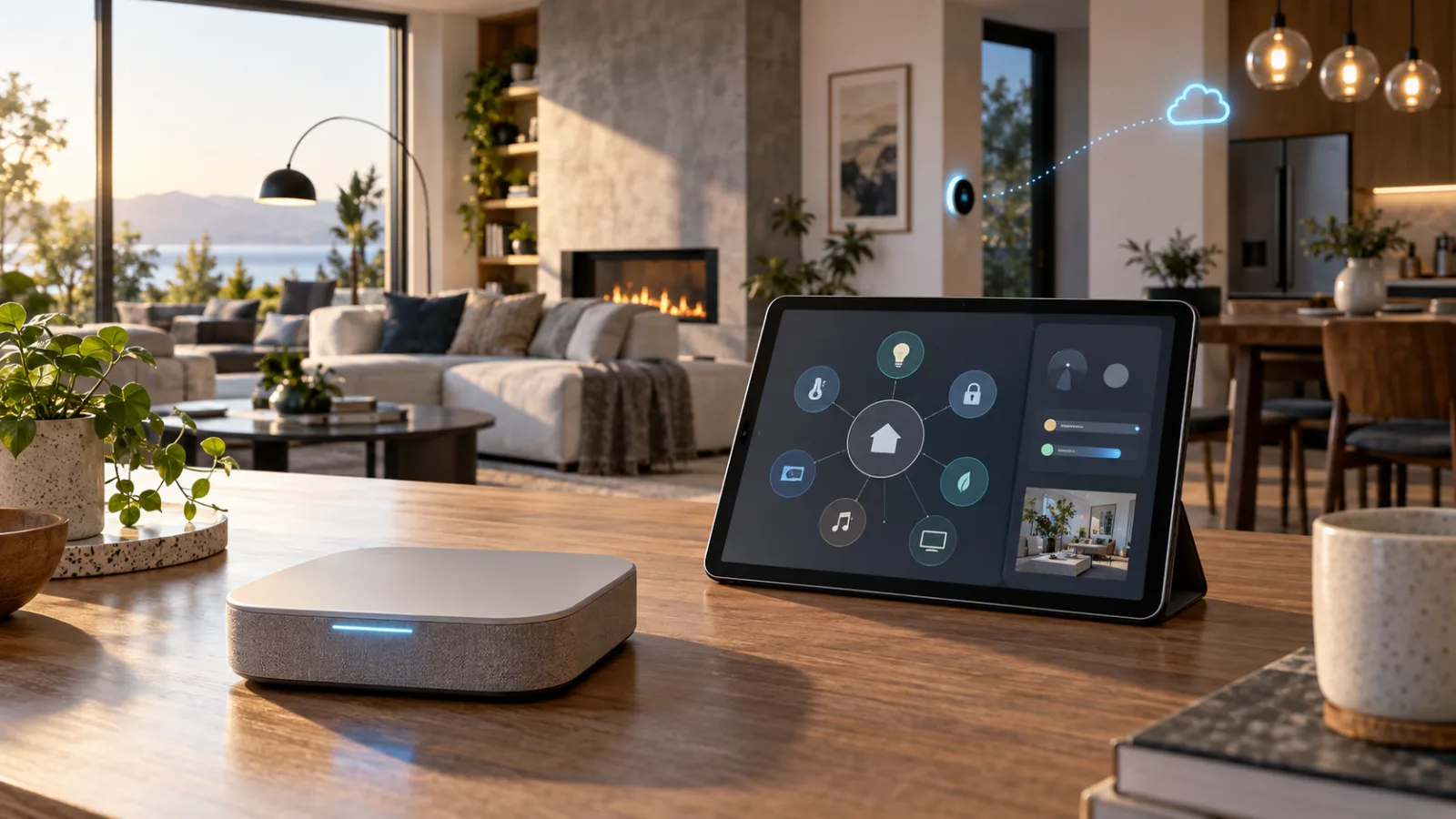
That distinction matters more than the branding. A smart-home subscription should have a clear boundary: what still works when the internet is down, what stops when the subscription ends, what data leaves the home, and which integrations are dependent on a third party. The rename gives existing users a good reason to document that boundary before the December release, without treating the announcement as an emergency.
What is actually changing
Nabu Casa announced the new name on October 2, 2026. The company says Home Assistant Cloud will officially become Home Assistant Link with the Home Assistant 2026.12 release on December 2. It describes the change as a name and identity update, with no action required from subscribers and no disruption expected. The subscription remains the same service underneath.
The stated reason is partly linguistic. Home Assistant is built around local control, while the word “cloud” often suggests that devices depend on a vendor’s remote servers. Nabu Casa says that confusion has led some people to assume Home Assistant Cloud is where Home Assistant itself runs. It is not. A normal Home Assistant installation continues to run on hardware in the home, such as a Home Assistant Green, a Raspberry Pi, a small computer, or a virtual machine.
The new name is meant to describe the connection rather than the location of the controller. Link can make selected services easier to reach from outside the home, but it does not replace the local controller and does not turn every connected device into a cloud-dependent product.
The official announcement also says the name change is planned for December 2, not that every visible label will necessarily change at exactly the same moment on every client. Users should expect the terminology to be updated as the relevant Home Assistant software and account interfaces roll forward. There is no stated requirement to re-pair devices, rebuild automations, or replace hardware.
What Home Assistant should still do without Link
The most important practical fact is already documented by Home Assistant: the platform works fully without its optional Cloud service. Local dashboards, local automations, and integrations that communicate directly with devices should remain local. If a motion sensor turns on a light through a local Zigbee coordinator, or a schedule changes a thermostat through a local integration, that control path does not become remote merely because the account page has a new name.
That statement needs a qualification. “Home Assistant works without Link” does not mean every device integrated into Home Assistant works without the internet. Many products have their own cloud dependency. A Wi-Fi plug may require a manufacturer account. A camera may expose only a remote stream. A voice assistant may need an online service to interpret speech. A local Home Assistant server cannot remove a dependency that exists inside the device or its vendor integration.
A useful way to test the boundary is to divide the home into three layers:
- The local controller: the Home Assistant installation, its database, dashboards, automations, and locally connected radios.
- The device path: the connection between Home Assistant and each light, lock, sensor, appliance, camera, or bridge.
- The optional online path: remote access, third-party voice assistants, online speech services, cloud backup, support, and other features supplied through Nabu Casa.
An internet outage can affect one layer without affecting the others. If the local controller and device path continue working, an automation can still run even if remote access from a phone fails. If a device itself requires a vendor cloud, that particular device may stop responding even though Home Assistant remains available. If the local controller is powered off, no subscription can make its local automations execute.
This is why the rename should not be treated as proof that a home is local-first. The name is a claim about the role of the service. The actual design is determined by the devices and integrations in the installation.
What the subscription is useful for
Home Assistant’s own documentation describes the optional service as a way to add secure remote access, Google Assistant and Amazon Alexa integrations, and text-to-speech or speech-to-text services used by Assist. Nabu Casa’s announcement also discusses online backup, easier connected services, and access to human support. These are meaningful conveniences, particularly for people who do not want to configure a reverse proxy, manage certificates, expose a service securely, or build their own voice-assistant bridge.
Remote access is the clearest example. Without an online relay or a self-managed alternative, a Home Assistant dashboard is normally reachable only on the home network. Link can provide a simpler way to reach that installation while away. The trade-off is not that local control disappears; it is that an additional account and service become part of the route used for remote access.
The same distinction applies to voice. A Google Home or Amazon Alexa connection can be difficult to configure manually because it involves accounts, authentication, endpoints, and integration settings. A managed service can reduce that setup work. But the convenience does not make voice local. The spoken request, recognition process, and assistant platform still follow the rules of the voice ecosystem you choose.
Online speech services can also be faster or support more languages than a self-hosted voice stack, according to Nabu Casa. That is a practical advantage, not a universal privacy guarantee. Users should decide whether the convenience of remote processing is acceptable for the rooms, microphones, and commands involved. A smart speaker in a kitchen is a different privacy decision from a microphone placed in a bedroom or near a home office where confidential conversations occur.
Backups deserve more attention than the rename itself. An online backup can be valuable if a local storage device fails, but the backup is not useful until it can be restored. Home Assistant’s support material says that cloud backups are stored using Cloudflare and that the Home Assistant or Nabu Casa account password is not the encryption key. That means users should know where the backup encryption key is stored, whether a current backup exists, and whether the recovery process is documented somewhere they can access if the main system is unavailable.
The privacy promise has a specific scope
Nabu Casa says Home Assistant Link is designed so that the user’s data remains private, encrypted, and controlled by the user. It also says that the company and the Open Home Foundation do not want access to that data and that the subscription helps fund Home Assistant development. Those are important design and governance claims, but they should be read feature by feature rather than converted into a blanket statement that everything is private.
A local automation that never leaves the home has a different exposure from remote dashboard access. A remote backup has a different exposure from a local database. A Google Assistant or Alexa command has a different data path from a local dashboard button. If Assist uses an online speech-to-text engine, that processing path is different from an offline speech model.
The practical question is not simply “Is Link private?” It is “Which Link feature am I using, what information does that feature need, and what is the failure mode if I disable it?” This phrasing makes the decision less ideological and more useful. It also prevents a common mistake: assuming that an optional connection service can make a third-party cloud camera, appliance, or voice assistant local.
The subscription model also creates a trust relationship. Nabu Casa is the commercial provider, while Home Assistant is a project from the Open Home Foundation. The company says the majority of subscription profits fund the foundation and the project. That arrangement is part of the service’s sustainability story, but users should still keep their own records: invoices, account recovery details, backup keys, and a list of features that would need replacement if they cancelled.
What existing subscribers should check now
Most subscribers do not need to change anything immediately. A short audit is still worthwhile because it turns a vague service dependency into a written checklist. Start with the Home Assistant settings page and record which functions are enabled through the current Cloud service. The exact labels may change as the rename rolls out, so record the function rather than only the product name.
Check remote access first. Open the Home Assistant app while connected to mobile data, or use another network that is not your home Wi-Fi. Confirm whether remote access is being used and whether you have a separate local address that works inside the home. Do not assume that a successful app login proves the local server is healthy; it may only prove that the remote path is available.
Next, list voice integrations. If Google Assistant or Alexa controls lights, scenes, locks, or thermostats, write down the commands that matter to the household. Test a few of them with the internet temporarily unavailable only if doing so is safe and convenient. The point is to discover which controls are local and which are inherently remote, not to create an outage for a family that depends on a smart lock or alarm.
Review backups. Confirm the date of the newest backup, where it is stored, whether it is encrypted, and how the encryption key would be recovered. If the system controls heating, water-leak sensors, security notifications, or other high-consequence functions, keep at least one additional recovery plan that does not depend on the same account or network. A backup that cannot be restored is an archive, not a recovery plan.
Then inspect the device list for vendor dependencies. Look for integrations that require a manufacturer account, an OAuth login, a vendor bridge, or a remote API. This is often where the real cloud dependency lives. A Matter device commissioned locally may have a different profile from a device controlled through a manufacturer’s online service. A Zigbee sensor paired directly to a local coordinator is different again.
Finally, check account recovery. Make sure the email address is current, multifactor authentication is enabled where available, and recovery codes are stored somewhere that is not only inside the smart-home dashboard. If the household has multiple administrators, decide who can recover the account and who can restore the controller.
What changes if you cancel
Nabu Casa says the local smart home continues to work if a user stops subscribing. That should mean local dashboards, local automations, and local device paths remain available. The features most likely to disappear are the extras that require the managed online service: remote access through the service, simplified Google Assistant or Alexa linking, online speech services, online backup storage, and subscription support.
The precise impact depends on how a particular installation is built. If every important action is local, cancellation may mostly remove convenience. If family members rely on a remote dashboard to check a leak sensor, or if voice control is routed through a managed integration, cancellation requires a replacement plan. The right response is to identify those dependencies before cancelling, not to assume the service is either essential to everything or irrelevant to everything.
Possible replacements exist, but each has a cost. Remote access can be self-managed with a VPN or another secure access method, although that adds maintenance and a security responsibility. Local voice control can be built with supported hardware and speech components, but language coverage and performance vary. Backups can be stored locally or on another service, but encryption, retention, and restore testing become the user’s responsibility. Third-party assistant integrations can sometimes be configured directly, but the setup can be more involved and may change when a vendor changes its developer platform.
The important safety line is remote exposure. Do not solve a subscription decision by opening Home Assistant directly to the public internet without understanding authentication, encryption, updates, access logs, and attack surface. A simpler managed service may be reasonable for one household, while a self-managed VPN may be preferable for another. The least expensive option is not automatically the safest one.
What the name does not prove
The new name does not prove that all Home Assistant features are local. It does not prove that every supported device has a local API. It does not make Google Assistant, Alexa, online speech recognition, or an online backup local. It does not guarantee that a vendor will continue supporting an integration. It also does not eliminate the need for ordinary security practices such as updates, strong authentication, network segmentation where appropriate, and recovery testing.
The name also does not make the subscription a hardware warranty or a guarantee of uninterrupted service. A managed relay can have an outage. A home internet connection can fail. A local server can lose power or storage. The benefit of a local-first design is that failures can be isolated, not that failures disappear.
Nor should users read the rename as a reason to replace working equipment. If a Home Assistant installation already meets the household’s needs, the December change does not create a buying deadline. A subscription label is not a compatibility problem. The more useful spending decision is usually to improve the weak link that the audit reveals: storage, backup, a failing radio coordinator, an unreliable router, a device with a vendor-only cloud path, or a missing manual fallback.
A sensible decision tree for December
If you use Home Assistant only on the local network and do not use the current Cloud extras, the rename is mostly informational. Update normally, check the release notes, and verify that the local dashboard and key automations still behave as expected.
If you use remote access but your household can tolerate a short loss of off-site access, keep the service or compare alternatives at your own pace. Document a local access method before experimenting. Do not cancel first and investigate later if you need the dashboard to respond to a leak, heating, or security alert while away.
If voice control is the reason you subscribe, list the commands that are genuinely useful and identify which ones can be replaced by local buttons, scenes, schedules, or presence-based automations. Voice is convenient, but it should not be the only way to unlock a door, silence an alarm, or perform a safety-critical action.
If online backups are the main reason, focus on recovery rather than storage branding. Confirm that backups are recent, encrypted, retrievable, and restorable. Keep a local copy or another independent recovery path for important configurations.
If privacy is the main reason you are considering cancellation, map the actual data flows. Removing Link may reduce one online path, but it will not change the behavior of a third-party camera, appliance, speaker, or account that already depends on its manufacturer’s servers. Replace the most exposed devices gradually rather than trying to rebuild the entire home in one weekend.
The broader lesson for smart-home buyers
Home Assistant Link is an example of a category that is easy to describe badly. “Cloud” can mean a mandatory vendor backend, a local controller with optional remote access, a backup destination, a speech service, or simply a web account. Those arrangements have different costs and different failure modes. Consumers should ask which one they are buying.
The most durable setup is not necessarily one with no online services. It is one where the household knows which services are optional, which devices can operate locally, how to recover after a server failure, and what happens when a subscription ends. That design is often less dramatic than a platform migration. It is also much easier to maintain.
For Home Assistant users, the December 2 rename is therefore a useful checkpoint rather than a crisis. Keep the local controller healthy. Separate remote convenience from core automation. Treat voice, backups, and third-party integrations as individual decisions. Test the controls that matter. Keep a manual fallback for locks, heating, lights, alarms, and appliances.
Home Assistant Cloud becoming Home Assistant Link changes the label, not the underlying promise that local control remains available. Whether the service is worth paying for depends on the online features a household actually uses and the amount of maintenance it would accept to replace them. That is the decision worth making before the new name appears—not whether a familiar word has disappeared from the settings menu.
Related articles
Z-Wave Long Range Is Moving Into Multifamily Housing: What Homeowners Should Actually Expect
A new multifamily Z-Wave Long Range lineup puts reliable coverage and fewer hubs ahead of flashy AI features. Here is what the announcement means for apartments, large homes, and anyone considering a new wireless standard.
Will your smart home survive when the app disappears?
Wemo’s cloud shutdown is a practical warning for anyone buying smart plugs, bulbs, switches or appliances: the safest smart home is the one whose basic controls do not depend on one vendor server.
Amazon’s New Echo Dot Is a Smart-Home Hub and Eero Extender—Audit the Trade-Offs Before You Buy
Amazon’s 2026 Echo Dot combines Alexa, Zigbee, Matter, Thread, and eero Wi-Fi extension in a $99.99 speaker. The useful question is not whether it replaces a hub, but which parts of your existing setup it can safely simplify.
Matter got better. Your router can still ruin the smart home
Home Assistant’s 2026 Matter upgrade is real progress, but pairing failures show why buyers should check controllers, Thread border routers, IPv6 and multicast before filling a home with new devices.
Comments
Sign in to comment.
No comments yet.