A Sharper Freeze-Frame Doesn’t Always Mean a Better Video
I compared a six-second forest clip before and after upscaling with Video 2x. The enhanced frame showed clearer edges, while normal-speed playback and four matched frames helped me judge whether those details held up as the light changed.
At 2.4 seconds, the outline of a walker’s shoulder is easier to see in the enhanced clip. So are the leaves beside the path. Press play, though, and both versions tell the same story: the walker moves into a band of sunlight, and glare softens the view of the jacket. A sharper frame tells me where the processing made a visible difference. To decide whether to use the new file, I still need to see what happens to that detail over time.
Use a short clip that changes as it plays
I used six seconds from the Pexels clip Back View of Person Walking on Sunlit Forest Path. The walker moves away from the camera through alternating shade and sunlight. A bright rim passes along the shoulder as flare fills part of the frame. On the other side of the image, dark trunks and small leaves give me detail to compare away from the moving subject.
I kept the original and made a 480 × 270 copy from the six-second segment. This was a deliberate low-resolution export from clean stock footage, so I knew what the input contained. It represents the kind of small video someone might have to work with. Its results are specific to that starting point and tell me less about a damaged tape or a clip with several generations of compression.
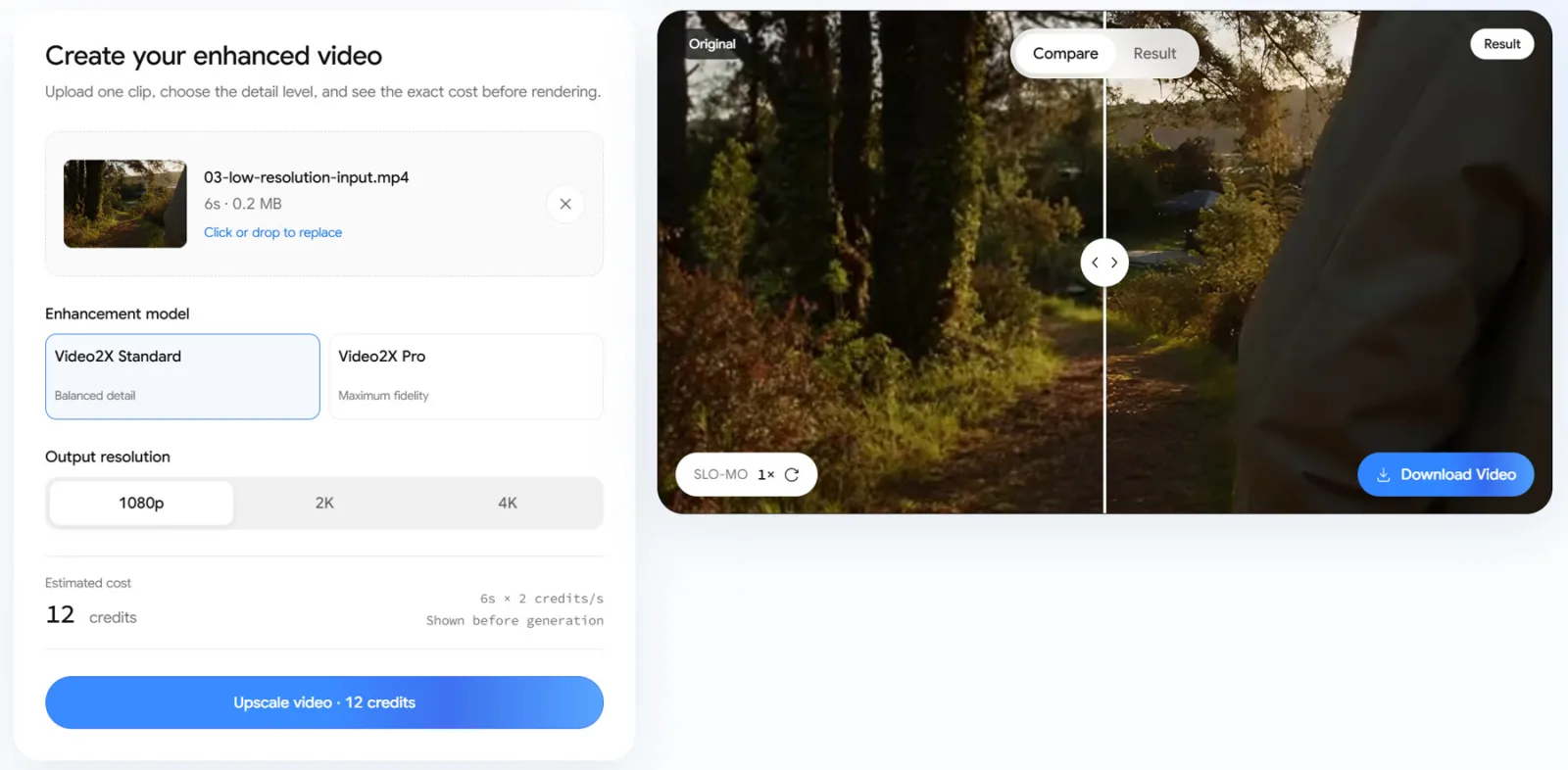
I uploaded that copy to Video 2x, chose Standard and selected 1080p. The interface estimated 12 credits. The downloaded result was 1920 × 1080. Both clips lasted six seconds at 25 frames per second.
Pause on a frame where the difference is visible
I exported the same moment at 2.4 seconds from both clips and displayed the frames at the same size. The light along the walker’s right shoulder is thinner and more defined in the enhanced version. Small patches of vegetation along the left edge of the path also look more distinct.
The brightest part of the frame still has a veil of glare. The jacket across the middle stays relatively soft in both versions. If the job were to make the outline of the walker more readable in a thumbnail, I would favour the enhanced frame. If I needed the surface of the jacket to remain visible through the flare, I would pick a different moment.
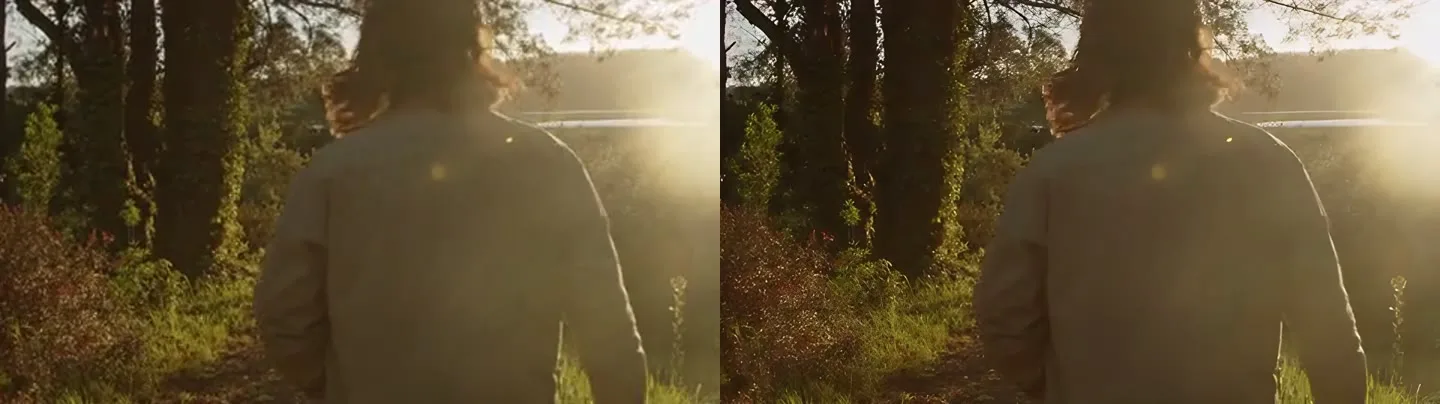
This is where a single frame is useful. It shows whether the improvement is in the outline, the texture or the area the viewer actually needs to see. I would mark the timestamp and the edge I want to follow before moving on to playback. That keeps the next comparison focused on the same detail.
Follow that edge as the light changes
I played the input and output from start to finish at normal speed in Chromium, with both players displayed at the same width. The browser reported 150 video frames and zero dropped frames for each file in that local run. Those counters describe playback on this machine. They do not measure whether an edge flickers within frames that were displayed normally. I checked a separate sequence of four matching moments around the transition into the flare to see how the shoulder and foliage changed.
Across the sampled frames, the shoulder stays in the same part of the moving outline in both versions, and the bright rim becomes easier to distinguish as the glare eases. The enhanced sequence shows more separation in the path-side foliage. In all four pairs, the strength of the rim changes with the light in both versions. I did not see a bright edge appear and disappear only in the enhanced row at those sampled moments. A flicker between samples could still be missed.
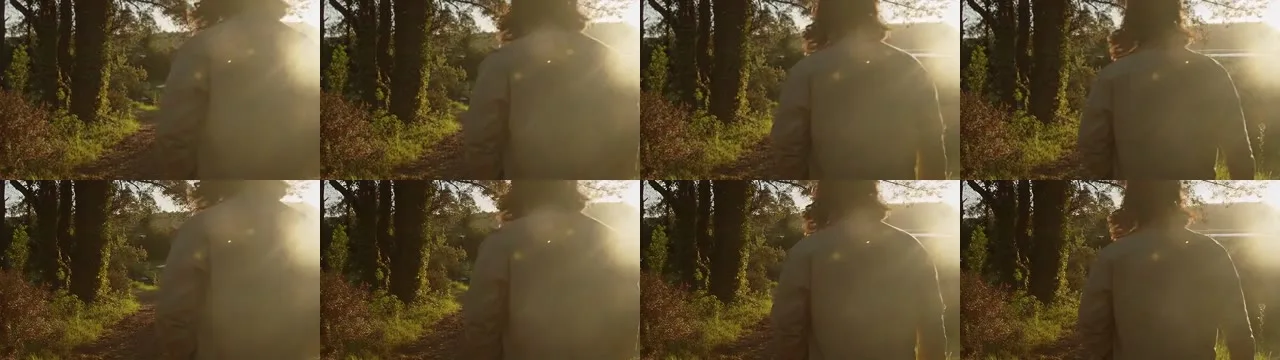
The sequence gives me a place to return to when replaying the clip. I can concentrate on the shoulder as it passes through the brightest part of the flare, then watch the nearby foliage on a separate pass.
A practical way to replay this transition is to start a little before the bright rim appears. Watch the shoulder on the first pass and the foliage on the second. Following one feature per pass makes it easier to tell whether a texture is briefly flashing or simply coming into view as the walker and camera move. Keep the players the same width for both passes.
Decide at the size the video will be usedFor a small embed where the viewer only needs to follow the walk, both versions show the action. For a larger display, or a layout where the shoulder and nearby foliage carry more of the shot, I would use the enhanced copy. In this comparison, the enhanced copy gives those areas clearer edges while the four sampled moments retain the same change in lighting.On the next clip, I would use the same three checks. Pause at a moment that matters, identify one detail that actually improved, and follow that detail through the surrounding motion at the intended viewing size. If the detail only looks better in a freeze-frame, I would keep that frame as a still and make the decision about the video separately.
Related articles

Romania’s land registry attack is a backup test every critical database should study
The ANCPI incident shows why public registries need isolated recovery, integrity checks and fallback procedures, not just a promise that backups exist.

Microsoft’s 570-patch July update is not a panic signal. It is a prioritization test
Two exploited flaws in AD FS and SharePoint matter more than the headline count; the right response is staged, evidence-based patching.


AI-designed bacteriophages are good news only if safety grows with them
Stanford and Arc Institute researchers built 16 AI-designed phages that kill E. coli, a real step toward better phage tools against resistant infections — and a clear test for biosecurity governance.


Before Freezing Weather: A Safe Autumn Storage Plan for Garden Tools, Batteries and Hoses
A late-October storage plan for the equipment that fails quietly over winter: drain hoses, protect batteries, clean cutting tools and avoid the shortcuts that turn spring maintenance into repair work.

Comments
Sign in to comment.
No comments yet.