Apple HomeView Is a $299 Smart-Home Hub, Not a Reason to Rebuild Your House
Apple’s new HomeView brings a 7-inch display, Siri AI, cameras, and Apple Home controls to a $299 household hub. The practical buying decision depends on compatibility, privacy, network reliability, and whether a shared screen solves a real problem.

Apple’s new HomeView arrives at exactly the point where smart-home buyers are most tempted to overspend: after years of fragmented apps, half-finished voice assistants, and standards that promise compatibility without always delivering a smooth setup. Announced on October 13, 2026, the device combines a 7-inch display, speaker, camera, FaceTime, Siri AI, and Apple Home controls. It starts at $299 in the United States, with preorders open ahead of November 13 availability. A wall-mounted version is also priced at $299 before the cost of its mounting hardware. (Apple, Apple Store)
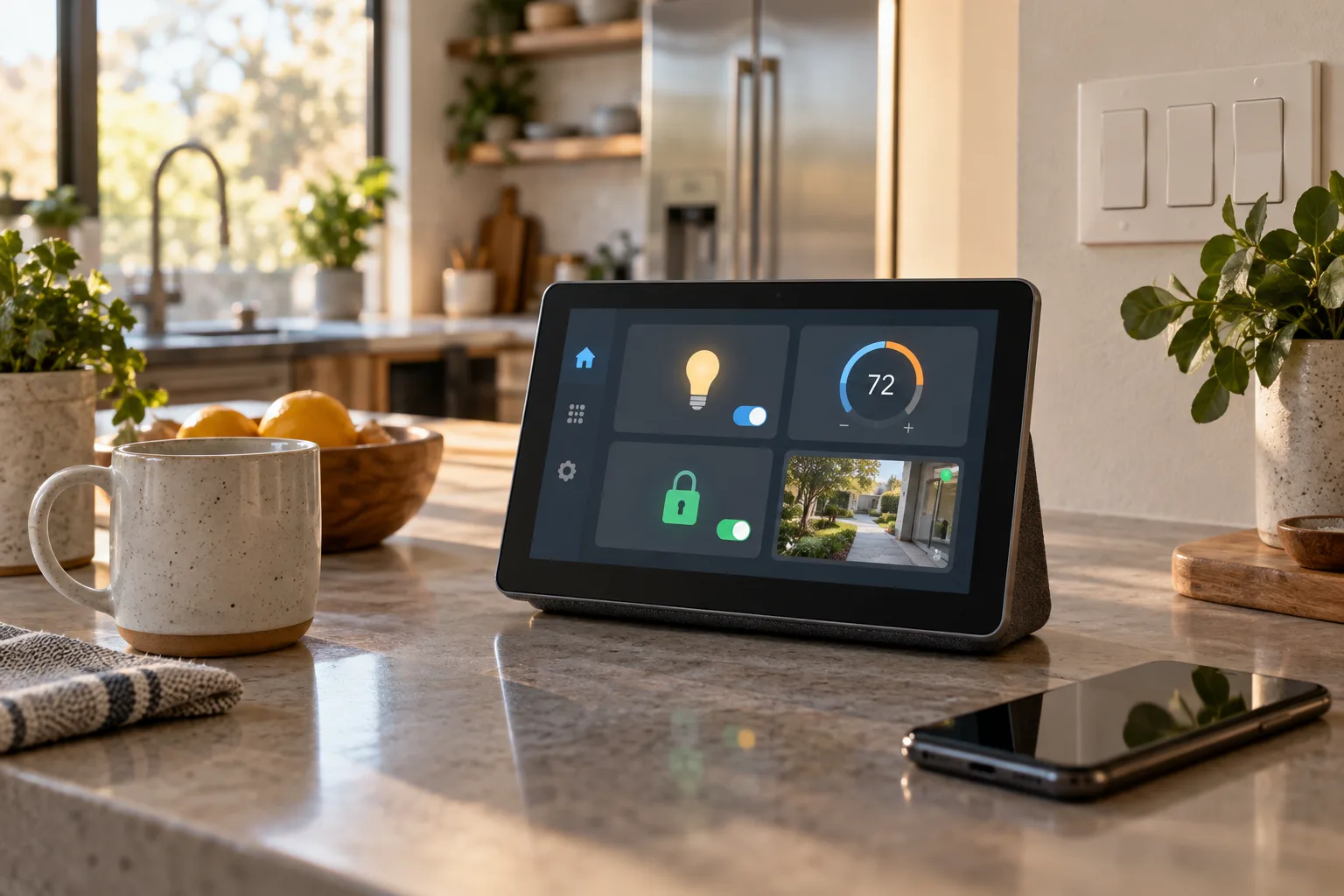
That makes HomeView interesting, but the important question is not whether it looks like a more polished Nest Hub or Echo Show. The useful question is narrower: does it solve a problem your home already has?
For an Apple-heavy household, HomeView could make shared home control easier to see and easier to use. It may be a good front end for lights, cameras, locks, blinds, and scenes that already work in Apple Home. For a mixed or mostly non-Apple home, it is unlikely to be a universal controller simply because it has a screen and supports Matter. The sensible buying decision depends on your existing hub, your accessory protocols, your tolerance for subscriptions and cloud services, and whether anyone in the household actually wants a fixed screen.
What Apple is selling
HomeView is a household display rather than a dedicated automation bridge in the old sense. Its 7-inch Liquid Retina screen can show controls, media, personal information, and camera feeds. Apple says it can recognise up to six people and present a separate Home Screen for each one. It can sit on a table or be mounted on a wall, and it comes in silver, starlight, rose pink, and space grey. The wall-mounted model is offered in space grey and silver. The display adjusts brightness from 500 nits down to 0.3 nits, and Apple says the interface changes depending on how close the user is.
The hardware matters because a visible control point changes how a home is used. A phone is personal, usually in someone’s pocket, and often locked. A wall or counter display is shared. It can show a camera view near the entrance, a thermostat in the kitchen, a timer while cooking, or a scene button that a guest can understand without installing an app.
HomeView also includes a speaker and camera. Apple positions it as a place for Apple Music, Podcasts, Apple TV, FaceTime, Messages, Intercom, and Siri AI as well as home control. That combination is the core of Apple’s pitch: one device that belongs to the household, but can still switch to an individual’s information when it recognises them.
The control layer is Apple Home. HomeView is not a replacement for every device’s radio or gateway. A Matter accessory still needs a compatible Matter controller and, where relevant, a Thread Border Router. A Zigbee or Z-Wave device still needs a bridge or hub that exposes it to Apple Home. The display can make the front end more convenient, but it does not erase those underlying requirements.
That distinction is easy to miss in launch coverage. “Supports Matter” describes an important compatibility path, not a guarantee that every Matter product will expose every feature in every platform. Locks, cameras, thermostats, energy devices, and sensors can have different feature support, commissioning requirements, and software dependencies. A standard helps devices speak a common language; it does not make all of their capabilities identical.
The $299 question is really about the household
At $299, HomeView sits well above the price of many basic smart displays and near the price of a small tablet plus a speaker. The comparison is not only about specifications. A tablet can run multiple home-control apps, travel between rooms, and be replaced independently of the automation system. HomeView is more tightly integrated into Apple’s environment and is designed to remain in one place.
That can be worthwhile when several people need the same information. Consider a family that already uses Apple Home-compatible lights, a thermostat, a door lock, and cameras. The friction may not be adding another device. It may be that nobody knows which phone has the right app open, a visitor cannot operate a scene, or the person cooking does not want to touch a phone with wet hands. A shared screen can address those small but repeated problems.
The value is weaker when the only goal is to turn lights on and off. A HomePod, a phone, an Apple Watch, a physical switch, or an inexpensive Matter button may do that with less cost and less visual complexity. HomeView earns its space when its screen is used regularly: for camera status, door and lock state, household reminders, intercom, media, cooking timers, and scenes that benefit from being visible.
It is also worth separating the cost of the display from the cost of a complete Apple Home installation. If you need a new Apple home hub, Thread Border Router, cameras, compatible locks, or professional mounting, the project can quickly exceed $299. Apple’s launch material says HomeView can control cameras, thermostats, lights, doors, and blinds, but the accessories are separate purchases. Its camera intelligence may also rely on a compatible iCloud+ subscription.
A good test is to write down five actions the display would perform every week. If the list contains only “show the time” and “turn off the kitchen lights,” the purchase is probably a luxury. If it contains a shared camera view, a daily scene, door status, intercom, reminders, and hands-free timers, the case is more concrete.
What the Home Collection changes
Alongside HomeView, Apple announced Apple Home Collection, a set of accessories developed with LG Electronics and Schneider Electric. The announcement covers indoor and outdoor cameras, temperature sensors, a thermostat, a video doorbell, and a door lock. Apple says the products will begin appearing in December, with some accessories arriving in early 2027. The company describes a one-tap setup with an iPhone and says no separate app or account is required for the collection. (Apple Home Collection)
This is a strategic change more than a single-product launch. Apple has long provided the software layer and certification path while relying on third-party companies for much of the hardware. A curated collection lets Apple define a smaller set of devices that are meant to work together, have a consistent setup flow, and look coherent next to Apple hardware.
The collection may appeal to buyers who have avoided smart-home products because the normal process involves comparing radios, downloading several apps, creating vendor accounts, and working out which hub is required. Apple says every accessory in this collection supports Thread and can update network credentials when the home Wi-Fi changes. Those details address two practical sources of household frustration: network migrations and devices that become stranded when the original manufacturer app changes.
They do not remove every dependency. Thread is a low-power mesh network, not a complete home-control platform. The Thread devices still need an appropriate Border Router and a controller that supports the relevant Matter or Apple Home functions. A camera also brings storage, notification, privacy, and power questions that a temperature sensor does not. A door lock adds battery management and emergency access. One-tap pairing is useful, but it is only the beginning of ownership.
Apple’s claim that Home data is end-to-end encrypted is also specific to the way data moves through Apple Home. It should not be read as a general guarantee that every connected component is private in every situation. A camera can expose more sensitive information than a light switch. A shared household account can create a different privacy problem from a technical compromise. Guests, children, cleaners, carers, and contractors may all need different access levels.
Privacy is a feature, but it is not a complete buying decision
Apple says camera footage and personal data in the Home app are end-to-end encrypted and that footage can be processed locally on a home hub or through Private Cloud Compute. For compatible cameras and an iCloud+ plan, Apple describes recognition of people, familiar faces, pets, packages, and vehicles, along with video descriptions. HomeView itself can use on-device processing or Private Cloud Compute for Siri requests. (Apple HomeView)
Those are meaningful protections, but they should be evaluated against the actual home setup. Ask where the footage is recorded, where it is stored, which people can view it, how long it is retained, and what happens if the subscription ends. Check whether a camera continues to provide local live view and recording when internet access is unavailable. Check whether a doorbell can still ring an indoor chime without a cloud account.
Face recognition deserves special care. HomeView can personalise content for recognised users, but facial data and household presence are sensitive. Do not enable a shared personalisation feature simply because it is available. A device at the entryway can reveal who is home, who arrived, and which messages or reminders are visible on screen. The right setting may be to use a shared dashboard with no private widgets, particularly in a home with frequent visitors.
A camera mounted in a kitchen or living room also changes the privacy boundary inside the house. It can be useful for checking on a child, pet, or delivery, but everyone who lives or works there should understand when it is active and who can access the feed. Avoid treating end-to-end encryption as permission to put a camera wherever a person has a reasonable expectation of privacy.
The practical privacy checklist is simple:
- Use separate household roles instead of sharing one Apple account.
- Review camera and Home access after guests, contractors, or former household members no longer need it.
- Decide whether a camera must record continuously or only provide live view.
- Put the display where private messages and calendars cannot be read from a doorway or window.
- Confirm what still works if iCloud+, the internet connection, or Apple’s service is unavailable.
- Keep software updates enabled for the display, hub, cameras, locks, and router.
Compatibility: start with the radios you already own
Before preordering HomeView, make an inventory of the devices that matter. For each product, record its protocol, current hub, local-control capability, and the functions you actually use.
A Matter-over-Thread bulb is not the same as a Zigbee bulb, even if both can appear in Apple Home. A Matter lock may require Thread, while a Wi-Fi lock may depend on the manufacturer’s cloud. A camera may support Apple Home for live video but not expose every detection feature. A thermostat may appear in the Home app while advanced scheduling remains in the vendor’s application.
This is where the existing infrastructure matters more than the new display. If the home already has an Apple TV or HomePod acting as a home hub and Thread Border Router, HomeView may be an additional interface. If the home uses Home Assistant, SmartThings, Hubitat, or another controller as the automation backend, the question is whether the devices can be bridged into Apple Home without losing important functions. The front end can change while the automation engine remains elsewhere, but every bridge introduces another place where state, permissions, or updates can fail.
Home Assistant’s October 2026 release is a useful reminder that the underlying ecosystem is still evolving. Version 2026.10 added Thread-connected LIFX light support, expanded security alert visibility on the main Home dashboard, and added integrations for devices such as SwitchBot Lock Ultra Max and Apple iCloud calendars and reminders. (Home Assistant 2026.10) Those additions do not make Home Assistant the right choice for everyone, but they show why a household may prefer to keep a flexible local controller and use Apple Home as a convenient interface.
The reverse is also true. A household that wants low maintenance may reasonably prefer Apple Home’s narrower, curated path. The trade-off is control. A platform that hides complexity can also hide limits. Before buying, verify that the exact device model supports the exact function you care about, not just the platform logo on the product box.
HomeView does not solve a bad network
A screen in the kitchen cannot compensate for a congested or poorly designed network. Matter devices use the home network for setup and control, while Thread devices form their own low-power mesh and depend on Border Routers to reach the rest of the home. A router with weak coverage, aggressive client isolation, multiple overlapping networks, or unstable IPv6 behaviour can make a new device look defective.
Do the boring checks before adding hardware:
- Confirm that the phone used for pairing is on the intended home network.
- Check where the current Apple home hub is located and whether it has a reliable connection.
- Avoid placing a Thread Border Router in a metal cabinet, behind a large appliance, or at the edge of wireless coverage.
- Keep smart-home devices on a network design that allows the controller and accessories to communicate as required.
- Change one variable at a time when troubleshooting, and record which device was reset or moved.
The Home Collection’s promise to update network credentials when Wi-Fi changes could reduce one common failure mode. It does not fix poor coverage, an overloaded router, or a network that blocks local discovery. Nor does it mean every third-party Matter accessory will have the same migration behaviour.
If the current home already loses devices after router reboots, adding a $299 display may make the failure more visible without making it less likely. Stabilise the network first. The same advice applies to anyone considering a large Matter or Thread expansion: purchase one or two representative devices, test them for a week, then scale up.
What to buy now, what to wait for
The strongest reason to wait is not fear that HomeView will be obsolete. It is uncertainty about the first generation of a new hardware and accessory family.
Wait if you need a specific camera, lock, or thermostat feature that Apple has not yet documented in detail. Wait if you live in a region where HomeView or Siri AI is unavailable. Apple’s launch information lists initial availability in several countries and says HomeView is not available in the European Union because Siri AI is currently unavailable in iOS there. Regional language support and accessory availability also matter. A device that looks attractive in a US launch presentation may not offer the same features or release date elsewhere.
Wait if your current home is not yet on Apple Home and you are choosing a platform from scratch. Compare Apple Home with the systems you already understand, including local-first controllers. The right choice depends on whether the household prioritises low-maintenance setup, broad device selection, local operation, voice control, cameras, energy management, or advanced automation. HomeView is a reason to evaluate Apple Home; it is not proof that Apple Home is the best backend for every house.
Buy now, or preorder, if the use case is already clear and the limitations are acceptable. That means you already use Apple devices, you want a shared visual control point, your important accessories are supported, and you are comfortable with the price and any iCloud+ requirement. You should also have a fallback: physical switches for lights, a key for the lock, a manual thermostat path, and a way to operate essential devices when the display or network is down.
The first Home Collection accessories deserve the same restraint. A curated camera or thermostat can be easier to adopt than an unknown product with several cloud accounts, but launch availability does not tell you how long firmware support will last or how repairs and batteries will be handled. Look for clear specifications, replacement parts, update commitments, and independent testing before installing a lock or relying on a camera for safety-critical awareness.
Build the fallback before the automation
Every useful smart-home system has a manual path. A light should still have a wall switch. A door should still have a key or a clearly documented emergency method. A thermostat should not become unusable because an account is locked. A camera notification should supplement, not replace, a smoke alarm, monitored security system, or direct human check when safety is at stake.
For HomeView, the fallback plan can be written in a few minutes:
- Keep the original physical controls accessible.
- Make sure at least one household member knows how to operate the home without the display.
- Test the most important scene with the internet disconnected, where the platform supports local control.
- Keep a charged phone available for access if the display is unavailable.
- Document which hub, account, and subscription each camera or lock depends on.
- Set low-battery alerts for locks, sensors, and cameras before the first warning becomes an emergency.
- Never use a smart-home automation as the only protection against fire, flooding, carbon monoxide, or an unlocked door.
This is not an argument against polished hardware. It is the condition that makes polished hardware pleasant instead of fragile. A central screen can improve a home when it makes common actions clearer and more accessible. It becomes a liability when everyone assumes that one screen, one cloud account, or one AI assistant is the home’s only way to function.
The practical verdict
Apple HomeView is a credible shared interface for an Apple-centred home, especially where a visible dashboard, camera view, intercom, media controls, and personal profiles would be used every day. The $299 price is easier to defend when the device replaces several small frustrations rather than merely adding another way to tap a light.
Apple Home Collection could lower the setup barrier for buyers who want a curated range of cameras, sensors, climate controls, and access devices. Thread support, one-tap pairing, and a single Home app address real annoyances. They do not eliminate the need to check protocol support, hub requirements, privacy settings, subscription terms, regional availability, and offline behaviour.
For everyone else, the right next step is an inventory, not a preorder. List the accessories you own, identify the current controller, mark which functions are essential, and test the network. If HomeView fits that system and provides a shared control surface the household will actually use, it may be a sensible addition. If the purchase is mainly a bet that a new AI assistant will make an unreliable home behave, keep the money until the underlying devices and fallback controls are ready.
Related articles

Apple HomeView is a $299 smart-home hub. The real question is whether your home fits Apple’s rules
Apple’s first smart display combines a 7-inch screen, Siri AI, FaceTime, home controls and personalized profiles. Its value depends less on the hardware than on language support, Apple devices, home hubs, subscriptions and the accessories you already own.

Should You Buy Apple HomeView? The $299 Smart Display Has a Narrow First-Generation Case
Apple HomeView is a polished answer to a problem many households do not have yet. Its private, family-aware design is promising, but the $299 price, Apple-only focus, launch limits, and unproven Siri AI make waiting the sensible choice for most buyers.
هل ينبغي شراء Apple HomeView؟ شاشة ذكية بسعر 299 دولاراً وحالة استخدام ضيقة لمنتج الجيل الأول
يقدم Apple HomeView تصميماً خاصاً ومدركاً لأفراد العائلة، لكنه يظل شاشة بسعر 299 دولاراً ضمن منظومة Apple، مع حدود عند الإطلاق وتجربة Siri AI لم تثبت نفسها بعد. بالنسبة لمعظم المشترين، الانتظار هو القرار الأهدأ.
Apple HomeView kostet 299 Dollar: Entscheidend ist, ob Ihr Zuhause zu Apples Regeln passt
Apple HomeView verbindet 7-Zoll-Display, Siri AI, FaceTime, Musik und Apple-Home-Steuerung. Ob sich das Gerät lohnt, hängt weniger von der Hardware als von Sprache, Region, vorhandenen Apple-Geräten, Hubs, Abos und kompatiblem Zubehör ab.
Comments
Sign in to comment.
No comments yet.