Your robot vacuum may be the most intimate smart camera at home
Modern robot vacuums map private rooms and may add cameras, microphones and cloud accounts. Before buying, choose the trust model, not only the suction power.

A robot vacuum is no longer just a little appliance that bumps into chair legs. In many 2026 homes it is a moving smart-home sensor: it builds a room map, labels zones, remembers cleaning history, may use a camera for obstacle recognition, may have a microphone or speaker, and is often controlled through a cloud account. That makes the privacy question more intimate than with many other connected devices. A doorbell camera watches the entrance. A robot vacuum drives through bedrooms, bathrooms, children’s rooms and home offices.
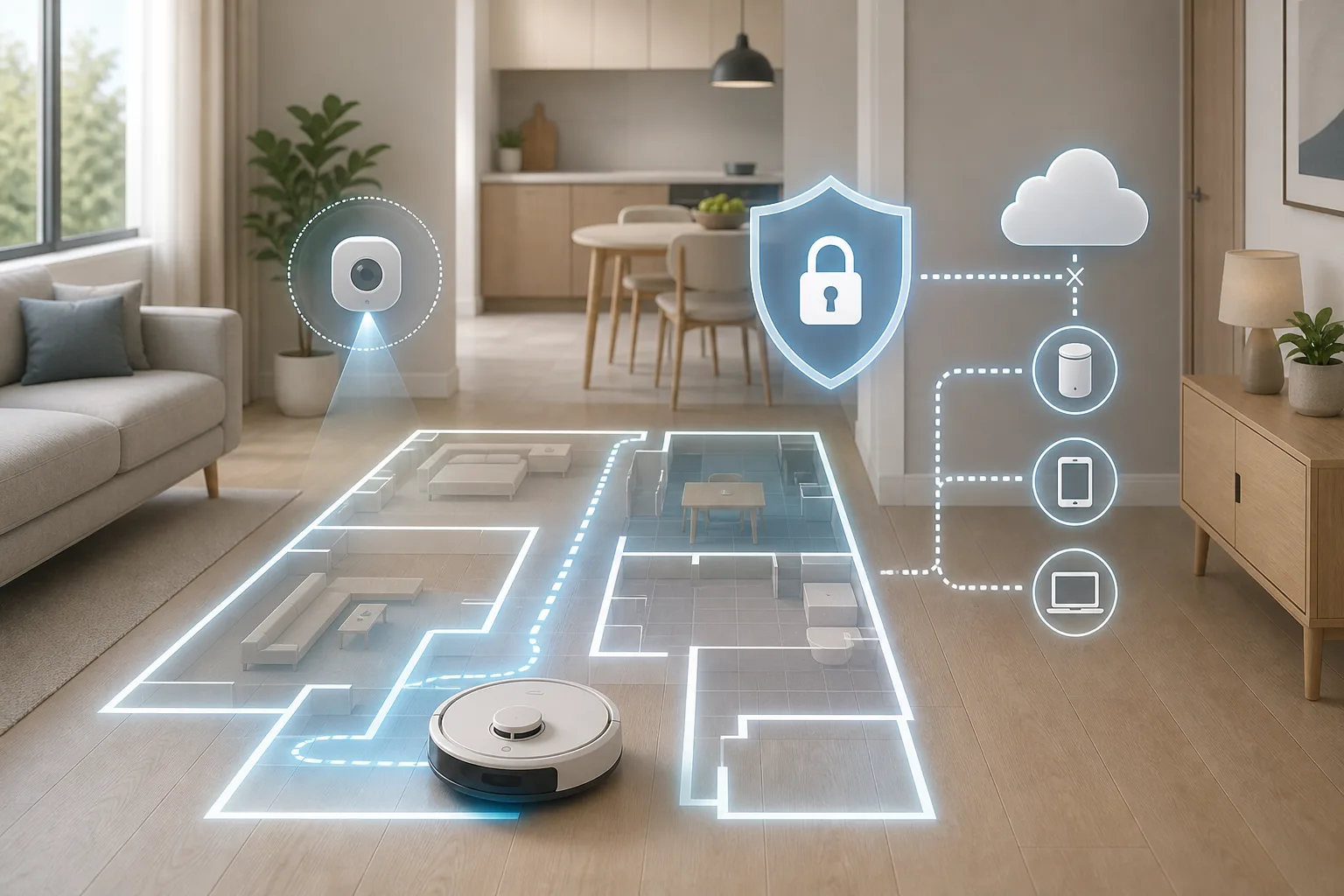
The point is not to panic or to claim that every robot vacuum is unsafe. The point is to choose the trust model before buying the machine. A vacuum can be a simple offline cleaner, a normal cloud appliance, a device isolated on an IoT network, or a locally controlled Home Assistant node through projects such as Valetudo. Those choices have different costs: convenience, warranty, repairability, map features, security updates and technical work.
The topic is live because the cloud-free route is still active, not nostalgia. Valetudo, an Apache-2.0 project that replaces vendor cloud behavior on supported vacuum robots, released version 2026.08.0 in August and its repository was active at publication time. Hacker News has repeatedly brought Valetudo and robot-vacuum privacy back to the front page, while ABC News’ reporting on Ecovacs Deebot X2 incidents gave the broader public a concrete example of what can go wrong when a mobile appliance has camera, microphone, speaker and remote-control paths.
Why robot vacuums deserve a higher privacy bar
A smart speaker hears a room. A camera sees a fixed angle. A robot vacuum creates a spatial record of the home by design. Even models without live video may store floor plans, room boundaries, no-go zones, cleaning schedules, dock location and obstacle events. More advanced models add visual obstacle recognition, remote viewing, voice assistant integration and app accounts.
Some of that data is useful. Room maps make scheduled cleaning less annoying. Obstacle recognition can avoid pet waste, cables and socks. Remote notifications help when the robot gets stuck. Firmware updates can fix navigation bugs. But the same features also expand the trust surface. The user is not only trusting the motor and battery; the user is trusting the vendor app, cloud backend, update system, authentication, data retention rules and whatever integrations were added later.
That is why a robot vacuum should be evaluated like a small moving computer, not like a toaster. If the model has a camera, ask how it is used, whether remote viewing exists, whether it can be disabled, where images are processed, and what happens to training or diagnostic data. If it has a microphone or speaker, ask why. If it requires an account for basic cleaning, ask what works when the internet or vendor server is down.
What the Ecovacs incidents actually show
The Ecovacs stories should not be stretched into “all vacuums are hacked.” They are useful because they show the class of risk. In October 2024, ABC News reported on researchers who accessed an Ecovacs Deebot X2 in a consented test and described access to logs, Wi-Fi credentials, camera and microphone-related nodes. ABC News later reported real incidents in several US cities where Deebot X2 robots were remotely controlled and used to shout slurs through their speakers.
The details matter. The reporting discussed a Bluetooth attack path in testing, an authentication/remote-control problem, and vendor responses. Those facts do not prove that every current Ecovacs unit is exposed today, or that every camera vacuum is equally risky. They do prove that the combination of mobile camera, cloud account, remote control and weak implementation can turn a cleaning appliance into a household security issue.
For a buyer, the lesson is practical: do not judge robot-vacuum privacy only by the presence of a privacy policy. Judge it by features, defaults, update history, security track record, offline behavior and the amount of control you retain after purchase.
Why the cloud became normal in vacuums
Cloud control did not appear only because companies wanted data. It also solved real consumer problems. Cloud apps make setup easier across phones. They keep maps synchronized. They enable push notifications, remote start, voice assistants, firmware updates, obstacle AI and customer support. For most buyers, “open app, tap kitchen, start cleaning” is more attractive than reading MQTT documentation.
The problem is dependency. If the app changes, an account is locked, a server has an outage, a region is discontinued, or features move behind a new policy, the appliance may lose value. The vacuum still has wheels and suction, but the expensive “smart” part may live outside the home.
That is why local control has become a smarter-home question rather than a hobbyist purity test. The goal is not to reject every cloud feature. The goal is to avoid buying a home appliance whose core usefulness depends entirely on a remote service you cannot repair, replace or audit.
What Valetudo is — and what it is not
Valetudo describes itself as a cloud replacement for vacuum robots that enables local-only operation. It runs on supported robots and provides a local web interface, no telemetry from Valetudo itself, MQTT integration, Home Assistant discovery and advanced control through local automation. For people who already run Home Assistant, that can turn a vacuum into a normal household device: clean this room after dinner, pause during calls, avoid bedrooms at night, notify when stuck, and keep the map at home.
But Valetudo is not a universal app you install from the store. The supported-robots list is exhaustive. Exact model and hardware revision matter. The installation path often depends on rooting, vulnerabilities, factory state, firmware version and vendor-specific research. Valetudo’s own “Why not Valetudo?” page is unusually honest: reverting to stock is not always possible, feature parity is not the goal, multi-floor or multi-map support is not the point, and the user becomes responsible for updates and remote access if desired.
That honesty is a strength. It means Valetudo is not the easy answer for every household. It is the ownership-first answer for people who accept the trade.
Three realistic buying paths
The first path is the simple appliance path. Choose a basic robot without a camera, avoid models that require constant internet for ordinary cleaning, and accept fewer “AI” features. This is often best for small apartments, renters, older relatives and anyone who wants less smart-home maintenance. A less intelligent vacuum that reliably starts from a button can be the most private and least annoying option.
The second path is the managed cloud path. Buy a mainstream robot because its navigation, dock, mopping or obstacle avoidance is genuinely better, but reduce exposure. Use a strong unique account password and two-factor authentication where available. Review app permissions. Disable remote viewing if you do not use it. Put the device on a separate IoT Wi-Fi network if your router supports it. Do not give the vacuum access to local computers, NAS devices or work machines. This does not make the cloud private, but it limits some damage.
The third path is the local-control path. Buy a model that is explicitly supported by Valetudo or another local-control route, read the exact installation notes before purchase, and plan for Home Assistant, MQTT, blocked WAN access and warranty risk. This path is the most satisfying for self-hosters and the least suitable for households that want vendor support.
Home Assistant changes the value of local control
A cloud vacuum integration often gives only the basics: start, stop, battery, maybe room cleaning. A local MQTT-backed integration can expose richer automations and better recovery. With Home Assistant, the vacuum can be tied to presence, calendars, quiet hours, door sensors, laundry routines, pet areas and “clean kitchen after dinner” scenes. It can also be controlled without sending every command through a vendor platform.
That is the positive case for Valetudo. It is not only privacy. It is reliable local automation. If a user already runs Home Assistant and understands backups, MQTT and network isolation, a local vacuum fits the house better than a cloud-only gadget that behaves like an island.
For everyone else, Home Assistant can be too much. A family that just wants clean floors should not be pushed into rooting, brokers and firewall rules. Smarter home does not mean maximum complexity. It means matching the technology to the household.
What to ask before buying
Ask whether the robot has a camera, microphone or speaker. Ask whether remote viewing exists and whether it can be turned off. Ask whether the vacuum can start a normal cleaning run without internet after initial setup. Ask where maps are stored, whether room labels and cleaning history can be deleted, and whether the company says how long security updates will continue.
Ask what fails if the cloud account is gone. Do schedules remain? Does room cleaning work? Can the robot return to the dock? Can firmware be updated? Is there a local API? Is the exact model and hardware revision on the Valetudo supported list if local ownership is your plan?
Ask whether reviews discuss privacy at all. Many consumer reviews rank suction, mop pressure and obstacle avoidance but barely mention cloud dependency. For a device that maps private rooms, that is not enough.
Network isolation helps, but it is not magic
A separate IoT network or VLAN is useful. It can stop a compromised appliance from seeing laptops, workstations and file servers. DNS filtering can reduce unwanted connections. Router rules can prevent local lateral movement. For a cloud robot, that is better than placing it on the same trusted network as everything else.
But isolation is not a full privacy solution. The robot can still talk to the vendor cloud if you allow internet. If you block the internet completely, some cloud models lose maps, schedules, updates or even basic control. The practical approach is to test offline behavior before trusting it, and to avoid buying a model whose best features vanish when WAN access is removed.
What not to buy impulsively
Do not buy a flagship camera vacuum just because reviewers praise obstacle avoidance if you are uncomfortable with indoor cameras. Do not buy a bargain cloud-only model with no update story. Do not buy a robot for Valetudo unless the exact model and revision are supported. Do not assume “works with Home Assistant” means fully local. Do not assume an app toggle for privacy means data never leaves the house.
Also avoid buying a robot whose main value is remote viewing unless you have a clear reason for that feature. A mobile camera inside the home should have a higher justification than a better marketing demo.
A sensible 2026 rule
Choose the level of intelligence you are willing to govern. If you want low maintenance, buy a simpler robot and sacrifice some automation. If you want the best obstacle AI and dock features, accept the cloud but isolate the device and read the settings. If you want ownership, buy for Valetudo support first and cleaning features second.
The best robot vacuum in 2026 is not necessarily the smartest one. It is the one whose camera, map storage, cloud dependency, local-control options and repair path match the privacy tolerance of the home it will drive through.
Related articles
Your robot vacuum is only as safe as its cloud rules
A Shark robot vacuum disclosure shows why smart-home privacy depends on vendor cloud access controls, not only on firmware updates at home.
Smart lock in a rental apartment: useful no-drill upgrade or a new way to get locked out?
A renter-friendly smart lock can be practical, but only if the door still works when the phone, battery, app or cloud does not.
Matter got better. Your router can still ruin the smart home
Home Assistant’s 2026 Matter upgrade is real progress, but pairing failures show why buyers should check controllers, Thread border routers, IPv6 and multicast before filling a home with new devices.
A smart feeder should not wait for the cloud
The Petlibro outage is a calm reminder to test local schedules, manual controls and backup bowls before a connected device becomes part of a critical home routine.
Comments
Sign in to comment.
No comments yet.