Your router can be a motion sensor now. Should you turn it on?
Comcast’s WiFi Motion makes a home router act like a camera-free presence sensor. It can be useful, but false alerts, provider control and motion-data privacy make it a feature to enable deliberately, not by habit.

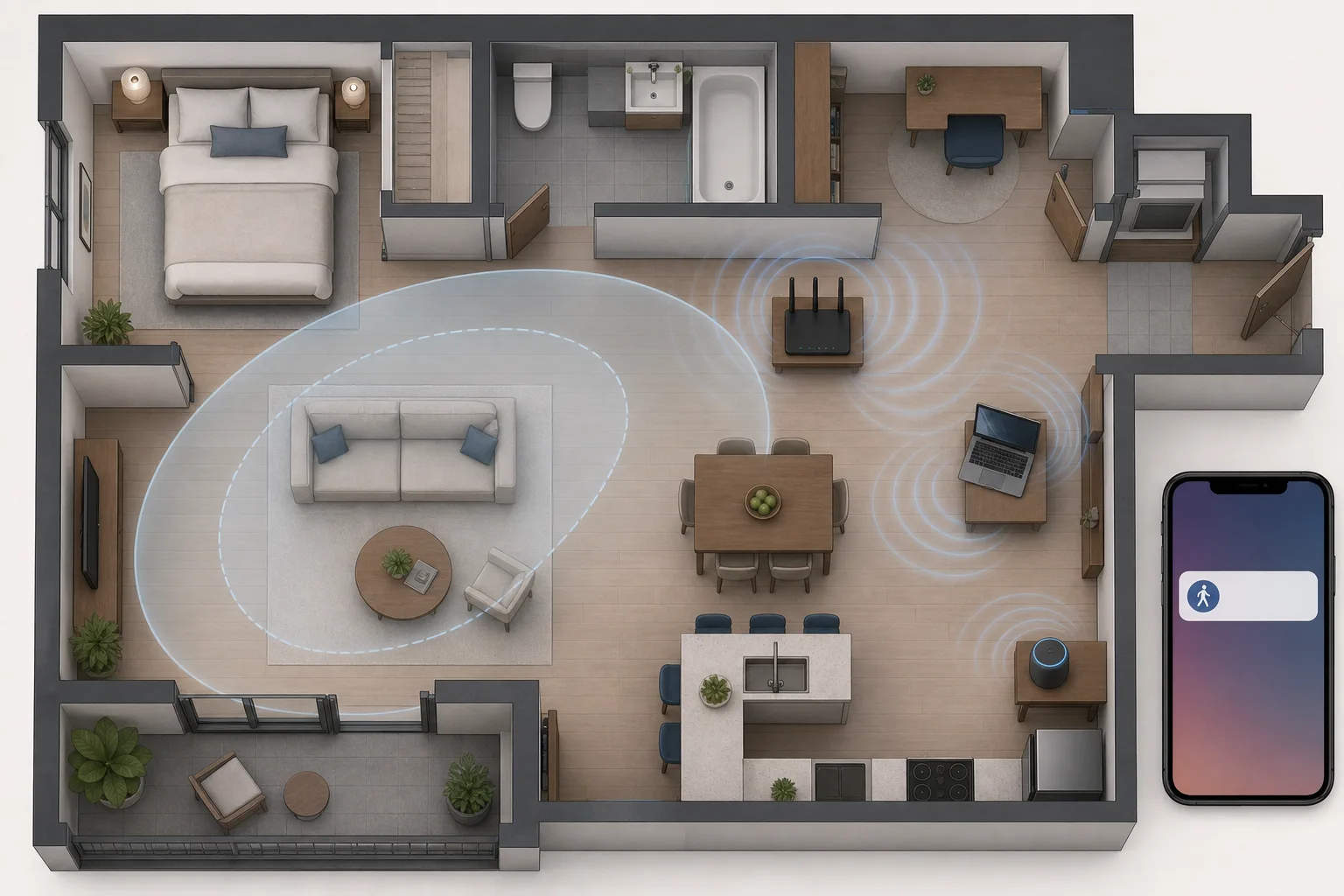
Comcast’s new WiFi Motion feature sounds like the kind of smart-home trick people have wanted for years: no cameras, no battery sensors, no drilling, and no extra gadget on the wall. A compatible Xfinity gateway can use changes in Wi-Fi signals between the router, extenders and selected connected devices to detect motion in the home and send alerts through the Xfinity app. In practical terms, the box already sitting in the hallway can become a basic presence sensor.
That is useful. It is also worth slowing down before tapping “turn on.” Wi-Fi motion sensing is not a camera and does not record audio, but it still creates a new stream of information about activity inside a home. Comcast’s own support pages say WiFi Motion is opt-in, not professionally monitored, not a guaranteed security service, and subject to privacy and legal disclosures. The important question is not whether the technology is scary or magical. The question is whether it solves a real household problem better than a local motion sensor, door contact or camera you control.
The current news came with Comcast’s August 18, 2026 Xfinity Shield announcement. Xfinity Shield combines digital protection, physical protection and family protection inside the Xfinity app. WiFi Shield is included for eligible Xfinity Internet customers with advanced gateways, while Shield Select costs $15 per month and adds hardware and monitoring features such as an indoor camera, door/window sensor, cloud video storage and access to emergency services. WiFi Motion is the attention-grabbing part because it turns networking equipment into a home-sensing layer without requiring a new sensor purchase.
How router motion sensing works
Wi-Fi sensing does not see a person the way a camera sees a person. It watches how radio signals change. Comcast describes a motion-sensing area as an oval between Xfinity WiFi equipment and a selected Wi-Fi-connected device. When movement disrupts the wireless signal in that area, the system can log motion and send a notification depending on settings.
That means placement matters. A router, extender, smart speaker, TV, laptop or other selected device becomes part of the sensing geometry. A strong signal path across a hallway may be useful. A weak path through several walls may be noisy or miss motion. A shared wall in a duplex, townhouse or apartment can complicate sensitivity because the system is not drawing a visual boundary around your lease. It is interpreting changes in radio behavior.
The Xfinity support pages say WiFi Motion does not use cameras, capture images or video, or record audio. That is a meaningful privacy advantage over indoor cameras. But it also means the system cannot know exactly what caused movement. It may know that something disturbed the signal, not whether it was an adult, a child, a dog, a guest, a neighbor’s movement leaking through a bad sensing path, or a device waking from sleep.
Why the idea is attractive
For many homes, the best smart-home device is the one nobody has to install. If a router can provide a “something moved at home” alert while you are away, that can help renters, people who travel, households checking on an empty apartment, or families that want a lightweight awareness layer without cameras in private rooms.
The camera-free angle is important. Plenty of people dislike indoor cameras in living rooms and bedrooms for good reasons. They can capture faces, conversations, clothing, routines and visitors. Wi-Fi sensing avoids video and audio, so it can feel less intrusive. A router-based motion alert can be enough for low-stakes questions: did someone enter the house, is there activity after dark, did movement happen while the home should be empty?
There is also no battery-management burden. Traditional PIR sensors, door sensors and some mmWave devices need batteries, mounting locations or hubs. A provider gateway already has power and network access. That convenience is exactly why the feature will reach people who would never buy a Zigbee or Z-Wave sensor.
The reliability limits
The same convenience creates limitations. Wi-Fi Motion is not a precise room-by-room occupancy map. Comcast’s support material talks about Home Watch, Away Watch and Dark Watch modes, selected devices, motion sensitivity, pet sensitivity, schedules and notifications. Those are useful controls, but they also reveal how much tuning may be needed.
High sensitivity can capture more motion and small movements, but it can also increase false alerts. Medium may help in a townhouse or duplex with a shared wall. Low may be more appropriate in an apartment complex, but Comcast warns that it may miss meaningful motion. That is the normal smart-home trade-off: the fewer false positives you want, the more likely you are to miss subtle activity.
Pets and children are another hard case. Comcast describes pet sensitivity that can exclude small pets around 40 pounds or less from notifications or history, while live view can still show movement. The support page also warns that without visual information, the feature cannot always distinguish pet motion from human motion, especially around small children of similar size. That is a sensible limitation, not a scandal. It simply means Wi-Fi sensing should not be used as a precise family-presence classifier.
The privacy issue is not video; it is behavior
The obvious defense of WiFi Motion is true: it is not a camera. The obvious concern is also true: motion in a home is still sensitive information. A log of movement can imply when a home is occupied, when people sleep, when they leave, whether activity happens at unusual hours, and whether a household routine changes.
Comcast’s support page includes a notable legal disclosure. Subject to applicable law, Comcast may disclose information generated by WiFi Motion to third parties without further notice in connection with law-enforcement investigations or proceedings, disputes, court orders or subpoenas. That does not mean every motion event is sent somewhere. It does mean the data is not purely local household automation in the way a self-hosted Home Assistant sensor can be.
That distinction should guide the decision. If a local PIR sensor triggers a local light automation, the event may never leave the home. If a provider gateway logs Wi-Fi motion inside an ISP app, the event belongs to a service relationship governed by provider terms, privacy policies and legal process. For some users, the convenience is worth it. For others, that is exactly the reason to avoid enabling it.
Not a security system
Comcast is careful to say WiFi Motion is not a home security service and is not professionally monitored. Performance is not guaranteed, and the user is responsible for testing. This matters because the product language around “protection” can blur categories. A motion alert is not the same as a monitored alarm system. It does not verify an intruder, call police by itself, provide visual evidence, cover every entry point or replace door/window contacts.
Think of it as awareness, not security. It may tell you that movement happened. It may help you decide whether to check a camera, call a neighbor, or return home. It should not be the only layer protecting a house, especially if the consequence of a missed event is serious.
For real security, door and window sensors, a siren, monitored alarm service, cameras in appropriate places, and local automations may still be needed. For simple awareness, Wi-Fi sensing may be enough. Confusing those two categories is the risky part.
How it compares with ordinary sensors
A PIR motion sensor is cheap, local, predictable and usually good for turning on lights or detecting movement in one room. It needs placement and sometimes a battery, but it has a clear field of view. A mmWave sensor can be much more sensitive and detect presence with less movement, but it needs careful tuning and may be too chatty in busy homes.
Door and window sensors are better for entry events. They do not infer presence from radio noise; they tell you that a door or window opened. For security, that is often more useful than a general motion signal. Cameras provide visual confirmation, but at a much higher privacy cost. Local Home Assistant, Zigbee, Z-Wave or Matter setups offer more control, but require more setup.
WiFi Motion’s advantage is low friction. Its weakness is that the provider controls the feature, the sensing geometry is indirect, and the data path is not purely local. It is best for people who want simple awareness and already accept an Xfinity gateway in the home. It is less attractive for people who built a local-first smart home specifically to reduce cloud and provider dependence.
A five-question checklist before enabling it
First, ask what problem you want to solve. “I want to know if there is movement while I am away” is a good use case. “I want a reliable security system” is not. “I want room-accurate automations” is better served by dedicated sensors.
Second, ask where the sensing path will be. Choose stable devices and think about the oval between the gateway, extenders and selected devices. Avoid paths that run through shared walls or areas where pets constantly move. Test different sensitivity settings instead of assuming the default is right.
Third, ask who will be affected. Roommates, family members, guests and caregivers may not expect the router to generate motion history. Even if the feature is opt-in for the account holder, good smart-home etiquette means telling people when a home starts logging presence signals.
Fourth, read the privacy text inside the app before accepting. Check whether motion history is visible, how to delete or disable the feature, what terms apply, and what the legal-disclosure language says in your account region. Do not rely only on headlines.
Fifth, compare a local alternative. A $15 to $30 local motion sensor may be better for a hallway light, a mailbox, a garage entry or a child’s room. A local sensor can be boring in the best way: it does one job, produces less provider-held data, and can be replaced without changing your internet service.
Who should turn it on
WiFi Motion makes sense for Xfinity customers who already use a compatible leased gateway, want a simple no-camera activity alert, understand that it is not a monitored alarm, and are comfortable with Comcast handling the motion events under its terms. It can be a practical first layer for an empty apartment, a vacation period, a secondary home, or a low-stakes “did something move?” notification.
It is less compelling for privacy-sensitive households, people using their own router, Home Assistant users with local sensors, apartments with difficult shared-wall layouts, homes with many pets, or anyone who needs reliable security coverage. Those users should treat Wi-Fi sensing as an optional experiment, not a default upgrade.
The broader lesson is bigger than Comcast. Smart-home features are moving into infrastructure people already own: routers, bulbs, speakers, thermostats and appliances. That can make homes smarter without more hardware. It also means the most important smart-home skill is no longer only choosing devices. It is understanding what data the devices you already have can create once a new software switch appears.
Related articles
IKEA Matter-over-Thread is cheap smart home, but not yet effortless
IKEA’s new Matter devices could make smart homes cheaper, but early pairing issues show why buyers still need to understand hubs, Thread routers and setup risk.
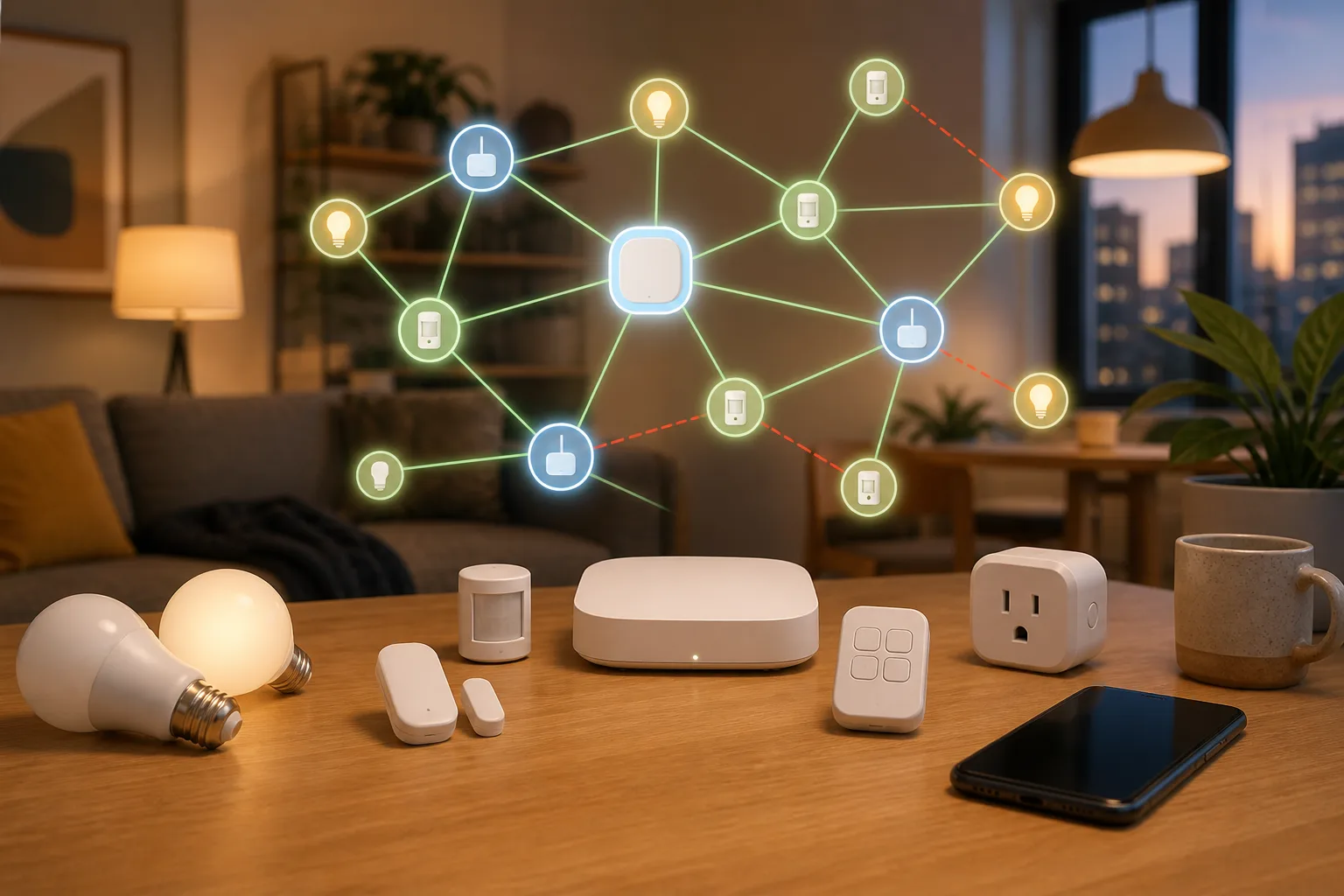
Sub-GHz Thread Is Coming, but Your Smart Home Should Not Wait for It
Thread Group has started work on a Sub-GHz version of Thread. That matters for range, but it is not a buying signal for today’s door sensors, locks or outdoor devices yet.

Home Assistant 2026.9’s Matter Map Is Most Useful Before You Buy Another Thread Device
Home Assistant 2026.9 adds a Matter network map that can expose weak links, missing border-router paths, and Wi-Fi assumptions. Here is what it can tell you, what it cannot, and how to use it before expanding a Thread setup.
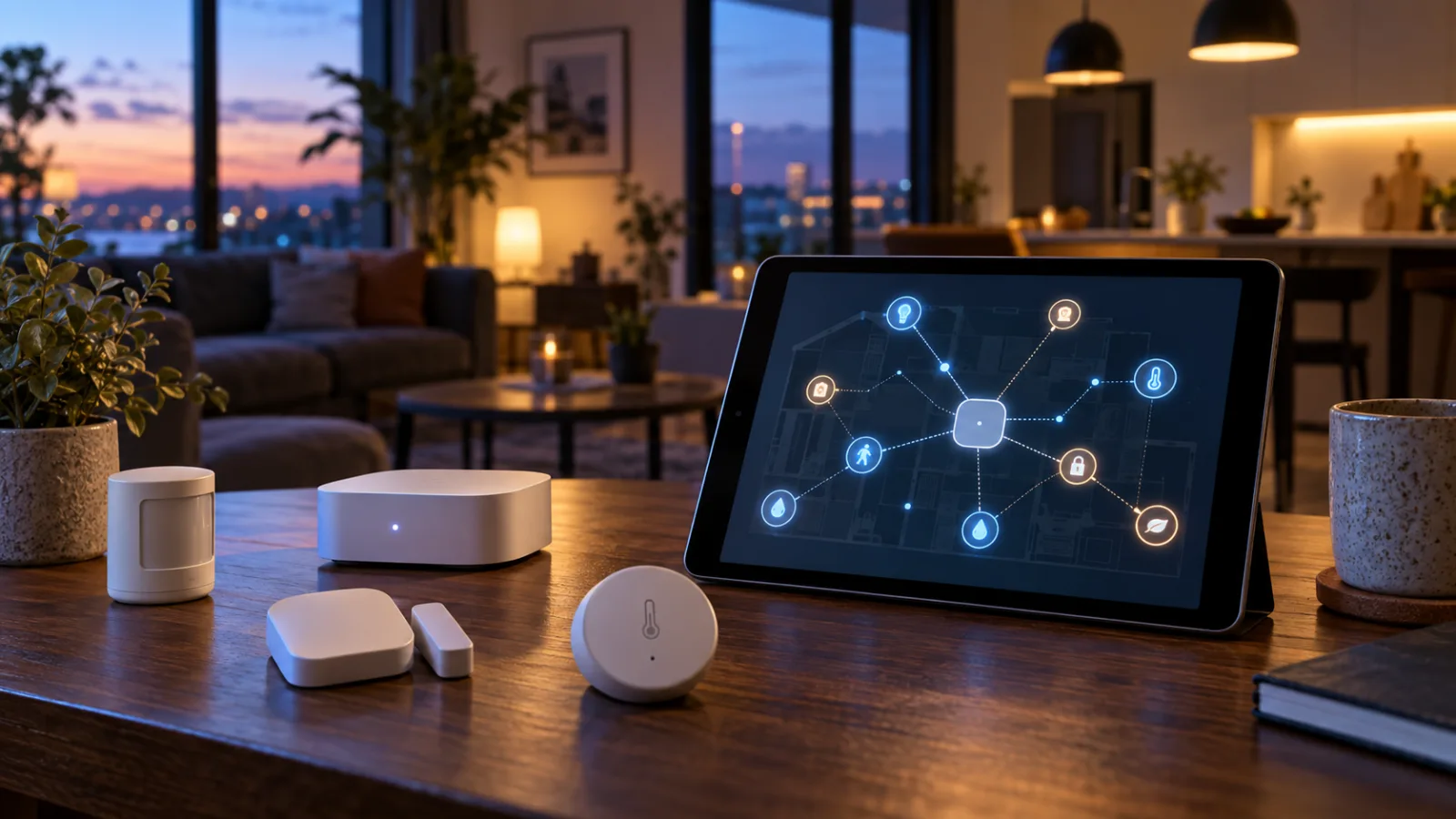
Home Assistant 2026.7 makes automations feel less like homework
Home Assistant’s July release makes automations easier to start, but the useful smart home still needs backups, testing and honest Matter troubleshooting.
Comments
Sign in to comment.
No comments yet.