The 1Password GitHub Breach Exposed Account Records, Not Vault Contents
1Password says an attacker reached backend systems through an employee’s corporate GitHub account and copied limited customer records. The incident is a useful test of what password-manager encryption protects—and where phishing risk begins.
A breach at a password manager creates an unusually difficult question for customers: if the service was compromised, are the passwords inside it compromised too? In 1Password’s newly disclosed incident, the answer is not a simple yes or no. The company says an attacker reached some backend systems after taking over an employee’s corporate GitHub account, copied limited account records, accessed private source code and reached CI/CD infrastructure. It also says customer vault contents, the items inside them and the keys that protect them were not accessed or available to the attacker.

That distinction matters. The incident is serious because it crossed from a developer identity into production-related systems and exposed information that can make targeted phishing more convincing. It is also a useful demonstration of why end-to-end encryption changes the consequences of a server-side intrusion without making the surrounding service invulnerable.
The practical advice is narrower than “change every password immediately.” Customers should treat unexpected 1Password-themed messages as a heightened phishing risk, use the official application or a self-entered website address for sign-in, and understand whether their organization uses invitation, provisioning or recovery workflows. Security teams should study the route into the backend, the privileges granted to source-control accounts and the controls that separate code changes from production deployment.
What 1Password says happened
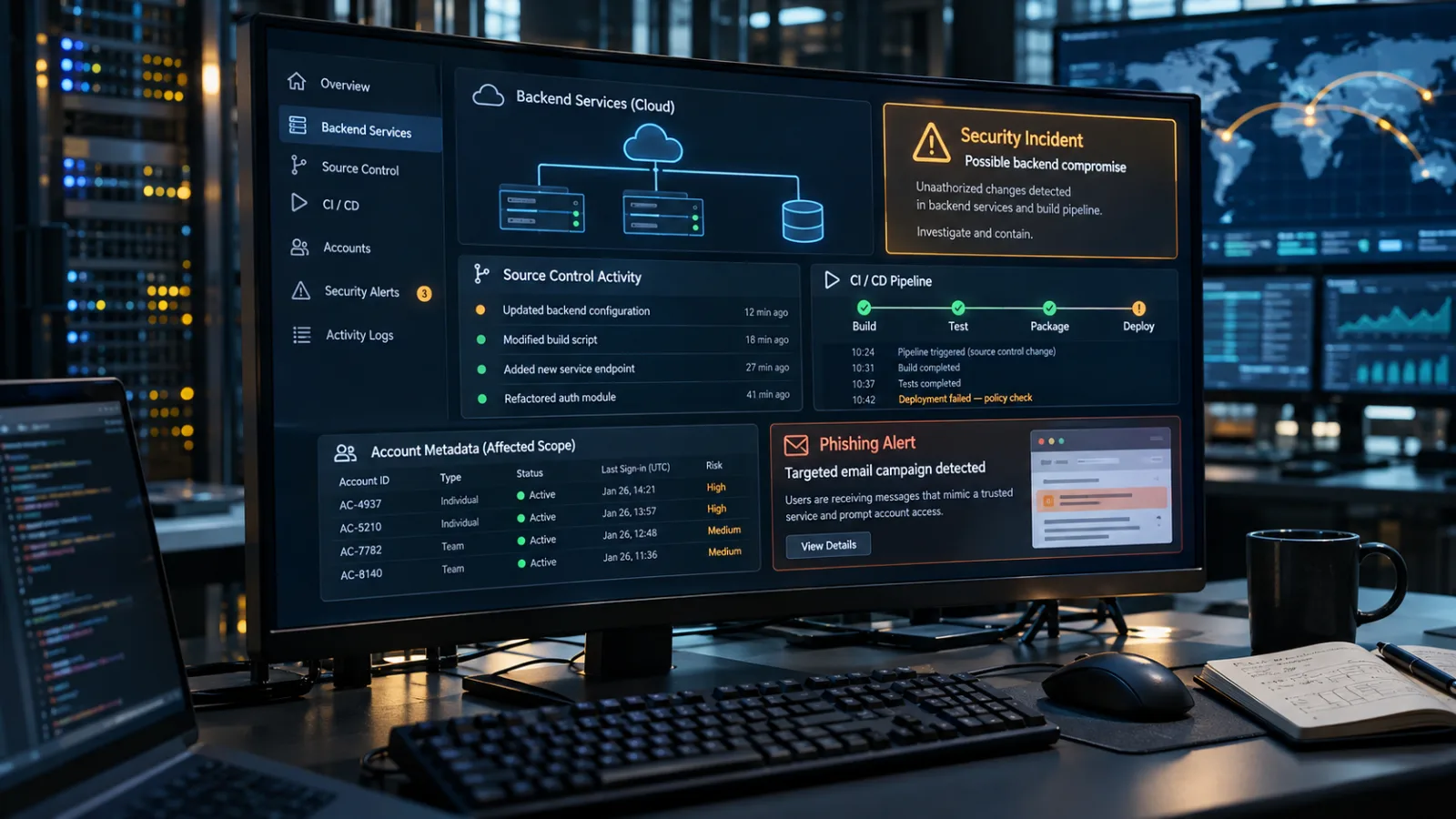
According to 1Password’s incident update, the company began investigating indications of suspicious activity on November 19, 2026. The attacker had gained access to an employee’s corporate GitHub account. From that account, the actor accessed source code and pushed malicious code to backend services. Those services then downloaded administrative data relating to customers.
The company says the affected data came from account records for a subset of users. The disclosed categories include names and email addresses, account and user identifiers, account creation and last-sign-in times, public keys, Secure Remote Password protocol parameters, certain tokens contained in emailed invitation or recovery links, and other non-secret metadata connected with the service’s internal architecture.
The attacker also copied source code from private repositories and gained access to the CI/CD system. That is a meaningful part of the incident even for customers whose vaults were untouched. Source code can reveal how a service is assembled, while CI/CD systems often sit at the point where code becomes a running service. They may also hold infrastructure credentials, deployment permissions and automation identities. 1Password says it rotated or revoked credentials that may have been exposed and says its source code contained no user secrets.
The company has not published a customer count for the affected records in the incident update. It says a small number of users were in a state where tokens from invitation or account-recovery emails were relevant and that those users were specifically notified.
What was exposed, and what was not
The most important editorial and technical distinction is between account metadata and vault data. A name, email address, account identifier or timestamp is not equivalent to a saved password. It can still be useful to an attacker, particularly when combined with public information or other data breaches, but it does not by itself decrypt a vault.
1Password says the following were not affected:
- Vaults and the items stored in them.
- The keys that protect vaults.
- Account recovery keys.
- The 1Password applications and browser extensions.
- The availability and product security of the service, according to the company’s investigation.
The company also says it does not store a customer’s account password or Secret Key. Its support documentation describes the Secret Key as a customer-held value used together with the account password to protect data. The result is a separation between the encrypted vault material stored by the service and the keys needed to make that material readable.
This does not mean a compromised backend is harmless. A backend can contain identity records, operational data, account-state information, authentication artifacts, email workflows and administrative interfaces. An attacker may be unable to read the encrypted vault while still being able to influence a recovery process, target customers with convincing messages, or use software-development access to create a second incident. Security outcomes depend on both cryptography and the controls around the system that serves it.
Why the GitHub account is the central security issue
The most consequential fact in the disclosure is not that a password manager stored customer records. It is that one employee’s source-control identity became a path to backend services.
Corporate GitHub accounts are often more than places to read and review code. They can authorize repository changes, access private projects, invoke automated workflows, issue package or deployment actions, and connect to cloud platforms. The exact permissions vary by organization, but the general risk is familiar: a developer identity can become a bridge between a workstation, source code, build automation and production infrastructure.
The incident therefore has at least four trust boundaries:
- The employee account and the device or session used to access it.
- GitHub repositories and the tokens that authorize changes.
- CI/CD workflows that turn accepted code into artifacts or deployments.
- Backend services that process customer data.
A control at one boundary does not automatically protect the others. Multi-factor authentication can reduce the chance of an account takeover, but it does not decide whether a valid account may alter a deployment workflow. Branch protection can slow an unauthorized change, but it is less useful if automation is allowed to deploy from an unreviewed path. Secret rotation limits the lifespan of stolen credentials, but it does not replace a review of what an attacker did while those credentials were valid.
For organizations, the lesson is to model GitHub as part of the production environment when it can influence production. The relevant inventory should include employee accounts, fine-grained tokens, GitHub Apps, deploy keys, Actions secrets, environment approvals, cloud federation and service identities. The question is not merely “was the repository private?” It is “what could this identity cause to happen?”
The invitation and recovery tokens deserve careful attention
1Password says certain tokens in emailed invitation, provisioning and account-recovery links were included in the downloaded records. Those tokens were not described as stand-alone account credentials. The company says they had to be combined with an SSO sign-in or a verification code sent to the registered email address.
That is why 1Password says the tokens could not independently provide account access. It also says it expanded the verification code used in these flows from six numeric digits to ten alphanumeric characters, making guessing practically impossible under the company’s stated design.
Customers should not interpret that as a reason to trust every message that mentions an invitation or recovery action. The relevant risk has shifted from direct vault decryption to social engineering. An attacker with knowledge of a customer’s name, email address and account context can craft a message that looks more credible than a generic scam. If a user is already expecting an invitation or recovery email, the timing may feel reassuring even when the message is fraudulent.
The safe habit is independent verification. Open the 1Password app directly or type the official website address yourself. Do not use a link in an unexpected email, text or chat message to enter an account password or Secret Key. 1Password says it will not ask customers for those values. If an organization has a separate administrator or help-desk process, confirm unusual requests through a known channel rather than replying to the message that raised the question.
What customers should do now
1Password’s current advice is that customers do not need to update anything in their accounts solely because of this incident. That statement reflects the company’s current findings that vault data and protecting keys were not affected. Customers should still take a few low-risk steps that address the part of the incident most likely to reach them: phishing.
First, treat unexpected messages about account recovery, provisioning, invitations, billing or security checks as suspicious. This is especially important if the message asks for a Secret Key, account password, recovery information, a verification code or a download.
Second, navigate independently. Use the installed 1Password application or enter the known website address manually. Avoid clicking through an email to start a sensitive account action. A familiar logo, an accurate name and a plausible support explanation are not proof that a message is genuine.
Third, check whether the message corresponds to an action you actually initiated. If you did not request account recovery or an invitation, do not complete it. Contact 1Password through its published support channel or ask your organization’s administrator through a separate communication path.
Fourth, preserve evidence if something looks wrong. Keep the original message, note the sender and destination, and report it rather than forwarding it to coworkers as a warning without context. A security team can use headers, URLs and timestamps to determine whether the message is part of a campaign.
Finally, do not perform a broad password reset just because a headline says a password manager was breached. Resetting passwords can be appropriate if a user entered credentials into a suspicious page, reused an exposed password elsewhere, lost control of a device, or received a direct notification that their account was affected. It is not a substitute for identifying whether a phishing page or malicious application actually received the credentials.
What administrators should review
Organizations using 1Password Business, SSO, SCIM provisioning or hosted account recovery should review their own exposure to the affected workflows. The objective is not to assume that the incident compromised every organization. It is to confirm that local controls would limit the impact of a similar event.
Review identity and source-control access
List employees and service identities that can access private repositories, create tokens, approve workflows or change deployment configuration. Remove unused accounts and stale tokens. Prefer short-lived, narrowly scoped credentials where the platform supports them. Require phishing-resistant authentication for privileged developer and administrator accounts when possible, and make sure high-risk actions generate alerts.
The review should include personal access tokens, GitHub Apps, deploy keys, repository webhooks and cloud credentials issued through CI/CD. A token that can read code may be appropriate for one job but excessive for another. A token that can write code and trigger production deployment deserves a much higher level of monitoring and approval.
Separate code approval from deployment
Branch protection and required reviews are useful only when the review process is independent. Do not let the same compromised identity create a change, approve it and release it without another control. Protect production environments with explicit approvals, restricted runners and deployment identities that are not available to ordinary development workflows.
Review whether workflows can be modified through pull requests, whether workflow files run with write permissions by default, and whether untrusted code can access repository or environment secrets. A build pipeline should receive the smallest practical set of credentials for the exact step that needs them.
Check logs across the trust chain
A GitHub audit log by itself may not show the whole incident. Correlate account sign-ins, token creation and use, repository access, workflow runs, artifact publication, cloud identity events, deployment records and backend application logs. Preserve logs before retention windows remove them.
Look for unusual repository clones, new SSH keys, changes to workflow files, unexpected runners, deployments outside normal windows, service-account use from unfamiliar locations and access to customer-record endpoints that does not match ordinary application behavior. The goal is not to search for a single indicator published in a news article. It is to reconstruct what the identity could reach and what actions followed.
Rotate with evidence, not ceremony
1Password says it rotated or revoked internal credentials that may have been exposed. Other organizations should apply the same principle to their own systems: identify secrets that were available to the account, runner or repository, then rotate them in a controlled order. Rotating everything without understanding dependencies can cause outages while leaving overlooked credentials active.
After rotation, verify that old credentials no longer work, update monitored inventories and inspect logs for continued use. Include cloud keys, package-publishing tokens, signing credentials, webhook secrets and automation identities, not only the obvious GitHub token.
What the encryption model changes
The incident has prompted predictable but imprecise reactions about whether password managers are safe. A more useful question is: safe against which failure mode?
If an attacker steals encrypted vault data from a service but does not obtain the customer-held material needed to decrypt it, the attacker may face a fundamentally different problem from stealing plaintext passwords. 1Password’s published architecture says vault data is encrypted locally and that the service cannot read it because it does not possess the account password or Secret Key. Its support documentation also describes Secure Remote Password as a mechanism intended to keep password-derived secrets from being sent to the server.
That architecture reduces the value of a server-side copy of vault data. It does not protect an unlocked device, a malicious browser extension, a phishing page, a stolen Secret Key, an account-recovery takeover or an attacker who gains access to a user’s endpoint. Nor does it prevent a compromise of the company’s development and deployment environment from exposing non-vault records or damaging trust in the service.
Encryption is therefore a layer, not a verdict. It can turn a catastrophic database theft into a limited data-exposure incident, but only when the keys and client-side controls remain outside the attacker’s reach. The surrounding identity, code and operational controls still determine whether the attacker can tamper with the service, target users or extend access.
What remains unknown
The public disclosure is useful but incomplete. It does not identify the initial method used to compromise the employee’s GitHub account. It does not give a complete customer count for the affected records. It does not provide a detailed timeline of source-code access, malicious changes, backend execution and containment. It also does not describe every permission held by the compromised identity or the exact detection that triggered the November 19 investigation.
Those gaps matter for defenders trying to compare the incident with their own environments. They are also normal in an investigation that is still being validated. 1Password says independent cybersecurity experts were engaged to review its containment and remediation work and that the incident update will be maintained if its findings change.
For readers, the appropriate stance is neither blind reassurance nor an assumption that every vault has been opened. The confirmed facts support a narrower conclusion: account-related information and internal development assets were exposed, while the company says vault contents and the keys protecting them were not. Future updates could refine the scope, so affected customers and administrators should follow the official incident page rather than relying on social-media summaries.
The broader defensive lesson
A compromised developer identity can be as important as a compromised server because it may carry authority across the software lifecycle. The 1Password case shows why incident response has to connect identity logs, source-control events, CI/CD telemetry and application data access. Treating them as separate teams or separate dashboards leaves the most important sequence invisible.
For users, the lesson is more modest and more practical: a breach announcement does not erase the protections provided by encryption, but it can create an opening for believable follow-up scams. Verify messages independently, keep account secrets out of email and chat, and act on direct evidence of credential exposure rather than on the emotional force of the headline.
For security teams, the durable control is separation. Separate account administration from production deployment. Separate code approval from release. Separate encrypted vault material from server-side records. Separate a genuine recovery request from a link delivered by an untrusted message. Those boundaries are what turn a compromise into a contained incident instead of a direct route to every secret a service protects.
Related articles
AI agents in the Taiwan attack: what defenders should learn without panic
A reported multi-agent intrusion shows how AI-assisted tooling accelerates familiar security failures: weak APIs, exposed secrets, credential attacks and fragmented logs.

Should You Buy a Framework Laptop After the 2026 Data Breach?
Framework still offers rare repairability and Linux-friendly longevity, but the Metabase incident adds a privacy and vendor-risk checklist to the buying decision.


Claude Code's hidden check is a trust test for AI coding agents
A hidden Claude Code detection experiment shows why terminal AI agents need the controls of software supply chain tools, not the trust model of chatbots.

1Password’s Backend Incident Exposed Account Data, Not Vaults — Why the Phishing Follow-Up Matters
1Password says an attacker reached backend systems through an employee’s GitHub account and copied limited customer account records. Vault contents and encryption keys were not affected, but the exposed metadata creates a credible phishing risk for users and enterprise administrators.
Comments
Sign in to comment.
No comments yet.