Spettro puts the coding-agent workflow in the terminal — and makes permissions part of the product
Spettro is a young GPL-3.0 terminal coding assistant built around visible agent handoffs, approval gates, provider choice, and OS-level sandboxing. Its interesting idea is not autonomy alone, but making the control surface inspectable.

Spettro is a small open-source coding assistant with a deliberately visible workflow. It runs in the terminal, separates planning from implementation, exposes the active agent and permission mode, and keeps enough state to resume a task later. The project is written in Go, uses a Bubble Tea terminal interface, and is released under GPL-3.0. Its repository was showing 37 stars and six forks when checked, while the latest tagged release was v2.8.2 from 4 October 2026. Those numbers matter: this is an early project to evaluate, not an established foundation for a company-wide development process.
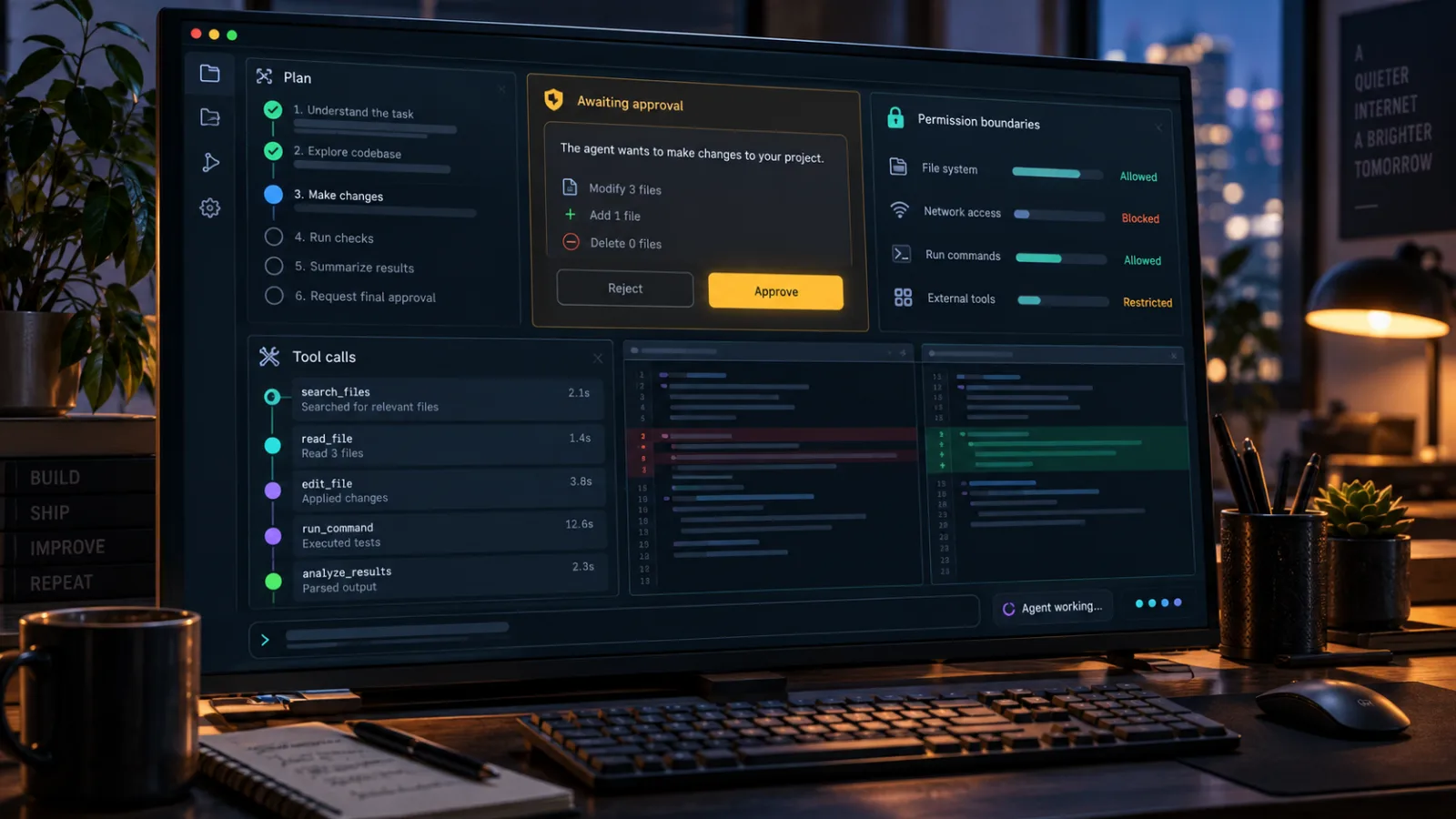
The interesting question is therefore not whether Spettro can replace a mature coding assistant. It cannot yet prove that. The better question is whether its design makes agent-assisted work easier to supervise. On that narrower test, Spettro has a coherent point of view: the agent should operate inside a declared project boundary, propose work before executing it, use named roles rather than one enormous prompt, and leave a trail of tool calls that a developer can inspect.
That is a useful direction for open source. Many coding agents compete on how much code they can change with one instruction. Spettro spends more of its product surface on what happens before and around the change. That makes it worth trying for developers who want to study agent control, build local workflows, or contribute to a young Go application. It also creates a long list of reasons to keep experiments isolated.
What Spettro actually adds
The project describes itself as a terminal-first, multi-agent coding assistant. The phrase can sound interchangeable with a growing list of command-line tools, but Spettro’s structure is more specific. Its repository ships an agent manifest, prompt files, a terminal user interface, provider configuration, workflow support, persistent sessions, skills, memory, hooks, and a separate ACP mode for editor integration. The built-in roles include planning, coding, asking questions, exploration, Git work, testing, review, and documentation.
The important unit is not the individual role. It is the handoff. A plan agent can inspect a repository and propose a sequence of changes; a coding agent can then carry out an approved plan; testing and review roles can be called afterward. The manifest and prompt files are visible in the repository rather than being an opaque service-side configuration. That does not make the output correct, but it gives a maintainer something concrete to read, fork, and change.
The default interaction is also intentionally more procedural than a single chat box. Spettro asks the user to trust a project folder, connect a model provider, choose a model, and start with the plan agent. The README documents commands such as /plan, /approve, /permission, /models, /skills, /compact, and /resume. That vocabulary tells you how the developers expect the tool to be used: a session is a working environment, a plan is a reviewable object, and a permission mode is part of the task rather than a hidden implementation detail.
There is a practical benefit here. When an agent session goes wrong, the diagnosis is often not “the model was bad” in the abstract. It is more likely that the agent had too much filesystem access, a task was not decomposed, a command ran in the wrong directory, a tool result was not checked, or an interrupted session lost its context. A workflow that names these stages gives the operator more places to stop and inspect.
Permissions are the main story
Spettro’s strongest open-source angle is its attempt to put the permission boundary close to the execution layer. Its website says that sandboxed commands can be confined with Seatbelt on macOS, Landlock on Linux, and Mandatory Integrity Control on Windows. It also documents filesystem modes such as off, workspace-write, and read-only, plus network policies including all, localhost, none, or an explicit port list.
Those details are more meaningful than a general promise that the agent is “safe.” They describe a policy surface an operator can inspect. The project says the policy can be supplied through command-line flags or an agent manifest, and that the model cannot inspect or change it. In a coding-agent setting, this is the right boundary to discuss: the language model may suggest a shell command, but the host runtime should decide whether that command can reach a file, directory, device, or network destination.
The distinction is especially important when using local models or API-compatible services. Provider choice does not remove execution risk. A local model can still produce a destructive command. A hosted model can still misunderstand the repository. A small open-source runtime can still contain a bug in its permission checks. Sandboxing reduces the blast radius; it does not establish that every workflow is safe.
The sensible first test is therefore deliberately boring:
1. Create a disposable repository with no credentials.
2. Start Spettro in read-only or ask-first mode.
3. Ask for a plan that only describes a small change.
4. Inspect the proposed tool calls and paths.
5. Approve a change that has an obvious test and an easy rollback.
6. Repeat with network access disabled.
Do not begin by pointing it at a home directory, a production checkout, a directory containing SSH keys, or a repository with access to deployment credentials. The fact that a project exposes permission modes is a reason to test those modes, not a reason to skip the test.
The approval gate is useful, but it is not a review substitute
Spettro separates planning from execution with an /approve step in its stricter modes. That is a good interaction pattern because it gives a human a chance to inspect the proposed scope before tools start modifying files. It also creates a natural place for a team to add its own checklist: allowed directories, expected files, tests to run, generated artifacts, and commands that must remain off-limits.
There is a limit, though. Approval can become ritual if the plan is too broad or too difficult to read. A line that says “update the authentication flow and fix related tests” is not meaningful control merely because it was approved. A useful plan needs a bounded file set, a reason for each change, and a verification step. Spettro can expose the workflow, but the quality of that workflow still depends on the prompts, repository instructions, and habits around it.
The same applies to autonomous goal mode. The project documents a /goal command that lets the runtime continue across iterations, detect stalls, resume progress, and stop when a goal is marked complete. That may be convenient for long tasks, but autonomy increases the importance of checkpoints. A goal loop should be treated like a build pipeline with a human-defined budget and exit condition, not like a promise that the agent will know when it has done enough.
For an individual developer, the useful middle ground is to use goal mode only on tasks with a narrow definition of done. “Add a parser for these five examples and write tests” is inspectable. “Improve the architecture” is not. When the task touches dependencies, credentials, migrations, deployment files, or security-sensitive code, switch back to a plan-first flow and keep the loop short.
Multi-agent does not automatically mean better
Spettro advertises parallel sub-agent spawning and specialized orchestrator and worker roles. That can help when the work naturally divides: one role explores the repository, another prepares tests, another reviews a patch, and an orchestrator combines the results. It can also waste time and tokens when several agents repeat the same search or produce mutually inconsistent suggestions.
The value comes from role boundaries, not from the count of agents. A good decomposition gives each worker a different question and a clear output format. For example, an exploration role might identify the relevant packages and current tests; a coding role might be restricted to an implementation plan; a review role might look only for regressions and missing coverage. If every role receives the same vague instruction, parallelism is just duplicated uncertainty.
The repository’s manifest-driven approach is promising because it makes those role definitions editable. Maintainers can inspect what the planner is told to do, change the review prompt, add a project-specific documentation role, or remove a role that is not useful. This is closer to conventional open-source customization than a vendor dashboard where the behavior changes without a local diff.
It also creates maintenance work. Prompt files are part of the system’s behavior. They need tests, versioning, and review. A change to an agent instruction can be as consequential as a change to a command handler, especially if it alters when tools are called or how much context is included. Projects adopting Spettro should review agent manifests with the same seriousness they apply to CI configuration and development scripts.
Provider flexibility is helpful, but it moves responsibility to the operator
The project documents support for Anthropic, OpenAI-compatible APIs, and local endpoints such as LM Studio or Ollama. It also advertises provider routing, a model catalog, and normalized reasoning levels. This is useful for experimentation: a developer can compare a hosted model with a local one, use a cheaper model for repository exploration, or keep a sensitive codebase on an internal endpoint if that endpoint is reliable enough.
Provider independence is not the same as model independence. Different models interpret tools, context limits, structured output, and approval instructions differently. A prompt that produces a careful plan with one provider may produce a shallow summary with another. A model that handles a short Go change well may struggle with a large monorepo. The runtime can normalize a command such as /thinking high, but it cannot make the underlying models equivalent.
The best evaluation method is to keep the task fixed. Use a small benchmark repository, define the expected files and tests, and run the same task with two providers. Record whether the plan identifies the right code, whether the agent asks before using tools, whether the final patch passes tests, and how much human correction was required. This produces a more useful result than judging the interface after one impressive demo.
There is also a data-governance question. The repository says keys are encrypted and the site presents hosted and local provider choices, but users still need to read the configuration and storage documentation before connecting credentials. They should identify which process can read the key, where session data is stored, whether prompts and tool output are persisted, and whether an enabled web or relay feature creates another data path. “Bring your own key” is a deployment choice, not a complete privacy policy.
ACP makes Spettro more than a terminal curiosity
Spettro can run as an Agent Client Protocol agent over standard input and output. Its ACP documentation says that editors such as Zed and Neovim plugins can drive it from a native agent interface while reusing the existing provider, model, permission, manifest, and sandbox settings. That is a practical design choice. It lets a developer keep the execution policy in one runtime while changing the front end.
This matters because terminal-first tools often face a false choice. They can offer a strong command-line workflow but require users to abandon an editor, or they can integrate deeply with one editor and inherit its assumptions. ACP provides a possible seam between those concerns. Spettro can remain the agent runtime, while an editor becomes the place where a user sees prompts, diffs, and questions.
The seam is also a place where bugs can hide. Editor integrations add protocol translation, lifecycle handling, streaming output, cancellation, and permission prompts. A problem in the client can make a safe policy look broken, or a confusing UI can cause a user to approve something without understanding the scope. Early adopters should test ACP with the same restrictions used in the terminal and confirm that cancellation really stops the underlying operation.
For now, the strongest case for ACP is not that it replaces an editor assistant. It is that it makes the project easier to fit into an existing workflow without throwing away the runtime’s declared controls. That is an architectural advantage worth watching, especially if more clients implement the protocol.
Remote control and Telegram deserve extra caution
The repository documents a loopback remote control plane and a mode that can expose the control plane to LAN devices. It also documents a Telegram relay. These features may be useful for a developer who wants to watch or drive a session from another device, but they change the threat model substantially. A terminal tool that only reads local input is one thing; a tool that accepts remote commands is another.
The safe default is to leave remote features disabled until their authentication, binding address, transport security, and command authorization are understood. “Loopback” is narrower than LAN exposure, but it is not a substitute for reading the implementation. A local web endpoint can still be reached by another process, a browser extension, or a forwarded port. A chat relay introduces a third-party account, message retention, bot-token handling, and the possibility that a conversational command is interpreted as an instruction to modify a repository.
If a remote mode is necessary, use a disposable project, bind it to the smallest possible interface, keep the filesystem policy restrictive, and verify which commands are available before connecting it to a real checkout. Do not treat a visible chat history as an audit trail unless the project documents how it records tool calls, approval events, and failures.
This is not a criticism unique to Spettro. It is a general rule for agent runtimes: every convenience feature that increases reachability deserves a separate security review. The fact that the code is open makes that review possible, but it does not perform the review for you.
GPL-3.0 is a meaningful choice
Spettro’s repository identifies the project as GPL-3.0 licensed. That is materially different from the permissive licenses used by many developer libraries. Developers can run, study, modify, and share the program under the GPL’s terms, but organizations planning to embed it into a proprietary distributed product need legal review of how they combine and distribute the code.
The license also fits the project’s stated posture. Spettro is not merely an SDK hidden behind a hosted service; the repository includes the runtime, prompts, installation scripts, and documentation. A strong copyleft license can help preserve the freedom to inspect and redistribute modified versions. It can also narrow the set of organizations willing to make it a component of a closed commercial tool.
Do not infer more from the license than it says. GPL-3.0 does not guarantee support, security response times, reproducible builds, or a stable API. Those are project-governance and release-engineering questions. The latest release page showed v2.8.2, while the README documents Go 1.26.1 or newer for building from source. That is enough to establish an active and quickly changing project, not enough to establish long-term compatibility.
The release history says “try it,” not “standardize on it”
The most recent tagged release listed on GitHub, v2.8.2, was published on 4 October 2026. The preceding v2.8.1 added an animated terminal logo, and v2.8.0 was published on 28 September. The visible cadence suggests a project moving quickly through interface and workflow changes. That can be good for an early adopter who wants improvements to arrive rapidly. It can be inconvenient for teams that need stable behavior across machines.
The repository also showed no issue or pull-request count in the release-page summary at the time of checking, while the main page showed a small community footprint. Those signals should be interpreted cautiously; they are snapshots, not a quality score. They do mean that many important questions may still be answered by reading the code rather than by relying on years of community reports.
Before adopting a new version, pin the release or commit, keep the existing binary available, and run a fixed smoke test. The smoke test should include project trust, provider setup, plan generation, approval, a controlled file edit, test execution, session resume, and shutdown. If you rely on ACP, add editor startup, cancellation, and permission prompts. If you rely on remote control, add authentication and network-boundary checks.
A small test harness is worth more than a large demo. It gives you a way to notice when a dependency update changes the command surface, the default permission mode, the prompt structure, or the persistence behavior.
Who should try Spettro now
Spettro makes sense for a few specific groups.
First, developers who prefer terminal workflows and want to experiment with agent roles without committing to one model vendor. The ability to connect hosted or local providers and inspect the manifest is useful for comparison work.
Second, open-source maintainers interested in the mechanics of agent supervision. Spettro is small enough to read, written in a familiar language, and explicit about the workflow components that many larger tools keep behind a service boundary. Contributors can work on prompts, provider adapters, sandbox behavior, ACP support, tests, documentation, or release engineering.
Third, teams building internal prototypes where the main requirement is a controllable task runner rather than a polished enterprise platform. A restricted local workspace with no credentials can provide a safe place to evaluate whether plan-and-approve handoffs improve review quality.
It is a poor fit for a team looking for a mature, supported fleet product with guaranteed upgrade compatibility. It is also a poor first choice for unsupervised changes to production infrastructure, repositories containing sensitive credentials, or tasks whose completion cannot be checked automatically.
A practical evaluation plan
A useful trial can fit into an afternoon if the scope stays small. Start with a fresh repository containing a tiny program, a failing test, and a short README. Build Spettro from a pinned release or use a release artifact, then read the project’s setup and configuration documentation. Do not begin with a real application.
Set the filesystem to read-only and the network to none. Ask the plan agent to describe how it would fix the failing test. Check whether it identifies the relevant file and whether it avoids claiming that it changed anything. Then switch to a workspace limited to the disposable repository and approve the smallest possible edit.
Next, run the same task with a second provider or a local endpoint. Compare the plan, tool sequence, final diff, tests, and number of corrections. Try interrupting the run. Close the terminal and resume the session. Inspect what was saved. If you use an editor through ACP, repeat the approval and cancellation tests there.
Only after those checks should you add a real but non-sensitive repository. Keep the agent away from deployment credentials, package-publishing tokens, and personal configuration. Use a separate working tree or a disposable branch. Record the version, model, provider, permission settings, and repository instructions so that a later result can be reproduced.
This method also provides useful feedback to the project. A bug report with a pinned version, a small reproduction, the permission mode, the provider, and the expected versus observed tool call is far more valuable than a report that says the agent behaved strangely.
What to watch next
The next meaningful tests for Spettro are not another list of commands. They are stability and evidence. Can the project keep permission semantics consistent while adding features? Can it make session state inspectable and portable? Can its ACP integration preserve the same approval guarantees as the terminal UI? Can maintainers document how credentials, prompts, tool output, and remote relays are stored? Can a contributor reproduce a release from source and understand which changes affect the agent’s behavior?
The project’s open-source status makes those questions answerable in public. Its small size makes contribution approachable. Its current maturity means the answers are not settled. That combination is exactly why it belongs on a radar: not as a finished replacement for every coding assistant, but as a concrete experiment in making agent work legible.
Spettro’s most useful idea is simple enough to keep: autonomy should be surrounded by explicit boundaries. A plan should be visible before execution. A role should have a job. A tool call should inherit a policy. A session should be resumable without becoming mysterious. The software still needs hardening, documentation, security review, and a larger base of independent users. Until then, treat it as a promising laboratory and keep the laboratory isolated.
Related articles


Comments
Sign in to comment.
No comments yet.