Apple HomeView Needs a Household Privacy and Compatibility Audit Before It Becomes Your Home Dashboard
Apple HomeView’s appeal is a shared screen that knows who is standing in front of it. The practical question is whether your household, devices, network, and privacy expectations fit its authentication model before the $299 display arrives.

What HomeView is actually personalizing
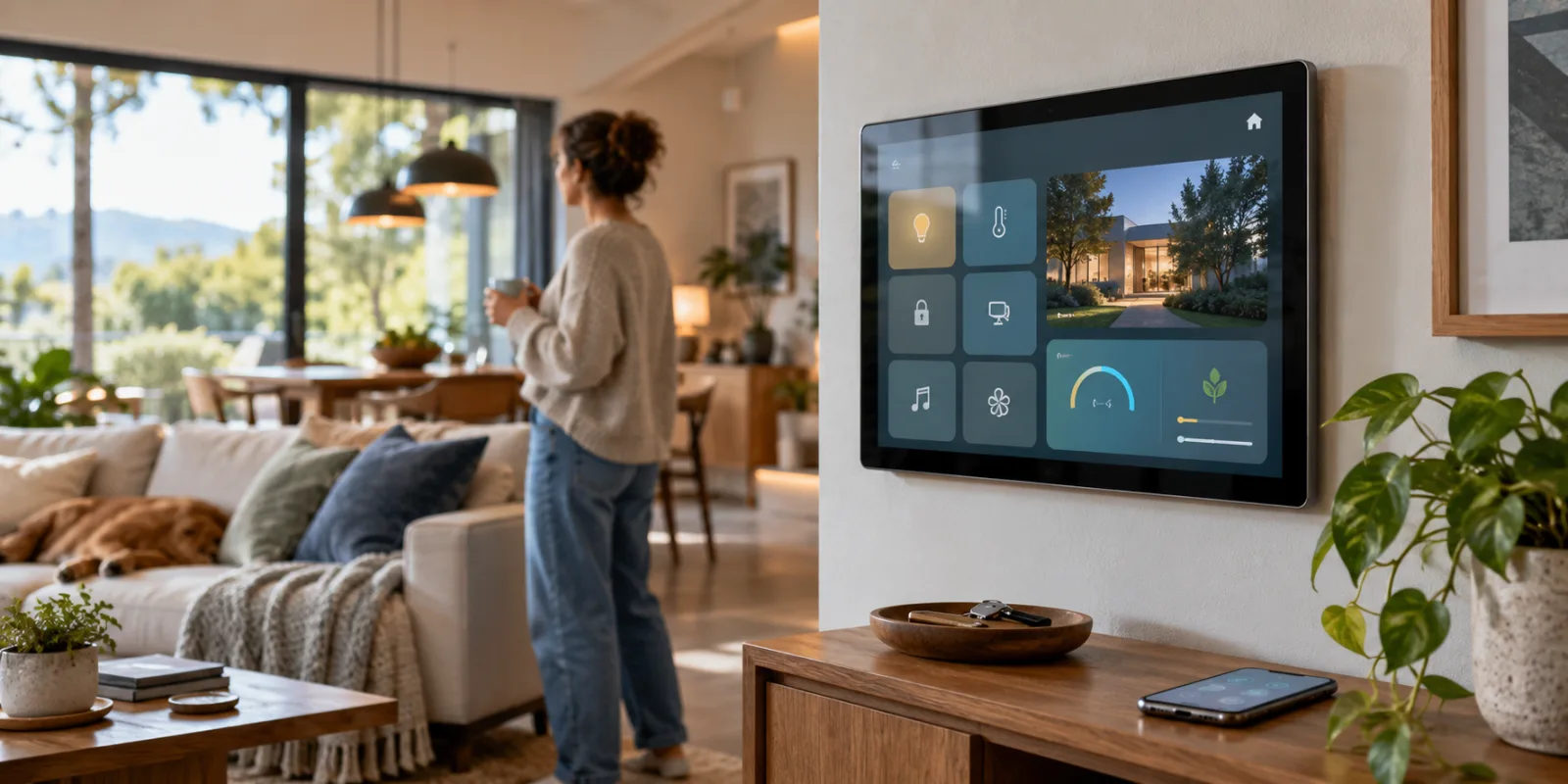
Apple HomeView is easiest to misunderstand if it is treated as a larger smart speaker with a screen. Apple presents the $299 device as a shared home dashboard: a place where household members can see and manage the home, while the display adapts to the person standing in front of it. The appeal is not simply that a camera-equipped panel can show more information than a speaker. It is that the same physical screen is intended to become a different interface for different people.
Apple says HomeView can recognize up to six people. Each enrolled person gets a personalized experience, with the display able to surface relevant parts of Apple’s ecosystem and provide access to household controls. In practical terms, that places HomeView somewhere between a wall-mounted control panel and a communal family information surface. It can be used to manage supported cameras, locks, lights, thermostats, and blinds, while also bringing personal context such as Messages, Calendar, Reminders, and Find My into the room. That combination is what makes the product interesting—and what makes the privacy audit more important than it would be for an ordinary smart-home controller.
The central question is not whether a screen can display a calendar or toggle a light. It is whether the household is comfortable with a shared object deciding which person is present and then presenting information associated with that person. A control for a thermostat is usually communal by nature. A reminder, message preview, calendar item, or location-related view may not be. HomeView therefore changes the boundary between “home information” and “personal information”: both can appear in the same place, potentially within view of everyone else in the room.
That distinction matters even when the device is used exactly as Apple intends. A household dashboard has a different audience from a phone. It may be visible to a partner, children, visitors, a contractor, or anyone passing through the room. The fact that personalization is designed to make the interface more useful does not make every personalized surface suitable for communal display. Before buying, each resident should decide which categories of information are acceptable on a shared screen and which should remain confined to a personal device.
Personalization is not the same as Face ID
Apple’s stated workflow uses the device’s camera to recognize enrolled household members and tailor what they see. That should not be casually described as Face ID. Face ID is Apple’s established authentication system for supported personal devices; HomeView’s role here is a household-recognition and personalization system for a shared display. The distinction is practical. The device is being asked to identify who is nearby well enough to choose an interface, not merely to unlock one person’s private handset.
That difference should shape expectations. A personalized home screen can improve convenience when the right person is recognized, but recognition is still part of the access model. The useful question is what happens when HomeView does not recognize someone, recognizes the wrong person, or is being viewed by people other than the enrolled user. Apple’s announcement and store information describe the experience as personalized for enrolled people, but the purchasing decision should not rest on the assumption that a communal display will always make a perfect privacy judgment.
Apple also says that camera and microphone processing is isolated on the device. That is a meaningful part of the privacy story, but it addresses how the sensors’ processing is handled; it does not remove the need to decide what the screen itself may reveal. A camera can process locally while the resulting personalized interface still appears in a shared room. Those are separate questions: sensor privacy concerns the recognition mechanism, while display privacy concerns the information shown after recognition.
The same separation applies to home controls. Showing a live camera view, unlocking a door, changing lights, or adjusting a thermostat may be useful in a single-user setup, but household permissions are rarely identical for every person who shares an address. A display that brings locks and cameras into the same personalized space as Messages and Reminders needs to be evaluated as an access point, not just as decor. Buyers should map which controls are genuinely shared, which are sensitive, and which should not be available from a screen that guests can see.
The shared-screen trade-off
HomeView’s strongest idea is also its defining trade-off: one device can serve several people without requiring each person to carry the interface into the room. Up to six enrolled users may make that workable for a household, especially when each person wants a different combination of personal information and home controls. But the more the device becomes a family dashboard, the less it behaves like a private accessory. Its value depends on context—who is present, where it is mounted, and what the household considers safe to expose.
A sensible first audit is therefore visual rather than technical. Identify the room where HomeView would live and ask what can be seen from nearby seating, a doorway, or a frequently used path through the home. Then separate the proposed uses into two groups: communal controls such as lights, blinds, or temperature, and personal surfaces such as messages, schedules, reminders, and location-related information. If those groups cannot comfortably coexist in the same visible place, personalization alone is not a solution; the household may need stricter limits on what the dashboard is allowed to show.
That is the right starting point for judging the product. HomeView is not merely personalizing a wallpaper or greeting. It is attempting to personalize the doorway into the Apple home while keeping that doorway physically shared. The compatibility questions will determine whether the household can connect its devices, but the privacy question comes first: can the people in the home agree that this screen should know who is present, and can they agree on what it should reveal when it does?
The household access test is stricter than the marketing suggests
Before HomeView can become a genuinely shared household dashboard, each person who is meant to receive a personalized experience has to fit Apple’s account and device model. Apple says the display can recognize up to six people, but enrollment is not simply a matter of standing in front of the screen and being added to a household list. Each enrolled resident needs an Apple Account and a compatible iPhone or iPad. That requirement matters because HomeView’s personal context is tied to the person’s Apple identity and to the nearby device that confirms it, rather than to a generic profile selected from the display.
In practical terms, the household should audit who actually has the right combination of account, hardware, and routine. A resident whose only daily phone is Android cannot be treated as an equivalent HomeView user on the basis that the home itself contains Apple accessories. The same is true of a family member who has an Apple Account but no compatible iPhone or iPad available for setup and recognition. The question is not whether that person can walk up to the display, but whether Apple can associate the person with the devices and account that HomeView expects.
Apple’s stated workflow also makes proximity and timing part of the access test. Personal context depends on a nearby enrolled device being on the home Wi‑Fi network and recently unlocked. That condition is easy to overlook because the screen is physically shared: a person can be standing in front of it while the device that establishes their context is elsewhere, locked, disconnected, or using a different network. In that situation, the display should not be assumed to know who is present or to show the same information it would show after successful recognition. A reliable setup therefore depends on household habits as much as on initial enrollment. Residents need to keep the relevant device available, connected to the home network, and used in the state Apple requires when personalized access is expected.
That requirement creates edge cases for shared homes. A partner may use a separate Apple Account, a child may have an account with different device access, and a visiting relative may be familiar enough to use the room but not enrolled at all. Those categories should be decided in advance instead of being left to the first interaction with a live screen. Enrollment should be limited to the people who are supposed to receive personal context, while guests should be treated as guests even when they know the passcode or can reach the same Home controls. A household that rotates between several networks, keeps phones away from the living room, or routinely leaves devices locked should expect a less predictable personalized experience.
The unrecognized-user case is particularly important. A shared screen can be visible from a hallway, kitchen, or sitting room, so “not recognized” does not automatically mean “nothing private is at risk.” The sensible policy is to decide what the display may expose before anyone tests the boundaries: home controls may be appropriate for a broad group, while messages, calendar items, reminders, or Find My-related information deserve a narrower rule. The issue is not only whether HomeView can identify a person; it is whether the household is comfortable with what appears while identity is uncertain, recognition fails, or an enrolled person leaves a device behind.
Apple’s privacy description should be read precisely rather than converted into a blanket guarantee. The company says camera and microphone processing is isolated in protected, compartmentalized runtimes, and that personal content in apps such as Messages and Calendar is surfaced only when the enrolled user is recognized and their paired iPhone or iPad is present and recently unlocked. That addresses an important part of the design, but it does not answer every household question about the visible interface, account permissions, or the behavior of a screen in a communal room. Isolation of camera and microphone processing is therefore one part of the audit, not a substitute for deciding who can see personal information. A display can protect input processing and still require careful choices about which personal surfaces are enabled and where the hardware is placed.
The same distinction applies to a shared home managed by more than one person. Home access can be collaborative, but personal context remains account-specific. Before ordering, the owner should confirm who controls the Apple Home structure, which residents are enrolled, and what happens when the owner’s phone is absent. If a household cannot provide each intended user with the required Apple Account, compatible iPhone or iPad, and dependable home-Wi‑Fi presence, it should plan around a common, non-personal control experience rather than assume that every resident will receive the same personalized dashboard.
A useful pre-purchase test is simple: list every regular user, record the Apple Account and compatible iPhone or iPad associated with that person, and note whether the device will normally be on the home Wi‑Fi and recently unlocked when HomeView is used. Then mark the information categories that may appear on a communal screen. Any unresolved row is a compatibility or privacy decision, not a minor setup detail. HomeView may still work as a household controller, but the promise of a screen that adapts to the person in front of it depends on those practical conditions being met consistently.
Matter helps with device choice, but not with every feature
Matter gives a HomeView buyer a useful starting point: the accessory does not have to be made by Apple to have a path into Apple Home. Apple presents HomeView as working with Apple Home and Matter accessories, while the Connectivity Standards Alliance describes Matter as an interoperability standard for smart-home devices. That is helpful when comparing lights, plugs, locks, thermostats, blinds, and cameras, but it is not the same as a promise that every accessory will expose every capability inside every platform. The practical audit is therefore less about asking whether a product is “Matter compatible” and more about identifying exactly what the product can do once it is added to this particular Apple Home.
Start with the device type and the job you expect it to perform. A Matter light may cover on/off, dimming, or color control while leaving advanced scenes, effects, energy views, or setup options in the manufacturer’s application. A lock or camera deserves an even closer check: the basic accessory category may be visible in Apple Home, yet the vendor’s app may still be needed for account management, firmware maintenance, notifications, recording plans, or features that are outside the common Matter model. The standard can reduce the number of incompatible ecosystems a household must navigate, but it does not remove the manufacturer’s software, account, or service layer by definition.
Transport is another line item that should be written down before ordering HomeView. “Matter” identifies the application standard, not every part of the network path. An accessory may use Wi-Fi, Ethernet, or Thread, and the household must still provide the conditions that accessory requires. In a Thread setup, check whether the existing Apple Home arrangement includes the necessary Thread border-router capability; do not assume that the presence of a HomeView display automatically answers every networking question for every device. For Wi-Fi accessories, record the network they join and whether the device’s installation process depends on a separate vendor account or app. For wired devices, confirm the hub or bridge that sits between the accessory and Apple Home. These details matter because the label on the box can describe a standard while the actual installation still depends on transport, topology, and supporting hardware.
A pre-purchase inventory should be specific enough that another person in the household can verify it. For each accessory, record:
| Check | What to verify before buying HomeView |
|---|---|
| Device type | Whether the intended control is a light, lock, thermostat, blind, camera, plug, or another supported category |
| Matter transport | Whether the device uses Wi-Fi, Ethernet, or Thread, and what the home network must provide |
| Apple Home support | Whether the product is explicitly supported in Apple Home, not merely described as compatible with Matter |
| Hub dependency | Whether a bridge, hub, controller, or Thread border-router function is required |
| Firmware status | How updates are delivered and whether the accessory must first be configured in the manufacturer’s app |
| Manufacturer app | Which setup, account, cloud, recording, automation, or advanced controls remain outside Apple Home |
The “Apple Home support” row is deliberately separate from the “Matter transport” row. Matter can improve the odds that a device will work across compatible platforms, but compatibility still depends on the accessory’s device type, the features implemented by its maker, and the way the home’s controller and network are configured. The same distinction applies to remote access. A control that works locally through Apple Home is not automatically evidence that every remote feature, notification, camera view, or vendor service will behave in the same way when nobody is at home. Before making HomeView the visible control point, test the actions that matter most: unlock, disarm, view a camera, change a thermostat, operate blinds, and run a scene. Note which ones work locally, which require the manufacturer’s app, and which depend on a hub or account.
This is also where Matter’s value should be kept in proportion. It can make device selection less restrictive and give a household more choice, but it does not turn a mixed collection of accessories into one identical feature set. Apple Home remains the place where HomeView presents the household’s controls, while manufacturers may retain responsibility for setup, firmware, specialized settings, or subscription-backed services. A careful buyer should treat the compatibility claim as an invitation to inspect the details, not as a substitute for that inspection.
The result of the audit should be a short list of confirmed devices, unresolved dependencies, and deliberate exclusions. If a product is central to daily life, cannot be updated without a vendor app, needs a bridge that the home does not have, or exposes only a narrow subset of the functions the household expects, flag it before purchase. HomeView may still be a good shared dashboard, but its usefulness will be determined by the least compatible important device—not by the broadest wording on a Matter label.
A sensible pre-order checklist for November and beyond
Before treating Apple HomeView as the center of a household, turn the purchase into a short audit. Start with availability: confirm that the product is offered in your country and that the languages your household actually uses are supported at launch. The regional announcement and Apple Store listing should be the first checks, because a device can be technically attractive while still being unavailable—or less useful—where you live. This matters especially for buyers in the European Union, where the launch plan does not make HomeView a straightforward November purchase. If the product is not listed for your market, stop there rather than planning around an imported unit whose service, language, or support conditions may not match your home.
Next, verify the owner’s Apple setup before ordering. Every person who is expected to receive a personalized HomeView experience needs an Apple Account and a compatible iPhone or iPad. The household organizer should update those devices, make sure each person can access the relevant Apple Home home, and check that the people who need control have been invited with the right permissions. This is also the moment to identify mixed-account arrangements: a couple may share a home but not an Apple Account, children may have restricted access, and guests may not be enrolled at all. Those differences are not administrative details. They determine who can expect a personal screen, who will see a general home view, and whether the device will behave as a shared dashboard or merely as a display attached to one owner’s Apple ecosystem.
The network check should be equally concrete. HomeView’s personal context depends on a nearby personal device being connected to the home Wi-Fi and recently unlocked. Test the place where the display will live, not just another room where an iPhone usually works. A reliable signal is part of the product’s practical fit: if the intended location has weak coverage, frequent network changes, or a home arrangement in which residents routinely leave their phones elsewhere, personalization may be inconsistent. The same test should include the accessories you want to control. Make an inventory of lights, locks, cameras, thermostats, blinds, and other devices, then record whether each one is already in Apple Home, supports Matter, depends on a hub or bridge, needs a Thread border router, or still requires the manufacturer’s app for setup or advanced features. Matter can broaden the choice of compatible hardware, but it does not turn every accessory feature into an Apple Home feature, and it does not remove every app, firmware, transport, or hub dependency.
Power and placement deserve their own decision, particularly because HomeView is meant to occupy a visible, shared location. For a tabletop installation, confirm that the planned power adapter and cable can reach safely without creating a trip hazard or putting the display where it can be knocked over. For a wall-mounted installation, check the mounting surface, cable route, and the power requirement before buying hardware. Apple’s support information distinguishes the power needs of the available arrangements; the checklist should therefore include the required 30W supply for the relevant setup and the separate requirements associated with wall mounting. Do not treat the mounting choice as a cosmetic afterthought. It affects visibility, access to the camera and microphone, serviceability, and whether the screen sits in a place where everyone can see personal information.
That last point is the privacy decision, and it should be made before the first account is enrolled. Decide whether Messages, Calendar, Reminders, Find My information, camera feeds, locks, and other personal or security-sensitive controls belong on a communal surface at all. A screen in a kitchen or hallway is not private simply because the camera and microphone processing is described as isolated. The relevant question is who can physically see the display, who can stand in front of it, and what appears when a person is recognized, unrecognized, or merely passing through. Set household expectations for guests and visitors, and review the home’s camera and lock placement with the same care you would give any shared screen that can expose or affect the home.
There are also clear stop conditions. Pause the purchase if the household is Android-heavy and the people who need personalized access do not have compatible Apple devices. Pause if the intended buyer is in a market where HomeView is not launching, or if the required language is unavailable. Pause if residents use separate or restricted accounts that cannot be organized cleanly in Apple Home, if the home Wi-Fi cannot reliably serve the chosen location, or if there is no safe tabletop or wall-mounted power arrangement. Finally, pause if the family has not agreed on what personal information may appear in public view. HomeView makes the most sense when the account structure, network, accessories, power, and privacy rules are already coherent. If those pieces are not in place, the sensible pre-order decision is to wait until the household can pass the audit—not to make a $299 display the device that exposes every unresolved assumption at once.
Related articles
Apple HomeView Is a $299 Smart-Home Hub, Not a Reason to Rebuild Your House
Apple’s new HomeView brings a 7-inch display, Siri AI, cameras, and Apple Home controls to a $299 household hub. The practical buying decision depends on compatibility, privacy, network reliability, and whether a shared screen solves a real problem.

Should You Buy Apple HomeView? The $299 Smart Display Has a Narrow First-Generation Case
Apple HomeView is a polished answer to a problem many households do not have yet. Its private, family-aware design is promising, but the $299 price, Apple-only focus, launch limits, and unproven Siri AI make waiting the sensible choice for most buyers.
Should You Buy the HomePod mini 2? The $149 Speaker Is a Bet on Apple’s Future Siri
The HomePod mini 2 arrives with better connectivity, new audio processing, and a promised Siri AI update. Its launch-day value depends less on sound than on your Apple devices, region, and tolerance for buying features that are not ready yet.
Should You Buy the Apple TV 4K (2026)? The $299 Upgrade Only Makes Sense for a Specific Home Theater
Apple’s first new streaming box in four years adds built-in microphones, a faster chip, Siri AI, and four-HomePod surround sound. The hardware is useful, but the $299 price makes this a targeted purchase rather than an automatic upgrade.
Comments
Sign in to comment.
No comments yet.