IKEA’s TIMMERFLOTTE and KLIPPBOK Updates: What Matter 1.5 and Thread 1.4 Actually Change
IKEA’s latest firmware for two Matter-over-Thread sensors promises better stability, but the update does not magically fix every border-router or controller problem. Here is what owners should check before and after installing it.
What IKEA changed in firmware 1.2.2 and 1.1.1
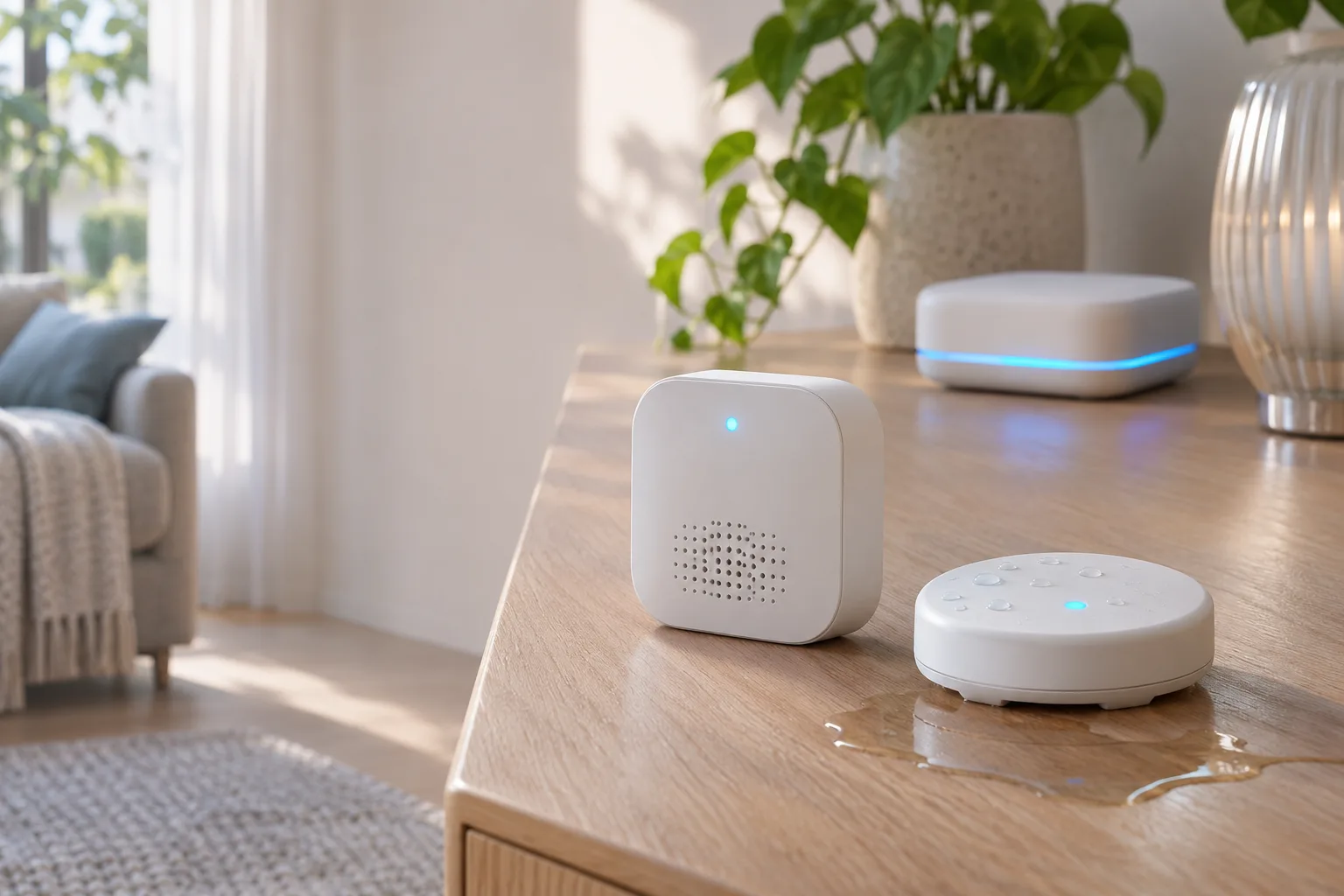
IKEA’s November 2026 firmware releases for two Matter-over-Thread sensors are best understood as protocol and reliability updates, not as a promise that every smart-home installation will suddenly behave the same way. TIMMERFLOTTE, the temperature-and-humidity sensor, is receiving firmware 1.2.2, while KLIPPBOK, the water detector, is covered by firmware 1.1.1. IKEA’s release information lists Matter 1.5 and Thread 1.4 among the changes, alongside general stability improvements. For TIMMERFLOTTE, the notes also identify a newly available serial-number attribute.
That distinction matters because a firmware number can affect several layers of a connected product. Matter is the device-facing interoperability standard: it defines how a compatible controller discovers the sensor, reads its attributes, and uses its reports in an automation. Thread is the low-power mesh network that carries that traffic for these battery-powered devices. Updating the sensor can change the way it identifies itself or participates in those standards, but it does not replace the border router, controller, hub, phone, or home network on which the connection depends.
The clearest device-specific addition is the TIMMERFLOTTE serial-number attribute. In practical terms, a compatible Matter controller may now be able to expose the device’s serial information alongside its other data. That can make device inventories, diagnostics, and support work more precise, particularly in a home with several similar sensors. It is still important to separate “the attribute exists in the updated device” from “every controller displays it.” Matter support is shared across platforms, but the presentation of individual attributes depends on the controller and integration receiving the data.
The other documented change is compatibility with newer protocol revisions: Matter 1.5 and Thread 1.4. The release information also mentions stability improvements, but it does not spell out every defect addressed by that wording. Owners should therefore resist turning the update into a list of specific promises. The available documentation does not establish a guaranteed increase in battery life, a confirmed improvement in temperature or humidity accuracy, or a universal fix for sensors that disappear from a particular Thread network. Those are reasonable things to observe after installation, but they are not documented consequences that can be assumed in advance.
For KLIPPBOK, the same caution applies. Its firmware 1.1.1 carries the listed Matter 1.5 and Thread 1.4 revisions and stability work, but the supplied release information does not attach the TIMMERFLOTTE serial-number addition to KLIPPBOK. The two updates should therefore be treated as related releases with different device-specific details, rather than as identical change logs. The shared protocol revisions are the headline; the exact behavior visible in an app remains partly dependent on the software that commissions and manages each sensor.
A useful way to read these releases is as maintenance at the edge of the smart-home system. IKEA can update the firmware inside the sensor, including its Matter and Thread implementation, while the rest of the system continues to be governed by the equipment and software already installed in the home. If a controller has limited support for a newly exposed attribute, that field may remain invisible even though the sensor reports it correctly. If a Thread border router has its own compatibility or availability problem, a sensor firmware update cannot turn that router into a newer device.
The update is worth checking, particularly for owners who want the latest protocol support or have experienced intermittent behavior, but it should be evaluated against the documented scope. Before installing, record which sensor is being updated and which version it currently reports. Afterward, verify the new version and check that the device remains reachable through the same Matter controller. At this stage, the strongest evidence of success is that the sensor updates cleanly, reconnects, and exposes the expected data. Broader claims about battery performance, measurement quality, or every possible network failure would go beyond what IKEA’s release information establishes.
Why Thread 1.4 does not make every Thread network identical
The update is easier to understand when Matter and Thread are treated as different layers rather than interchangeable labels. Matter is the application standard: it defines how a compatible sensor describes itself, exposes data, and communicates with controllers. Thread is the low-power wireless mesh that carries that traffic. A TIMMERFLOTTE or KLIPPBOK can therefore gain newer Matter and Thread software without becoming independent of the network infrastructure that connects it to a home automation system.
That distinction matters because a Matter version does not automatically describe the capabilities of every device around it. The sensor, the Matter controller, and the Thread border router each have separate roles. The sensor needs a suitable Thread connection; the controller needs to understand and manage the Matter device; and the border router provides the bridge between the Thread mesh and the rest of the home network. Updating only the sensor changes the software on that endpoint. It does not update the controller or turn an existing router into a newer Thread implementation.
Thread 1.4 is intended to make Thread networks easier to operate across products and vendors. One of the important areas is credential sharing: compatible border routers can share the information needed to participate in the same Thread network instead of forcing each device into an isolated mesh. In principle, that can make a mixed setup more coherent, particularly when a household has border routers supplied by different ecosystems. It can also reduce the friction involved in adding a low-power device to a network that already has more than one Thread-capable hub.
The practical word is “compatible.” The benefit depends on what the existing controllers and border routers support, how they are configured, and whether the relevant ecosystem has implemented the needed Thread networking features. A device advertising Thread 1.4 does not guarantee that every border router in the home will use those features, share credentials, or expose the same network behavior. Older infrastructure may continue operating according to its own capabilities, even while the sensor reports newer firmware.
This is why the update should not be read as a promise that all Thread problems disappear after installation. A sensor that previously struggled because of weak placement, an unavailable border router, controller-specific behavior, or an incomplete commissioning setup may still need attention. Thread is a mesh network, but “mesh” does not mean that every device automatically has an equally good path or that every router can replace every other router. The result still depends on the equipment actually present and on the software managing it.
For owners, the most useful expectation is narrower: the firmware can bring the sensor into alignment with the newer standards and may improve how it participates in supported Matter-over-Thread environments. It cannot compensate for a controller that lacks a required feature, and it cannot add Thread 1.4 behavior to a border router that has not received a corresponding update. If a network remains unreliable, the sensor update is one variable in the system, not a complete diagnosis.
The same separation also explains why two homes can have different experiences with the same IKEA sensor firmware. One may have a controller and border routers that cooperate cleanly, while another may depend on older or differently managed Thread infrastructure. Both installations can show the same Matter and Thread versions on the sensor, yet differ in commissioning, availability, or recovery after a temporary network interruption. The firmware version is therefore useful evidence about the sensor, but not a complete description of the home’s Matter or Thread network.
Before attributing a connection problem to the TIMMERFLOTTE or KLIPPBOK itself, check the wider chain: which controller owns the Matter fabric, which devices act as Thread border routers, and whether those devices are current and reachable. If the update succeeds but the sensor remains unavailable, the next investigation should include that infrastructure rather than assuming that the newer Thread label guarantees interoperability. Matter 1.5 and Thread 1.4 can improve the foundation, but the foundation still has to be supported by the rest of the system.
How owners can receive and verify the update
The safest way to approach the firmware rollout is to treat it as a controlled maintenance task, not as an urgent repair. Owners using IKEA’s ecosystem should first check the IKEA Home smart app and the DIRIGERA hub for an available device update. The exact presentation can vary with the hub and app version, so the important detail is to identify the sensor before starting and note the firmware version that is currently installed. That gives you a reference point if the update does not appear immediately or if the device needs troubleshooting afterward. IKEA’s release information is available through the Home smart Releases page, while the sensor’s normal operation remains tied to the Matter and Thread setup already used in the home.
The same update can also be surfaced through Home Assistant when the device is connected as a Matter device and the manufacturer has published the relevant update metadata. Home Assistant explains that Matter over-the-air updates are optional, and that its update entities use the Connectivity Standards Alliance’s Distributed Compliance Ledger to discover firmware information. The integration checks the ledger periodically, with the documentation describing a default check every 12 hours; users can also force a check through the homeassistant.update_entity action when an update entity is available. In practical terms, that means a newly announced IKEA firmware package may not appear in Home Assistant at the exact moment the release is discussed. A missing update entry is therefore not, by itself, evidence that the sensor or controller is broken. See the Home Assistant Matter documentation for the relevant OTA behavior and controls.
Before launching the update from either route, record the device’s displayed firmware version and make sure the sensor is powered and close enough to the relevant network equipment for the operation to complete. For a battery-powered sensor, that means confirming that the battery is installed and that the device is awake and reachable. Avoid treating an intermittent device as a suitable update target: if it is already disappearing from the controller, solve that connectivity problem first or perform the update through the platform that can reliably reach it. The firmware package changes the software on the sensor; it does not replace the Thread border router, repair a weak radio path, or make an unavailable Matter controller available.
During the installation, allow the IKEA app, DIRIGERA, or Home Assistant to finish its own update flow before removing the battery, moving the sensor, restarting network equipment, or attempting to commission it again. A short period in which the device is not reporting is not enough to conclude that the update failed. Wait for the controlling platform to return to its device page, then check the version shown there. If the update was started in Home Assistant, the Matter device details are also useful for confirming that the device is still part of the expected fabric and that its network type is Thread. Home Assistant documents device details such as network type, device type, network name, addresses, and last-seen information, although the fields exposed can depend on the device and controller.
There is one important Home Assistant limitation to check before blaming IKEA’s firmware. Home Assistant currently documents that Matter updates for Thread devices do not work when the Thread network uses any Apple border routers. In that situation, the update may produce a “Target node did not process the update file” error because the Apple border router does not forward the mDNS traffic Home Assistant needs to discover the update provider. The Apple Home ecosystem may provide an alternative update path, but the Home Assistant controller should not be assumed to be able to complete the OTA operation in that topology. This is a controller and border-router constraint, not proof that TIMMERFLOTTE or KLIPPBOK rejected the firmware.
After the update, verify the result in layers. First, confirm that the sensor has returned to an online state and that its ordinary readings or alert state are visible again. Next, open the device information in the controller and compare the installed firmware with the version you recorded before starting. Finally, leave the sensor in its normal location long enough to establish that it remains reachable rather than relying on a single successful report immediately after the update. If the new version is shown but availability remains unstable, the evidence points toward the existing Matter or Thread path and controller environment still requiring attention. If no version change is shown, check the update status in the platform that initiated the operation and allow for the rollout or metadata to catch up before repeating the process.
What to test before trusting the sensor in an automation
A successful firmware installation is only the starting point. After TIMMERFLOTTE or KLIPPBOK reconnects, first confirm that the device is visible in the controller and that its reported state is updating. For TIMMERFLOTTE, inspect both temperature and humidity rather than checking only whether the device appears online. A device can remain listed in a Matter fabric while one or more measurements are stale, delayed, or unavailable to the automation that consumes them. For KLIPPBOK, verify that the water-detector state is clear under normal conditions and that the controller can distinguish an alert from an ordinary availability change.
The next step is to test the actual automation, not just the device page. A climate rule based on TIMMERFLOTTE should react to the intended temperature or humidity condition and then return to its normal state when that condition is no longer present. A KLIPPBOK water-alert automation should be checked through the alert path available in the installation, including the notification or action that matters to the household. The purpose is not to simulate every possible failure, but to establish that the new firmware, the Matter controller, the Thread network, and the automation are passing information end to end. If the controller exposes TIMMERFLOTTE’s added serial-number attribute, check that it is present and associated with the expected device.
Availability is also worth watching after the first test. Keep an eye on both sensors for several days and note whether either one disappears, stops reporting, or returns with delayed readings. A firmware update may improve stability, but it does not remove the requirements around Matter controller support or a suitable Thread border router. The update is applied to the sensor; it does not upgrade an older border router or make every combination of controller and Thread infrastructure behave identically. Rollout timing and the information exposed by a controller can differ, so the absence of a new field or an immediate update does not by itself prove that the firmware installation failed. Check the installed version and the device’s current availability before drawing that conclusion.
A practical verification checklist is:
- Confirm the installed firmware version after the update has completed.
- Confirm that TIMMERFLOTTE reports temperature and humidity, and that the values continue to refresh.
- Confirm that KLIPPBOK reports its normal state and can trigger the intended water-alert action.
- Run a representative climate or water-alert automation through the controller.
- Check whether TIMMERFLOTTE’s serial-number field is exposed by the controller.
- Watch both devices for availability changes and delayed reports over several days.
- If a problem appears, check the Matter controller and Thread border-router setup before treating the sensor firmware as the only possible cause.
These checks keep the meaning of the update in proportion. Matter 1.5, Thread 1.4, stability work, and the added device information are useful changes, but they are not a guarantee that every network or automation will behave perfectly. For leak detection and other safety-related alerts, keep a non-networked fallback as well. A networked sensor can add convenient notifications and automation, but it should not be the only layer on which a critical warning depends.
Related articles
IKEA Matter-over-Thread is cheap smart home, but not yet effortless
IKEA’s new Matter devices could make smart homes cheaper, but early pairing issues show why buyers still need to understand hubs, Thread routers and setup risk.
Do not throw out Zigbee yet: what Matter over Thread tests mean at home
New practical tests and user reports show Zigbee can still feel faster for lights and sensors, while Matter over Thread is a future-facing choice that needs careful setup.
Google’s Matter Room-Sensor Update for Nest: Wait for the Compatibility List Before You Buy
Google is opening the 4th-generation Nest Learning Thermostat to compatible Matter temperature sensors in December. The useful question is not whether a sensor has Matter, but whether Google Home will let it guide heating in your specific home.
Do Not Build the Smart Home on One Cloud Speaker
Fresh Google Home problems are a reminder to design smart homes with voice as a convenience, local logic for important routines, and physical fallback for the things people use every day.
Comments
Sign in to comment.
No comments yet.