Shelly Presence Gen4 Is a Room Trial, Not a Matter Shortcut
Shelly’s Presence Gen4 brings mmWave occupancy sensing, Matter over Wi‑Fi, Zigbee, and ten configurable zones to a small USB-powered device. The useful buying question is not whether it says Matter, but whether your room, network, and automation platform can use its presence data reliably.

A presence sensor can solve a problem that ordinary motion detectors never quite fixed: a person can remain in a room without moving enough to trigger anything. That matters in a home office, bedroom, reading corner, or living room where lights should not switch off simply because somebody is sitting still.
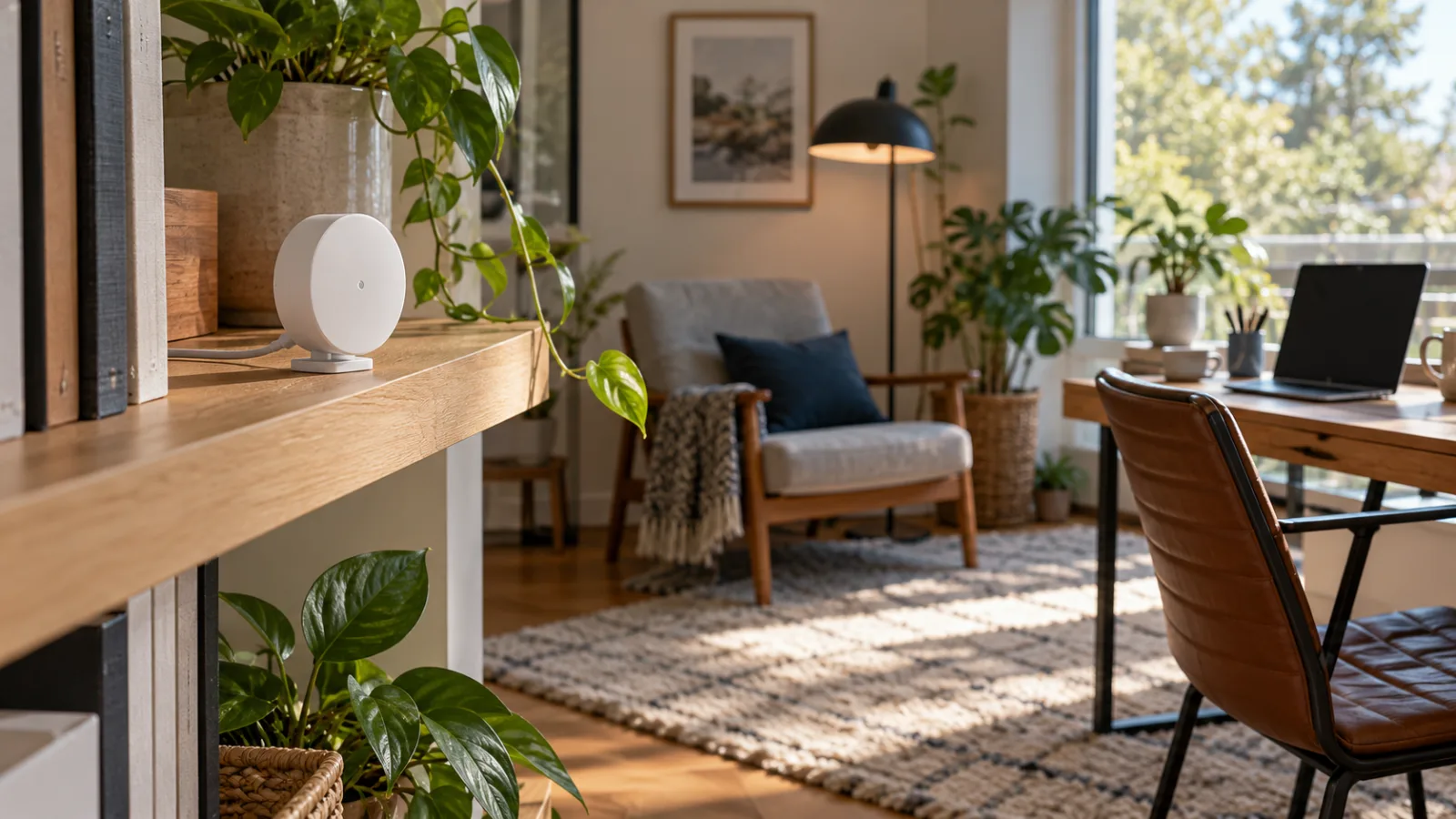
Shelly’s Presence Gen4 is now being positioned around that problem. The small USB-powered sensor uses mmWave radar, supports Matter over Wi‑Fi, can also operate with Zigbee, and offers configurable detection zones. The device is an interesting addition to the current smart-home market, but its compatibility label is easy to overread. Matter does not guarantee that every platform will expose the same presence data, and it does not remove the practical work of choosing a location, powering the unit, tuning zones, and testing false detections.
The sensible way to evaluate it is as a one-room experiment. Buy it when you have a specific occupancy problem to solve, not because a Matter logo makes it a universal replacement for motion sensors, cameras, or a complete automation system.
What the sensor actually adds
Traditional PIR motion sensors detect changes in infrared energy. They are inexpensive, efficient, and often excellent for hallways, bathrooms, and short lighting timers. Their weakness is stillness. A person working at a desk or watching television may become invisible to a PIR sensor after the initial movement has stopped.
Shelly describes Presence Gen4 as a mmWave radar sensor that can detect people even when they are sitting still. The official product description also lists up to ten customized zones, allowing the device to treat different parts of a room separately. In an open-plan space, that could mean distinguishing a sofa area from a walkway. In a home office, it could mean using occupancy at the desk as a condition for keeping a lamp or fan active.
That is a more useful distinction than simply calling the unit a “motion sensor.” Presence is a state that can persist. Motion is an event that happens at a particular moment. Automations built around those two signals behave differently:
- A motion sensor can turn on a light when somebody enters.
- A presence sensor can help keep the light on while the person remains seated.
- A door sensor can confirm that somebody opened an entrance, but it cannot tell you whether the room is still occupied.
This does not make presence sensing infallible. Radar can detect movement through certain materials, reflections, or activity in neighboring areas. The result depends on the room, furniture, mounting position, sensitivity settings, and the automation platform receiving the data. A product that works well in a compact office may need careful adjustment in a large room with glass, thin partitions, or a constantly moving robot vacuum.
Matter is useful here, but it is not the whole product
Presence Gen4 supports Matter over Wi‑Fi. That makes the device easier to consider alongside Apple Home, Google Home, Amazon Alexa, SmartThings, or another Matter-compatible controller, at least in principle. It also means the sensor does not need to join a Thread mesh: its Matter connection uses the home Wi‑Fi network instead.
That detail is important. Matter is an application standard, while Wi‑Fi, Thread, and Ethernet are transport choices. A Matter-over-Wi‑Fi sensor is not a Thread router, does not strengthen a Thread mesh, and does not benefit from the same radio topology as a battery-powered Thread sensor. If your buying plan is specifically to expand Thread coverage, this product is the wrong tool even though it carries the Matter label.
Matter also does not promise identical feature exposure across platforms. A device may be certified for a particular Matter device type while a platform exposes only a basic occupancy state, delays support for advanced zones, or does not surface vendor-specific settings. The feature that makes the sensor interesting—persistent presence in a selected area—may be richer in Shelly’s own interface or a local integration than in a generic Matter dashboard.
Before buying several units, confirm four things in the platform you actually use:
- Whether the platform recognizes the exact Presence Gen4 model rather than a similarly named older device.
- Whether it exposes occupancy or presence as an automation trigger.
- Whether individual zones are available, or only one room-wide state.
- What happens when the Wi‑Fi connection or controller is temporarily unavailable.
The last point is easy to skip. A sensor may continue operating locally while the platform fails to receive updates. That distinction determines whether it can safely support a lighting routine, a ventilation rule, or an alert that somebody expects to work every time.
Wi‑Fi, Zigbee, and the five-button decision
Shelly’s US product information lists Wi‑Fi 6, Bluetooth 5 LE, Zigbee 3.0, and Matter-over-Wi‑Fi support. The user and safety guide describes the device as operating with Matter on Wi‑Fi and switching to Zigbee pairing mode after five quick button presses.
Those are different operating paths, not four independent radios that a smart-home platform automatically merges. The setup choice should follow the controller and network you already maintain.
Matter over Wi‑Fi is the most obvious option for a household that already has a compatible Matter controller and a stable wireless network. It avoids adding a separate Zigbee coordinator, but the device remains a powered Wi‑Fi client. Good access-point placement and a sensible DHCP reservation can matter more than the Matter logo on the box.
Zigbee may be preferable in a home that already has a well-maintained Zigbee network and coordinator. It avoids placing another continuously powered device on Wi‑Fi, although it introduces its own compatibility and configuration questions. Zigbee support does not mean that the sensor can be added to every Zigbee hub with equal functionality. The coordinator still needs to support the device and expose the relevant entities to the automation system.
The safest approach is to choose one connection mode for the trial room and document it. Do not change between Matter and Zigbee casually after building automations. A migration can create duplicate entities, stale automations, or a device that appears available in one system while the old entry remains in another.
It needs a power plan, not a battery plan
Presence Gen4 is USB-C powered and is specified for a 5-volt supply at up to 1 amp, with power consumption listed below 3.5 watts. It is not a tiny battery sensor that can be placed anywhere and forgotten.
That has advantages. A continuously powered presence sensor can maintain a persistent radar field without the aggressive sleep behavior required by battery devices. It also avoids the maintenance cycle of replacing cells in a sensor that must monitor a room all day.
The trade-off is placement. A desk, shelf, wall outlet, or USB power adapter becomes part of the installation. Shelly specifically warns against unstable multi-port chargers, charging stations, and fast-charging adapters whose output can fluctuate when other devices are connected or removed. A dedicated, good-quality adapter is the sensible choice.
Do not treat the USB connection as an invitation to run an improvised cable through a doorway, under a rug, or near a heat source. Keep the adapter and cable within their intended environment, avoid crushing or bending the cable, and leave enough slack to reposition the sensor during testing. The device is low voltage, but poor cable routing can still create a trip hazard or damage the equipment.
The power requirement also affects the cost calculation. The advertised sensor price is not the entire installation cost if you need an adapter, a longer certified cable, a wall mount, or a small network change. A single-room trial remains modest; equipping a large home can become a powered-network project rather than a simple sensor purchase.
Zone configuration is the real setup work
A sensor with several configurable zones is more capable than a single binary occupancy detector, but it also gives you more ways to create a bad automation. The first installation should use the least ambitious layout that solves the problem.
Start with one room and one outcome. “Keep the office light on while the chair area is occupied” is testable. “Control every light and appliance based on where anyone is in the house” is not a useful first test.
Place the sensor where its field of view covers the target area without pointing directly through an open doorway into another frequently occupied room. Avoid aiming it at a large reflective surface if the room produces unstable readings. Keep the first sensitivity settings conservative and watch the state while the room is empty, occupied, and occupied by a pet.
A practical acceptance test should include:
- Entering the room and measuring the time before presence is reported.
- Sitting still for at least fifteen to thirty minutes.
- Leaving the room without walking back through the detection area.
- Opening a door or moving in an adjacent space.
- Running a robot vacuum or allowing a pet to cross the room.
- Checking whether the state clears after the room is empty.
- Repeating the test with the lights on and off.
- Restarting the controller or temporarily interrupting the network.
The exact time values will depend on the automation, but the pattern matters. A light that turns on a few seconds late is usually tolerable. A light that fails to turn off because the sensor continues to report presence from a neighboring zone is not. The test should measure the behavior people will actually notice, not just whether the device appears online.
The privacy case is real, but limited
A radar presence sensor can be preferable to an indoor camera for occupancy automation. It can tell a system that somebody is present without producing a video feed, storing images, or identifying a face. That is a meaningful privacy improvement for bedrooms, offices, bathrooms, and guest areas.
It is not the same as “private by default” in every setup. The device still sends sensor data across the chosen network, and the receiving platform may store event history, logs, or presence states. A cloud account may be optional for local operation, but users should verify which functions require it and which connections are enabled during onboarding.
Shelly provides an embedded web interface for direct device access and documents optional Shelly Cloud access. Home Assistant’s official Shelly integration communicates directly with the device and states that a cloud connection is not needed for the integration. That gives local-first users a clear route, but it does not automatically secure the whole installation.
Change the default credentials when prompted, keep firmware current, use a trusted Wi‑Fi network, and do not expose the device’s web interface directly to the public internet. If the sensor is used in a guest room or shared home, decide who can see its occupancy history. A room-level presence signal is less intrusive than video, but it can still reveal routines such as sleep, work hours, or whether somebody is home.
The privacy advantage also has limits in a family setting. “No camera” does not mean “no monitoring.” Explain where the sensors are installed and what their data triggers, especially in bedrooms, bathrooms, rental properties, or rooms used by guests and workers.
Home Assistant is a promising local route, with a separate validation step
Home Assistant’s official Shelly integration supports automatic discovery and direct device communication. Its documentation describes Gen2 and newer devices using the local RPC protocol and notes that cloud access is not required for the integration. That makes Shelly hardware attractive to users who want a local control path instead of adding another vendor cloud to every automation.
The integration documentation is broader than one sensor model, however. General support for Shelly devices should not be interpreted as a guarantee that every Presence Gen4 entity, zone, or Matter feature will appear exactly as expected in a particular Home Assistant release.
After adding the sensor, inspect the entities rather than relying on the device name. Confirm which binary sensors, occupancy states, numbers, diagnostic values, or zone entities are actually available. Build the first automation from the entity that changes consistently during the acceptance test. If the zone information exists only in the Shelly interface, do not write a Home Assistant automation that assumes it is available as a native Matter entity.
A robust local automation should also have a fallback. For example, a presence sensor can keep a light on while someone is in the room, but a physical switch should remain available. If the controller is offline, people should not be forced to wait for an automation to recover before they can use the light. Presence is an input; it should not become the only way to operate an essential device.
Where it makes sense, and where it does not
Presence Gen4 makes the most sense when a room has a clear stillness problem and a nearby power source. A desk, lounge chair, bedroom, or open-plan zone can benefit from a signal that remains active after the person stops moving.
It is less compelling for a narrow hallway, pantry, or storage closet where a cheap PIR sensor already produces reliable results. It is also a poor fit if your chosen platform cannot expose the presence signal you need, your Wi‑Fi coverage is unreliable, or you are looking for a battery device that can be mounted without a cable.
It should not be used as a substitute for a smoke alarm, carbon-monoxide alarm, fall-detection system, medical monitor, or certified security sensor. A smart-home presence state can be delayed, unavailable, or wrong. Do not connect it to a safety-critical action that requires a certified detection method.
Be cautious with heating and cooling automations too. Turning a fan or air conditioner down in an empty room can be reasonable, but the automation should have temperature limits, manual override, and a recovery path. Do not allow an occupancy error to create frozen pipes, excessive heat, unsafe humidity, or a room that cannot be controlled manually.
Buy one before planning a whole-home rollout
The most defensible buying plan is a single device in the room where an ordinary motion sensor has already failed. Use the controller you actually intend to keep, select either Matter over Wi‑Fi or Zigbee, and test the complete path for several days.
Track four outcomes: detection while still, clearing after departure, false reports when the room is empty, and behavior during network or controller interruptions. Also note whether the platform exposes the zone detail you expected. If the sensor solves the room’s actual problem and remains stable, a second unit may be justified. If it creates constant tuning work, more units will multiply the frustration.
The product’s strongest feature is not the word Matter on the packaging. It is the combination of persistent occupancy detection and configurable room areas in a compact, locally accessible device. Its biggest limitation is the same: useful presence data requires a good physical setup and a platform that can make use of it.
That makes Shelly Presence Gen4 a sensible room-by-room experiment for people who have outgrown basic motion timers. It is not a universal Matter shortcut, a replacement for every sensor category, or a reason to rebuild a smart home that already works.
Related articles

NVIDIA OpenShell puts agent permissions under policy control — what is ready to test
NVIDIA OpenShell is an Apache-licensed runtime for placing coding and autonomous agents inside policy-controlled sandboxes. Its useful idea is not another agent framework, but a boundary around files, processes, networks, credentials, and policy changes.

mise 2026.9.4 turns machine setup into a portable project declaration
The latest mise release adds a built-in Nix package manager, environment-aware host packages, man pages for managed tools, and safer cross-platform locking. It is useful, but it also makes mise configuration powerful enough to deserve a careful review.


Snap Specs Put a Standalone AR Computer on Your Face. What the $2,195 Glasses Actually Change
Snap’s new Specs are a serious standalone augmented-reality computer, not a cheaper pair of camera glasses. Their value depends on whether you need hands-free spatial tools often enough to justify the price, weight, battery limits, and still-forming software ecosystem.


Ectoin in Budget Skincare: What the Barrier-Support Ingredient Can Do, and What It Cannot
Ectoin is moving from specialist formulas into affordable moisturizers and serums. Here is how to read the ingredient, compare it with glycerin and ceramides, judge the evidence, and avoid paying for a soothing story instead of a useful formula.

Comments
Sign in to comment.
No comments yet.